Subnet の関連付け
Giới thiệu
- Tính năng cho phép người dùng gán (Associate) hoặc gỡ (Dissociate) subnet của VPC vào Cloud Native Firewall.
- Chỉ các subnet được associate mới được firewall bảo vệ.
Các bước thực hiện
Bước 1. Tại màn hình Firewall Management , nhấn nút Associate Subnet tại VPC đã tích hợp Firewall.
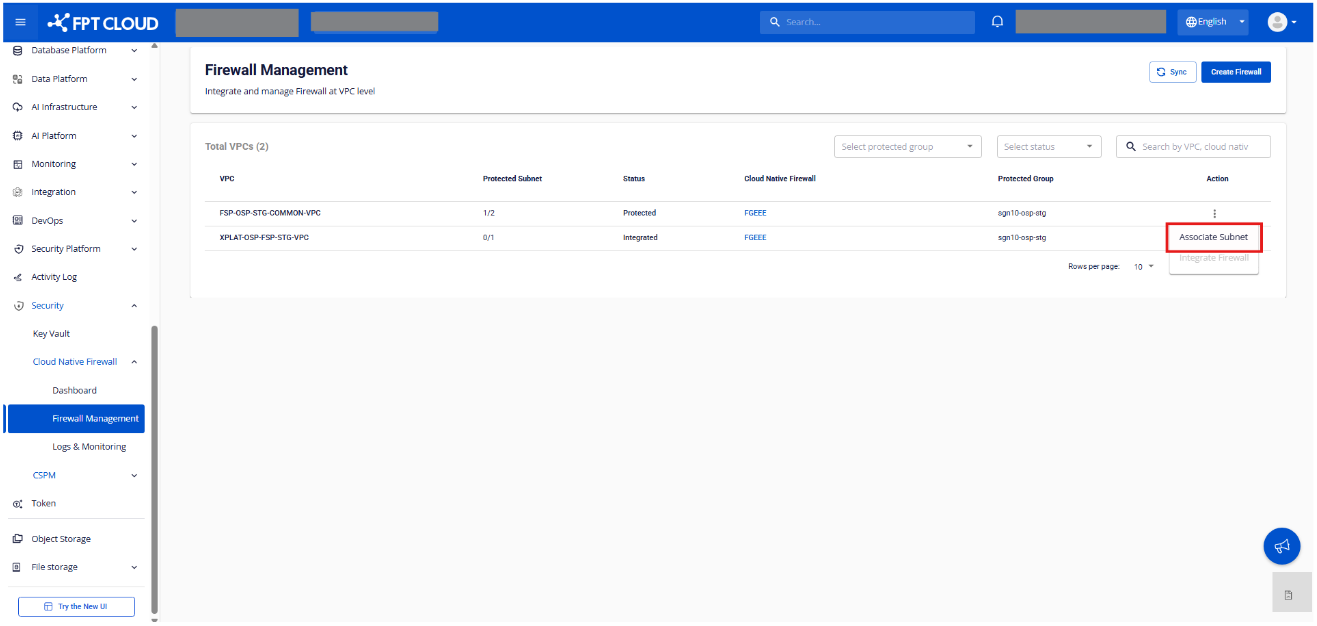
Bước 2. Hệ thống hiển thị màn hình Associate Subnet.
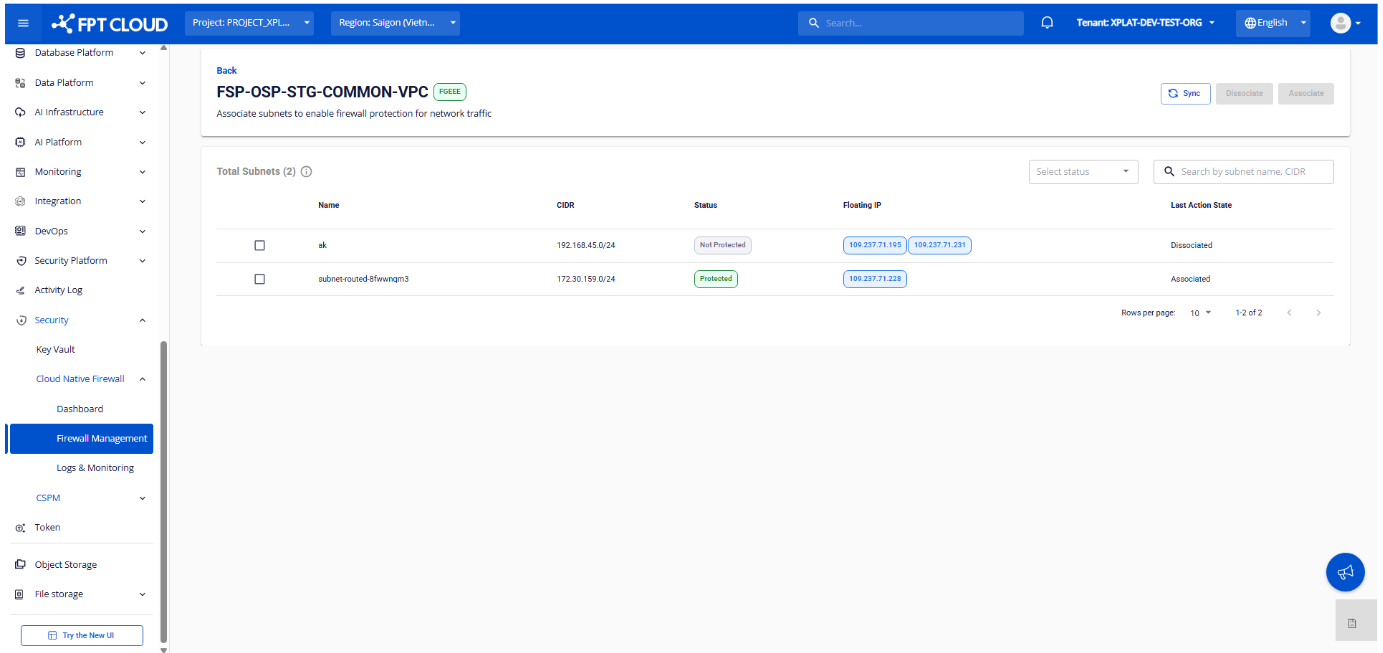
Thông tin hiển thị
| Thông tin | Mô tả |
|---|---|
| VPC | Tên VPC đã chọn |
| Cloud Native Firewall | Firewall đã integrate với VPC |
| Number of Total Subnets | Tổng số subnet có thể associate |
Danh sách subnet thuộc VPC:
| Cột | Mô tả |
|---|---|
| Subnet Name | Tên của subnet |
| Subnet CIDR | Dải CIDR của subnet |
| Status | Trạng thái bảo vệ: Protected / Not Protected |
| Floating IP | Floating IP gắn với subnet |
| Last Action State | Tình trạng associate của subnet |
Tìm kiếm, Lọc & Đồng bộ
- Lọc subnet theo trạng thái
- Tìm kiếm theo: Subnet Name, CIDR
- Sync để lấy danh sách subnet, Floating IP và trạng thái associate/dissociate mới nhất
Bước 3. Thực hiện associate hoặc dissociate subnet.
Associate subnet:
- Chọn subnet có trạng thái
Not Protected - Nhấn nút Associate
- Xác nhận trên popup
Dissociate subnet:
- Chọn subnet có trạng thái
Protected - Nhấn nút Dissociate
- Xác nhận trên popup
Lưu ý:
- Mỗi lần chỉ có thể thực hiện thao tác trên 1 subnet
- Chỉ subnet có type Routed mới hiển thị
Bước 4. Kiểm tra kết quả.
| Trạng thái | Last Action State | Status |
|---|---|---|
| Đang xử lý | In Progress | — |
| Associate thất bại | Associate Failed | — |
| Dissociate thất bại | Dissociate Failed | — |
| Associate thành công | Associated | Protected |
| Dissociate thành công | Dissociated | Not Protected |