Demo
Ví dụ này minh họa cách kết nối đến FPT Kafka bằng Python để gửi message từ producer và đọc message bằng consumer. Bạn cần đã tạo topic, credential và ACL phù hợp trước khi thực hiện. Tham khảo thêm tài liệu trong mục Document trên menu.
Phần 1: Producer gửi message vào topic
-
Tạo file
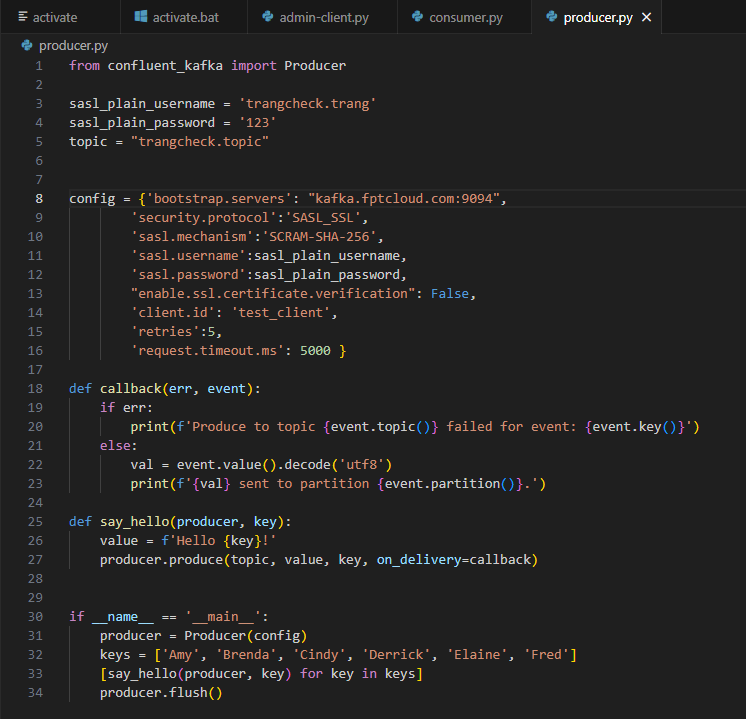
producer.py.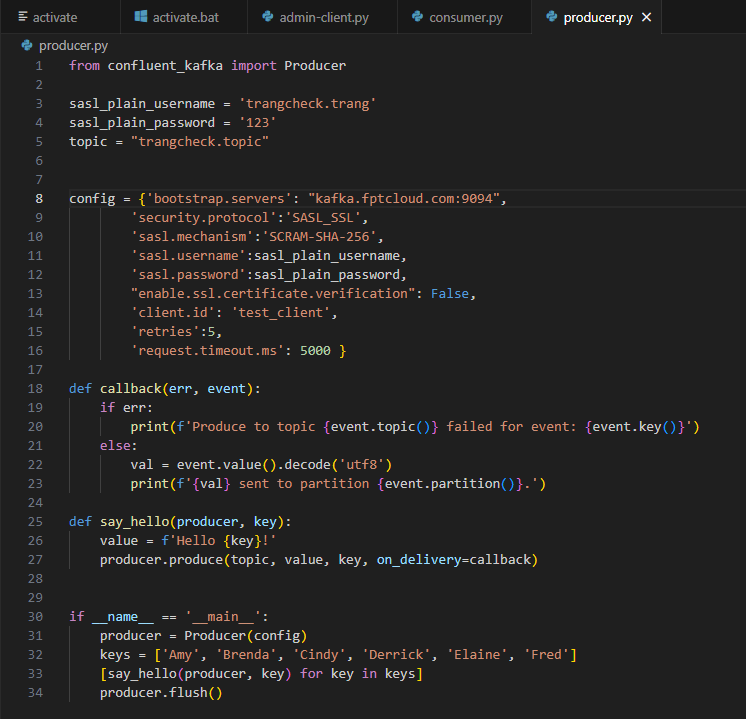
-
Trong file
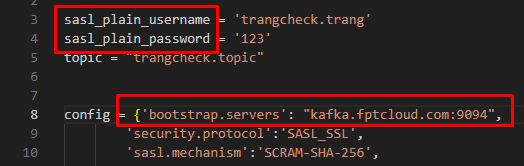
producer.py, điền các thông tin sau:
- sasl_plain_username và sasl_plain_password: Username và password của credential đã tạo
- topic: Tên topic đã tạo và đã cấp quyền Write
- bootstrap.servers: Thông tin cluster do admin cấp
-
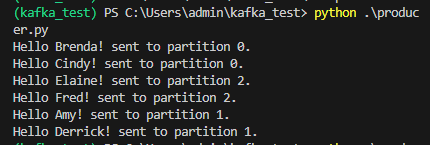
Mở terminal và chạy lệnh:
python .\producer.pyKết quả mong đợi:

Nếu output đúng, producer đã gửi message thành công vào các partition của topic.
Phần 2: Consumer đọc message
-
Tạo file
consumer.py.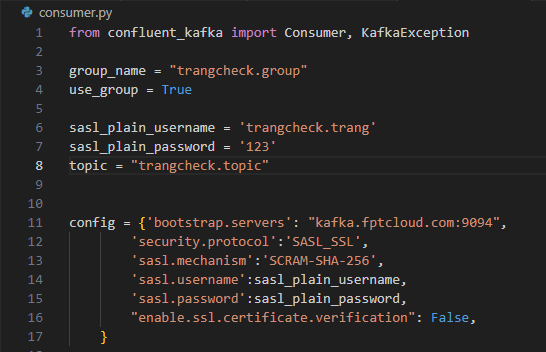
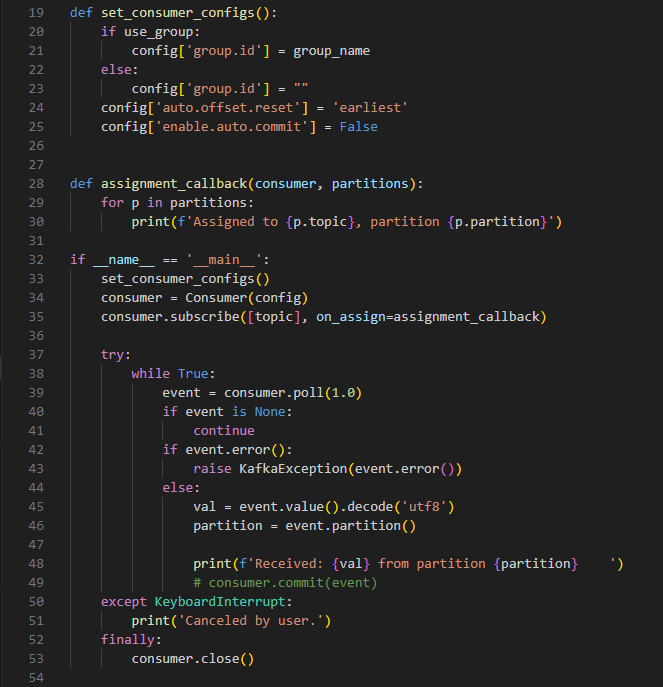
-
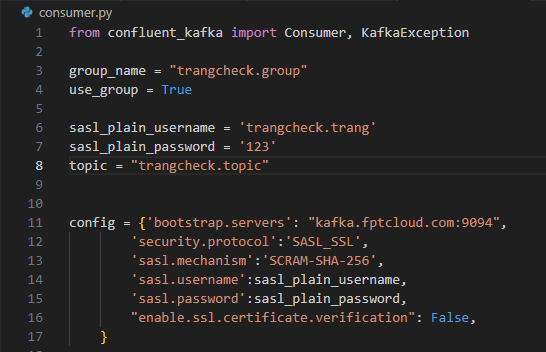
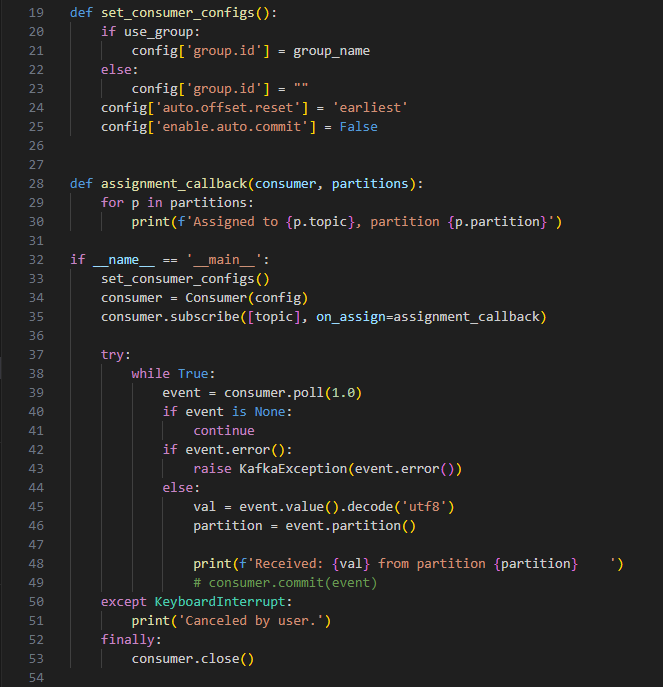
Trong file
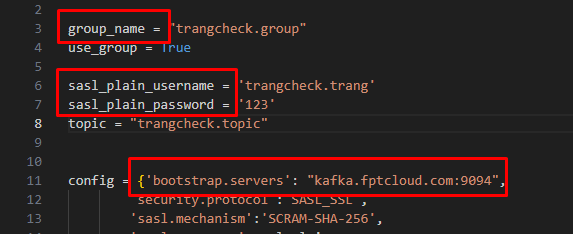
consumer.py, điền các thông tin sau:
- group_name: Tên consumer group đã tạo và đã cấp quyền Read topic
- sasl_plain_username và sasl_plain_password: Username và password của credential đã tạo
- topic: Tên topic đã cấp quyền Write và Read
- bootstrap.servers: Thông tin cluster do admin cấp
-
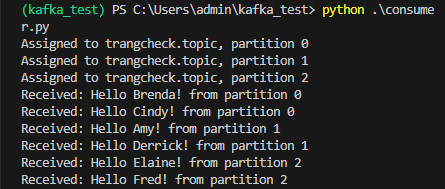
Mở terminal và chạy lệnh:
python .\consumer.pyKết quả mong đợi: