Use Model Catalog
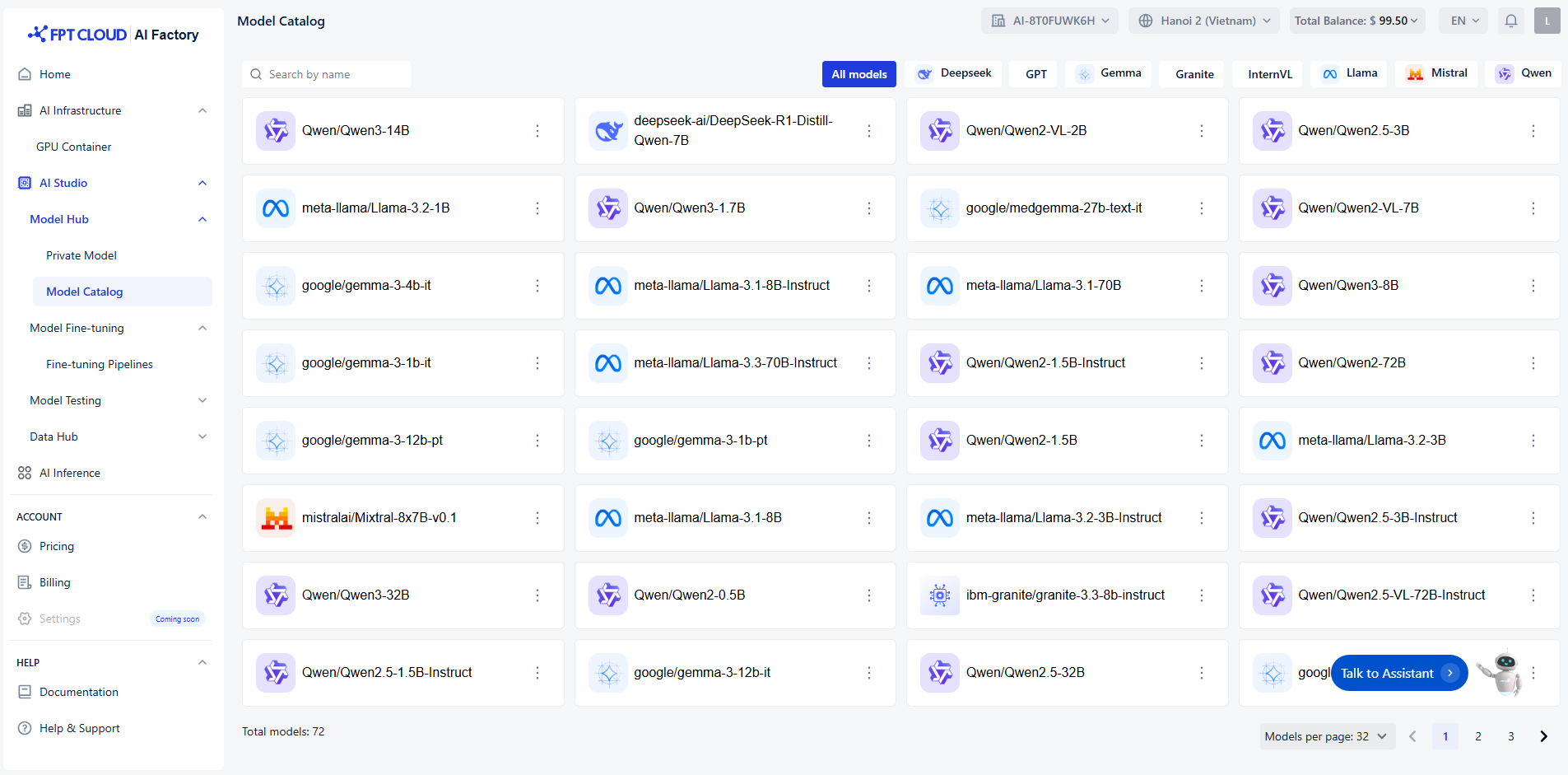
Each model card includes:
- Model Name (e.g.,
Qwen/Qwen3-14B,meta-llama/Llama-3-70B) - Provider (e.g., Qwen, Meta LLaMA, Google Gemma, DeepSeek, IBM Granite, Mistral)
- Version or Size (e.g.,
7B,14B,70B)
Each model card provides multiple options via the three-dot menu (⋮) :
- Playground Test the model directly in the Playground interface. You can interact with it before deployment.
- Create API Endpoint Generate an API endpoint for the model so it can be integrated into your applications or services.
- Fine-tune Customize the model using your own dataset to improve performance for your specific use case.
Browsing and Searching Models
- Use the search bar at the top to quickly find a model by name.
- Use the filter tabs (e.g., DeepSeek, GPT, Qwen, etc.) to view models from a specific family.
- At the bottom right, adjust the "Models per page" setting to display 8, 16,32, 64, or more models per page.
- Navigate between pages using the pagination controls.