How to Create an User Token?
Step 1: Create user token
-
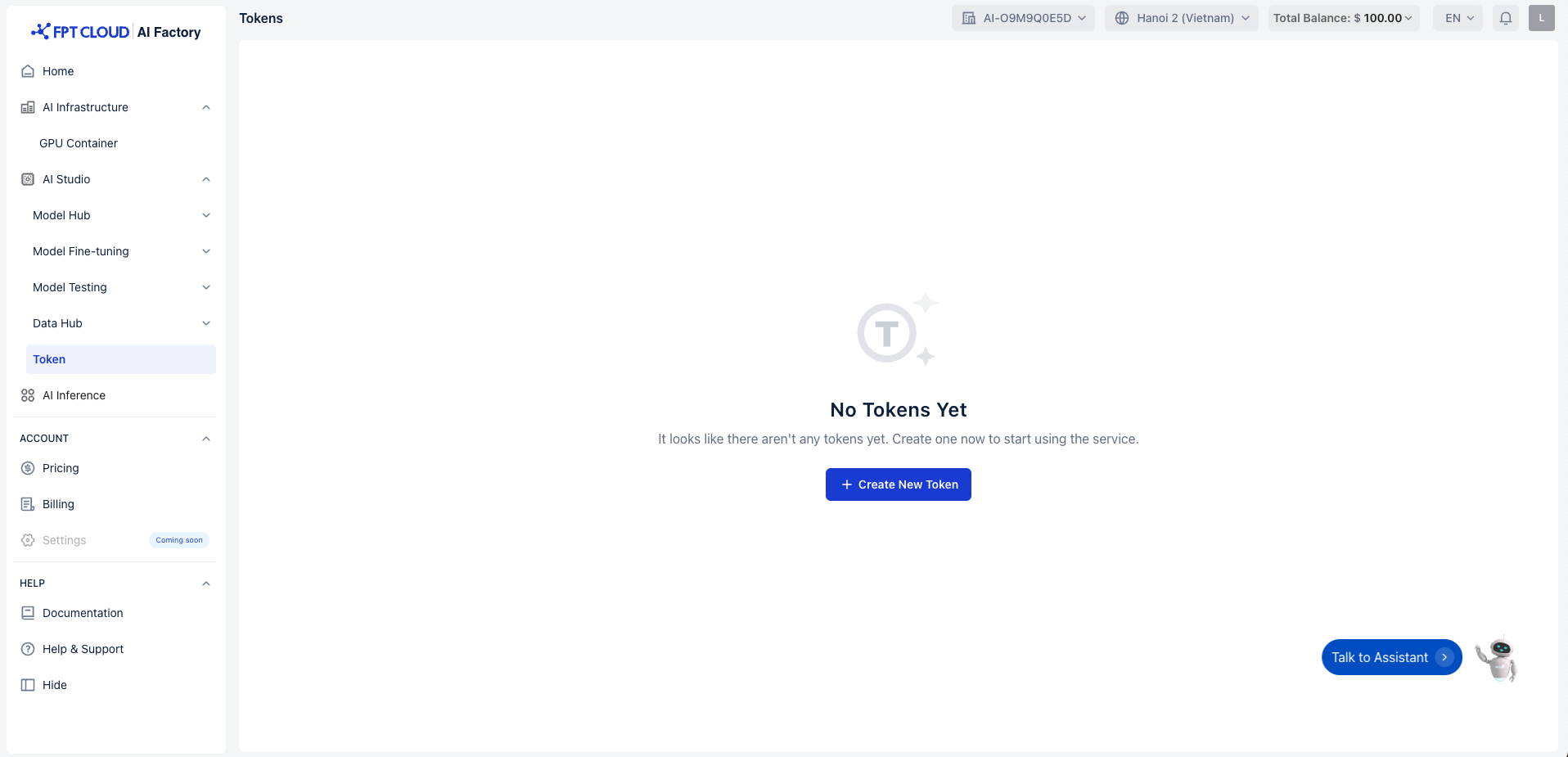
Access Token service at https://ai.fptcloud.com/ and click button "Create New Token"
-
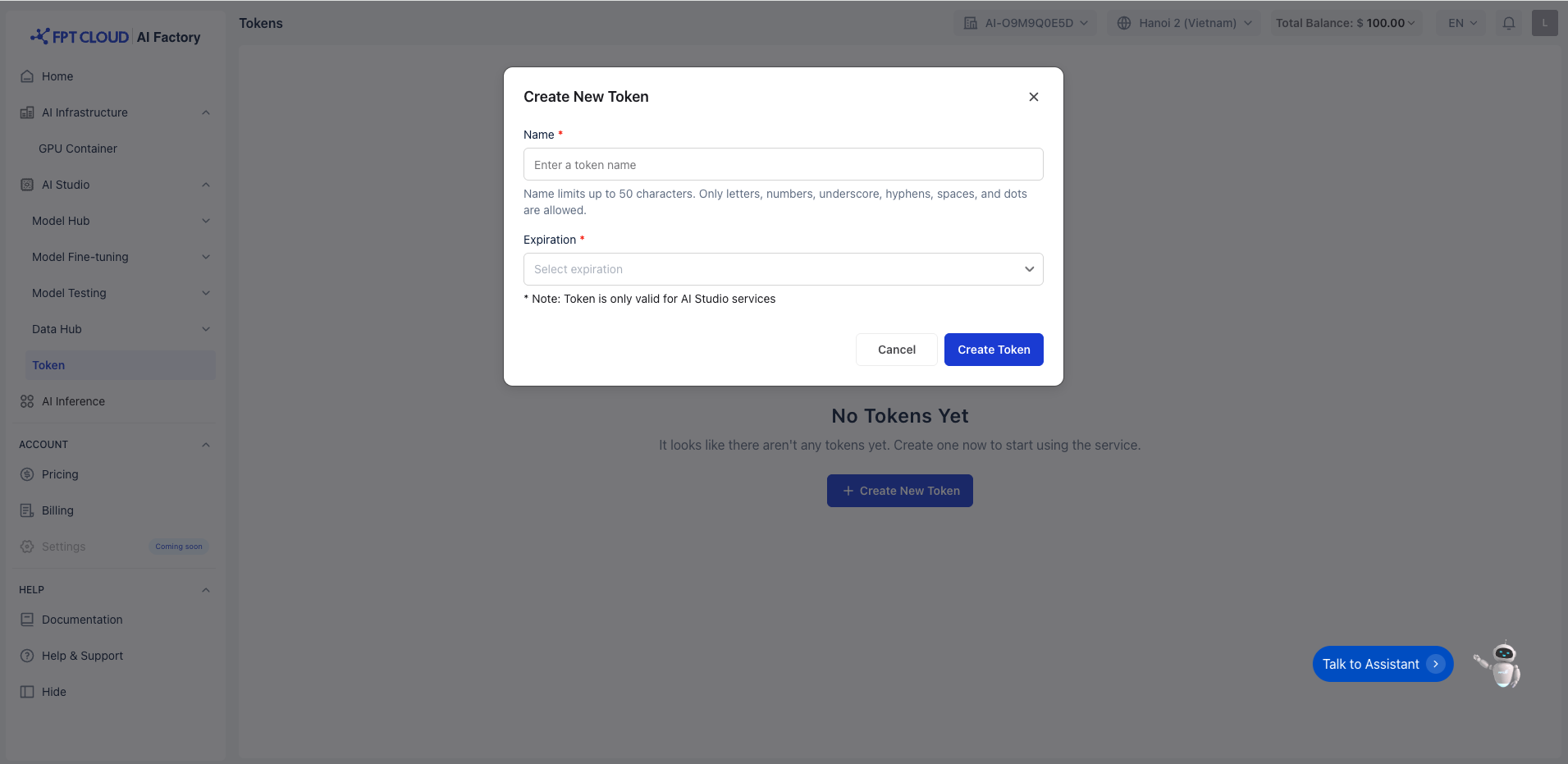
Show popup Create New Token
-
Name: Enter a name for your new token. Token name limits up to 50 characters. Only letters, numbers, underscore, hyphens, spaces, and dots are allowed.
-
Expiration: Choose an expiration date for the token from the dropdown options (30/60/90 days)
-
Notes: Token is only valid for Model Fine-tuning & Model Hub services
-
Once the name and expiration are selected, click the Create Token button.
-
This will generate the token for use in your AI Studio services.
-
Important: The token will only be shown once, so be sure to copy it right away after creation.
- Save the token in a secure place, as you won't be able to retrieve it again.
Step 2: Get Tenant ID
- After creating the token, it will be displayed in the token list on the Tokens page.
- Locate your Tenant ID from the list of tokens.
- You will now have both the access_token and tenant_id needed to use the API for fine-tuning.