Upgrade your service plan
When your storage needs or pull count exceed the limits of your current plan, you can upgrade to a higher tier directly from the Portal. Upgrades only — downgrading is not supported.
-
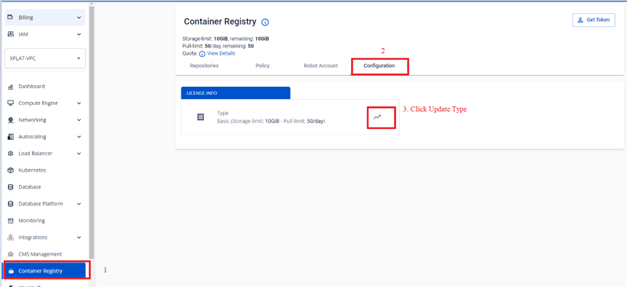
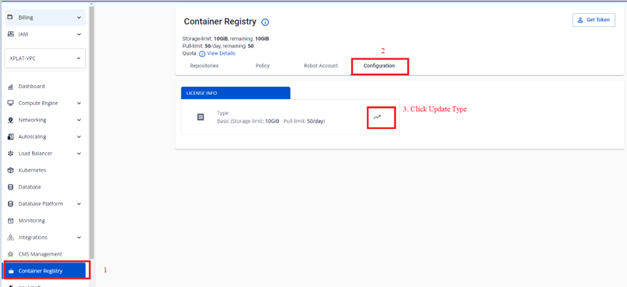
On the FPT Portal menu, select Container Registry > Configuration > Update Type.
-
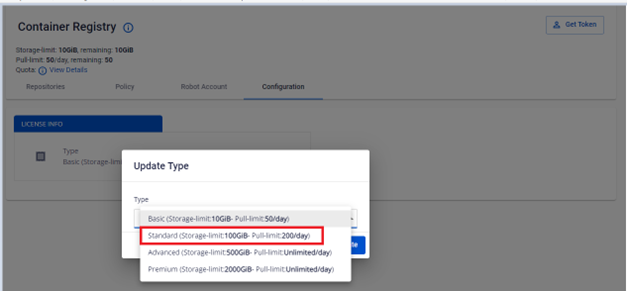
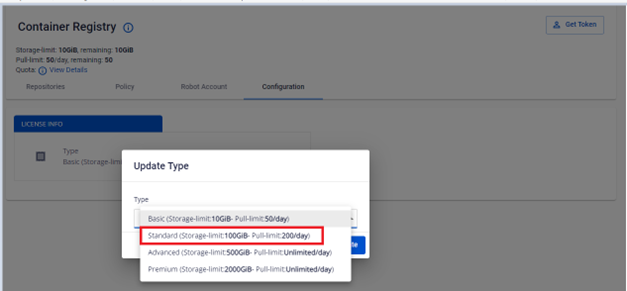
Select the service plan you want to upgrade to.
-
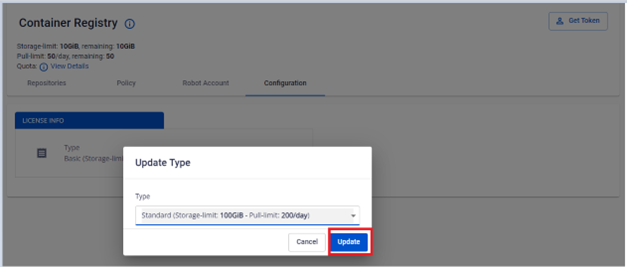
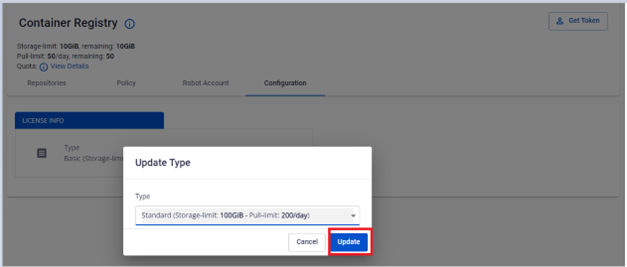
Click Update to confirm the upgrade.
-
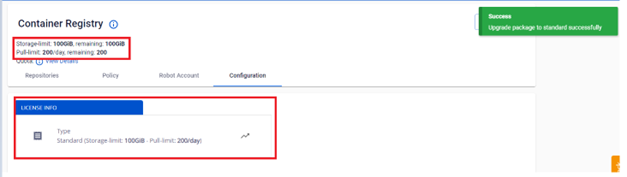
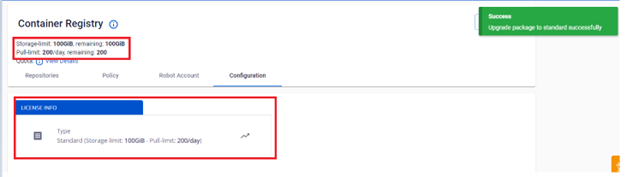
Verify the service plan information after upgrading.