Initial Setup
If this is your first time using FPT Kubernetes Engine, check and complete the following tasks first.
1. Create an FPT Cloud account and log in to FPT Portal
To register for an FPT Cloud account, visit the official website at https://fptcloud.com/. Select the Sign Up function and enter the required information as guided by the system. The support team will contact you shortly to confirm your details and create your account. To log in to FPT Portal, go to https://console.fptcloud.com/. After logging in with your assigned account and password, select the correct Tenant, Region, and VPC. If you are unsure about any of the above information, or the system returns an error after 3 attempts, contact our Support team immediately for assistance.
2. Create Subnets with Static Pool
Kubernetes Cluster only works with Subnets that have the Static Pool option enabled. Therefore, you need to create a Subnet with a Static Pool by following these steps:
Step 1: In the Network section, select the Subnets tab.
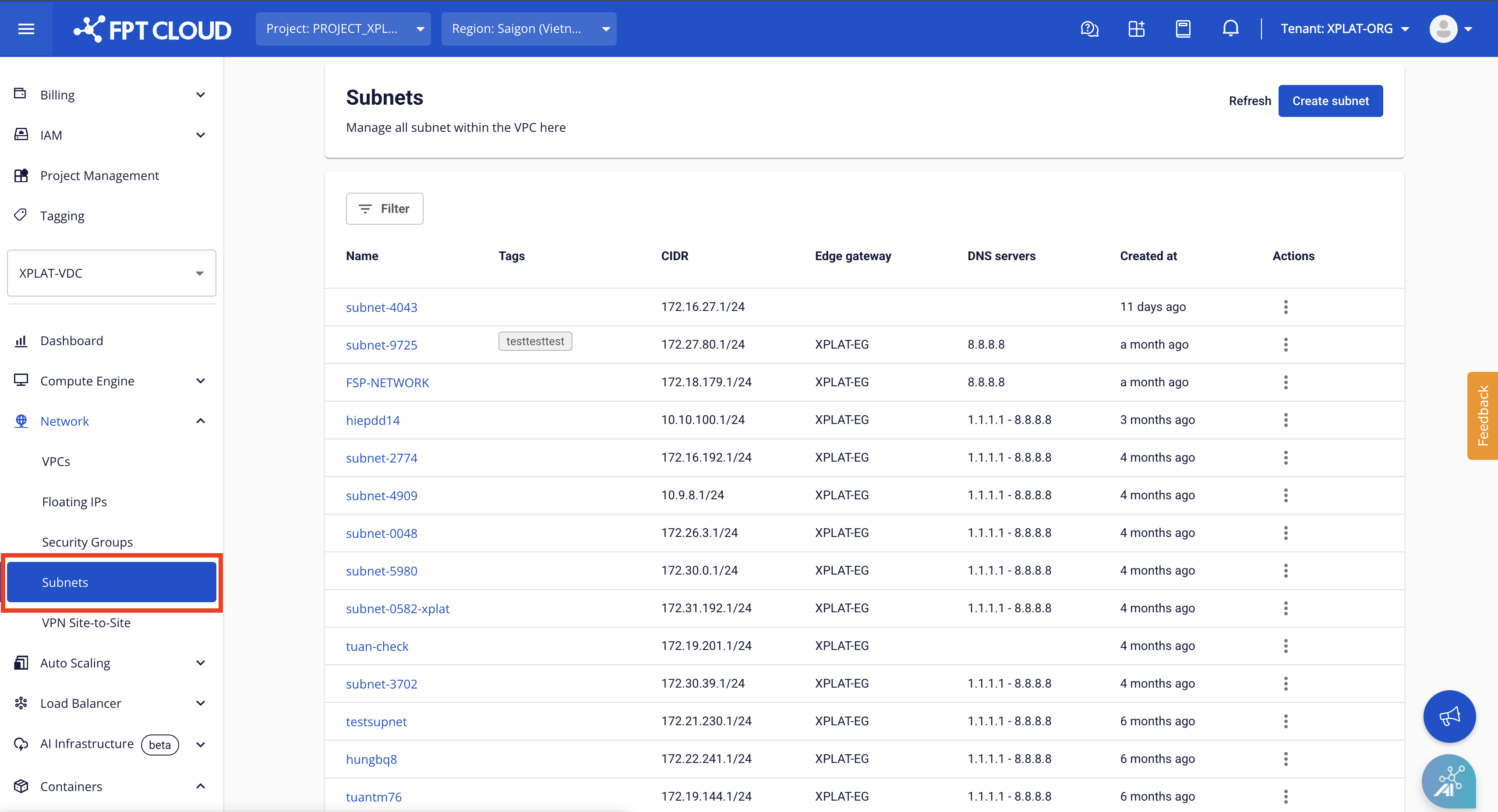
Step 2: Select Create Subnet on the Subnets Management page.

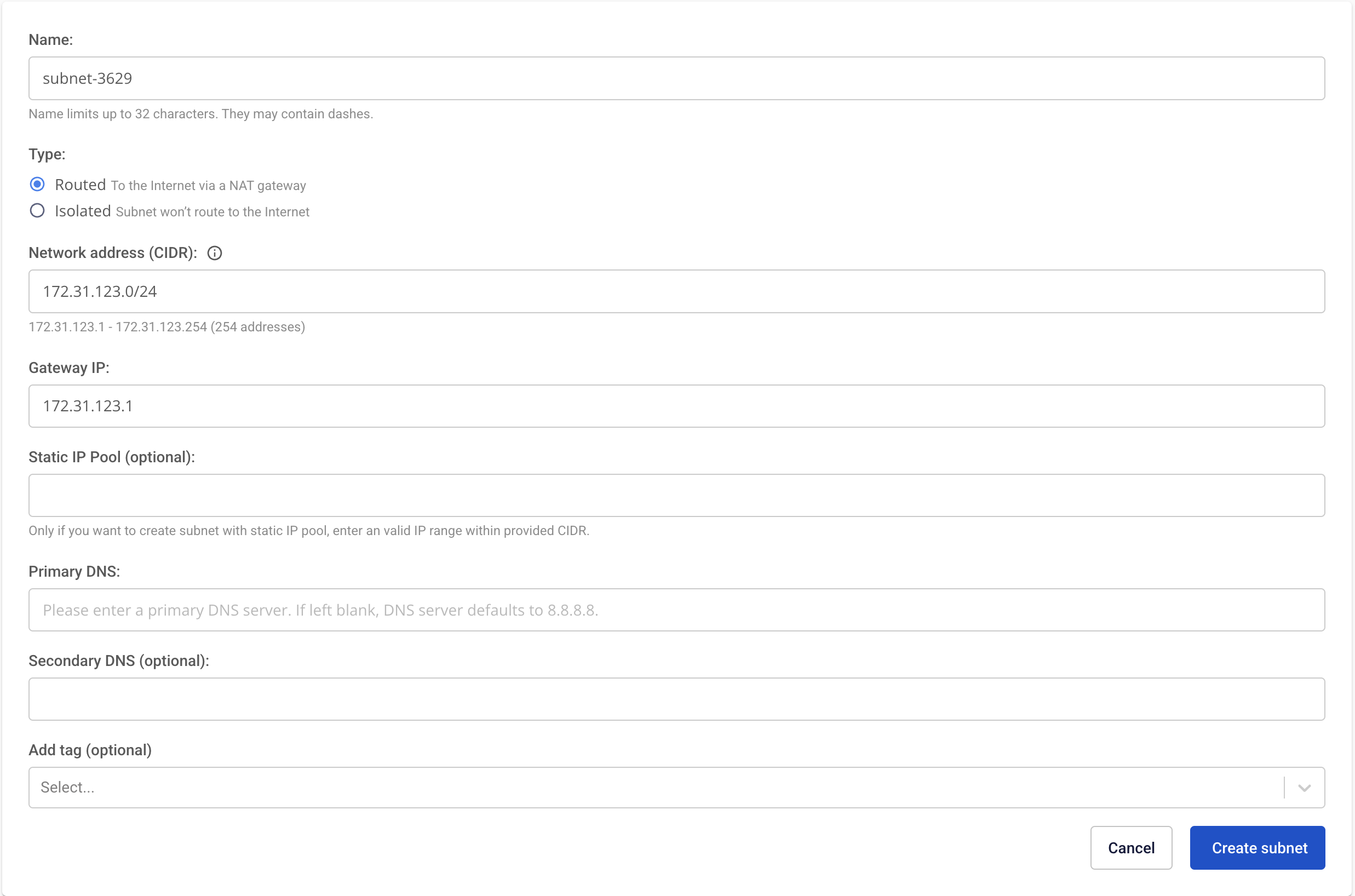
Step 3: Enter the following information:
- Name: Enter a memorable name for the Subnet.
- CIDR: Enter a valid CIDR.
- Check the Advanced settings option.
- Static IP Pool: Enter one valid IP range derived from the CIDR.
Select Save to create the new Subnet. The system will process and notify you of the result.
3. Request FKE service activation and resource quota
If this is your first time using FPT Cloud, some services may not yet be enabled for your account. Contact our support team and provide the configuration details you need. We will allocate the necessary resources — RAM, CPU, Storage, Public IP, etc. — so you can use the FKE service.