View Ingestion Details
To view Ingestion service information, follow these steps:
Step 1: In the menu bar, select Data Platform > Workspace Management > Workspace name
Note: Users can access the Ingestion service directly by selecting Data Platform > Ingestion service from the menu bar.
Step 2: In the My Service section, select Ingestion service
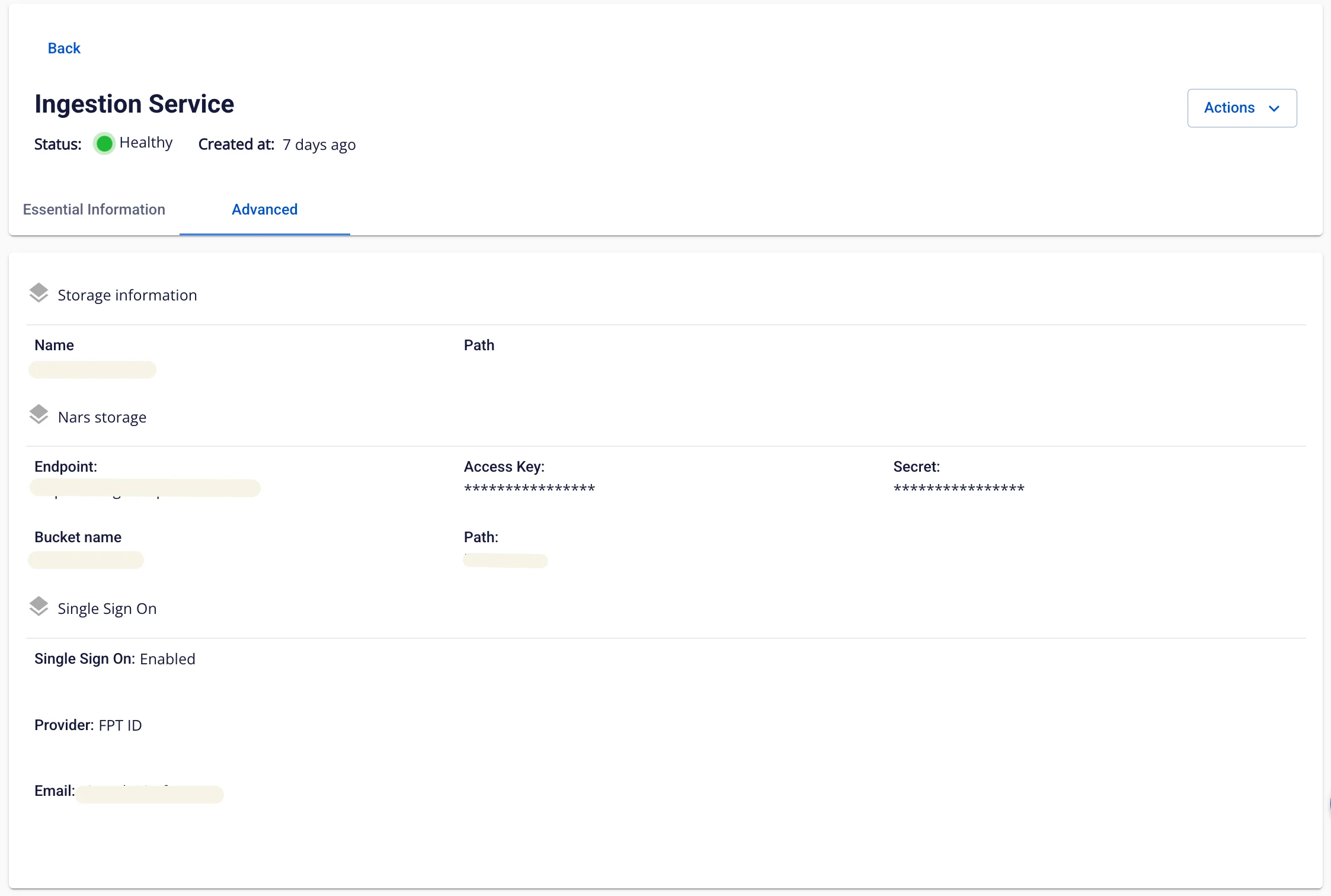
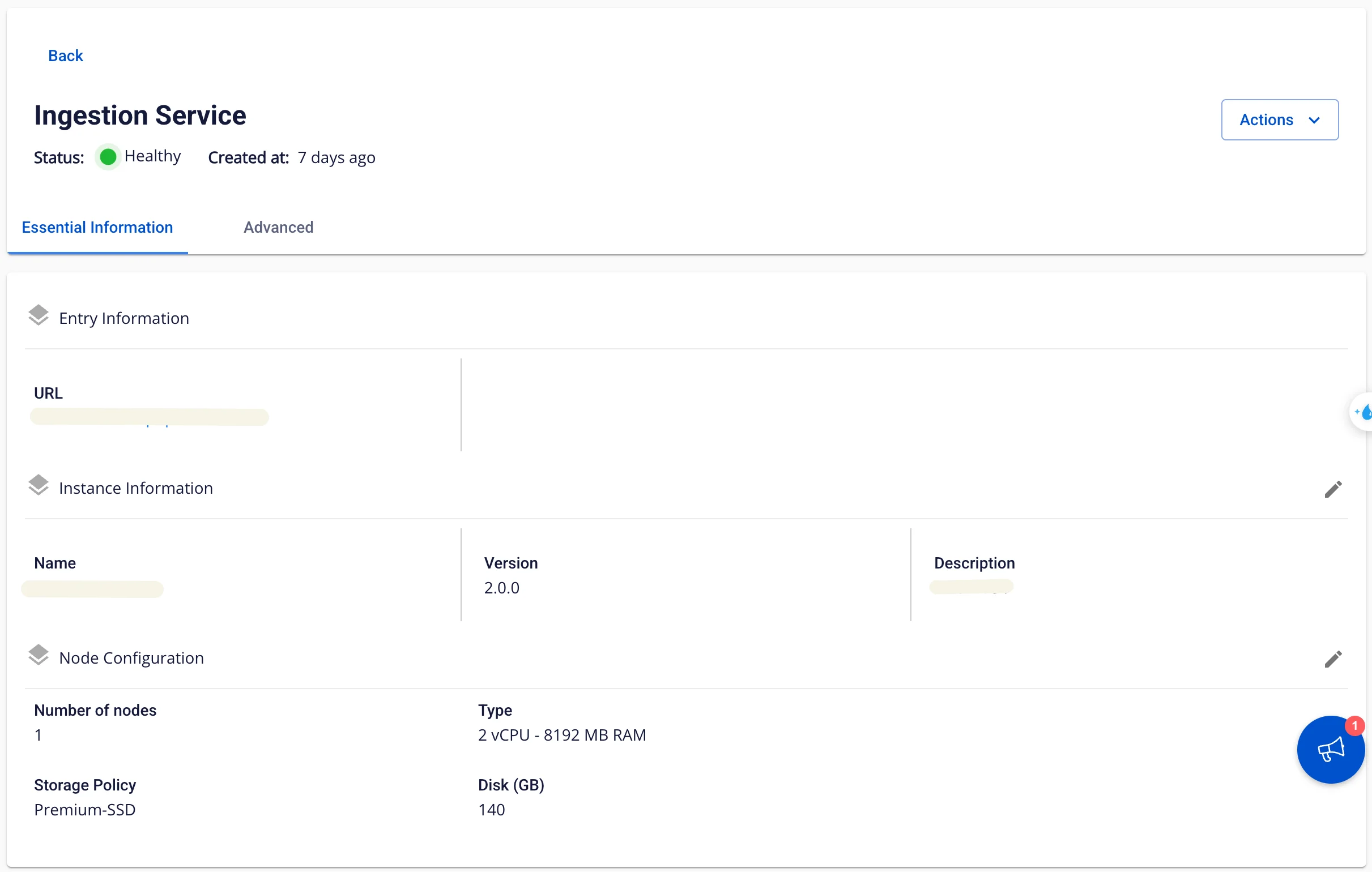
Two tabs are displayed: Essential Information and Advanced
Tab Essential Information
Displays detailed information about the Ingestion service
Tab Advanced
Displays Single Sign On information