Add Members to Server Pool
A member is a server in a Server Pool on the Load Balancer, responsible for handling requests from users or other devices through the Load Balancer.
A default Server Pool member is created automatically when you create a Load Balancer.
To add members to a Server Pool, follow these steps:
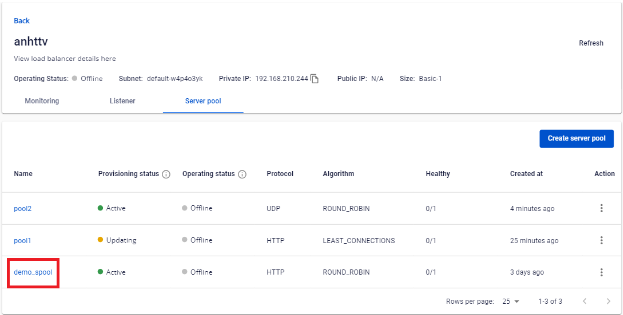
Step 1: In the Server Pool list, select the Server Pool you want to add a member to.
Step 2: Under Add server, the Select instance box displays available Instances. Select an Instance from the list.
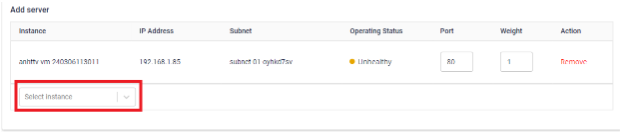
You can edit the following:
- Port: The port on which the member listens for incoming requests. This is typically the port related to the specific service the member provides.
- Weight: The priority weight determining how much traffic each member handles. Members with higher weight receive more requests.
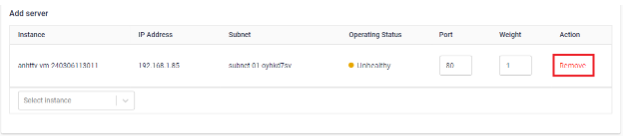
To remove a Server Pool member, click Remove from the Action menu of the member you want to delete.