Create VPN Site-to-Site
-
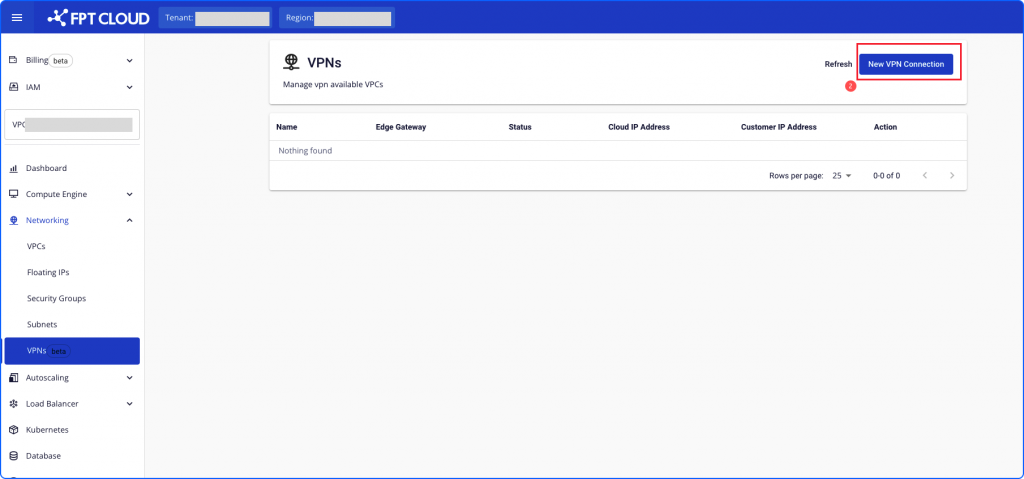
In the Networking menu, select the VPN tab.
-
Select Create.
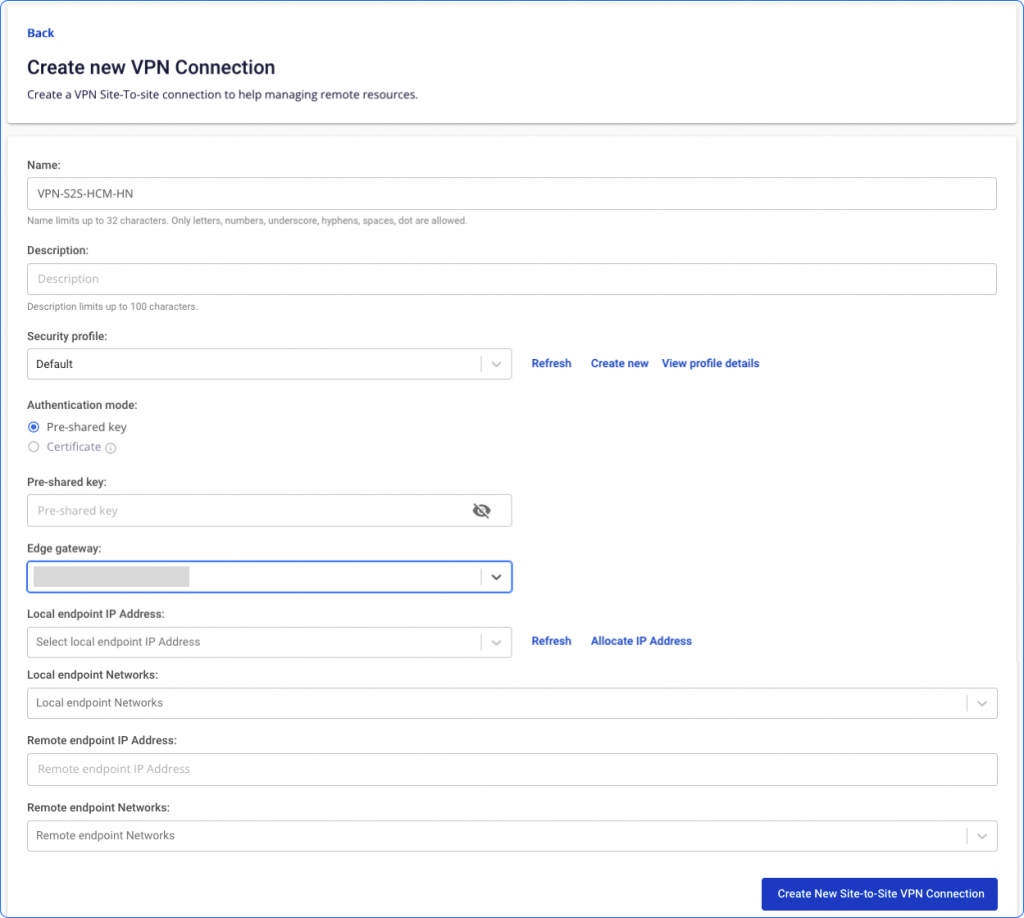
- On the Config page, enter the required fields.
| Field | Description | Constraints |
|---|---|---|
| Name | Name of the VPN Site-to-Site | Up to 32 characters. Only letters, numbers, underscores, dashes, spaces, and dots are allowed. |
| Description | Description of the VPN connection | 100-character limit |
| Security Profile | Connection security type | |
| Authentication mode | Authentication method | Certificate authentication is not currently supported. |
| Pre-shared key | Shared secret key used by both peers | 8–32 characters. Valid characters: A–Z, a–z, 0–9, _ and . |
| Edge gateway | Edge gateway handling enterprise application workloads | Select from list |
| Local endpoint IP address | Public IP issued by the FPT Cloud system | This IP cannot be attached to any VPC or other service. One IP can be used for multiple VPN connections. |
| Local endpoint networks | Networks on the FPT Cloud side | Networks must not overlap with each other or with remote endpoint networks. |
| Remote endpoint IP address | Public IP of the on-premises device | IPv4 address |
| Remote endpoint networks | Networks on the on-premises side | Networks must not overlap with each other or with local endpoint networks. |