データベースクラスター一覧の表示
The Database cluster list page provides a consolidated view of all database instances/clusters running in the FPT Database Engine environment, enabling users to easily monitor status, review configuration, and perform common management operations on each database cluster.
To view the list of database clusters, sign in to the FPT Cloud Portal. From the main menu, select Database Platform > Non-Relational Databases. The Database cluster list page displays all existing database clusters along with their current status and key information required for monitoring and administration.
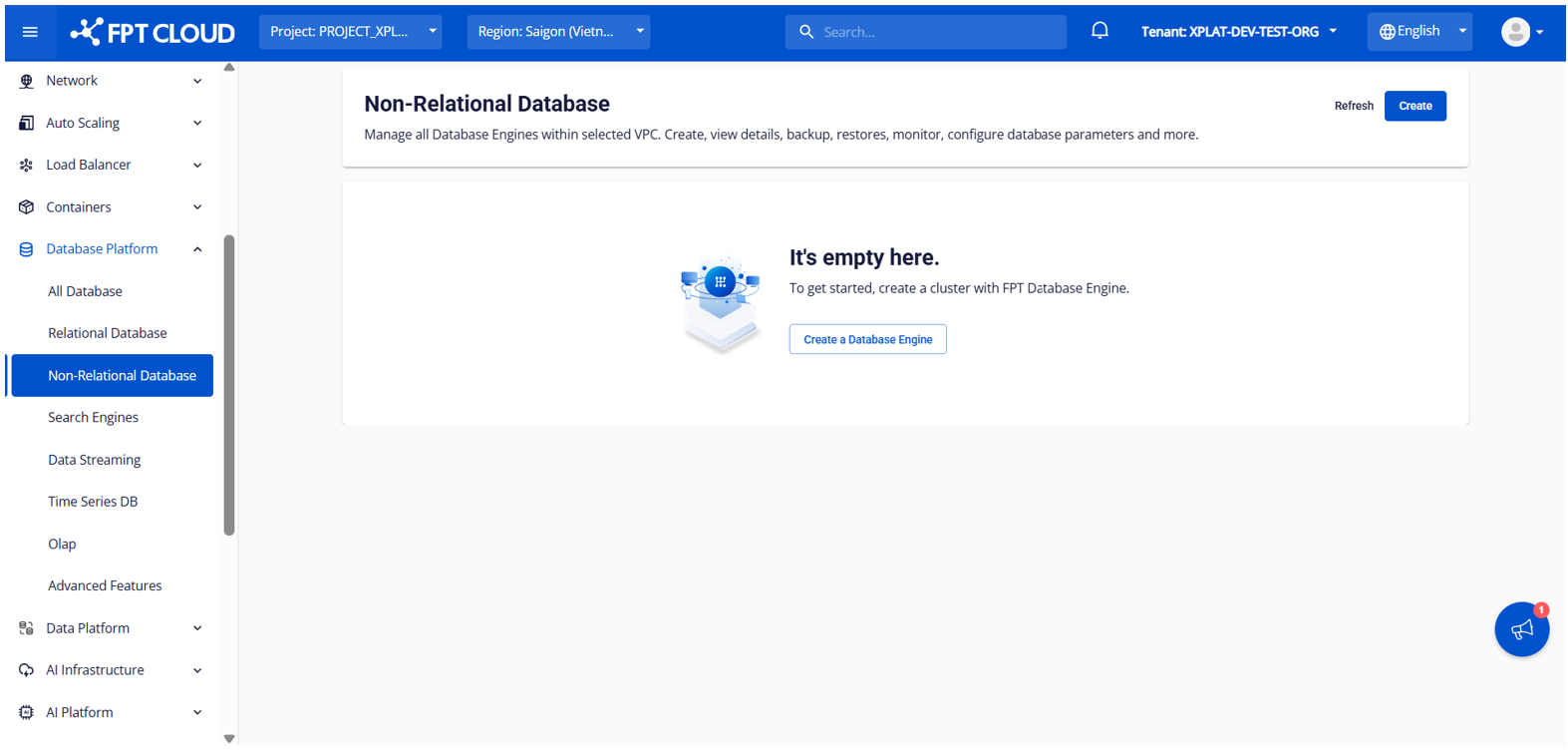
- No database clusters available : The list will be empty and a database cluster provisioning option will be displayed, allowing users to provision a new database cluster.
- Database clusters available : The list shows all database clusters deployed within the VPC, providing high-level details for ongoing management and operations (start/stop/restart/delete).
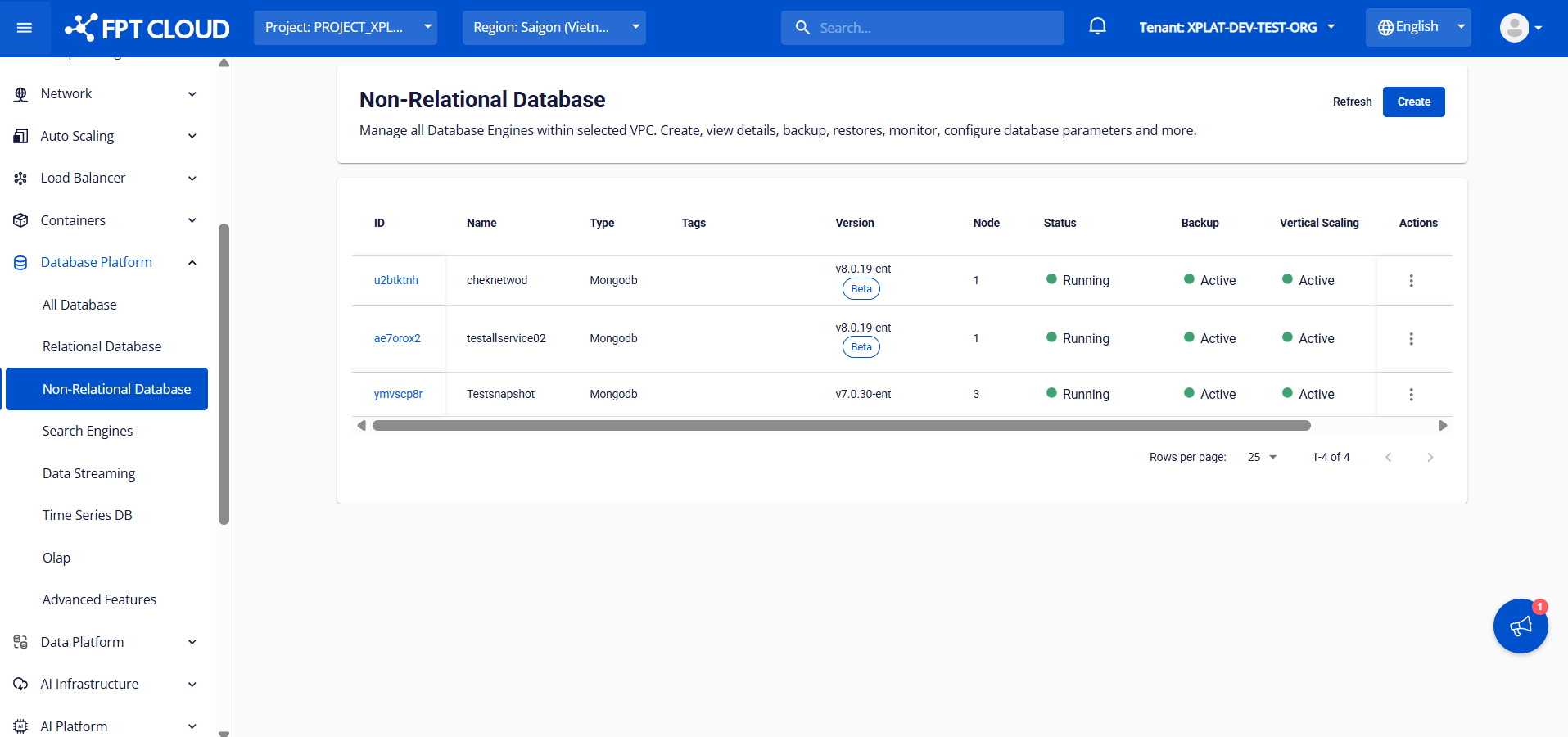
Database cluster list informations:
| Column | Description |
|---|---|
| ID | Displays the database cluster ID. |
| Name | Displays the database cluster name. |
| Type | Displays the database engine type. |
| Tag | Display a list of tags that have been assigned to the database cluster. |
| Version | Displays the engine version and lifecycle status: |
- Beta version: labeled “Beta”
- General Availability (GA): Displays normally, no tag
- Deprecated version: labeled “Dep.”
- End of Support version: labeled “EoS”
Node | Displays the number of nodes in the database cluster.
Status | Displays the current cluster status (Running, Warning,...).
Backup | Indicates whether Backup service is enabled.
Vertical scaling | Indicates whether Auto Vertical Scaling service is enabled.
Monitoring | Indicates whether Monitoring service is enabled.
Created at | Displays the database cluster creation timestamp.
Action | Displays available actions for the database cluster (Restart, Delete, …).