インシデントの作成
新しいインシデントは 2 つの方法で作成できます。システムから Declare Incident 機能を使って直接作成する方法と、Incoming Webhook を使って作成する方法です。
Declare Incident
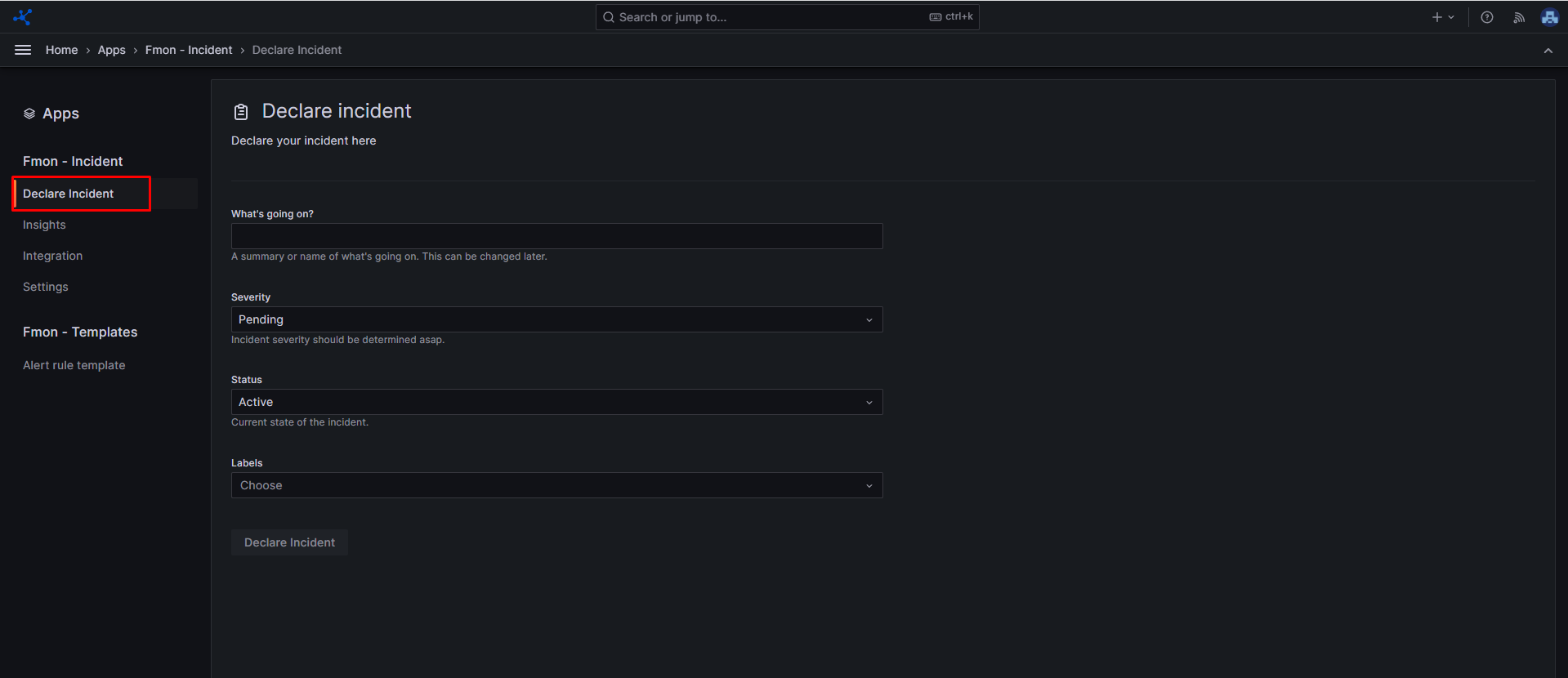
ステップ 1: サイドバーメニューから Apps を選択し、FMON - Incident をクリックします。 ステップ 2: Declare Incident をクリックします。 ステップ 3: インシデントに必要な情報を入力します。
- What's going on?: 発生中のインシデントを説明するか、名前を付けます。
- Severity: インシデントの重大度を選択します。
- Status: インシデントの現在のステータスです。
- Labels: インシデントに割り当てるラベルの一覧です。
ステップ 4: Declare incident をクリックします。
Incoming Webhook
ステップ 1: サイドバーメニューから Apps を選択し、FMON - Incident をクリックします。 ステップ 2: Integration をクリックします。 ステップ 3: こちらの説明に従って Incoming webhook を設定します。 ステップ 4: Incoming webhook 連携を統合した後、Show details をクリックして詳細を表示します。システムから次の情報が提供されます。
- Token
- URL: インシデントを POST するために使用する Incoming webhook の URL。
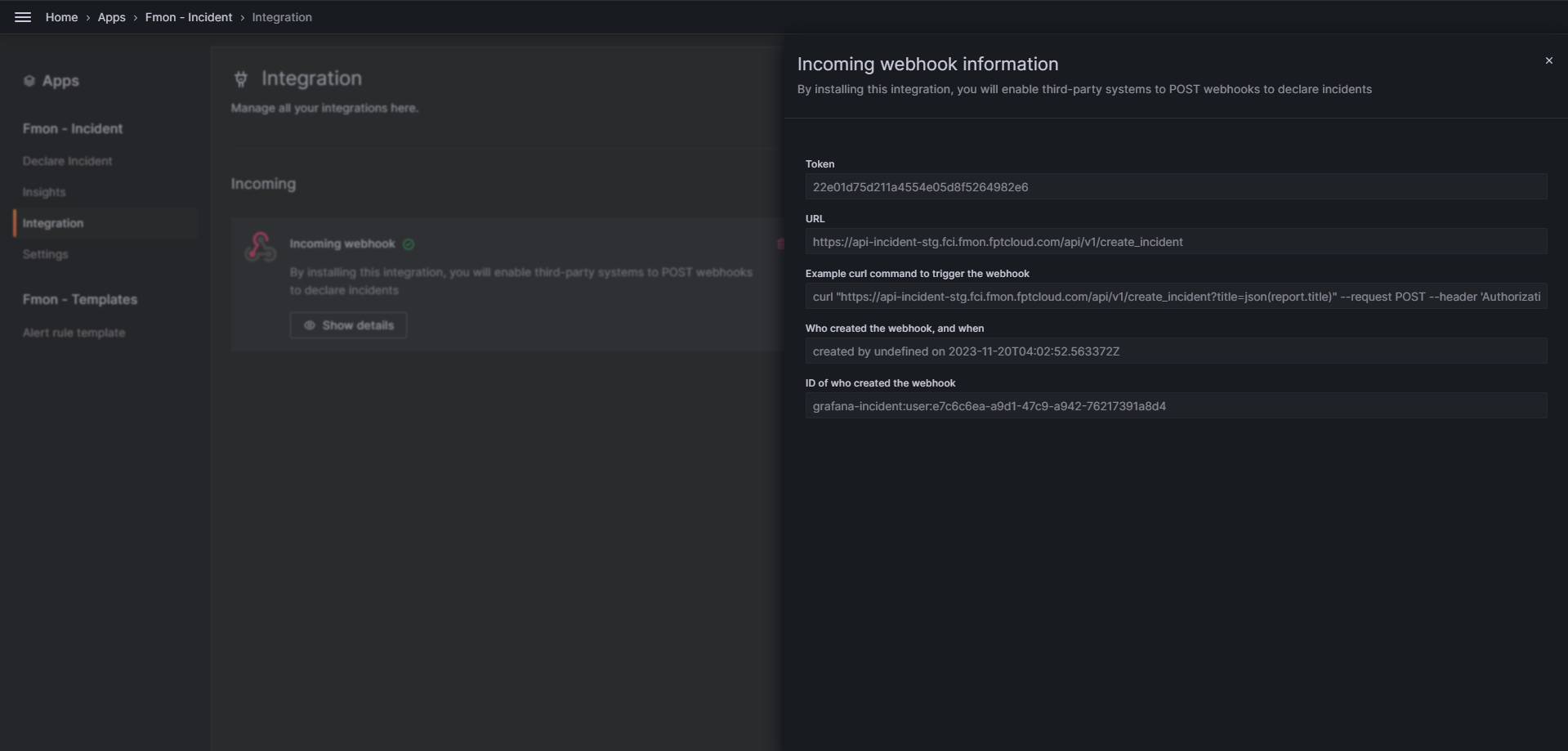
インシデントを incoming webhook に送信するには、webhook に POST リクエストを送信します。curl を使用した例は次のとおりです。
Copycurl "https://api-incident-stg.fci.fmon.fptcloud.com/api/v1/create_incident?title=json(report.title)" --request POST --header 'Authorization: a9210eeee765e209c6a81a13e957574e' --header 'Content-Type: application/json' --data '{"report":{"title":"cool that this title comes from the json"}}'