Incoming webhookでインシデントを作成する
- 左メニューで Apps > Incident をクリックします。
- Integration をクリックします。
- Incoming webhook を設定します(未設定の場合はインテグレーション設定ガイドを参照してください)。
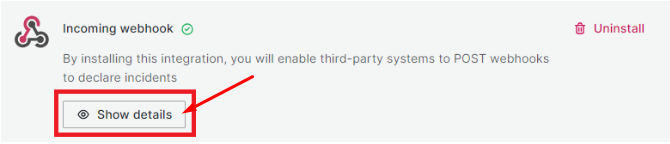
- 設定完了後、Show details をクリックして詳細情報を確認します。
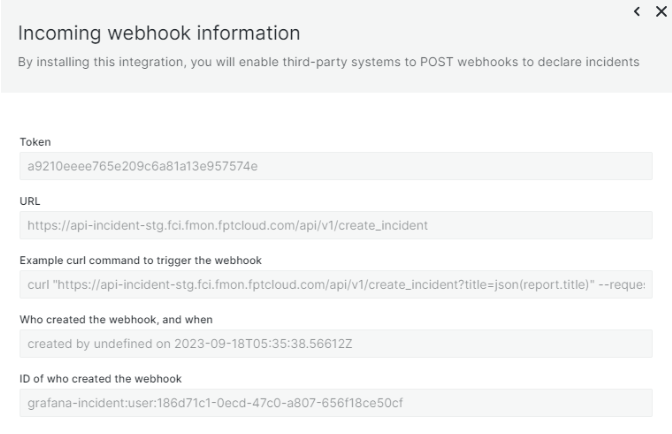
主な情報:
- Token: 認証に使用する文字列
- URL: インシデントをPOSTするためのIncoming webhook URL
curlを使用した例
curl "api-incident-stg.fci.fmon.fptcloud.com/api/v1/create_incident?title=json(report.title)" \
  --request POST \
  --header 'Authorization: a9210eeee765e209c6a81a13e957574e' \
  --header 'Content-Type: application/json' \
  --data '{"report":{"title":"cool that this title comes from the json"}}'