Xem danh sách role
Bạn có thể xem và quản lý danh sách role đã tạo trên trang Roles management.
- Trên FPT Portal, chọn IAM > Roles.
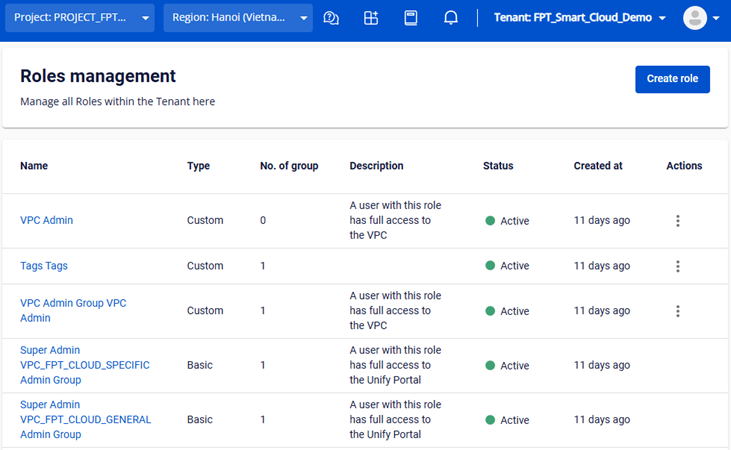
- Hệ thống hiển thị danh sách bao gồm cả basic Role và Custom Role với các thông tin: Name, Type, Description, Status, Created at, No of group, Actions.
ghi chú
Cột No of group hiển thị số lượng User Group đang gán role đó. Cột Actions cho phép Delete, Edit Basic Information và Edit Permissions (chỉ áp dụng với Custom Role).