View role list
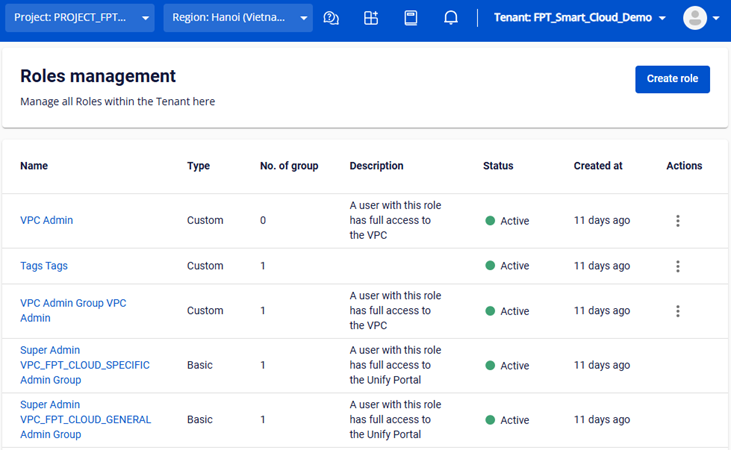
You can view and manage the list of roles on the Roles Management page.
- On the FPT Portal, go to IAM > Roles.
The system displays a list of both basic roles and custom roles with the following information:
- Name, Type, Description, Status, Created at
- No. of Groups: Number of User Groups assigned to the role
- Actions: Delete, Edit Basic Information, Edit Permissions (Custom Roles only)