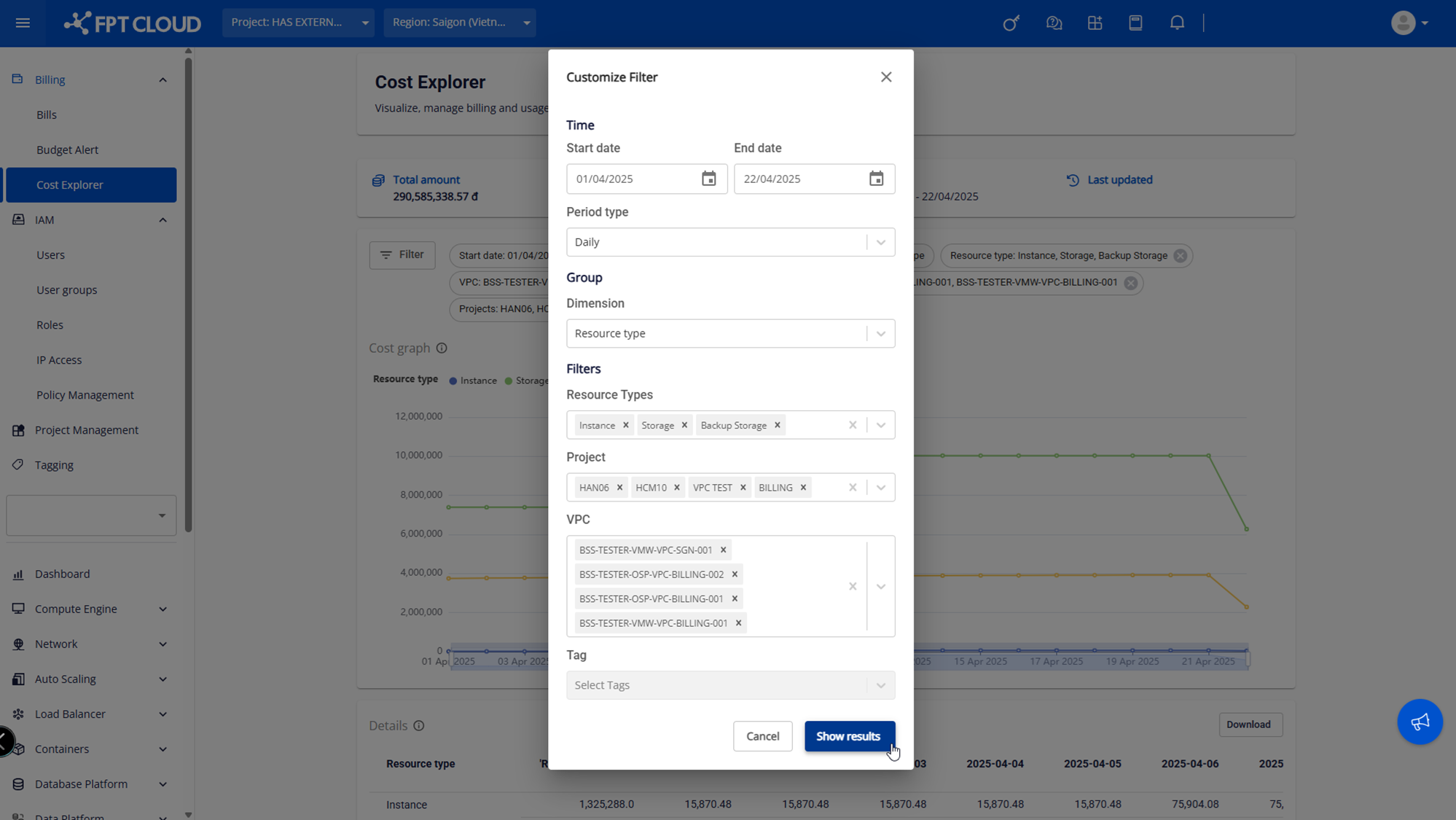
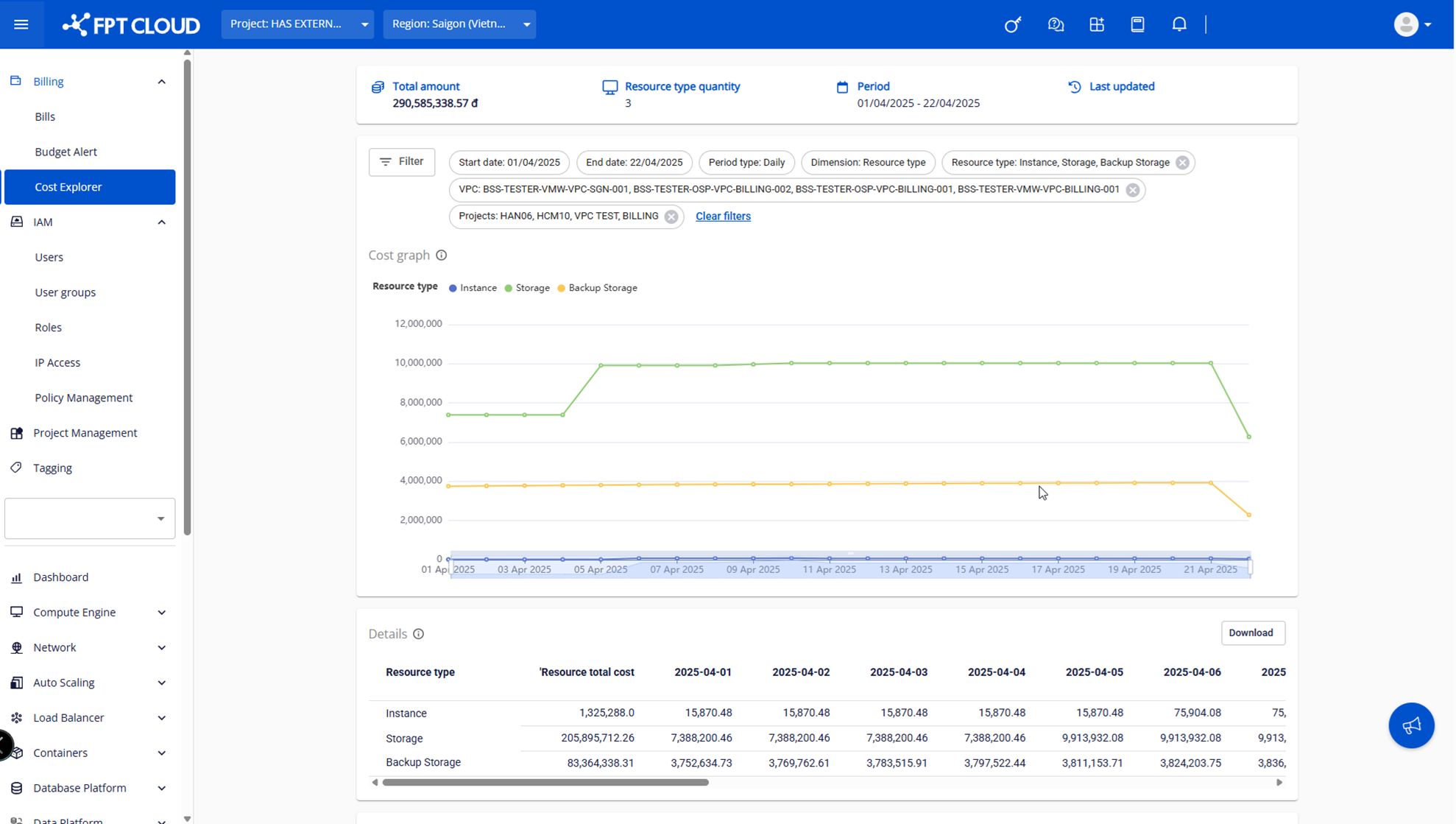
View costs by resource type
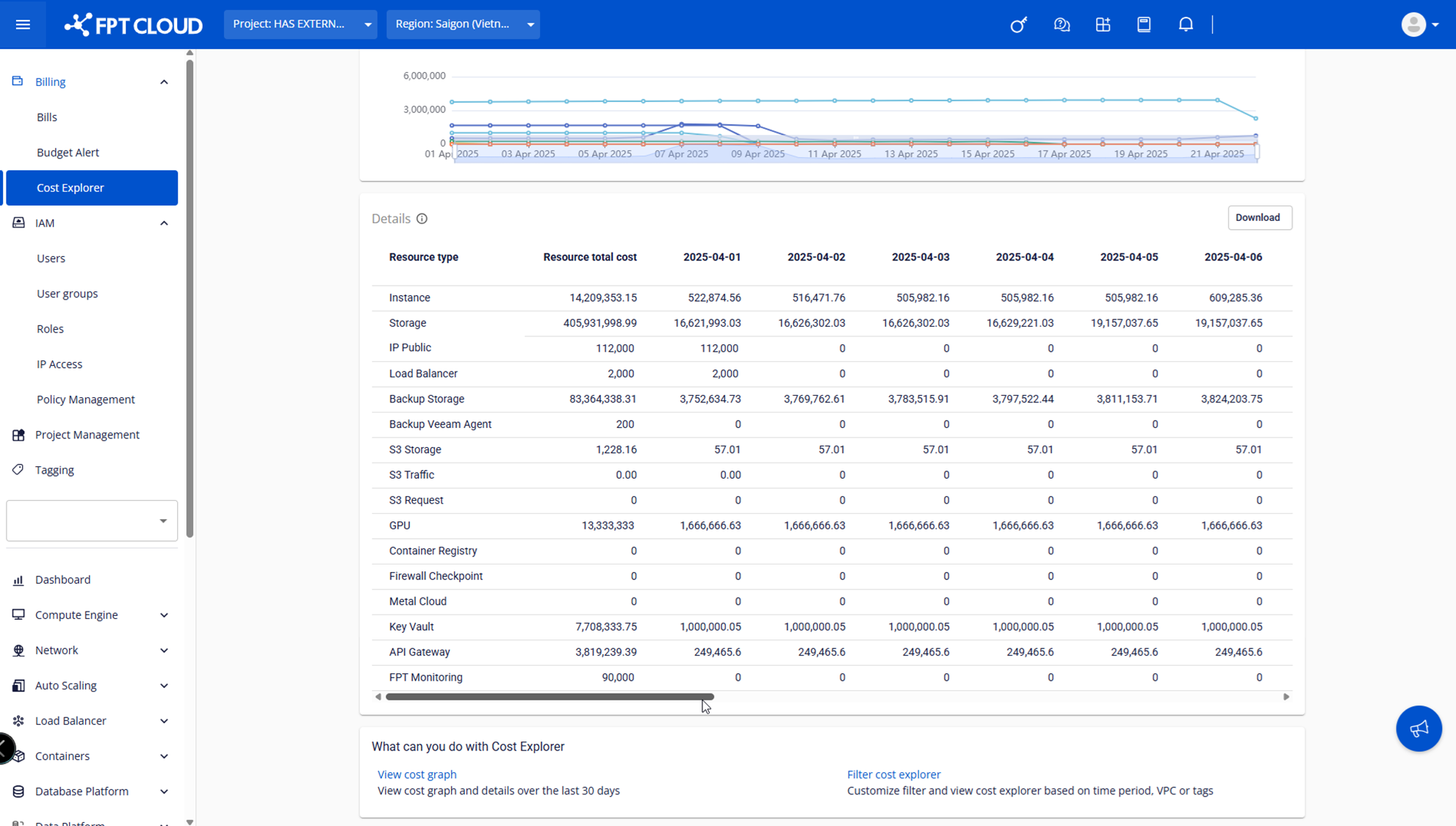
This feature lets you analyze costs by resource type — Instance, Storage, GPU, Load Balancer, S3, Container Registry, and more — to identify which resource types consume the most budget.
-
On the Cost Explorer screen, click Customize Filter → set Dimension to Resource type.
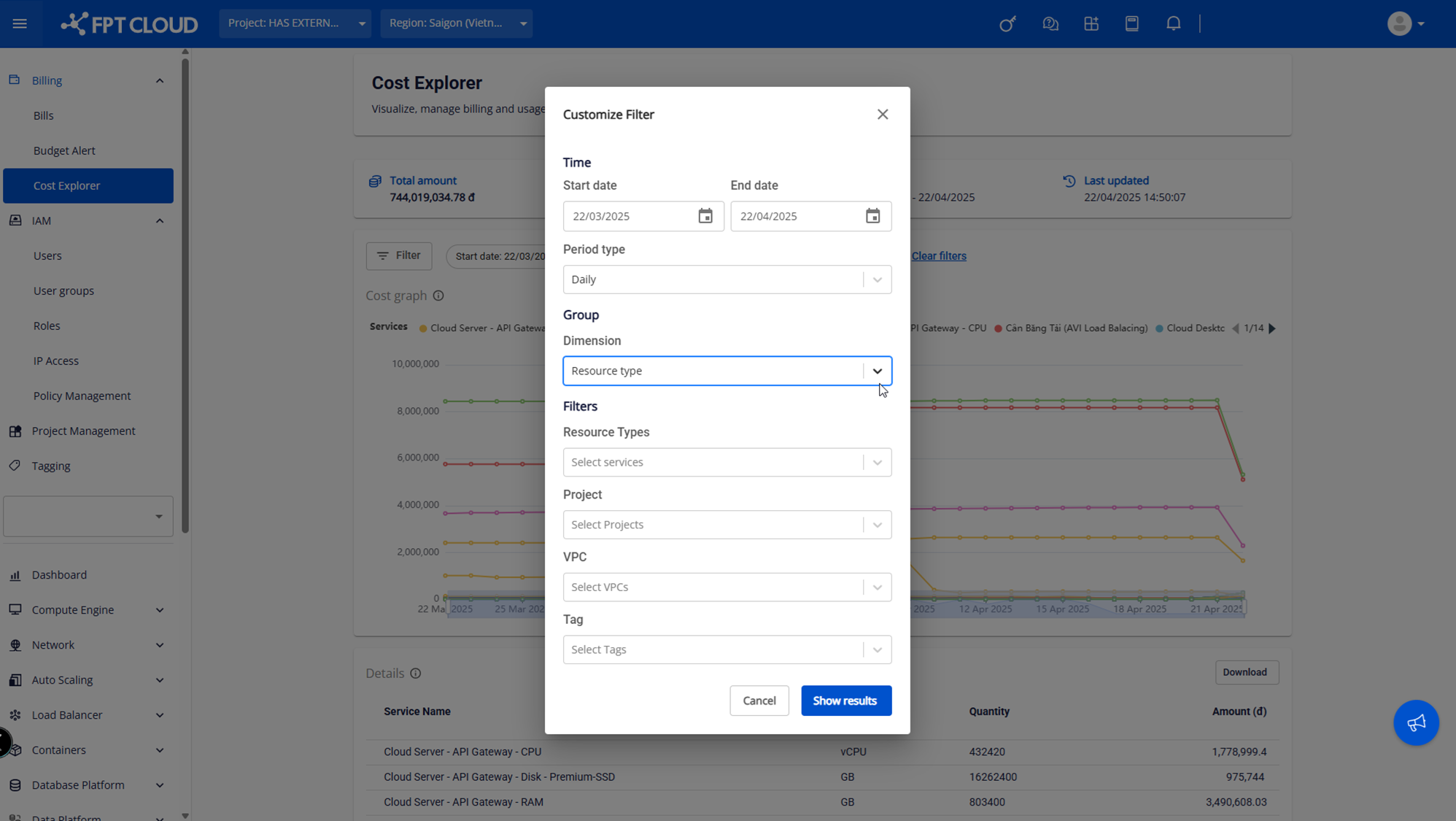
-
The system displays a chart and a details table:
- Chart: shows usage trends and cost over time for each resource type.
- Details table: shows total costs per resource type by day or month.
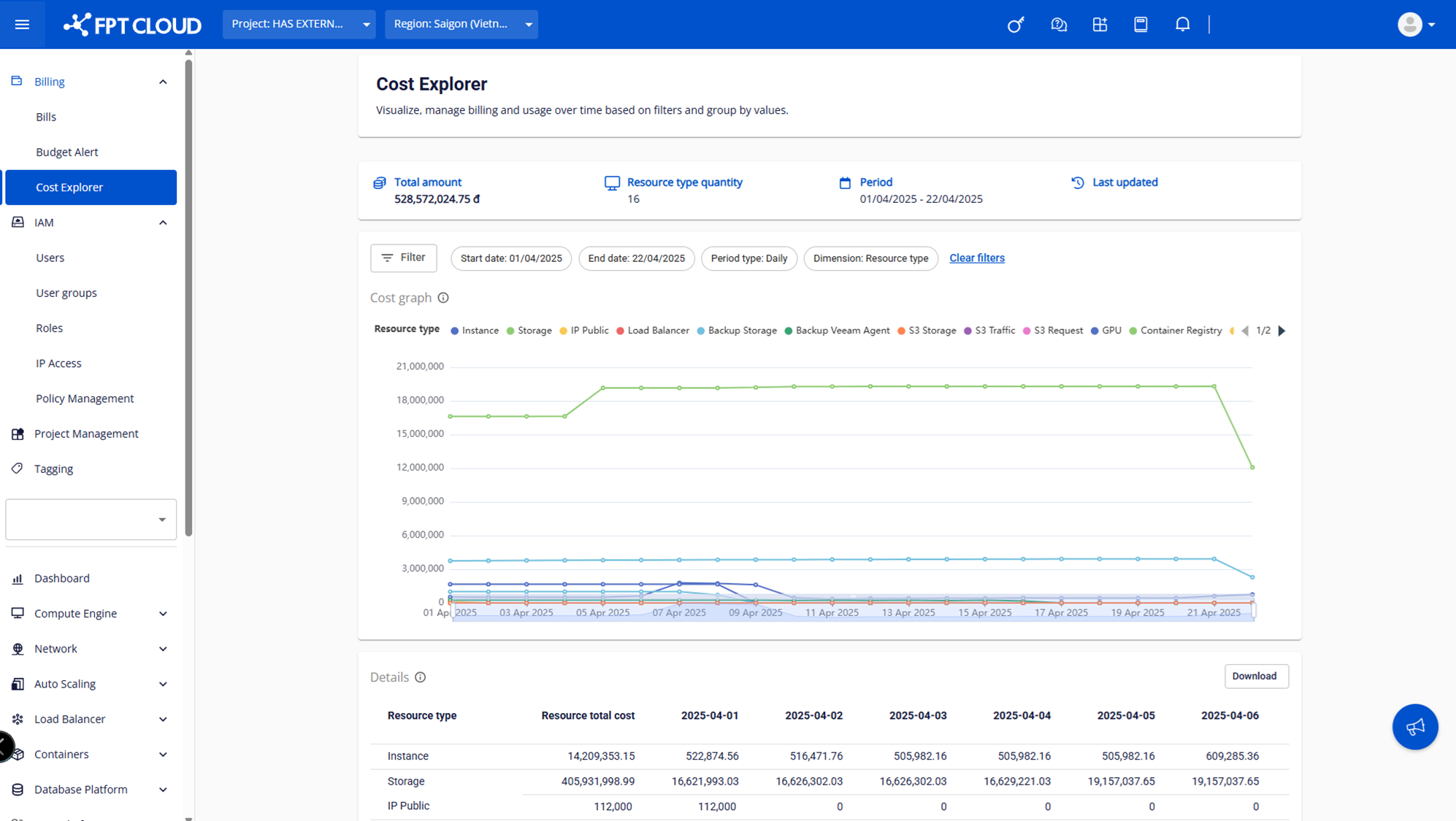
-
You can customize other filter conditions the same way as when viewing costs by service.