Payment Invoice
This feature currently applies to the Vietnam region only.
Billing Information
Before you can add credits, you must provide your Billing Information for invoicing and tax purposes.
Adding Credits
- From the left-side menu, go to Account → Billing, or on the FPT AI Factory Homepage, click Add Credit.
- If your billing information is not yet provided, a pop-up will appear asking you to complete it.
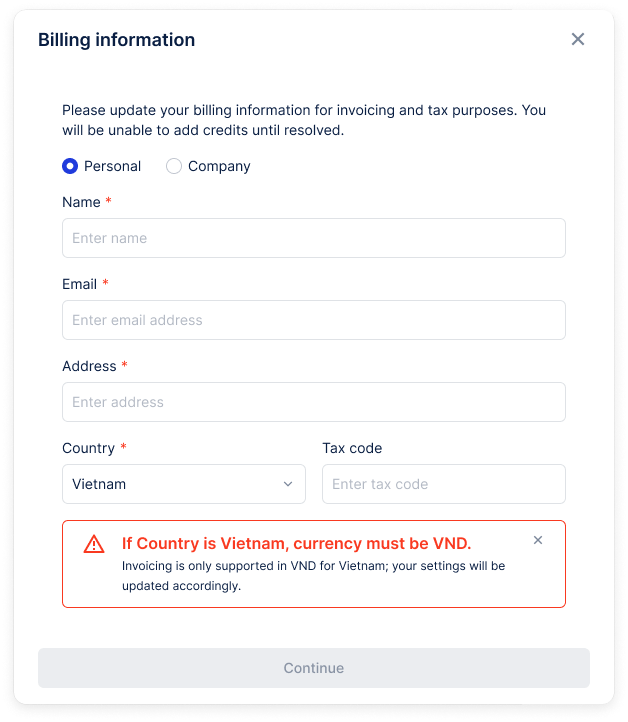
Updating Billing Information
If you need to update your billing details later:
- From the left-side menu, go to Account → Billing.
- Open the Settings tab.
- Click the Edit icon to update your information.
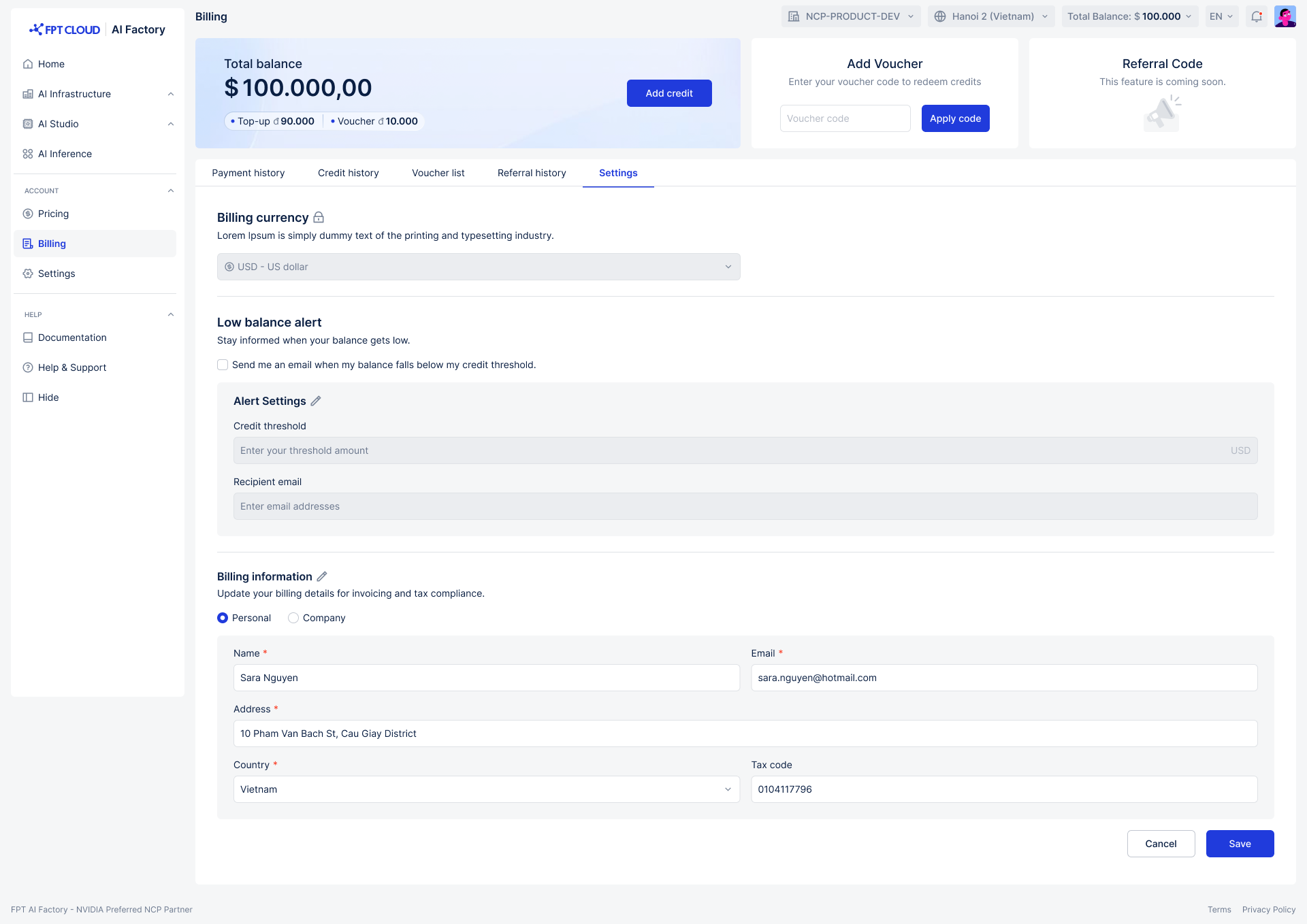
Billing information only needs to be entered once. If you update your billing details later, the changes will apply to future invoices and payments. The email address provided in your billing information will receive Vietnam tax invoices.
If you select Vietnam as your country, your currency will automatically be set to VND (Vietnamese dong).
Payment History
Each time you add credits, a payment transaction is created. You can review all past payments by navigating to Account → Billing → Payment History.
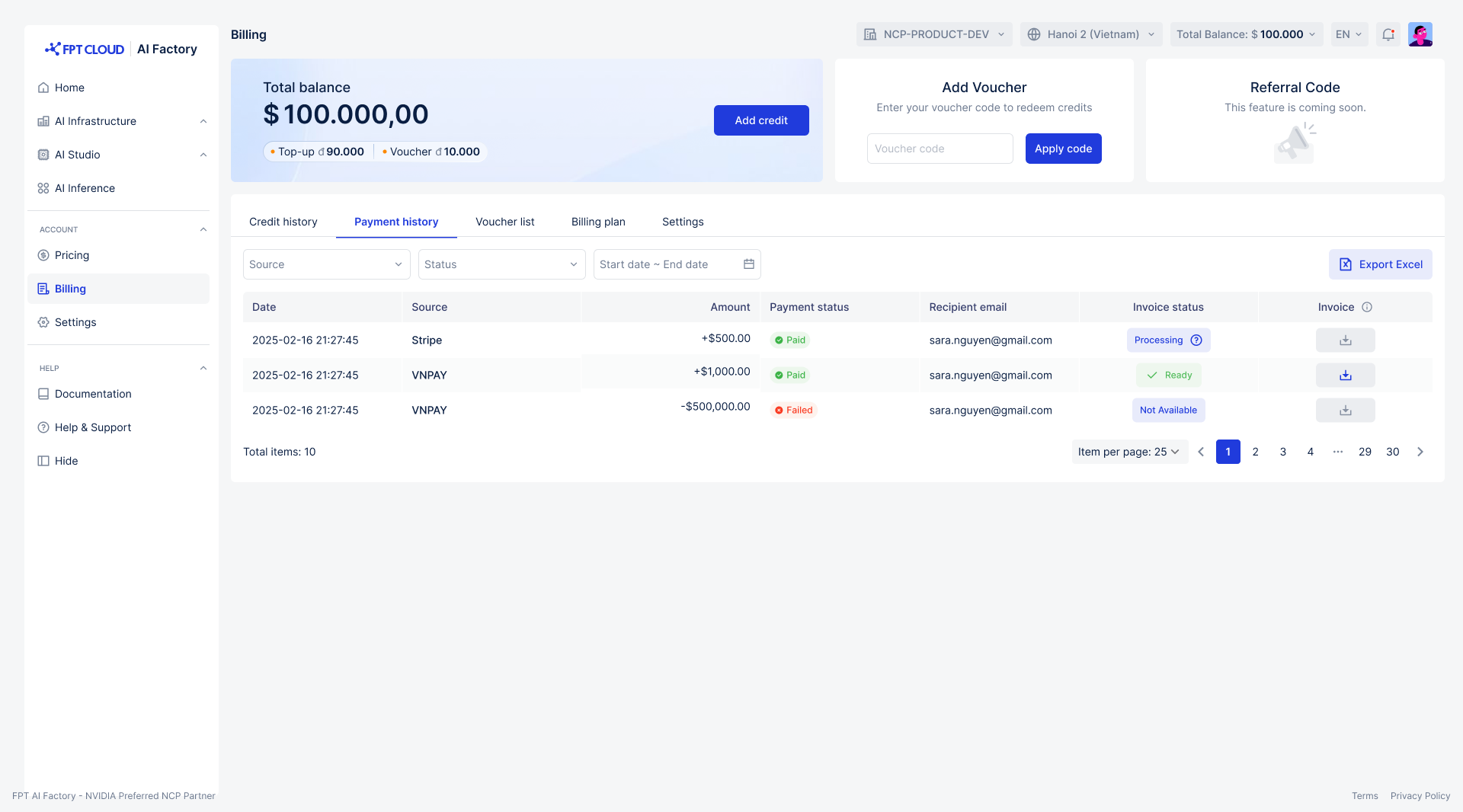
| Field | Description |
|---|---|
| Date | The date and time of the transaction. |
| Source | The payment gateway used for the transaction. |
| Amount | The amount paid. |
| Payment Status | The status of the payment (e.g., Paid, Failed). |
| Recipient Email | The email address provided in the Billing Information at the time of payment. |
| Invoice Status | The progress of invoice generation and delivery (e.g., Processing, Ready). |
| Invoice | Download the official commercial invoice (or purchase receipt) file. |
Invoices
There are two types of invoices available in FPT AI Factory:
- Vietnam Tax Invoice — Issued for compliance with Vietnam tax regulations. Sent to the email address specified in your billing information.
- Commercial Invoice (or Purchase Receipt) — Issued as proof of payment for accounting or business purposes. Downloadable from the Payment History page.