Standard Select Test Data
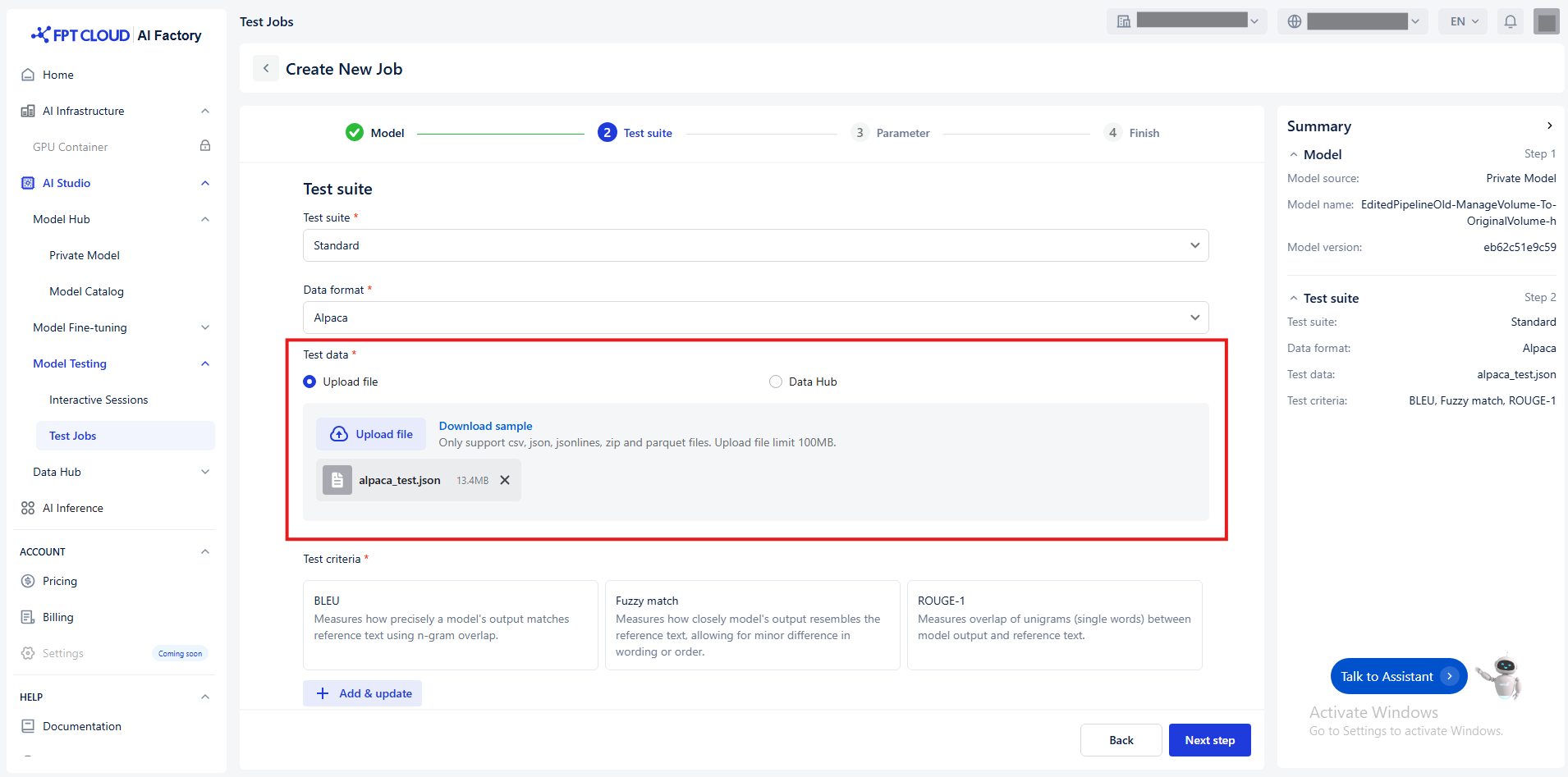
You have two ways to transfer the Test data :
- Upload a file
- Default value Upload file
- Choose a local file from your computer.
- (Optional) Click Download sample to see an example of the expected format.
Notice: Ensure the file matches the selected data format
| Supported data format | Supported file format | Supported file size |
|---|---|---|
| Alpaca | - CSV |
- JSON
- JSONLINES
- ZIP
- PARQUET | Limit 100MB |
| ShareGPT | - JSON - JSONLINES
- ZIP
- PARQUET | Limit 100MB |
| ShareGPT_Image | - ZIP - PARQUET | Limit 100MB |
- Connect to Data Hub
- Click Data Hub
- Select a connection or dataset from the Data Hub. Notice: Ensure the dataset is compatible with the selected format.
- (Optional) Click Open Data Hub to preview or manage datasets.
- (Optional) Click Reload icon to update connection and dataset list.
- Follow the detailed guide Data Hub
- Connect to Data Hub