Attach Policy to Group
Attach a policy to a group
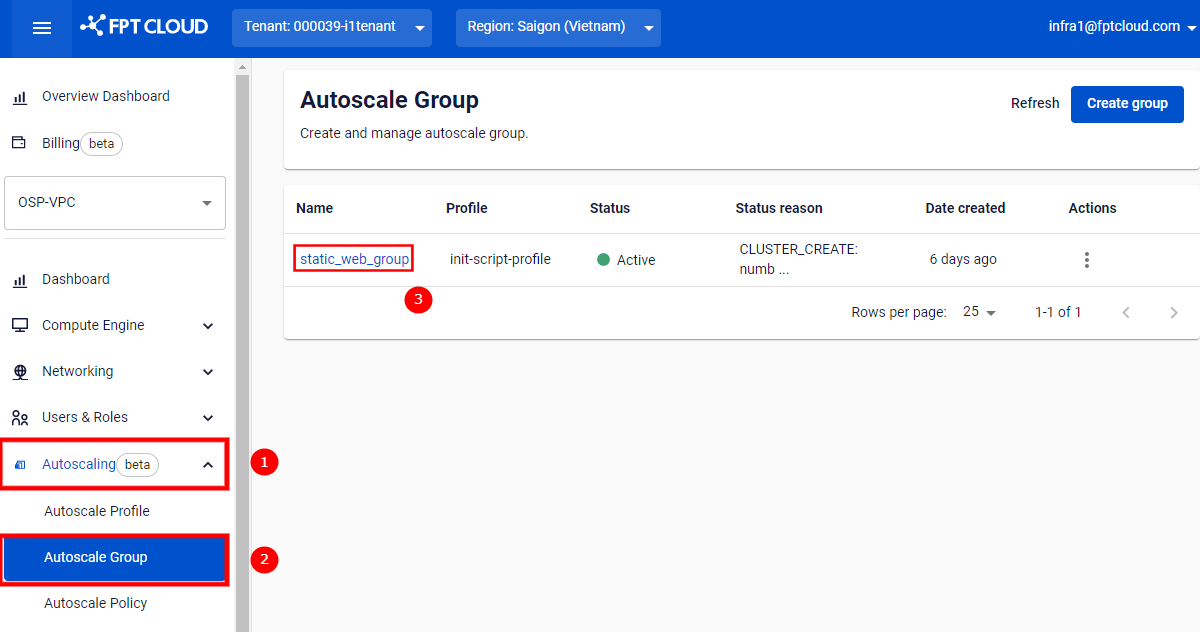
Step 1: Go to Autoscaling > Autoscale Group. Click the name of the group you want to attach a policy to.
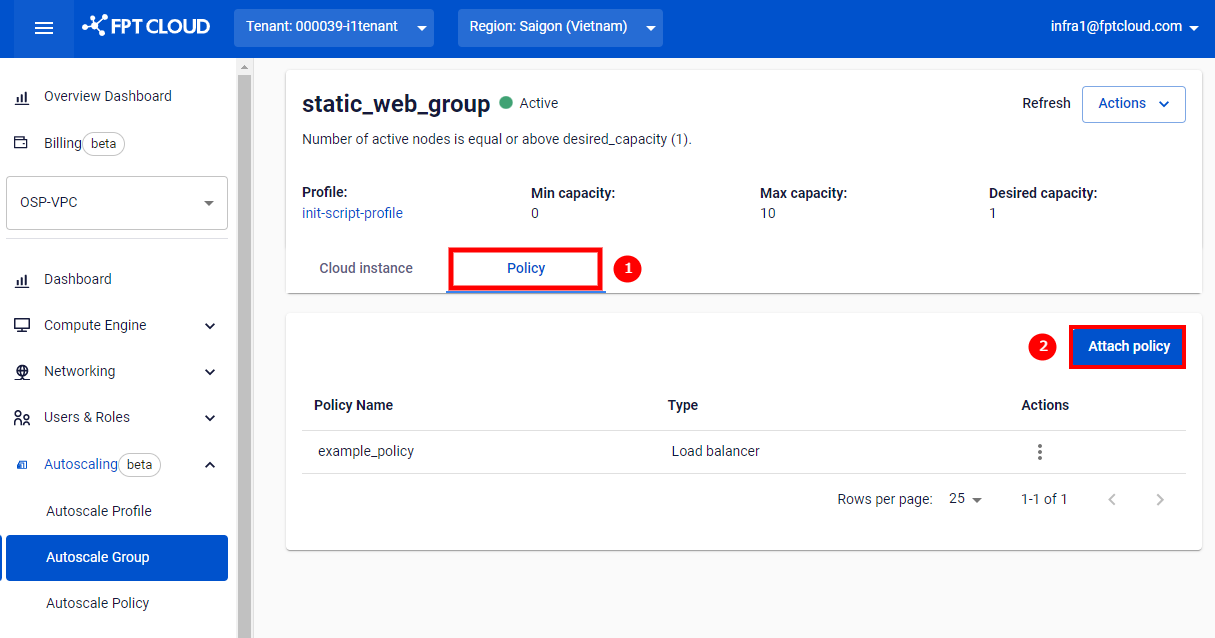
Step 2: Switch to the Policy tab and select Attach policy.
Step 3: A dialog will appear. Select the policy you want to attach and click Attach.
