Create Policy
Step 1: Go to Autoscaling > Autoscale Policy. Click Create policy.
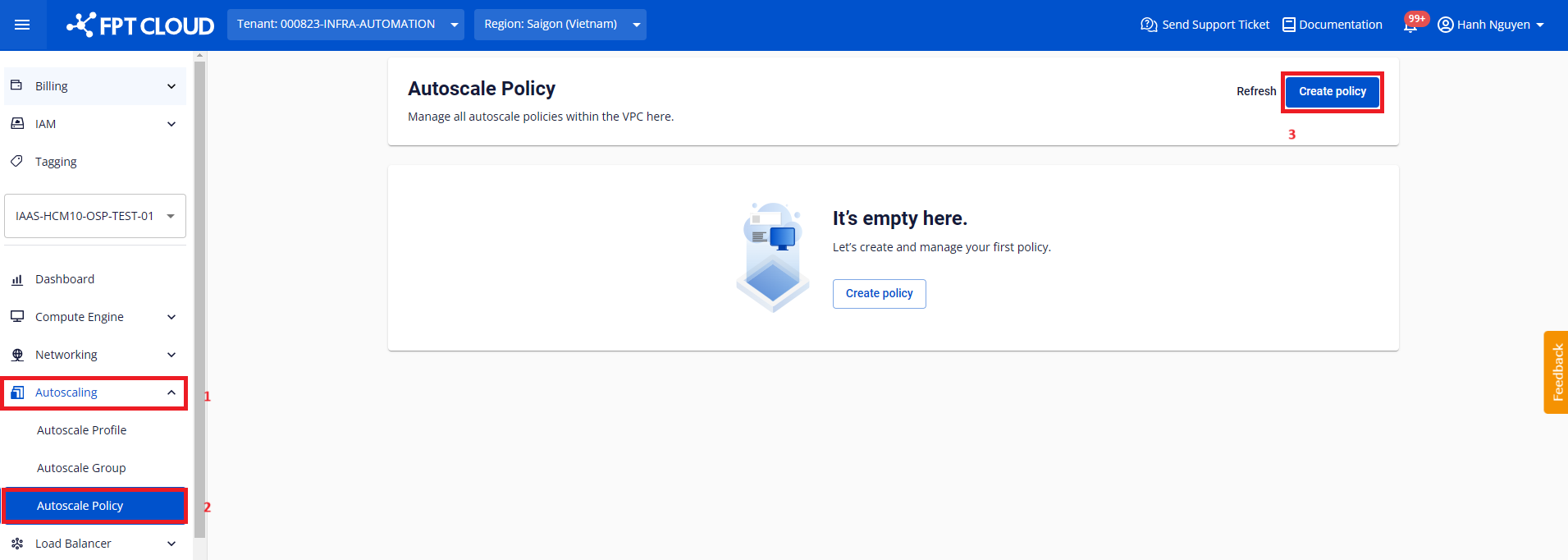
Step 2: Configure the parameters.
- Type: Select the appropriate policy type.
- Name: Enter a policy name that is easy to manage. The name must be 6 to 250 characters and may only contain Latin letters, numbers, and underscores.
Deletion policy
A deletion policy controls the priority order for removing nodes from the group when an action reduces the node count. If the group does not have this policy, nodes are selected for deletion randomly.
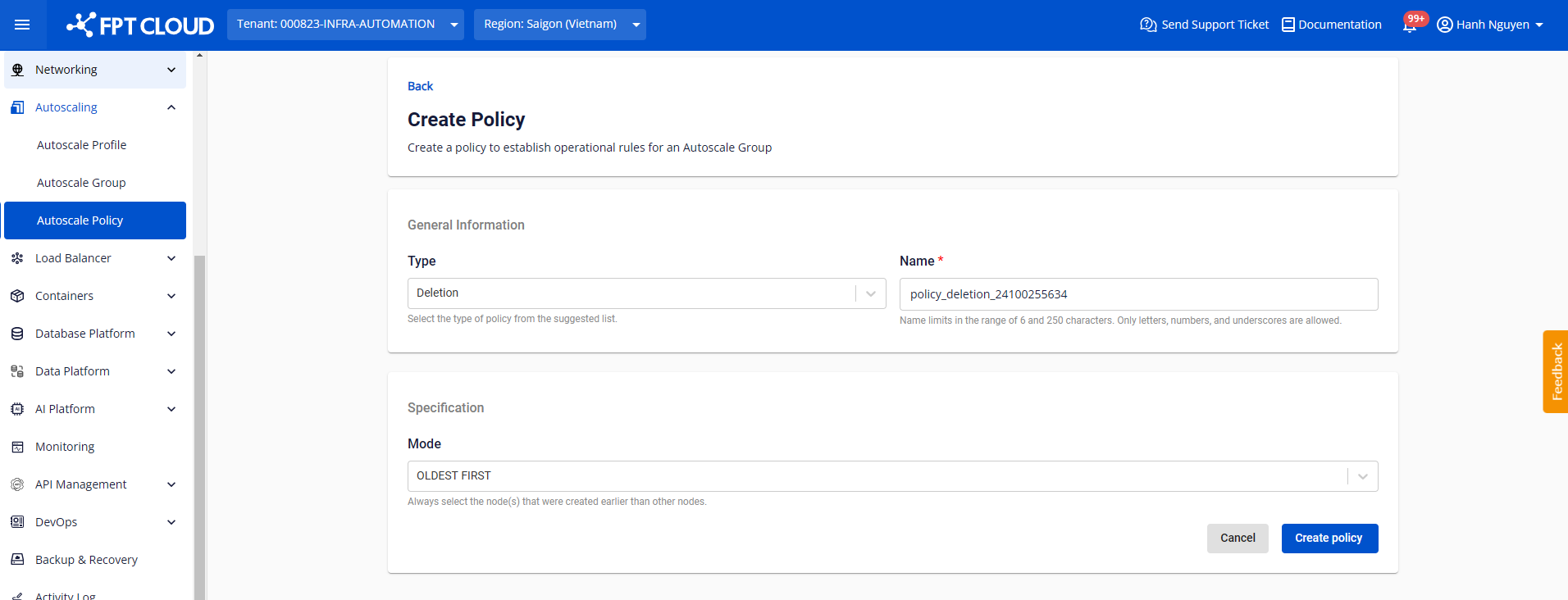
- Mode:
- Oldest first: Prioritize deleting nodes from oldest to newest.
- Youngest first: Prioritize deleting nodes from newest to oldest.
Scaling policy
A scaling policy controls the scale behavior of the group in response to actions automatically triggered by the monitoring service.
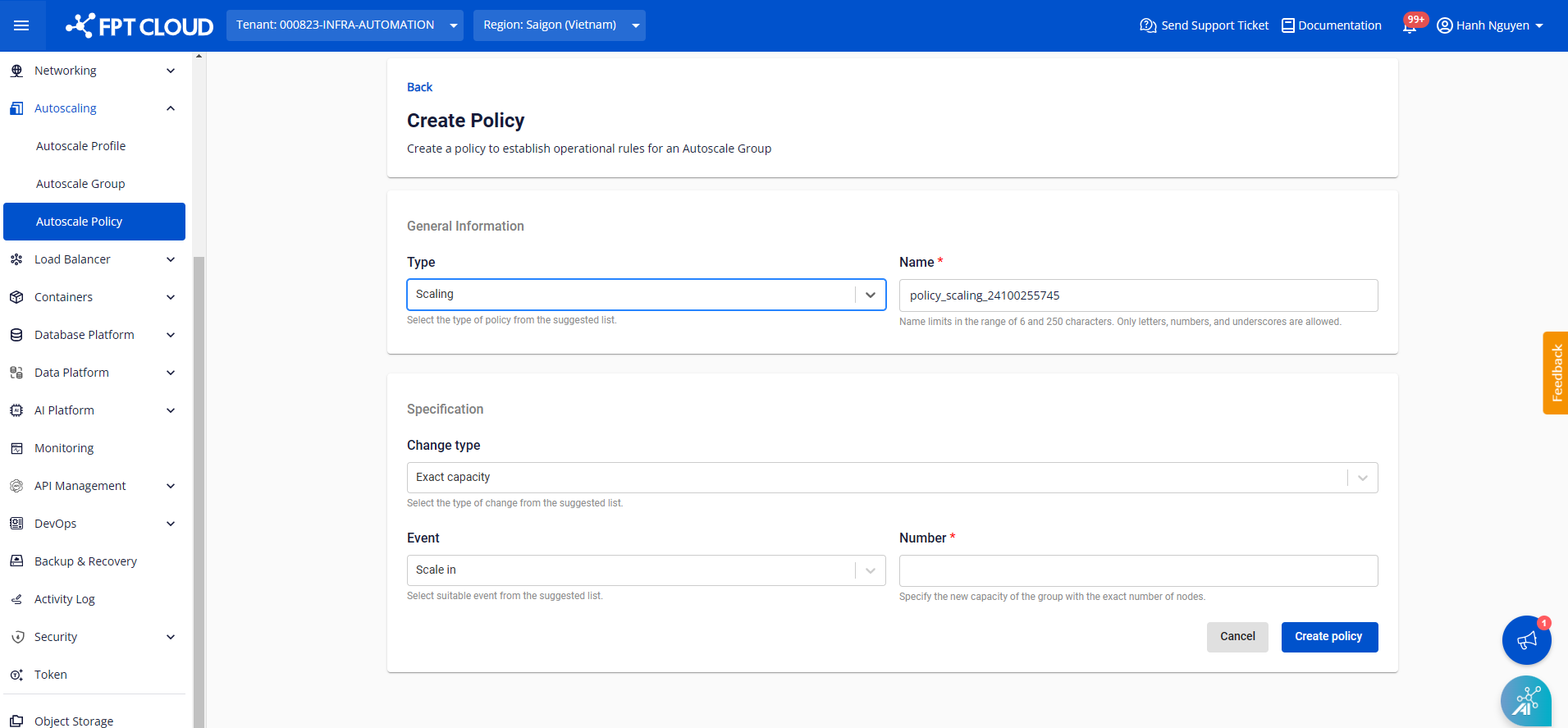
-
Change type: The adjustment method for the group.
- Exact capacity
- Change in capacity
- Change in percentage
-
Event: The type of event that triggers this policy.
- Scale in
- Scale out
-
Number: The value whose meaning differs depending on the Change type:
- Exact capacity: Enter the new capacity (positive integer). After adjustment, the number of nodes in the group equals exactly this value.
- Change in capacity: Enter the number of nodes to add (positive integer) or remove (negative integer). The node count after adjustment equals the current capacity plus or minus the absolute value of Number.
- Change in percentage: Enter the percentage (%) to add (positive decimal) or remove (negative decimal) based on the current capacity. Example: if the current capacity is 4 nodes and Number is 50%, 2 new nodes are added, giving a total of 6.
Load balancer policy
A load balancer policy allows nodes created in the group to automatically attach to a Load balancer, and automatically detach from the Load balancer when a node is deleted.
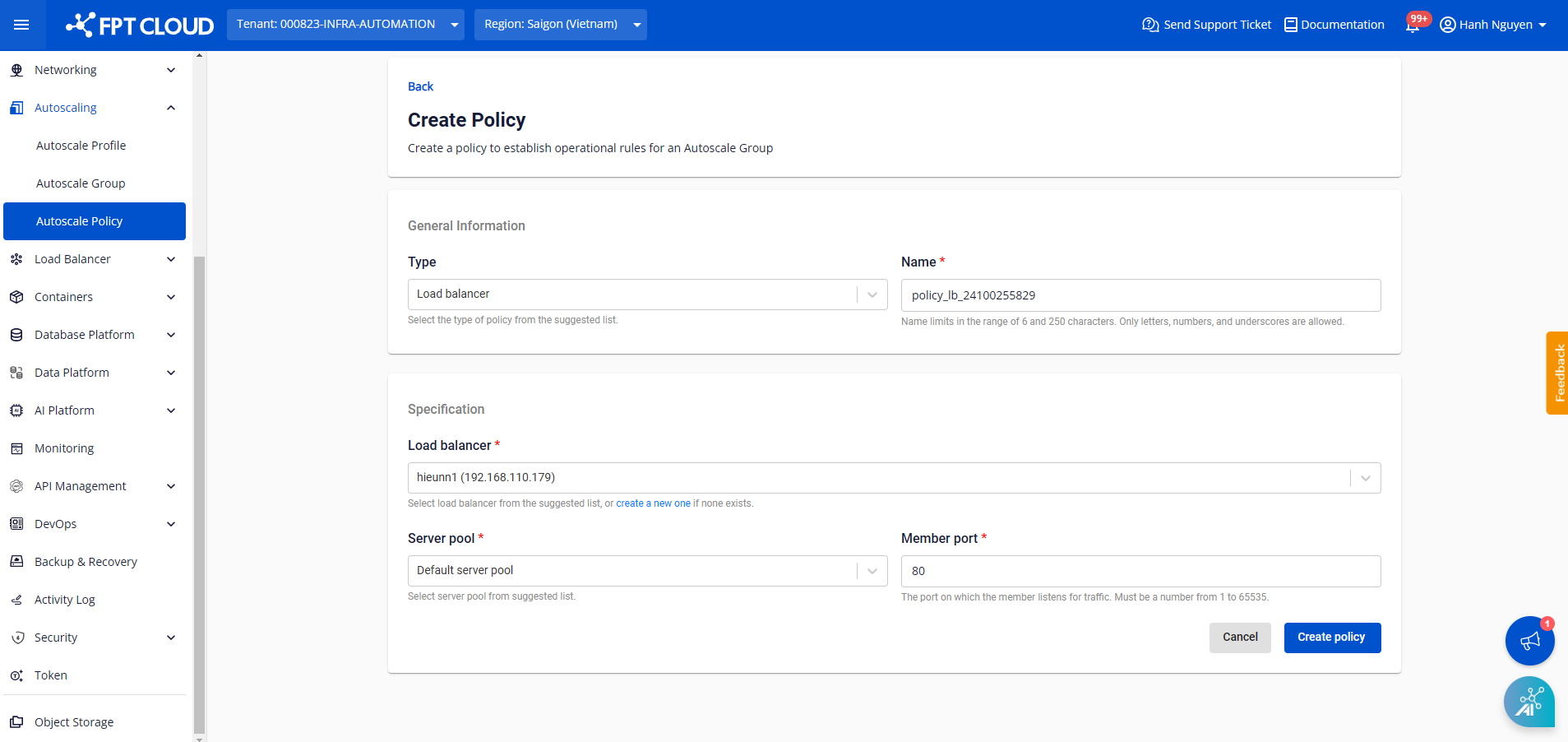
- Server pool: Select the corresponding Server pool in the Load balancer.
- Member port: The port that members will open to listen on.
Classic load balancer policy
A classic load balancer policy allows nodes created in the group to automatically attach to a Classic load balancer, and automatically detach from the Classic load balancer when a node is deleted.
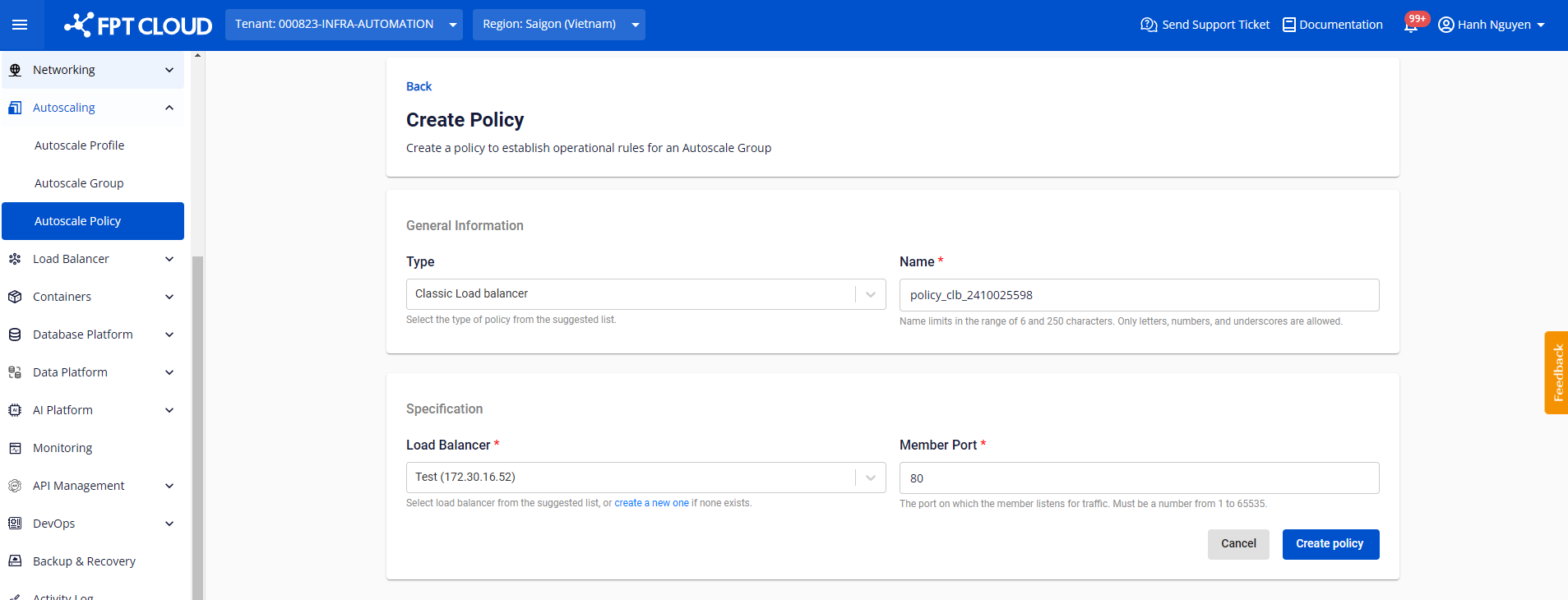
- Member port: The port that members will open to listen on.
Health policy
A health policy controls how nodes in the group are checked and recovered.
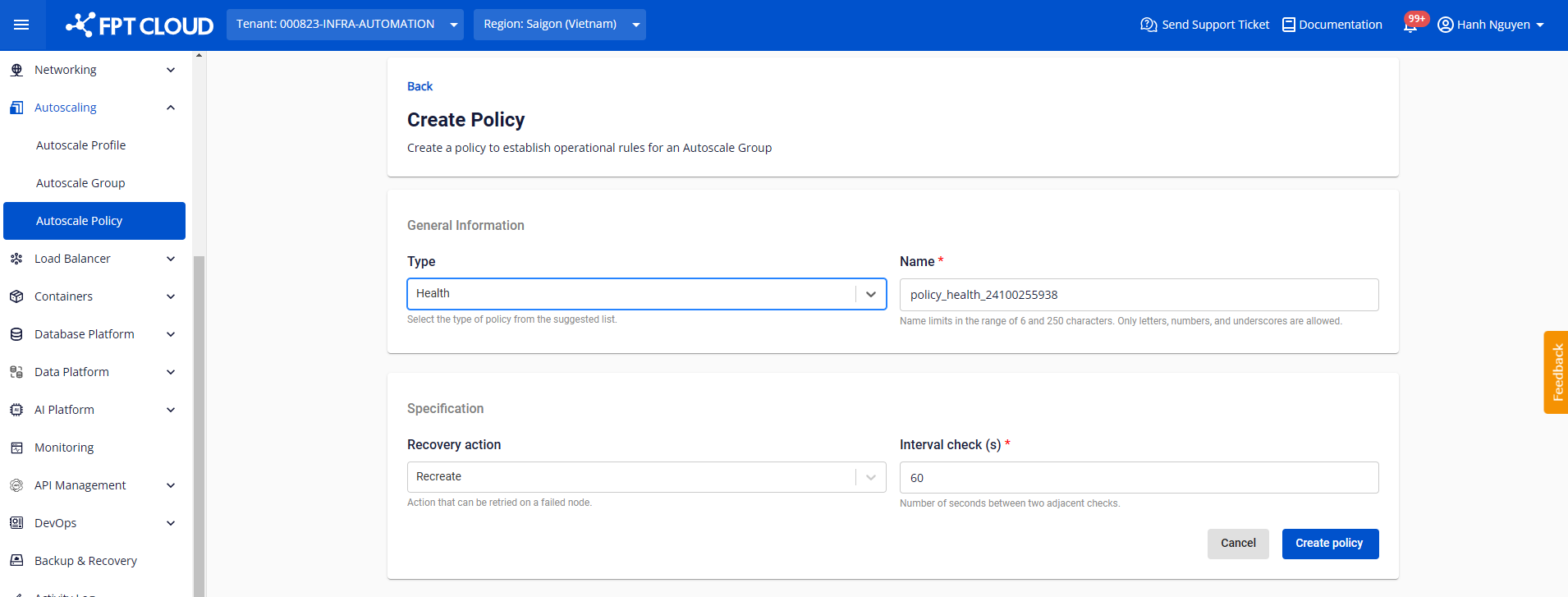
- Recovery action: Select the recovery method if a node is not functioning.
- Recreate: Delete and recreate the node.
- Reboot: Restart the node.
- Interval check (s): The interval (in seconds) between health checks of the node.
Step 3: Click Create policy to confirm.
After successful creation, the policy appears in the list of existing policies.
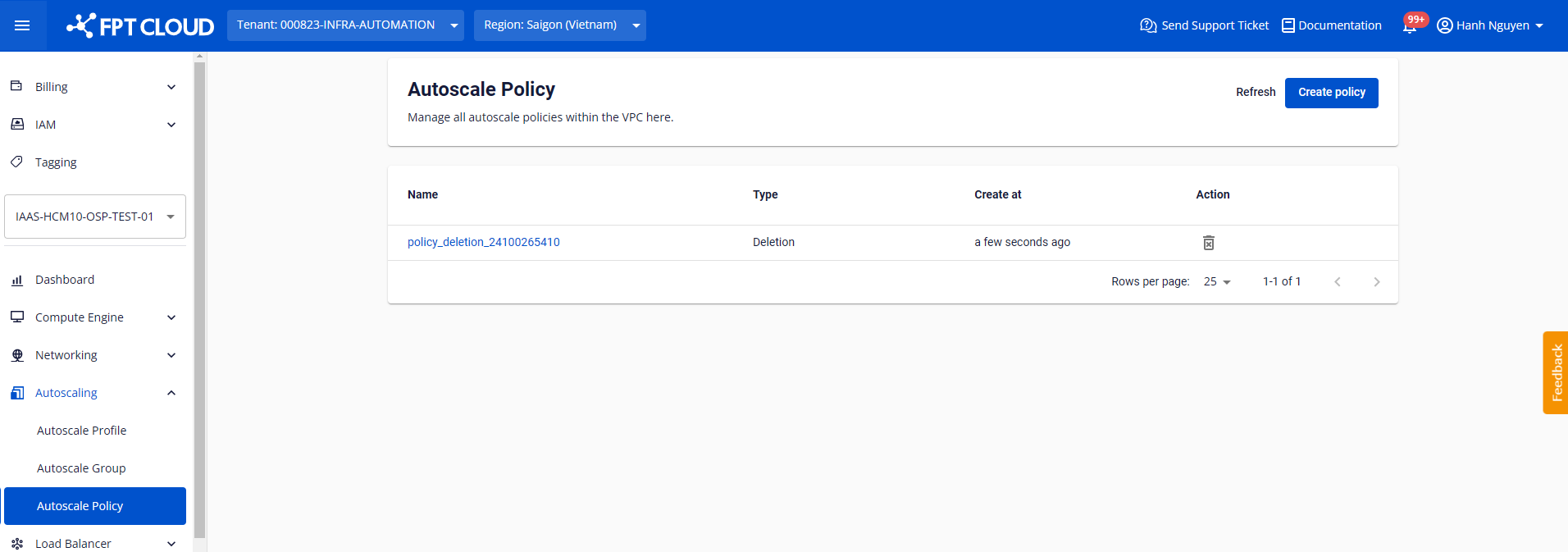
View policy details by clicking the policy name in the list:
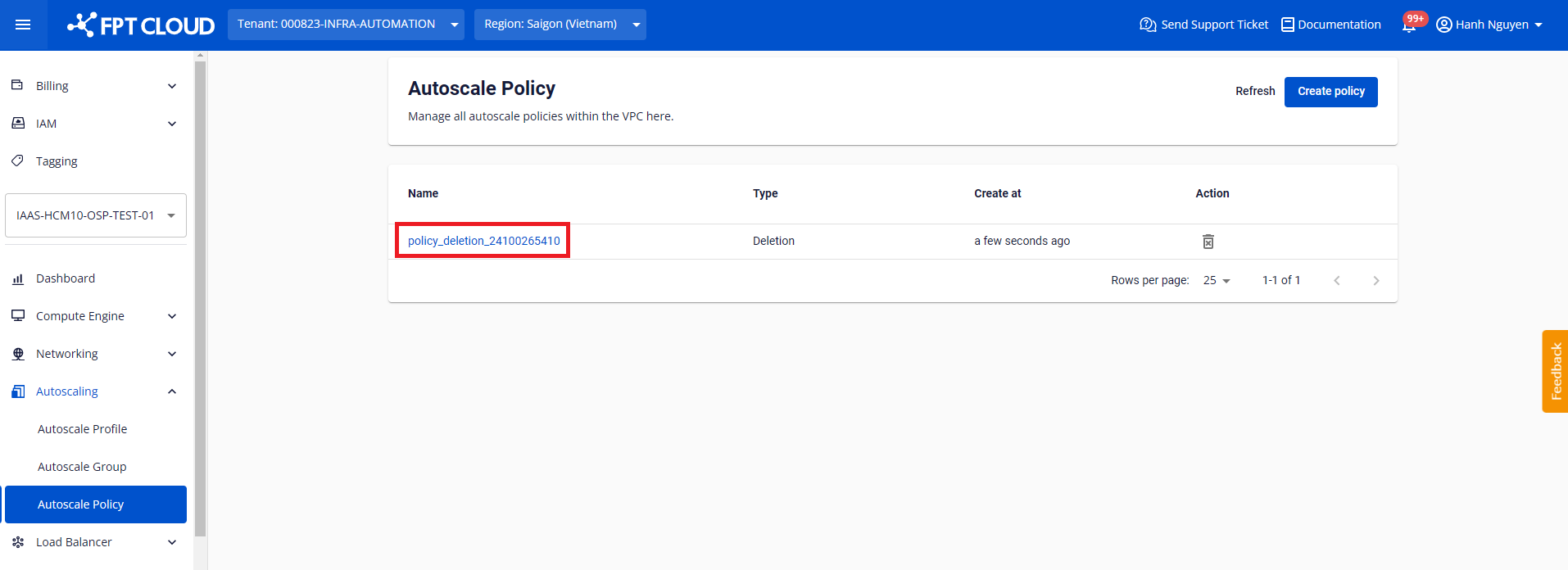
Modifying the technical specifications of a policy is not currently supported. Policies are static definitions. For a policy to take effect on a specific group, you must attach the policy to the corresponding group.