Delete Profile
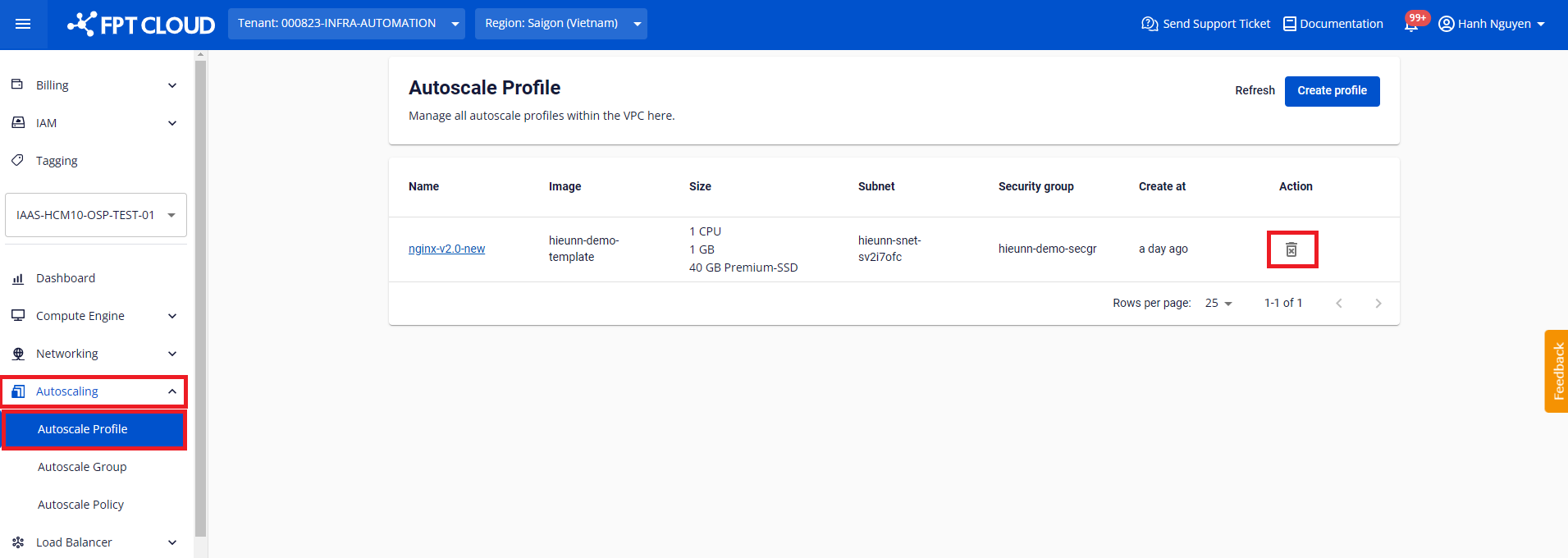
Step 1: Go to Autoscaling > Autoscale Profile. On the row of the profile to delete, click the Delete icon.
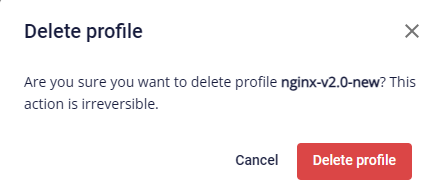
Step 2: A confirmation dialog appears. If the profile name is correct, click Delete profile to confirm. Click Cancel to abort the operation.
warning
If you receive the following error message:

The profile is currently being referenced by one or more Autoscale Groups or Instance Nodes. Ensure all linked objects are deleted before deleting the profile.