Activate the service
After confirming the appropriate service plan, follow these steps to activate FPT Container Registry.
-
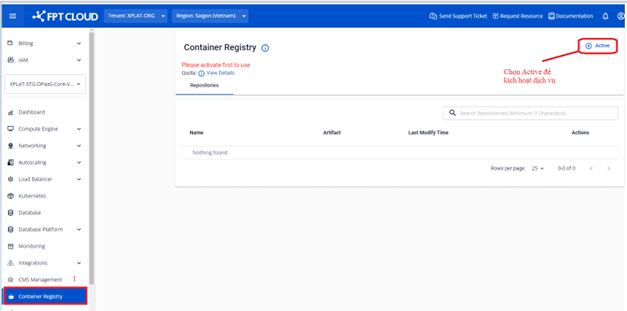
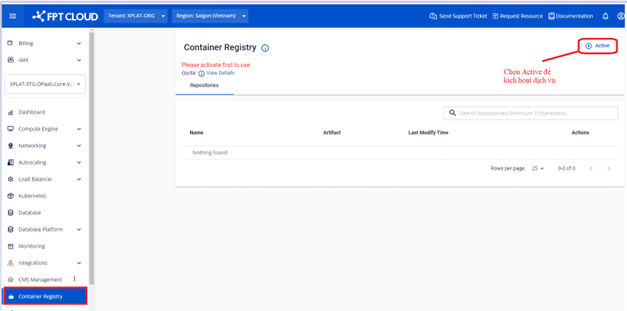
On the Container Registry screen, click Active to activate the service.
-
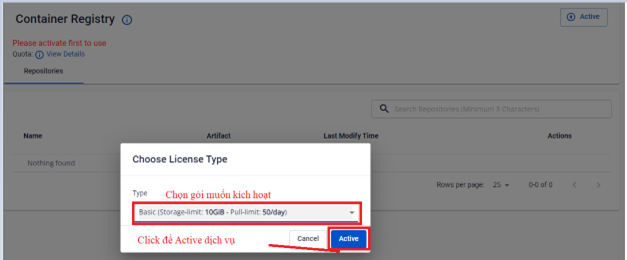
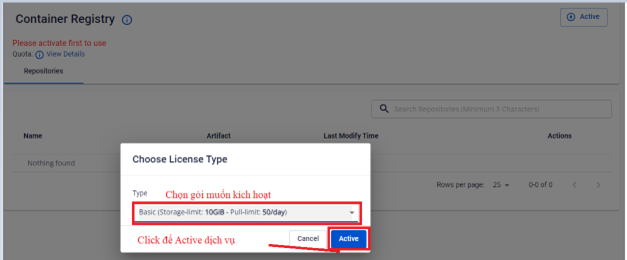
On the activation screen, select the service plan you want to activate.
-
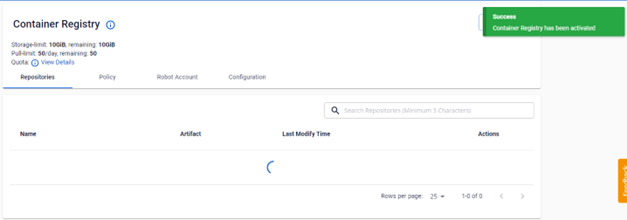
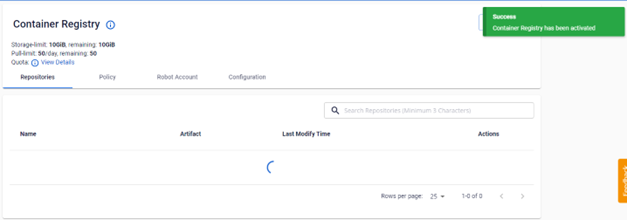
Verify the service activation result.
-
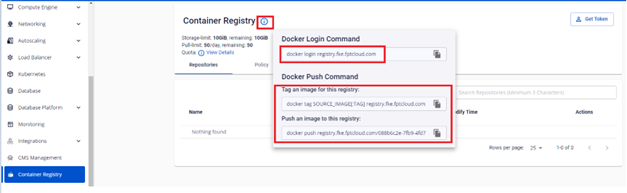
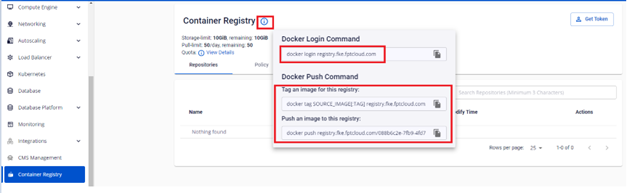
Hover over the ⓘ icon to get the login credentials, tag, and push image commands.
note
Users who are not the Tenant Owner will not see the Active button. Select a tenant where you have the owner role to activate the service.