Check service plan information
FPT Cloud offers multiple Container Registry plans with different storage and pull-limit tiers. Check the appropriate plan before activating to avoid exceeding your quota during use.
-
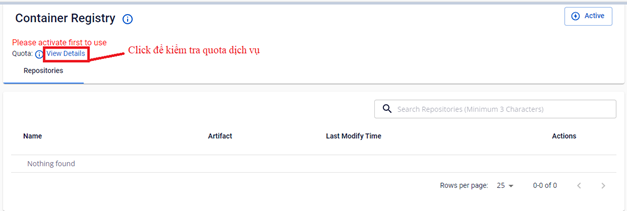
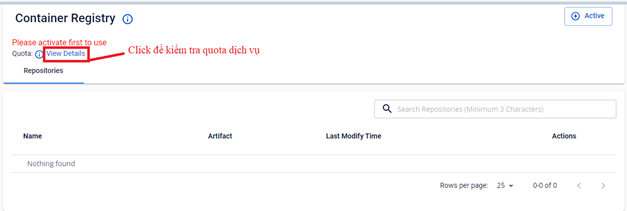
On the FPT Portal menu, select Container Registry > View Details.
-
The Portal displays a list of available plans.
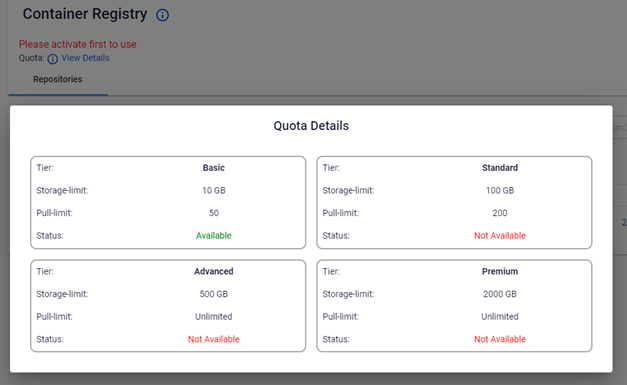
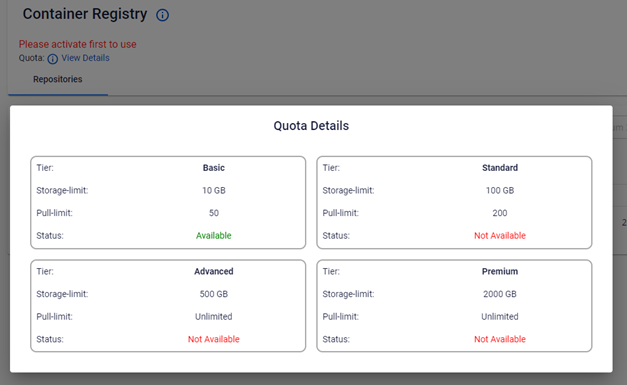
By default, you can activate the Basic plan.
note
If you need a higher service plan, contact Sales for assistance with upgrading.