Service Type Layer 7 Load Balancer
FPT Cloud provides a Layer 7 Load Balancer solution using SSL certificates supplied by the customer.
1. Create a certificate
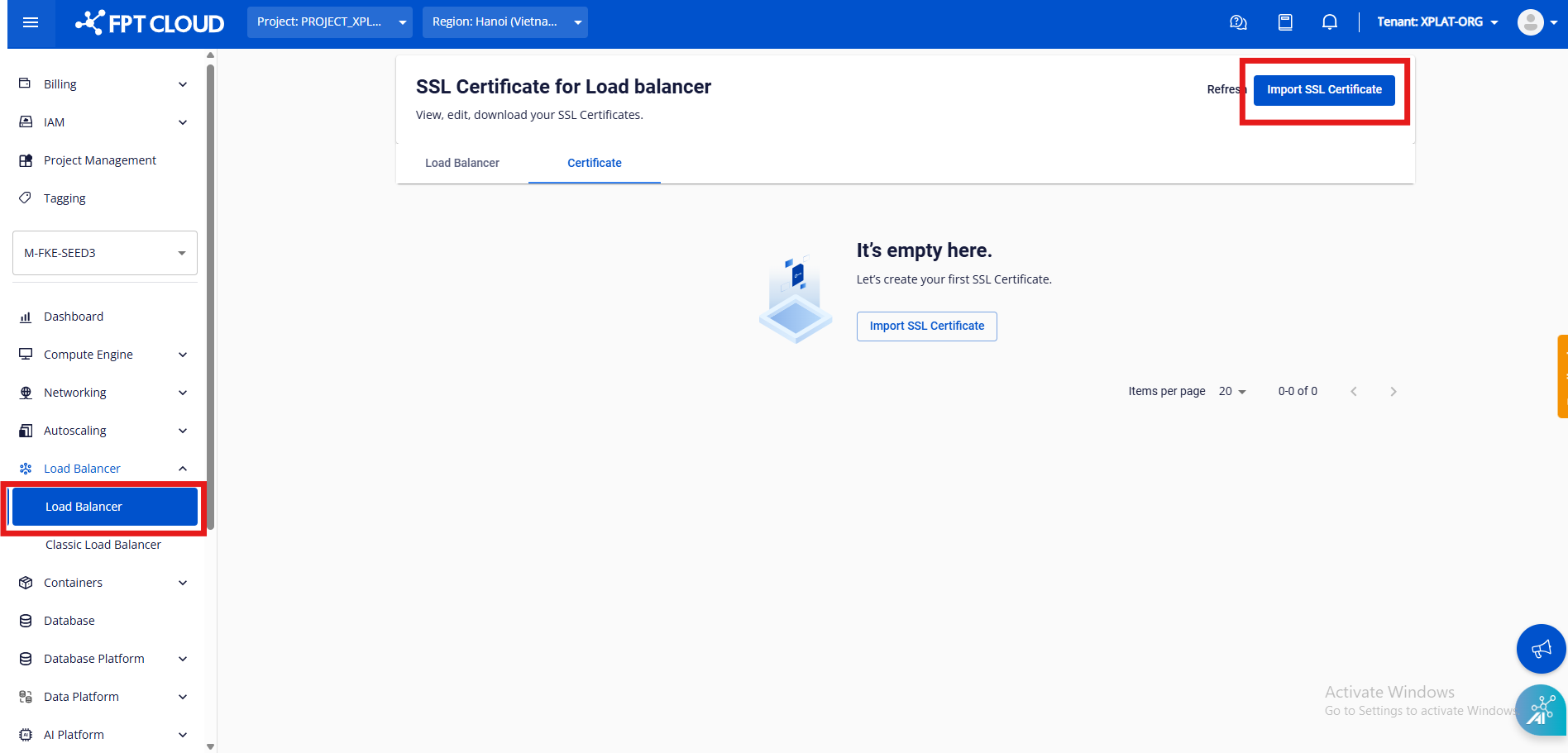
Step 1: Go to the Load Balancer tab and click Import SSL Certificate to create a new certificate.
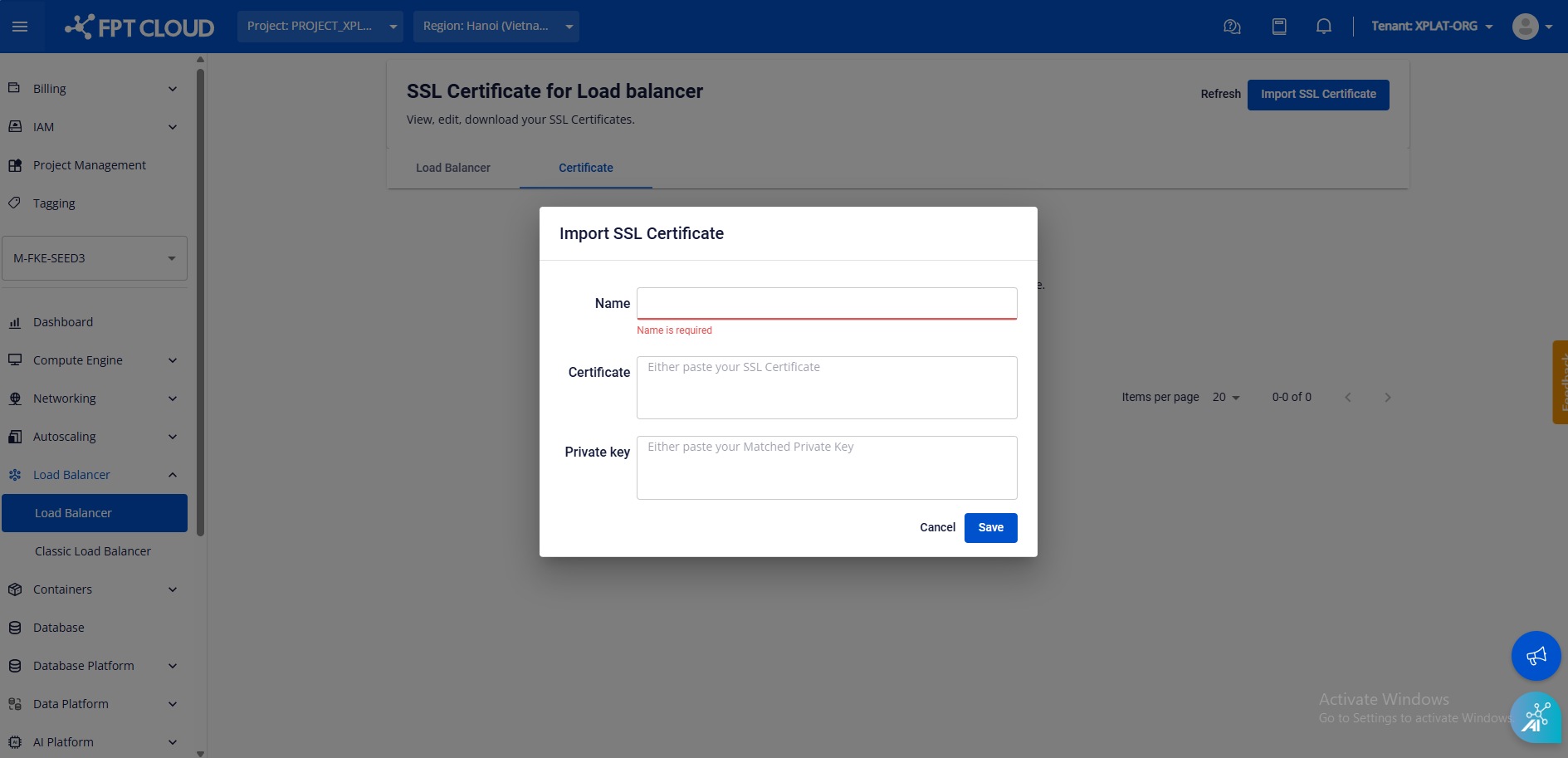
Step 2: Enter the required information (certificate must be in standard PEM format).
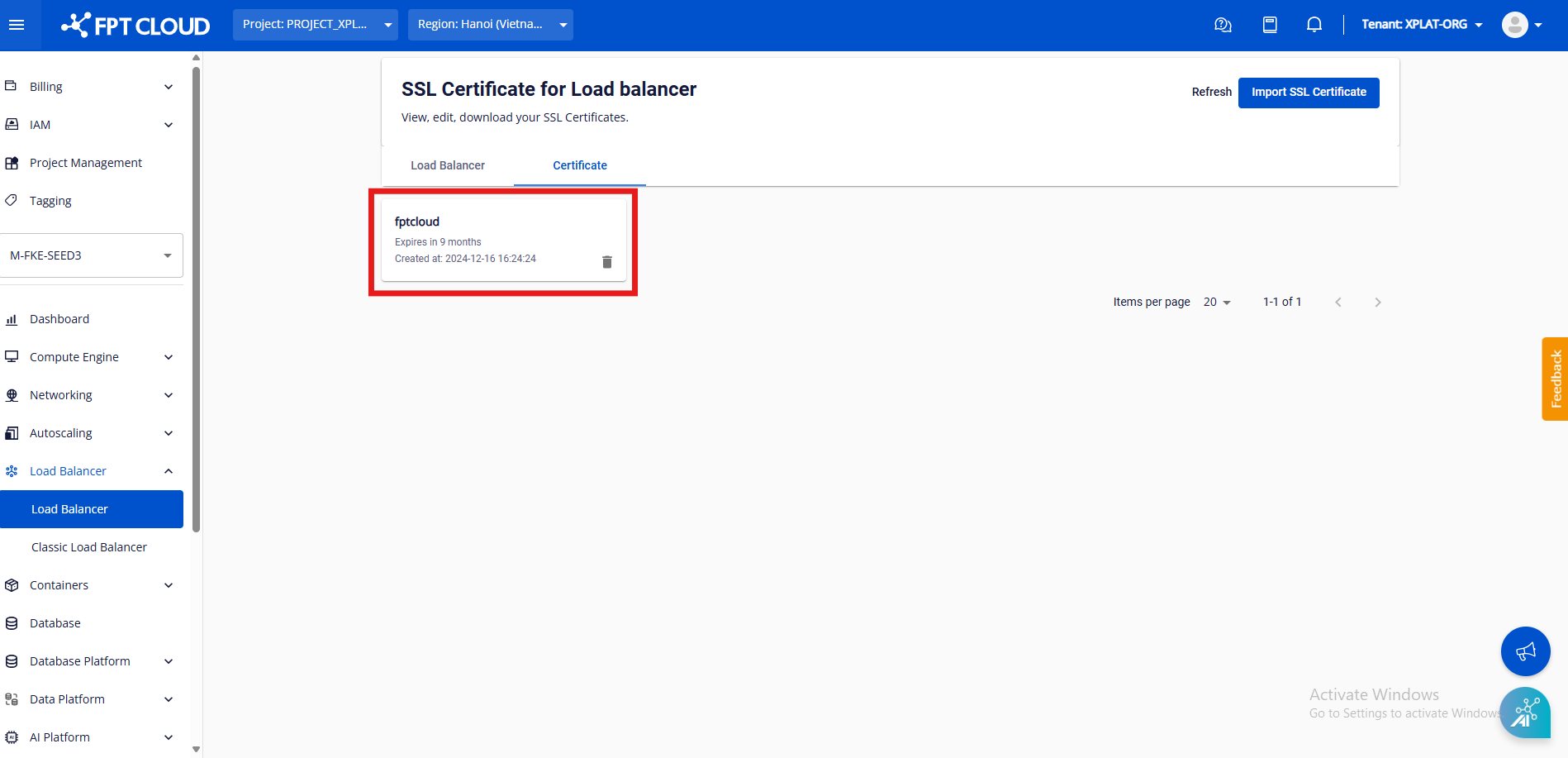
Step 3: Verify that the certificate was created successfully.
2. Create a Load Balancer service using the HTTPS method
In the Service configuration, add an annotation to use the SSL certificate you just created:
loadbalancer.fptcloud.com/load-balancer-version: v2

loadbalancer.fptcloud.com/default-tls-secret-ref-name: "name_of_ssl_cert" # the certificate name must match the name created on the portal
The Listener will then use the TERMINATED_HTTPS method.
Notes:
- The annotation above must be added at the time of Load Balancer creation.
- Certificate renewal and update via the Portal are not currently supported. If you want to change the certificate, add a new one on the portal with a different name and update the annotation value to the new name (there will be approximately 20 seconds of downtime).