Create Hive Metastore
Hive Metastore is a core component for storing metadata in a Lakehouse architecture. It provides information about tables, schemas, partitions, and data locations, enabling tools such as Apache Spark, Trino, or Presto to understand and access data efficiently.
To create a Hive Metastore, follow these steps:
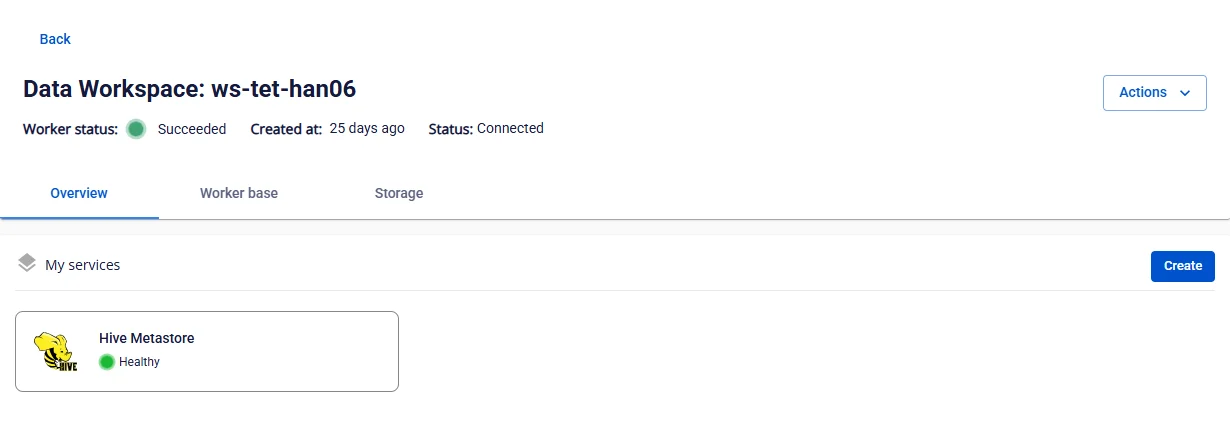
Step 1: In the menu bar, select Data Platform > Workspace Management > select the Workspace name
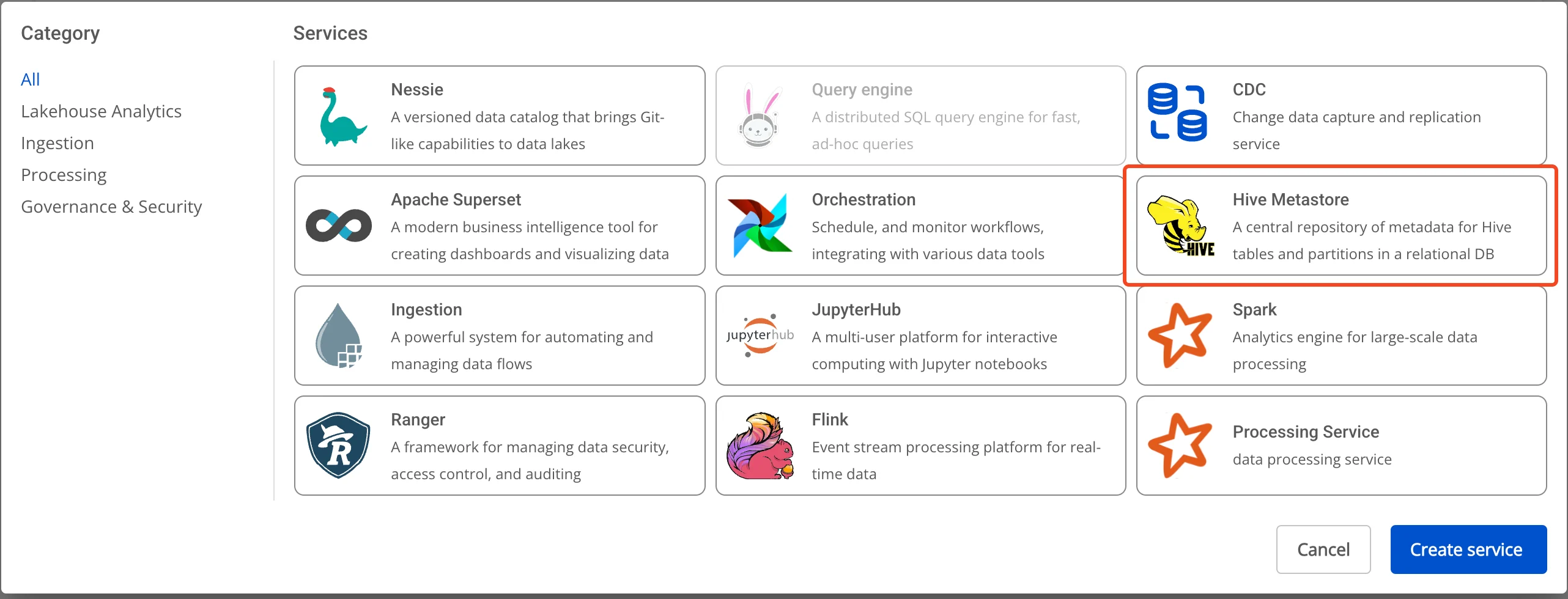
Step 2: In the My services section, click Create > the New Service popup appears, select Hive Metastore > Create
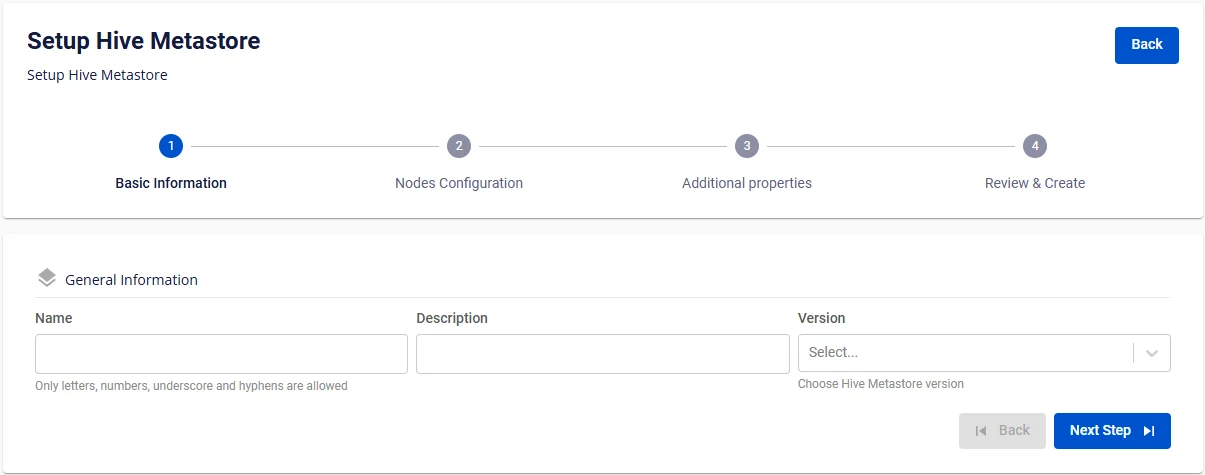
Step 3: In the Hive Metastore creation form, enter the Basic Information:
- Name (required): Service name
Note: The service name must be between 1 and 30 characters. It can contain lowercase letters a-z, uppercase letters A-Z, or digits 0-9.
-
Description (optional): Description
-
Version (required): Select the version
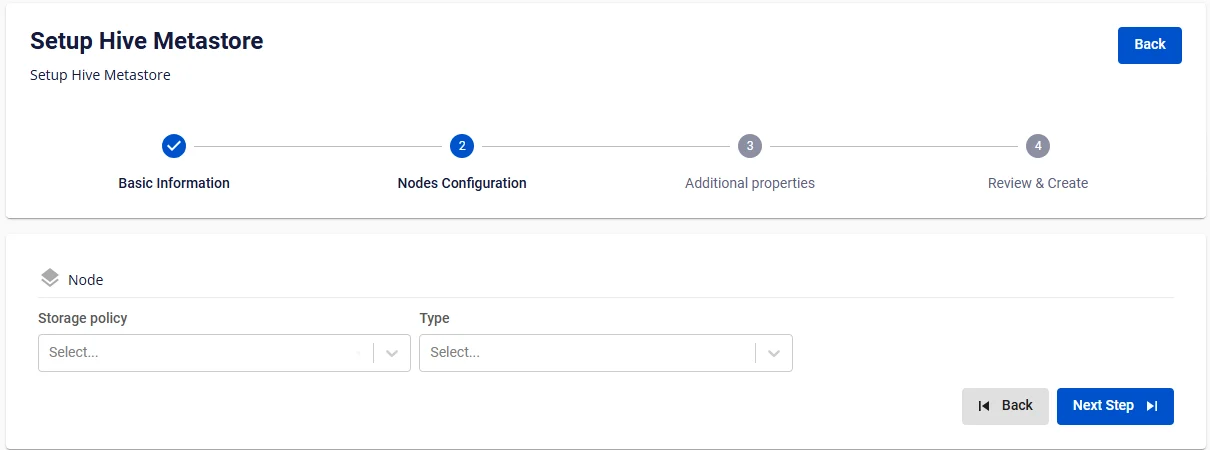
Step 4. Click Next to proceed to the Node configuration screen
Enter the following information:
-
Storage policy (required): Select the Storage Policy
-
Type (required): Select the resource configuration
Step 5. Click Next to proceed to the Additional properties screen
-
Database (Database information for Hive Metastore; users can use a Database created on the FPT Database Engine service or any other user-managed Database)
-
When the type is PostgreSQL:
-
Host name (required): Hostname or IP of the Postgres server
-
Port (required): Connection port, default is 5432
-
Database name (required): Database name
-
Username (required): Username
-
Password (required): Password
-
-
When the type is MySQL:
-
Host name (required): Hostname or IP of the MySQL server
-
Port (required): Connection port, default is 3306
-
Database name (required): Database name
-
Username (required): Username
-
Password (required): Password
-
-
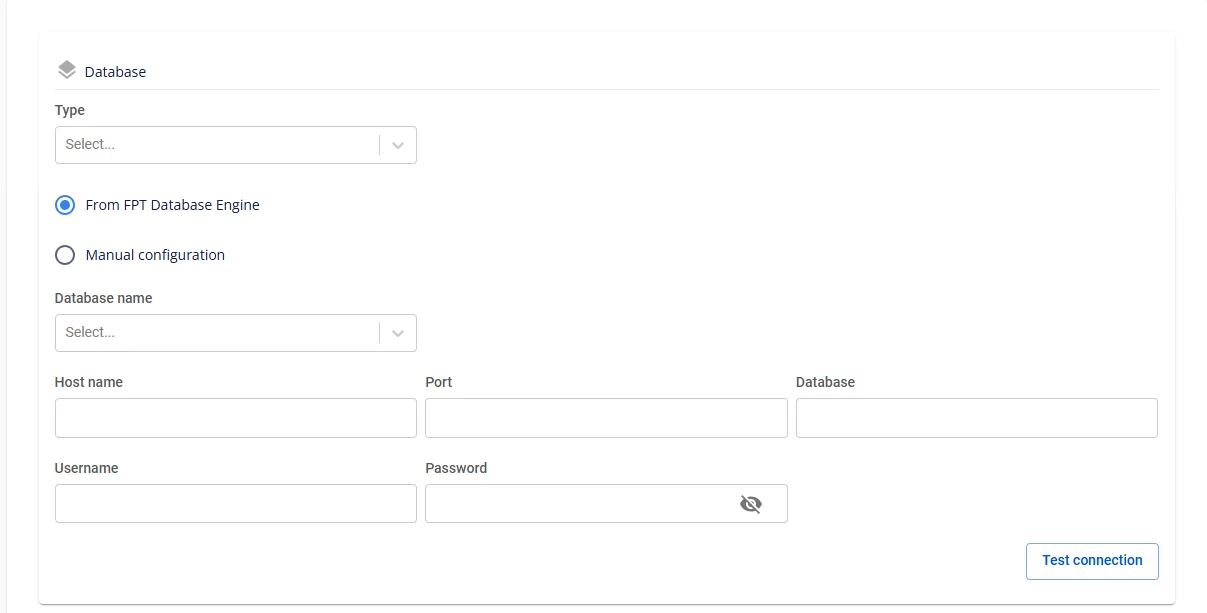
After entering the Database information, click Test connection to verify the connection from the Workspace to the entered Database.
-
Enter the Storage information:
-
Bucket name (required): Bucket name
-
Endpoint (required): Endpoint address
-
Access key (required): Access key
-
Secret (required): Secret key
-
Path (required): Data storage directory
-
Click Test connection to verify the connection from the Workspace to the Storage.
Step 6: Click Next to proceed to the Review & Create screen
Step 7. Review the information, then click Create to complete the Hive Metastore initialization.
Hive Metastore is fully initialized when Worker Status is Succeeded and the Status of Hive Metastore is Healthy (~10 minutes).