Upgrade Version
Upgrade Database Version
The Upgrade database version feature in FPT Database Engine currently allows users to upgrade MariaDB databases from the current version to MariaDB 10.9. Upgrading lets you take advantage of performance improvements, security enhancements, and new features available in higher versions.
Scope & Limitations
- Applies to MariaDB only. Databases other than MariaDB will not display this feature.
- Only supports upgrading to MariaDB 10.9.
- Downgrading or upgrading to other versions is not supported.
Prerequisites
- Ensure you have the IAM permission to manage and update the cluster.
- Disconnect all applications currently connected to the database.
- Perform a full backup before upgrading to enable recovery if needed.
- Verify that your application is compatible with the target version.
Step-by-step Guide
Step 1: Access the database detail page
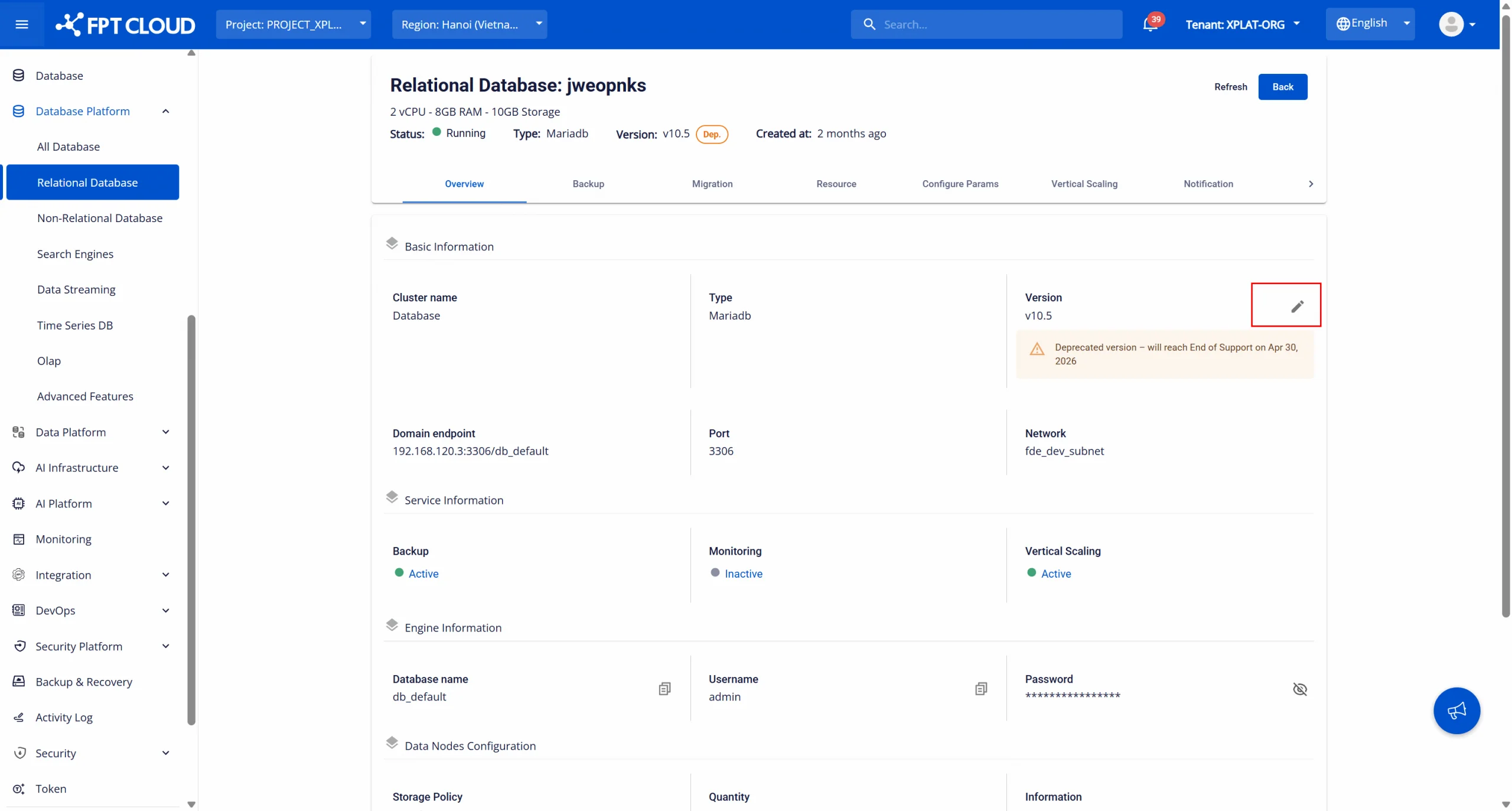
Log in to FPT Cloud Portal and navigate to the Database List page. Select the MariaDB cluster you want to upgrade. On the cluster's Overview page, you will see the current version and an Upgrade icon beside it.
Step 2: Perform the version upgrade
On the Overview page, find and click the Upgrade icon next to the version information. A dialog box opens showing the current version and the target version available for upgrade.
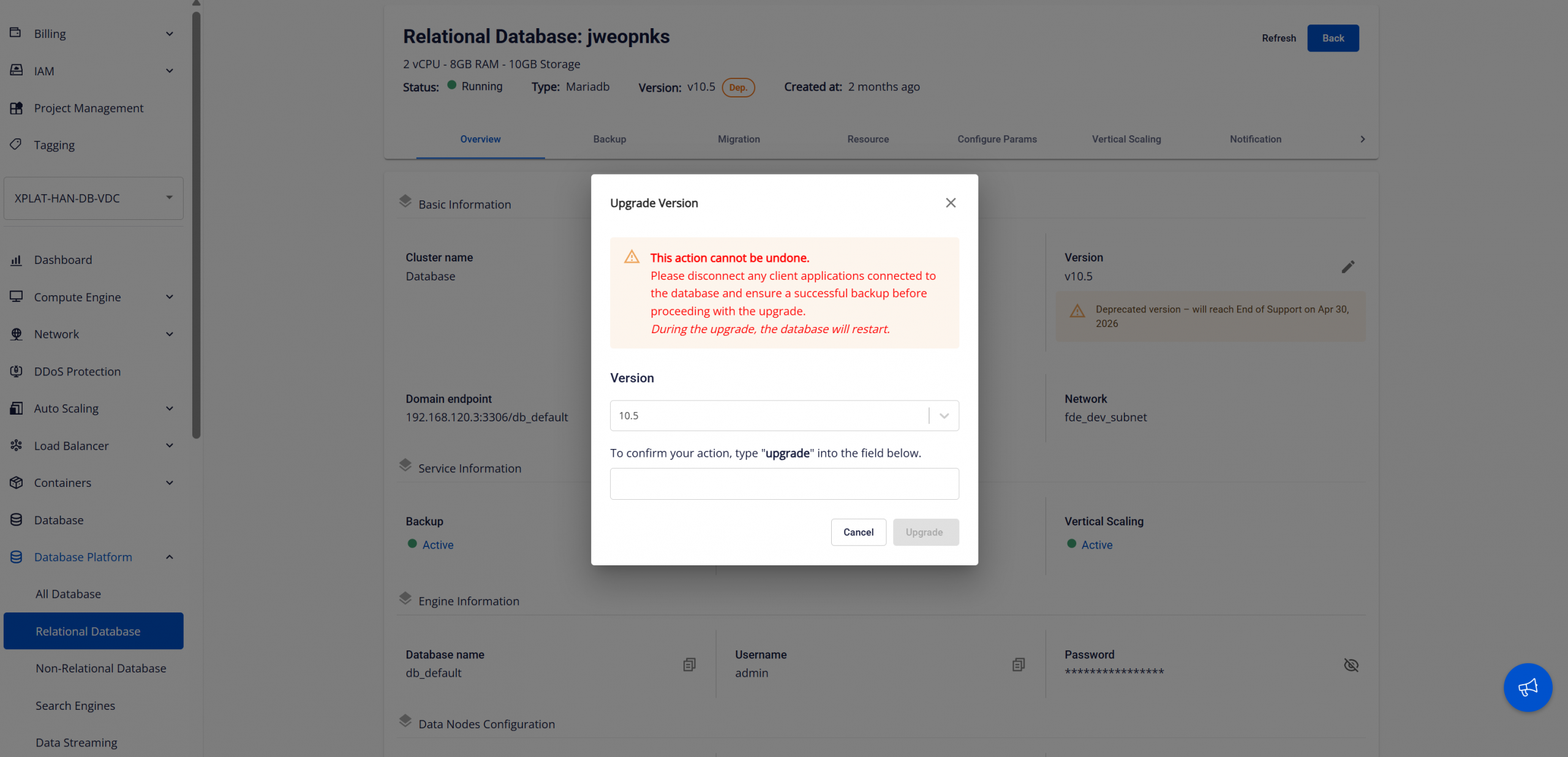
Select the target version and enter the confirmation keyword in the input field. Click Upgrade to begin the upgrade process.
During the process, the database cluster status changes to "Updating". Do not attempt to connect to or modify the cluster while the update is in progress. The cluster will automatically restart during the update.
When the upgrade is complete, the status returns to "Running" and the database has been upgraded to the new version.
Important Notes
- Cannot be undone: Version upgrades cannot be rolled back — ensure you have a complete backup.
- Disconnect applications: All application connections must be stopped before upgrading.
- Service impact: The cluster will restart, causing a temporary interruption.
- If the upgrade fails, use the backup to restore the previous state.