Create an Auth Method
An Auth Method defines how an application or user authenticates with Vault to obtain a Secret access token. FPT Key Vault supports AppRole-type Auth Methods, suited for machine-to-machine authentication.
-
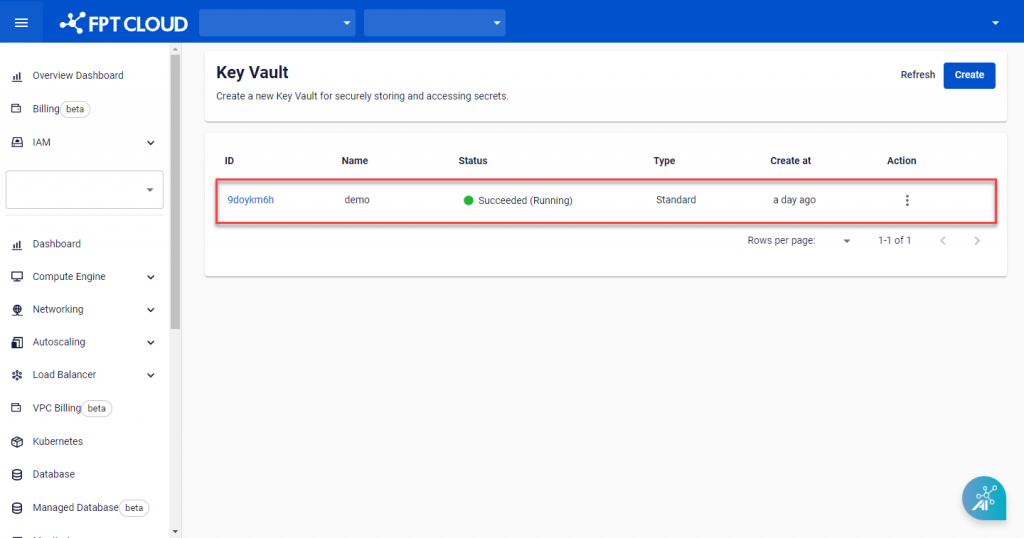
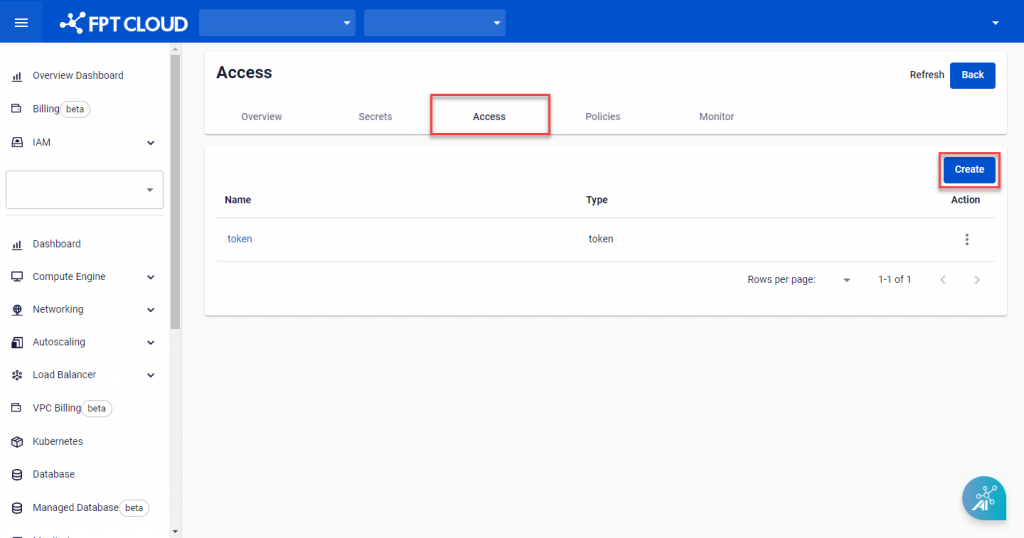
On Key Vault Management, select the Key Vault to add an Auth Method to.
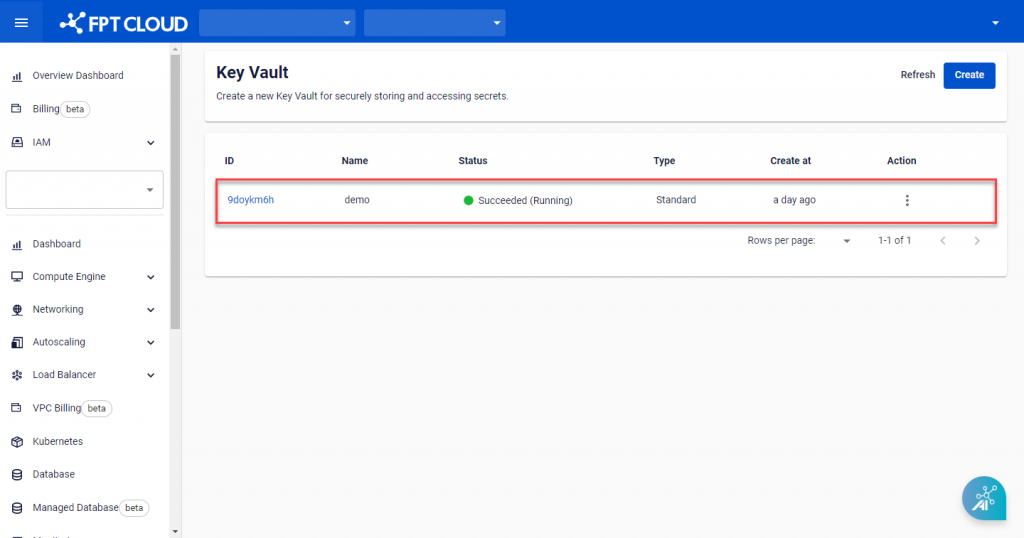
-
Open the Access tab and click Create.
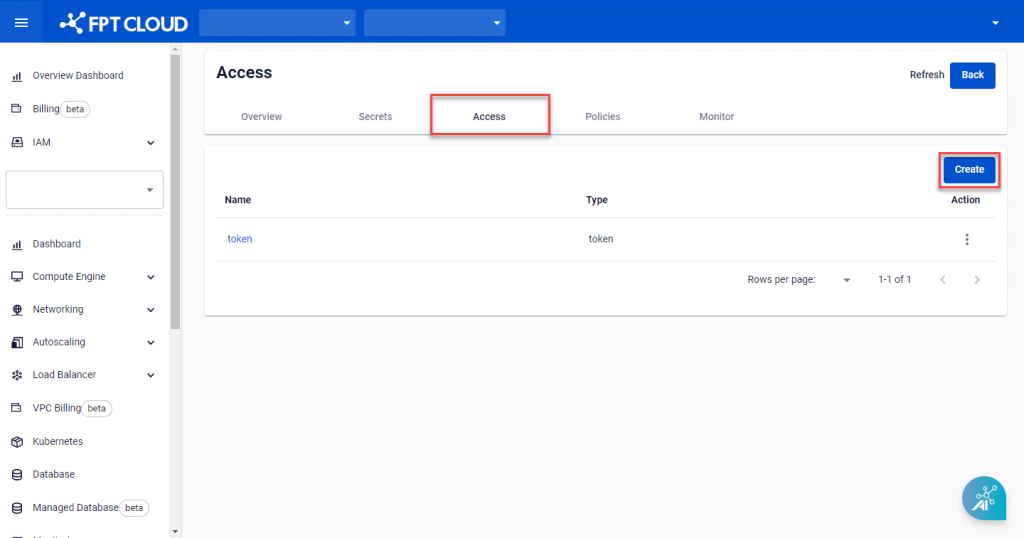
-
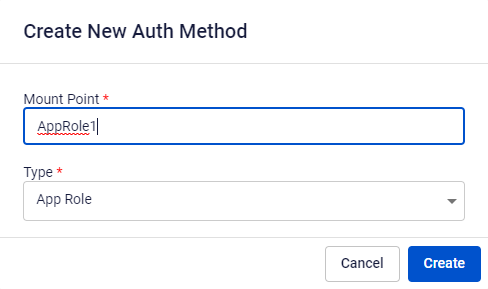
On the Create New Auth Method screen, enter the required information:
- Mount Point: The partition storing Secret information for the authentication method.
- Type: Select App Role.

-
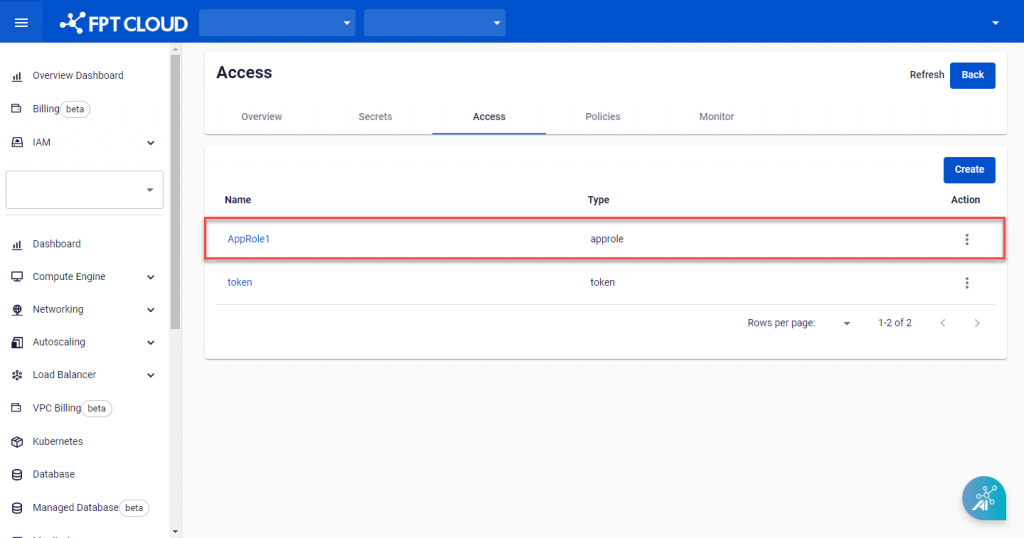
Click Create to finish. The system sends a confirmation message and creates the new Auth Method.
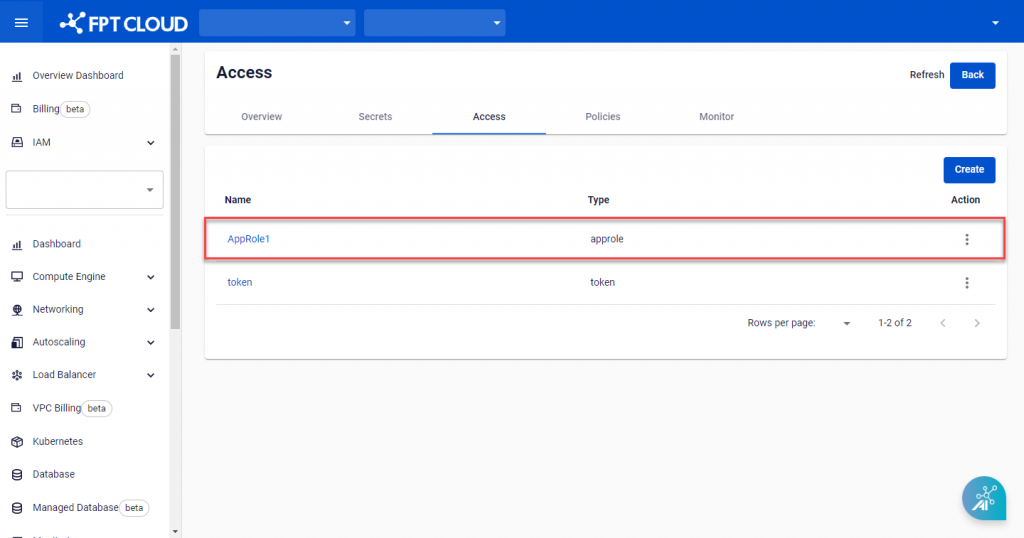
note
The system always creates a default Auth Method with type Token. This Auth Method cannot be deleted.