Create Subscriptions
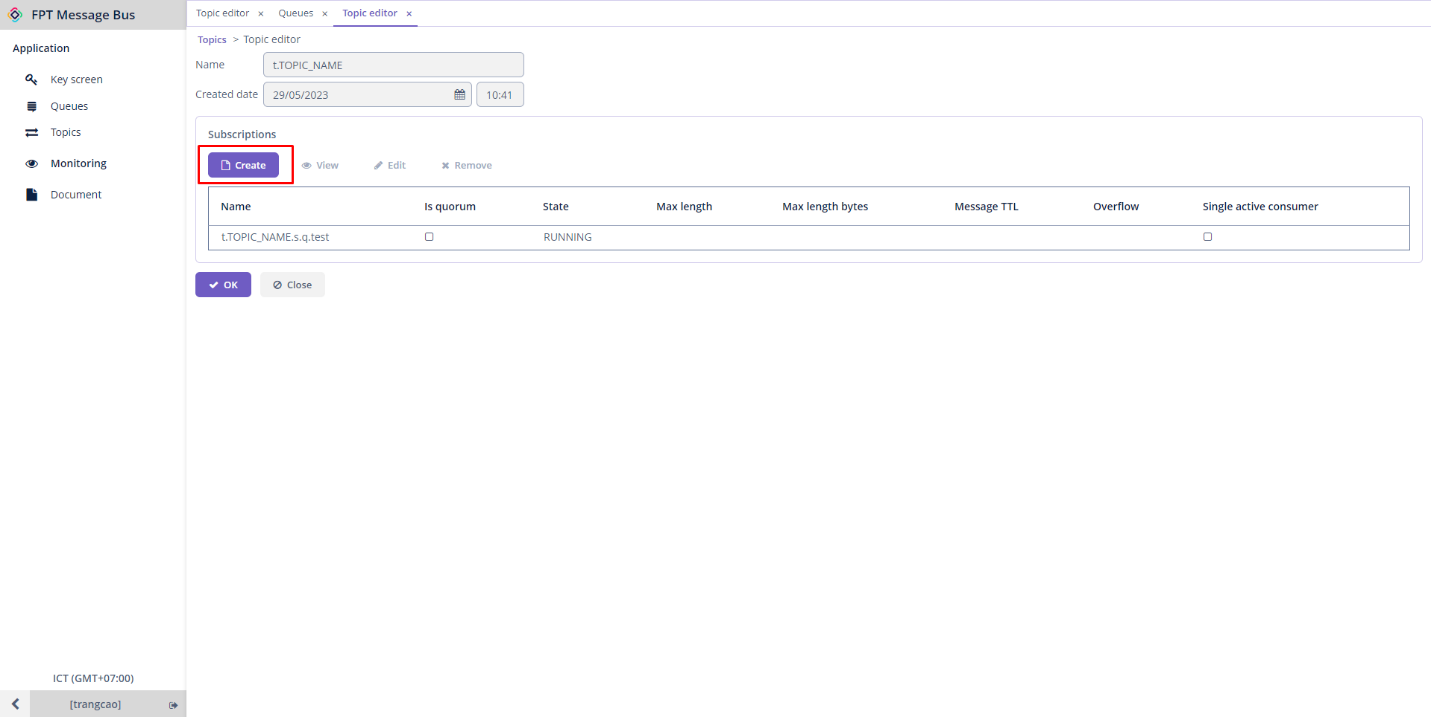
Step 1: Choose a desired topic > Edit > Click Create in the Subscriptions section
Step 2 : Enter the necessary information:
- Name (required) : The name of the queue.
- Max length : The maximum amount of messages that can be held in a queue.
- Message TTL : The amount of time that messages remain valid from the moment they are published. If it exceeds this time, the message will be lost.
- Overflow : You can select from drop_head , reject_publish , or reject_publish_DLX modes.
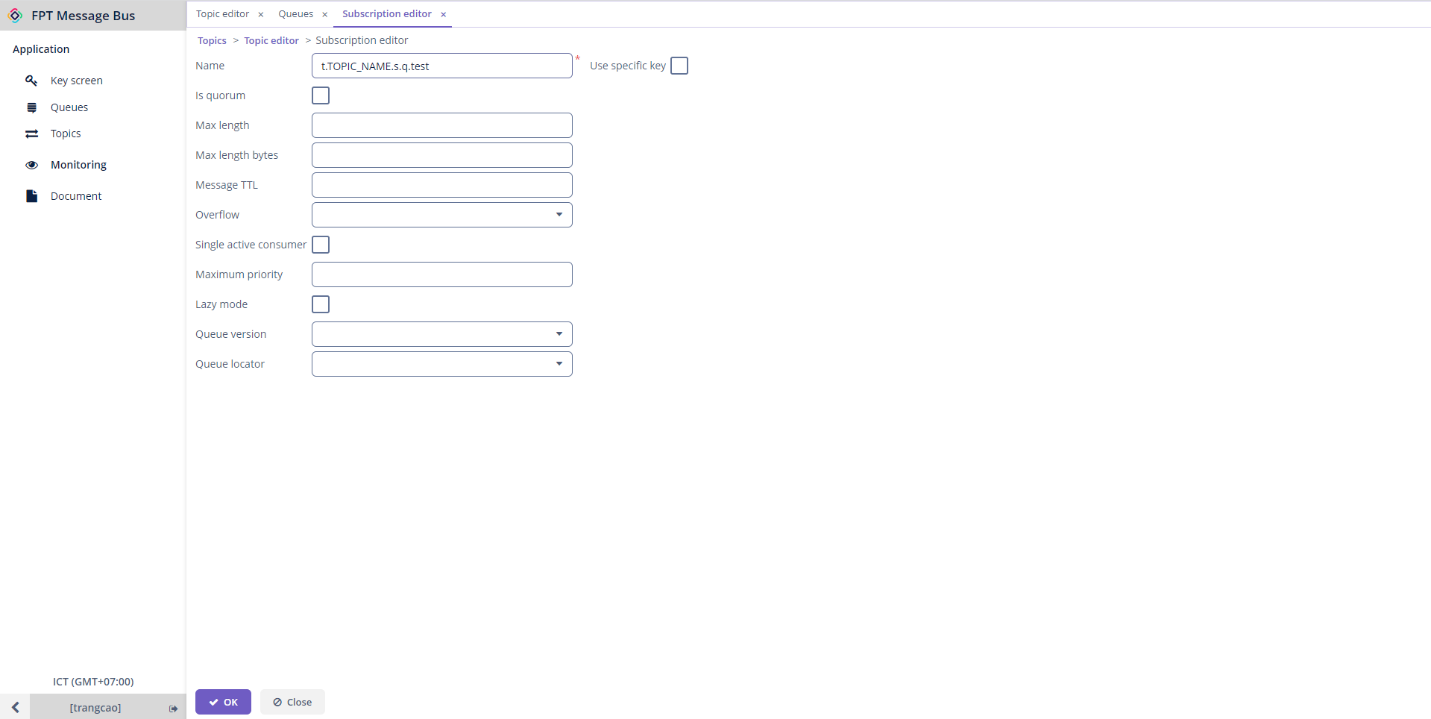
Note: Subscription names follow the convention: t.[TOPIC_NAME].s.q.[SUBSCRIPTION_NAME] Step 3 : Click OK to proceed with creating the subscription. Now, when you publish messages within the topic, all subscriptions that have subscribed to the topic can receive the message.