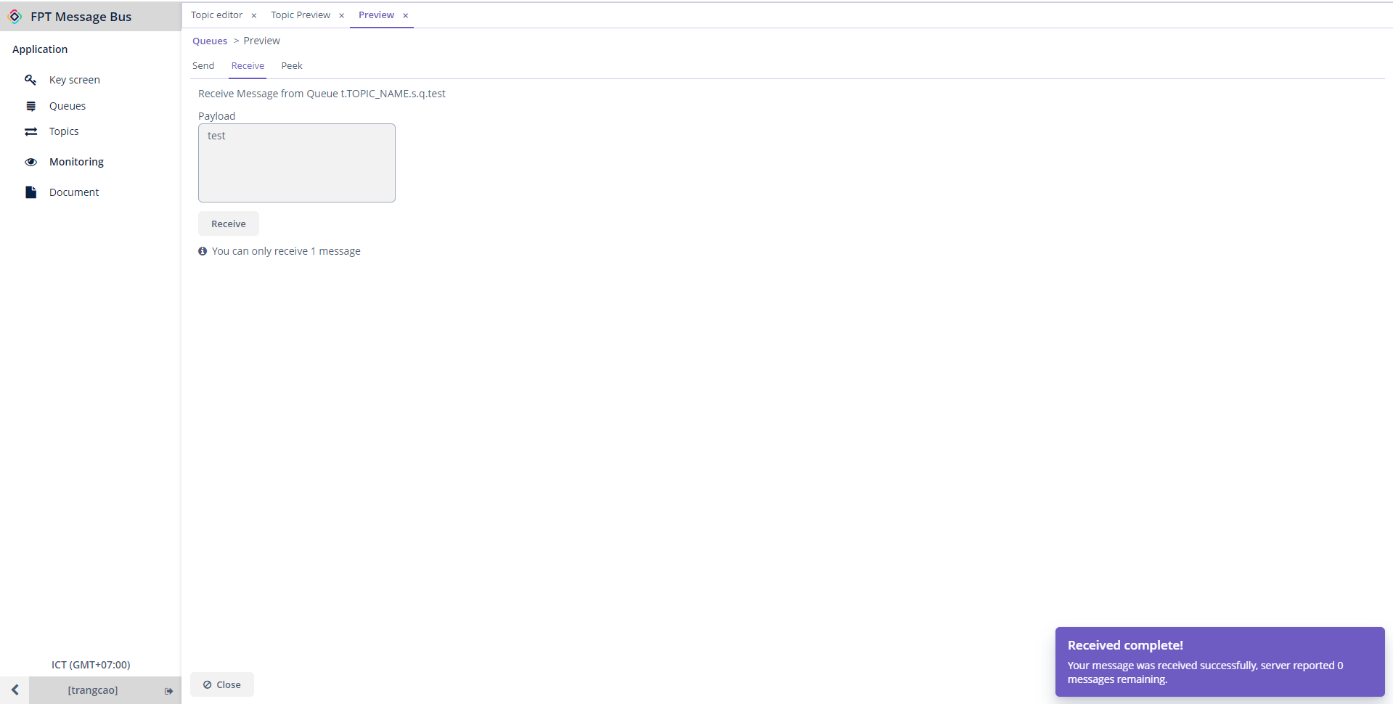
Send and receive messages in topics
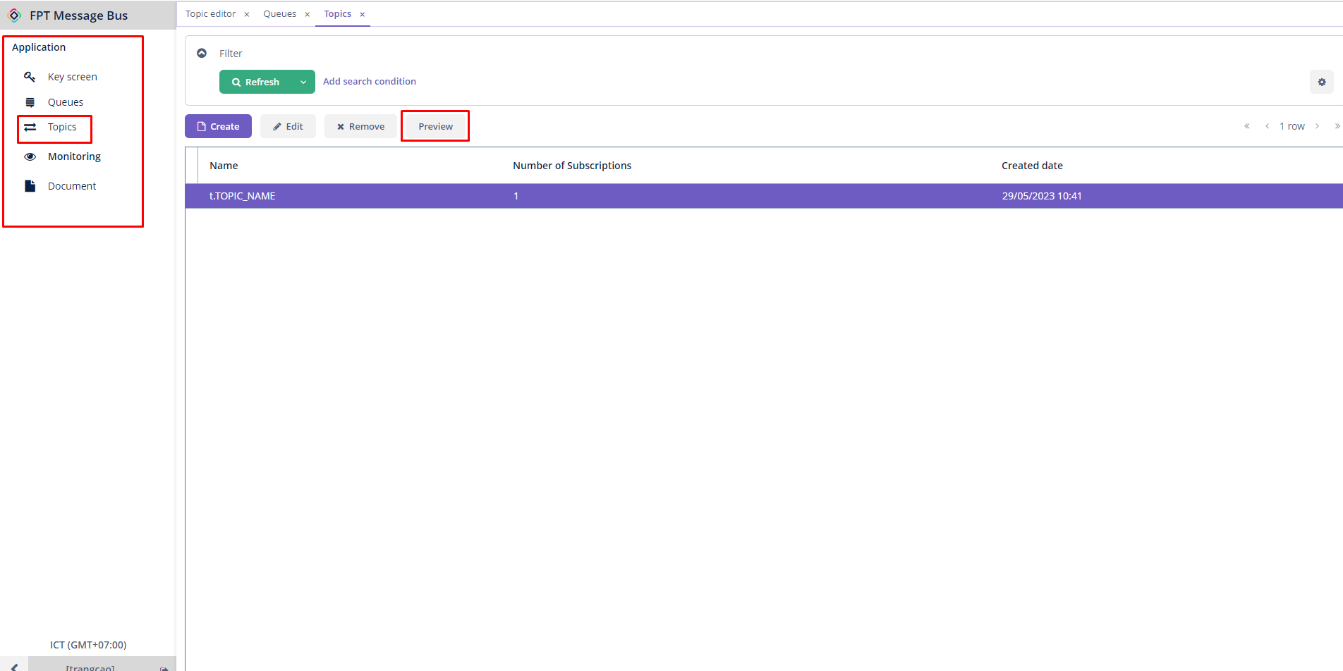
Step 1 : From the Application menu > Topics > Choose a desired topic > Preview.
Step 2 : Enter the message you want to publish into the Payload field.
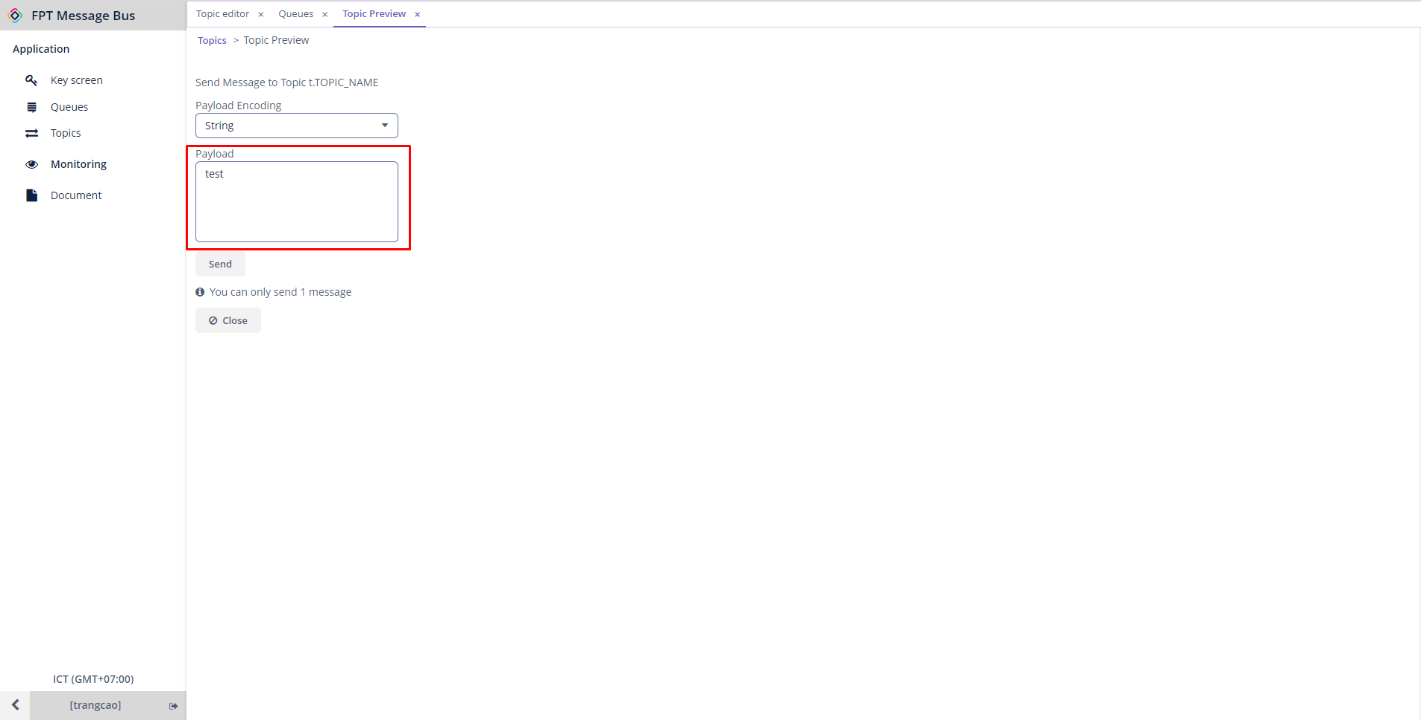
You can select one of two data types:
- String : A sequence of characters.
- Base64 : Encodes the character string by replacing characters in the common 8-bit ASCII code with the 6-bit ASCII code.
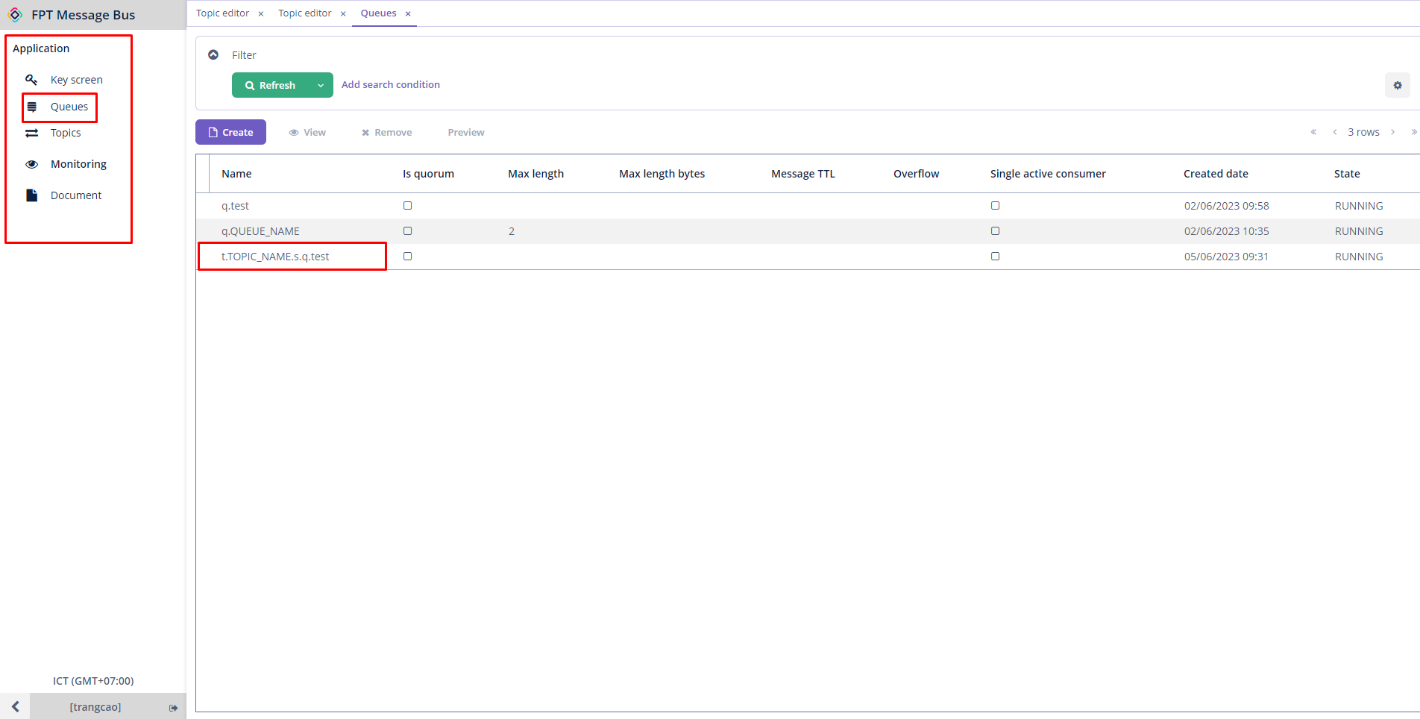
Step 3 : Click Send To receive the published messages from the subscriptions, follow these steps: Step 1 : From the Application menu > Queues > Choose a desired subscription > Preview.
Step 2 : Select the Receive tab > Click Receive to receive the message that has been published.