Manage Permissions
To grant another user permission to use the VPC Peering service within the same project, follow the steps below:
Step 1
Sign in with an administrator account on the FPT Cloud console at https://console.fptcloud.com/.
Step 2
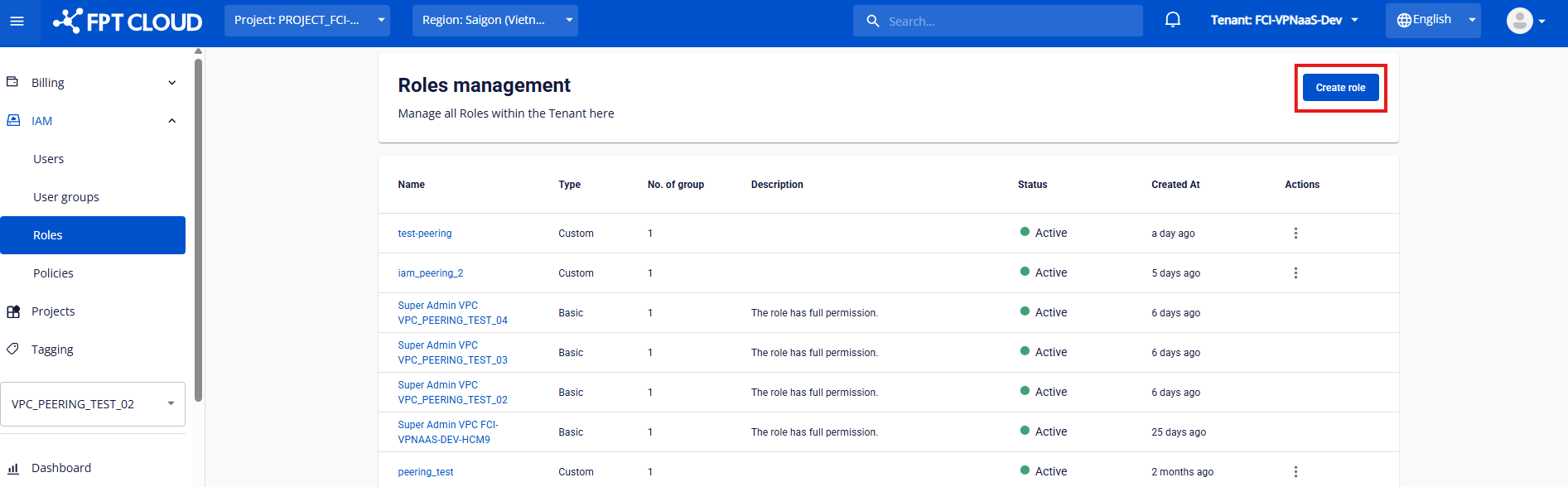
Go to the IAM / Roles service.
Step 3
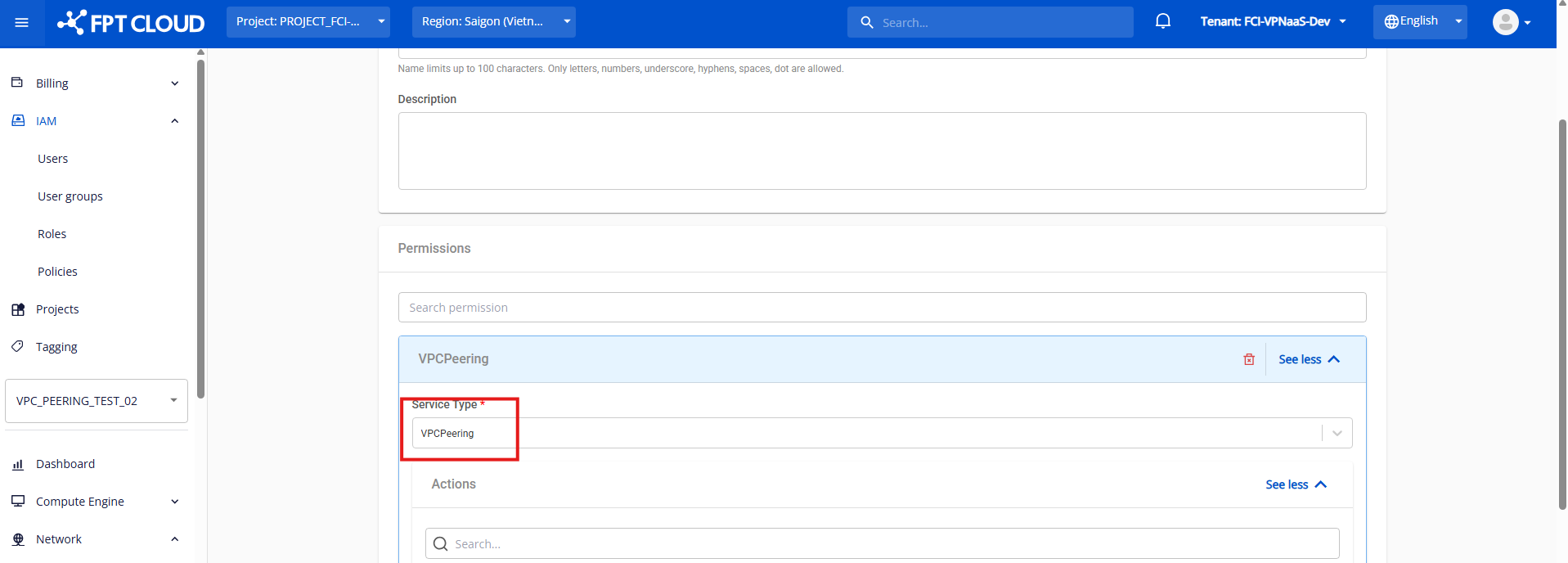
Click to create a new role, select the VPC Peering service, and assign the necessary permissions for the service.
Step 4
Select the IP service and add the ip:List permission so the user can create a gateway.
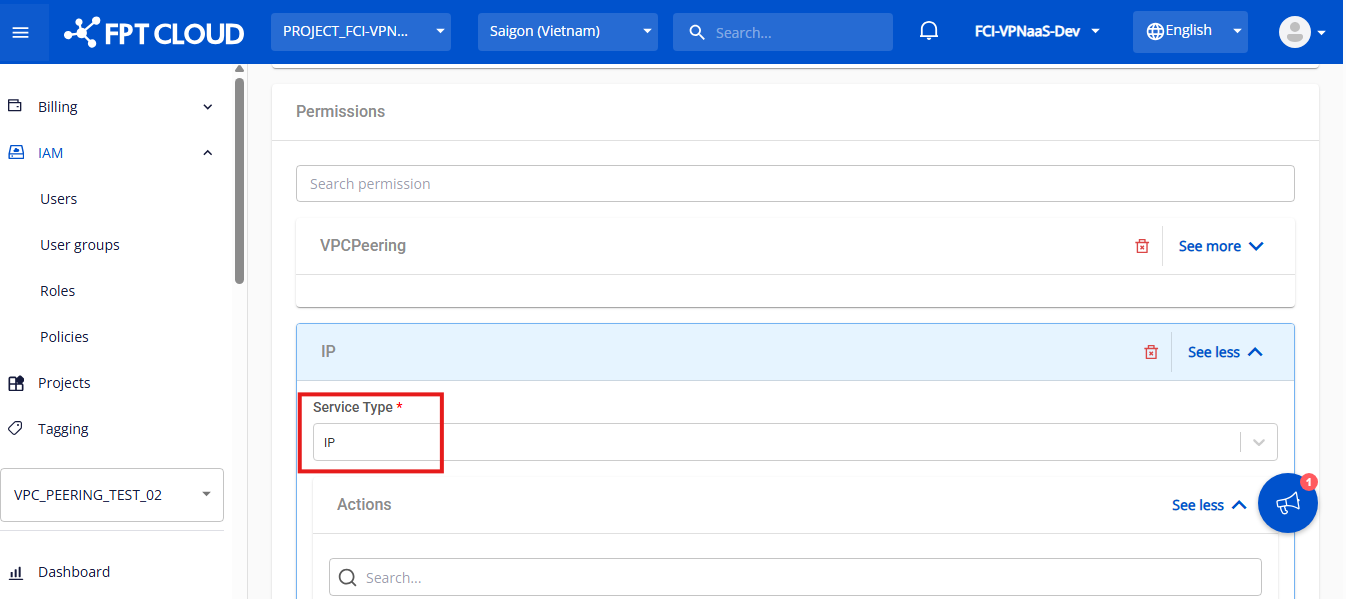
After filling in all the information, click Create role.
Step 5
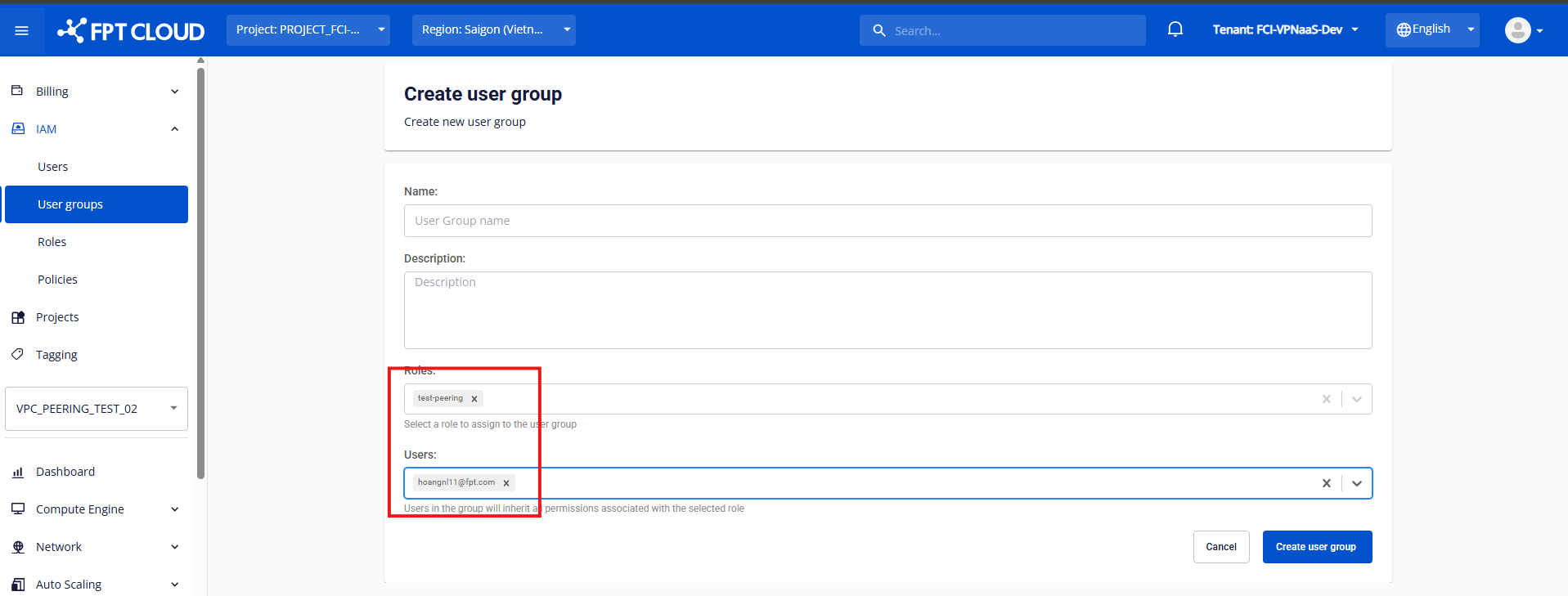
Create a User group and attach the role you just created in the previous step.
Step 6
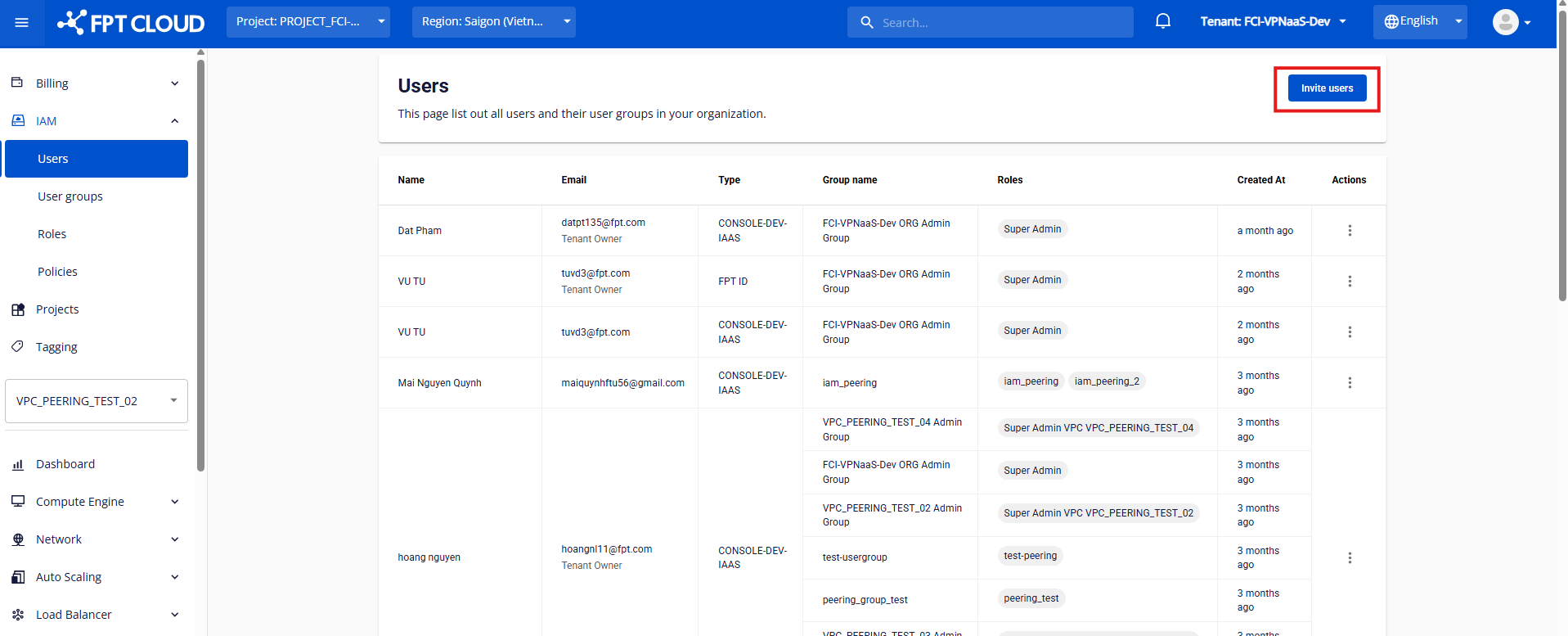
Open the User tab and click Invite user.
Step 7
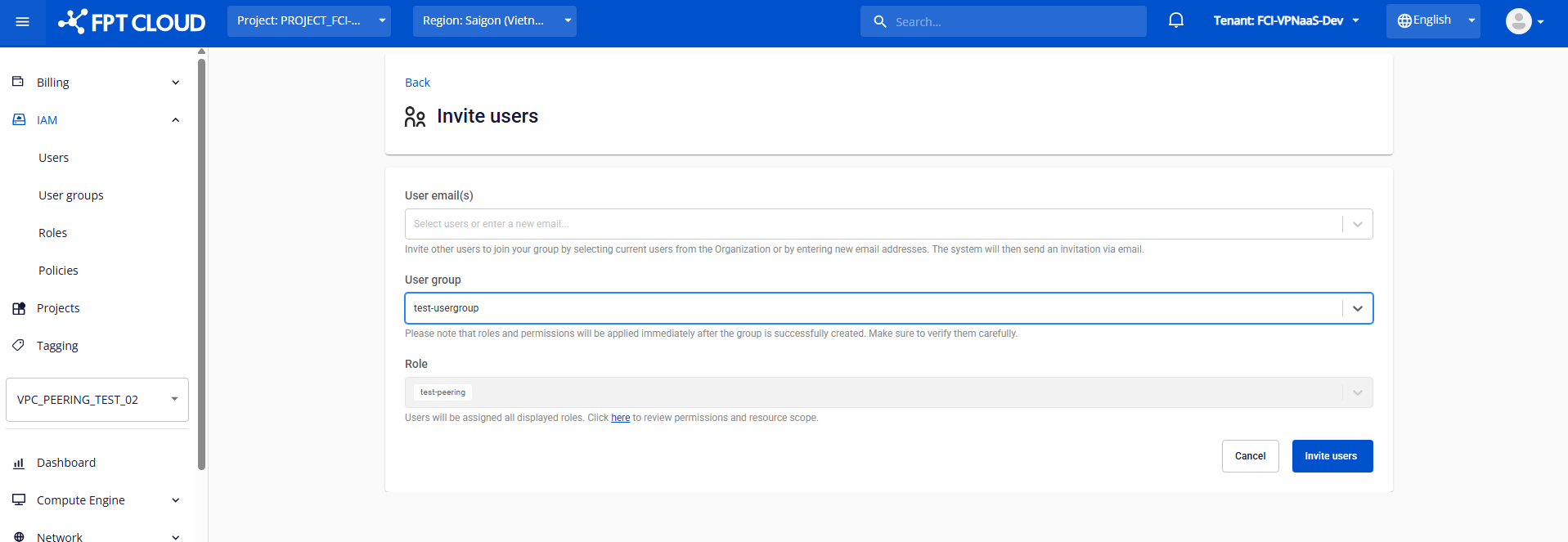
Enter the user you want to grant VPC Peering access to, then choose the corresponding User group and Roles.
Step 8
The invited account checks their email and signs in to start using the service.
