Delete Route Table
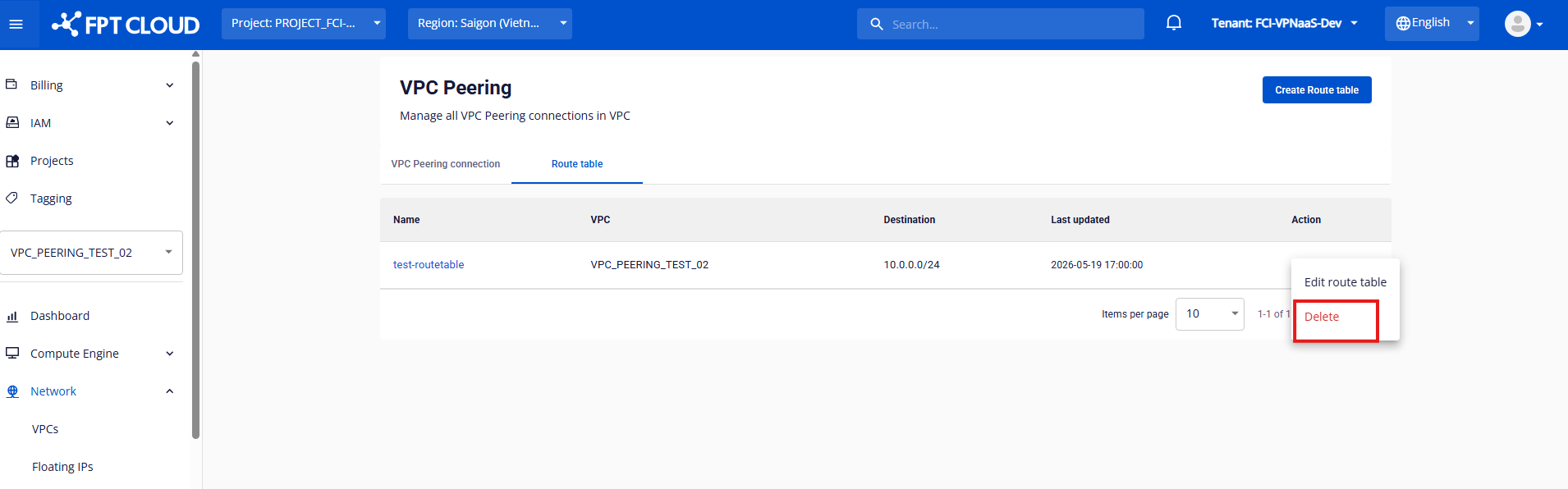
On the Route Table list screen, click Delete in the Action column of the Route Table you want to remove.
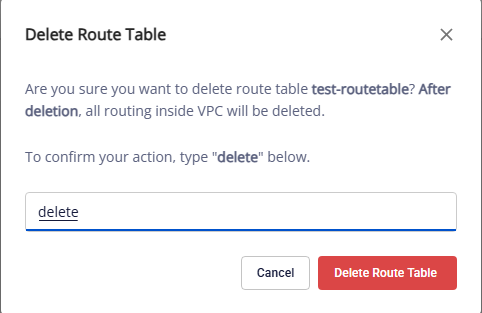
A confirmation dialog appears — type delete and click Delete Route Table to remove it, or Cancel to abort.
caution
Deleting a Route Table interrupts all traffic that uses the routes in this table. The Peering Connection itself remains but cannot be used for peering until a new Route Table is configured.