Create an incident via incoming webhook
- From the left menu, click Apps > Incident.
- Click Integration.
- Set up Incoming webhook (if not yet installed, see Configure integrations).
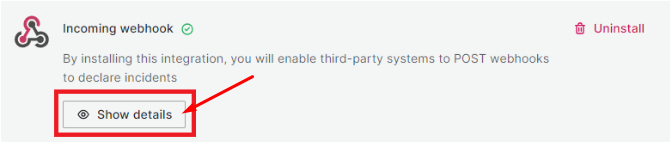
- After successful setup, click Show details to view the details.
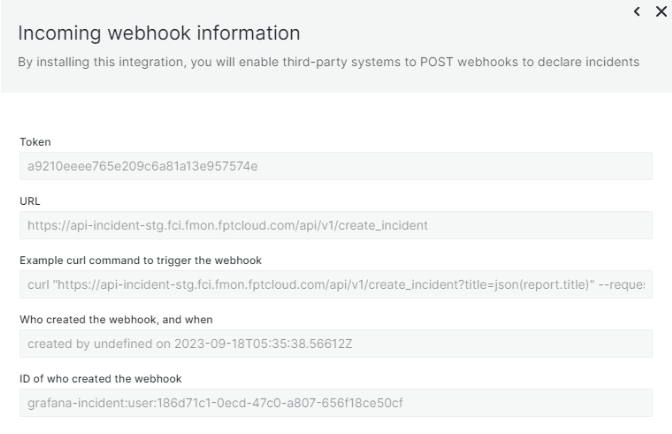
Key information:
- Token: authentication string
- URL: incoming webhook URL used to POST incidents
Example using curl
curl "api-incident-stg.fci.fmon.fptcloud.com/api/v1/create_incident?title=json(report.title)" \
  --request POST \
  --header 'Authorization: a9210eeee765e209c6a81a13e957574e' \
  --header 'Content-Type: application/json' \
  --data '{"report":{"title":"cool that this title comes from the json"}}'