Tạo incident qua incoming webhook
- Trong menu trái, nhấn Apps > Incident.
- Nhấn Integration.
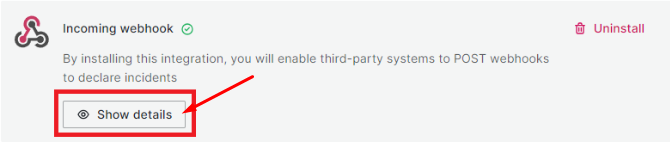
- Cài đặt Incoming webhook (nếu chưa cài đặt, xem hướng dẫn cấu hình integrations).
- Sau khi cài đặt thành công, nhấn Show details để xem thông tin chi tiết.
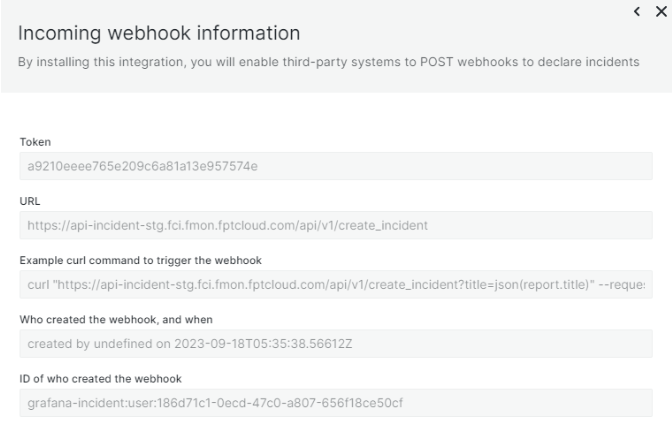
Các thông tin chính:
- Token: chuỗi ký tự dùng để xác thực
- URL: incoming webhook URL, dùng để POST incident
Ví dụ sử dụng curl
curl "api-incident-stg.fci.fmon.fptcloud.com/api/v1/create_incident?title=json(report.title)" \
  --request POST \
  --header 'Authorization: a9210eeee765e209c6a81a13e957574e' \
  --header 'Content-Type: application/json' \
  --data '{"report":{"title":"cool that this title comes from the json"}}'