Hướng dẫn tạo Jenkins pipline CI/CD tích hợp các tính năng trên Portal
Mô hình hệ thống CI/CD sử dụng các thành phần bao gồm:
| STT | Tên hệ thống | Công cụ sử dụng |
|---|---|---|
| 1 | Source code Management | Gitlab |
| 2 | CI server | FPT Jenkins CI |
| 3 | CD | FPT ArgoCD |
- Login vào Jenkins với username/pass trên portal:
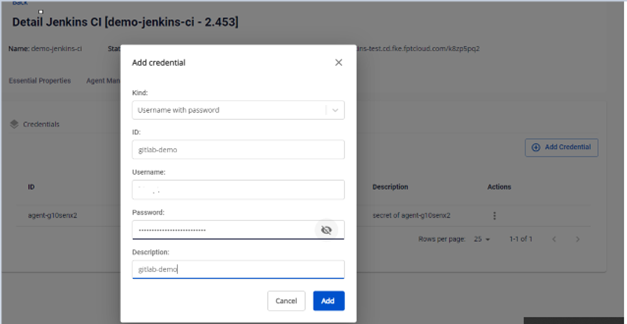
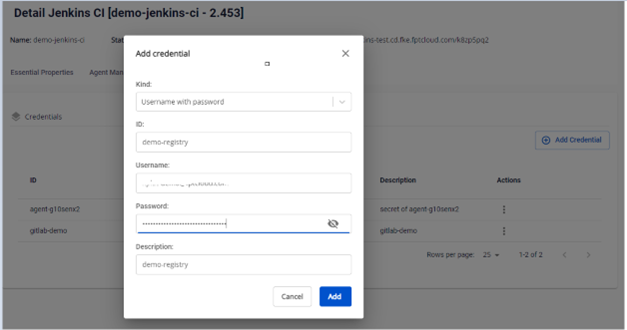
- Trên FPT Cloud Portal tạo credential để sử dụng trong pipeline bao gồm: -Credential với kind User with Password để authenticator cho gitlab, Container Registry:
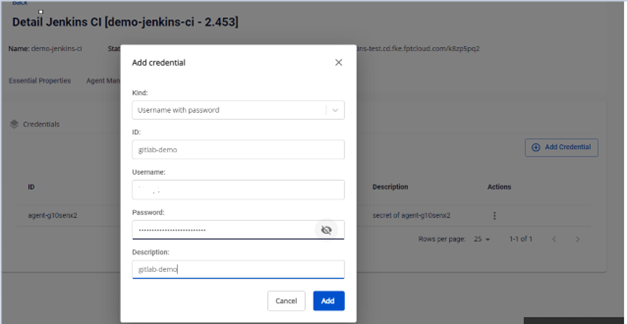
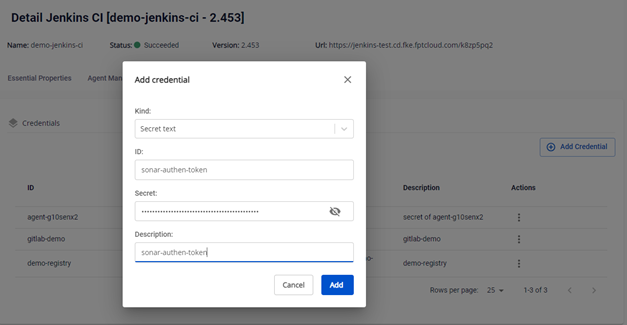
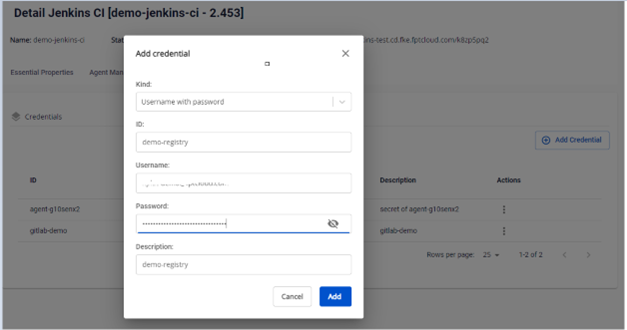 -Credential với kind Secret Text để authen cho SonarQube: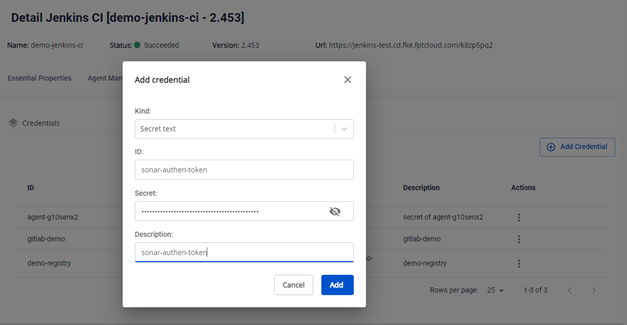
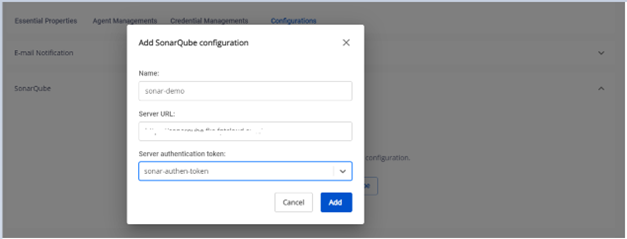
- Cấu hình sonarqube server để thực hiện Scan Code trong pipeline
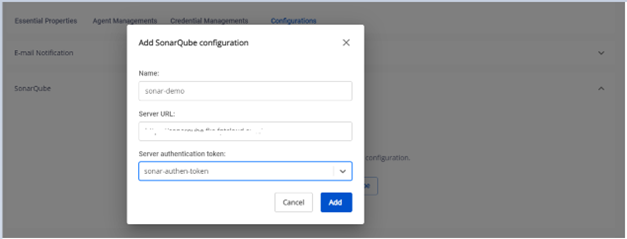
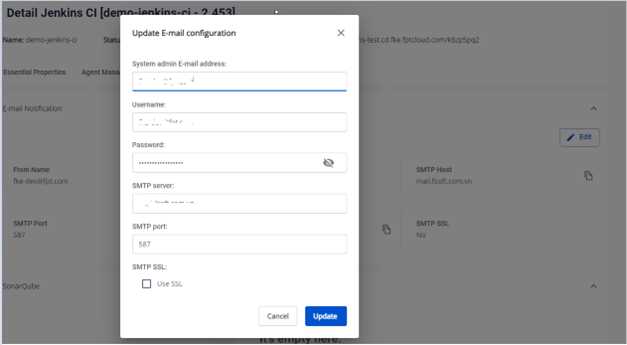
- Cấu hình Email Notifications trên FPT Cloud Portal để tích hợp trong pipeline
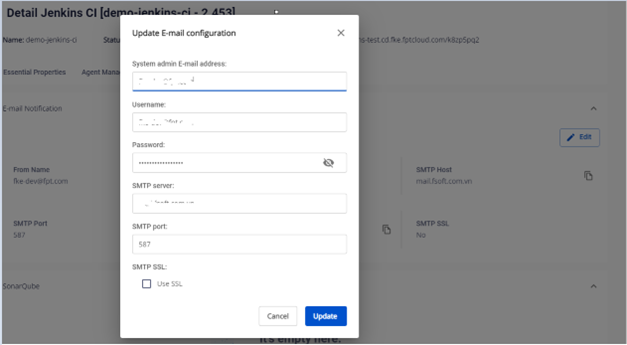
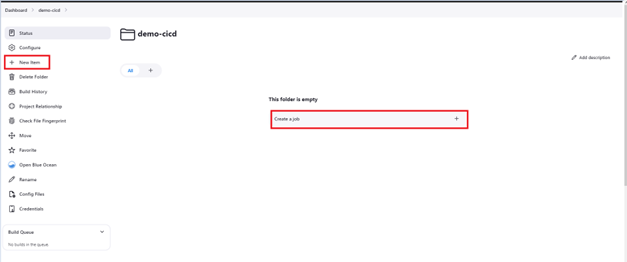
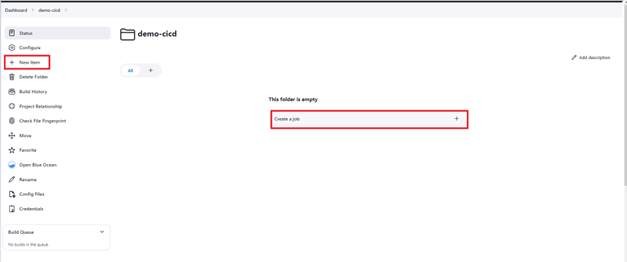
- Tạo job với loại Pipeline để thiết lập một luồng CI/CD cơ bản: Click New Item hoặc Create a job để tạo một pipeline jobs CI/CD:
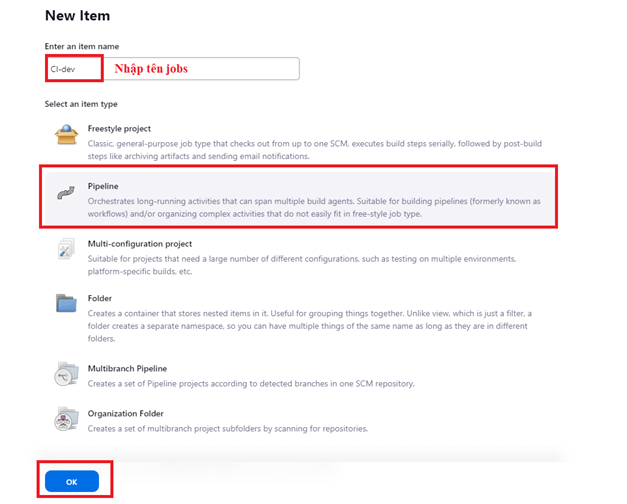
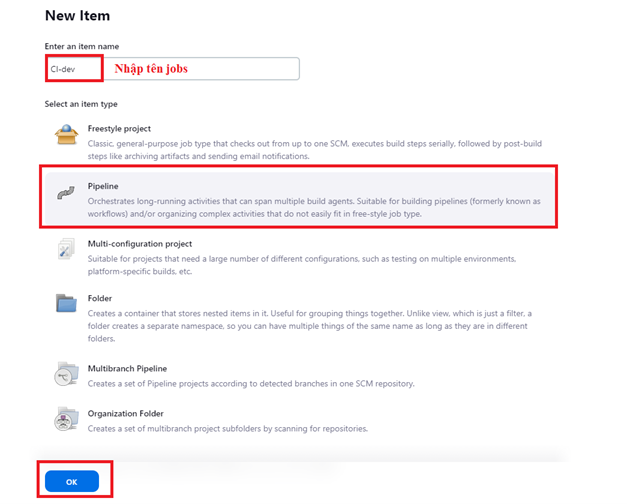
 Nhập thông tin tạo jobs:
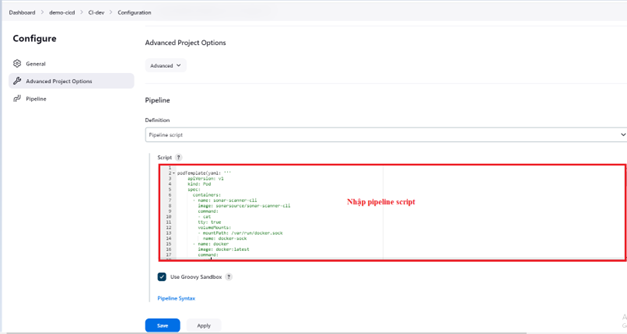
  Cấu hình pipeline jobs với pipeline script. Có 2 lựa chọn để cấu hình jenkinsfile: Cách 1: Nhập script pipeline qua giao diện Jenkins:
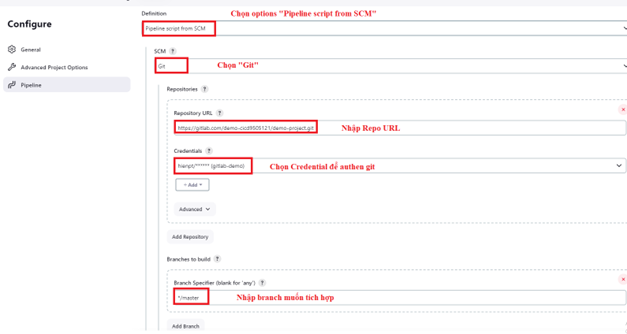
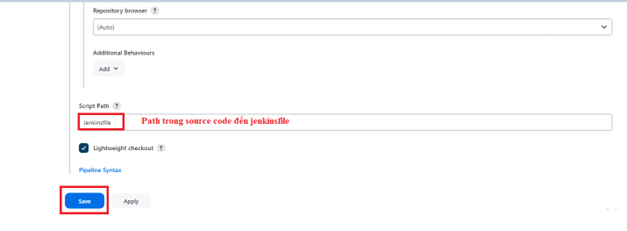
 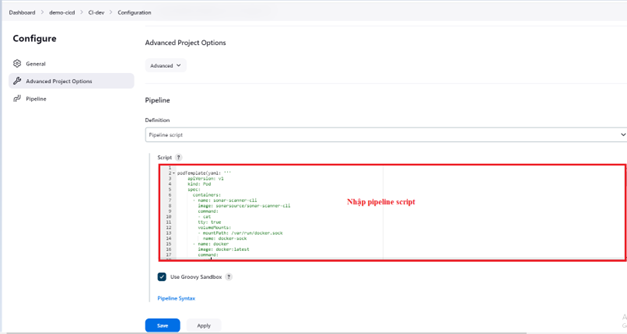 Cách 2: Sử dụng Jenkinsfile để cấu hình pipeline script từ source code: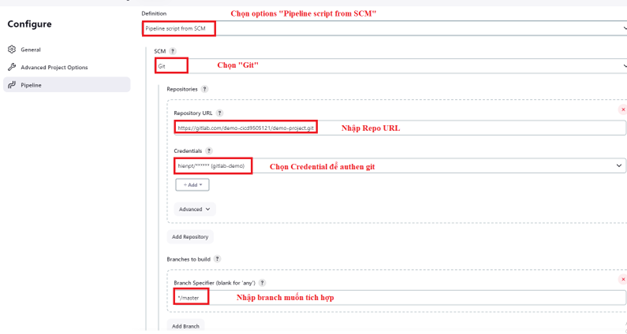
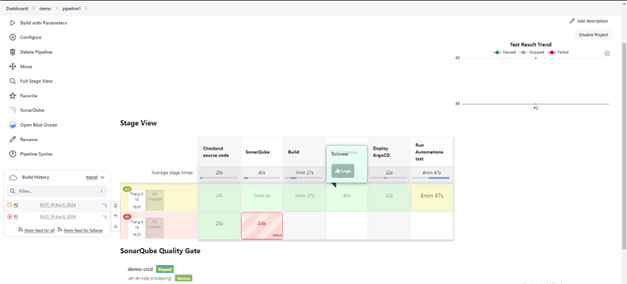
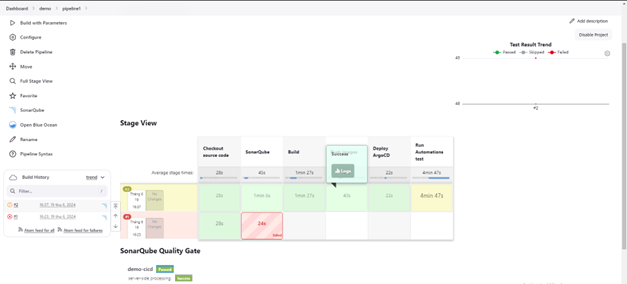
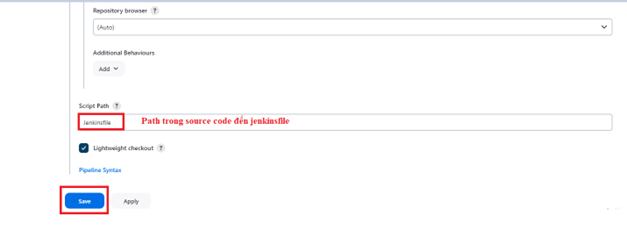 Pipeline chạy jobs: