Create a Jenkins CI/CD pipeline with Portal integrations
This guide walks you through creating a basic CI/CD flow as illustrated below.
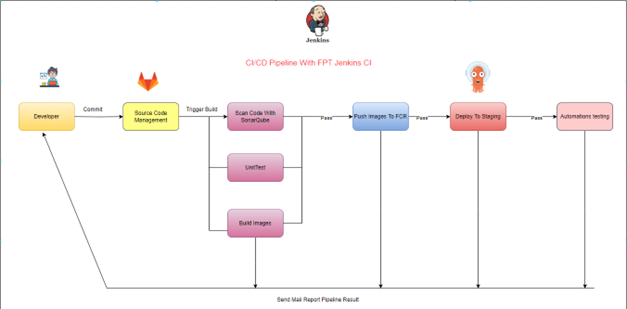
The CI/CD pipeline performs the following steps:
Step 1: Trigger event — a developer triggers the CI/CD pipeline with a push commit or merge request event.
Step 2: The source control management system sends a trigger message to the CI/CD system via webhook to start a build job on Jenkins.
Step 3: The CI/CD system using FPT Jenkins CI and FPT Cloud Agent performs: code scanning with SonarQube, unit tests, and image builds.
Step 4: If all tests pass and the image build succeeds, the image is pushed to FPT Container Registry (FCR) for storage.
Step 5: After the image is pushed to FCR, the system updates the new image tag in the config source code managed by FPT Argo CD.
Step 6: FPT Argo CD deploys the application to the dev/test/staging environment.
Step 7: After deployment, the CI/CD system runs automated tests on the staging environment.
Step 8: After the pipeline completes, the CI/CD system returns the build result to the developer.
The CI/CD system components are:
| # | System | Tool |
|---|---|---|
| 1 | Source code management | GitLab |
| 2 | CI server | FPT Jenkins CI |
| 3 | CD | FPT ArgoCD |
Setup steps
-
Log in to Jenkins using the username and password from the Portal.
-
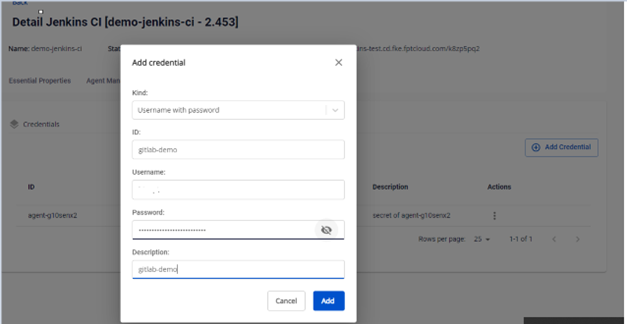
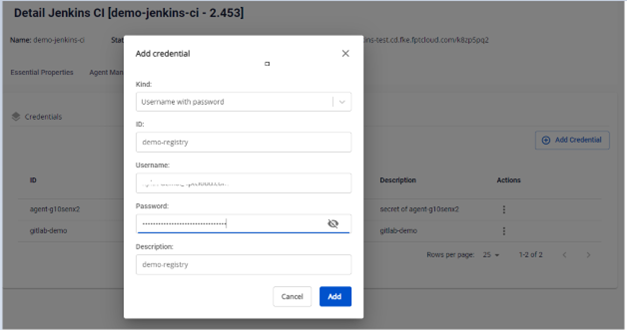
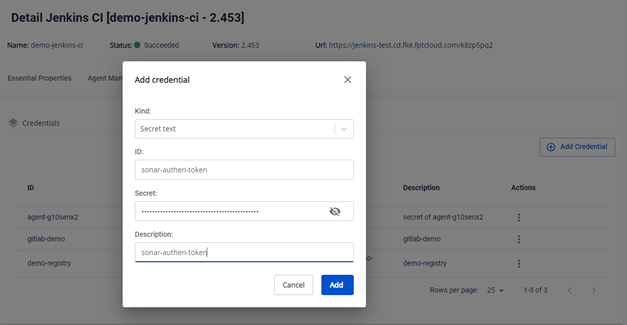
On the FPT Cloud Portal, create the credentials needed in the pipeline:
- A Username with password credential to authenticate with GitLab and Container Registry:
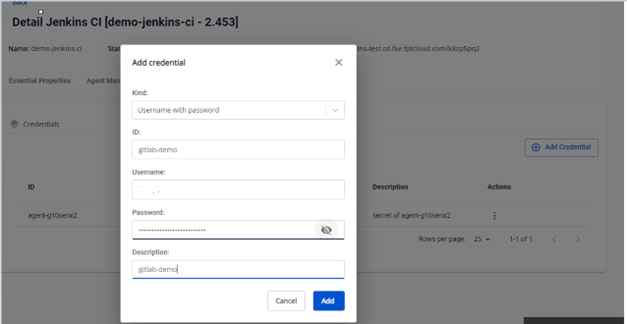
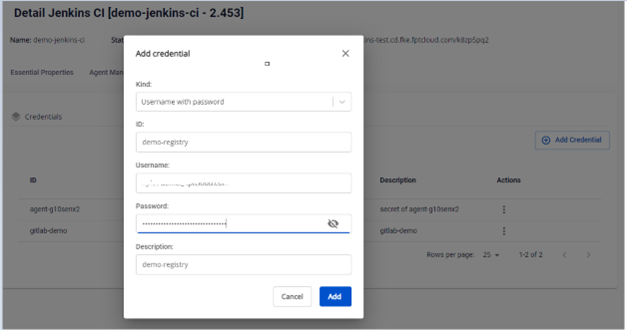
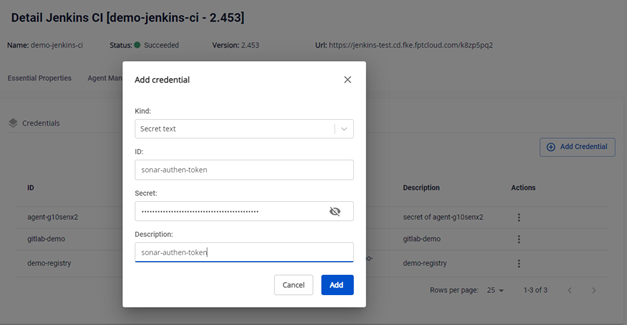
- A Secret Text credential to authenticate with SonarQube:
-
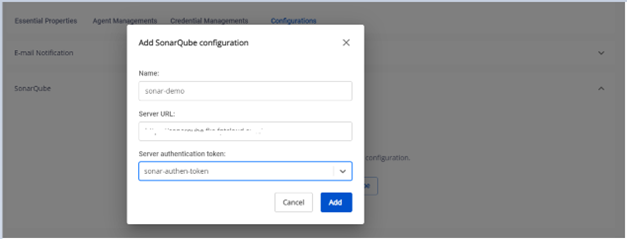
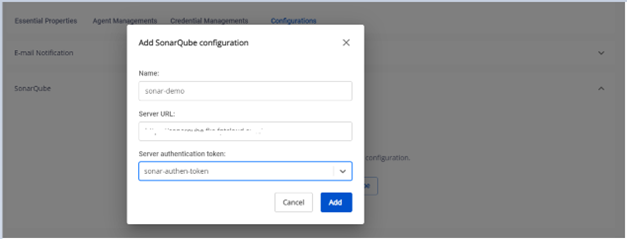
Configure the SonarQube server for code scanning in the pipeline.
-
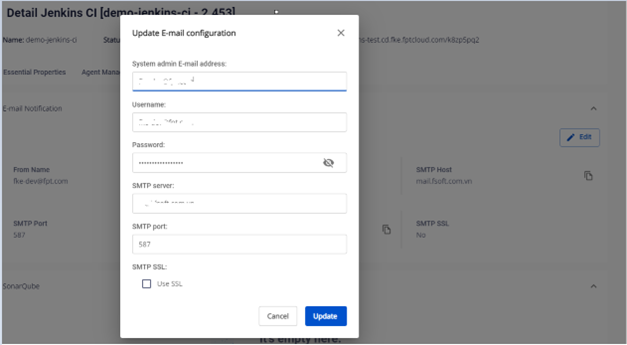
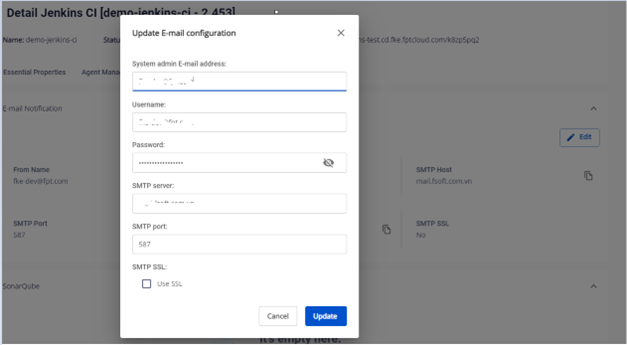
Configure email notifications on the FPT Cloud Portal for pipeline integration.
-
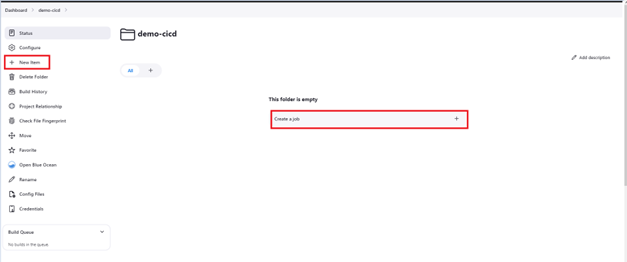
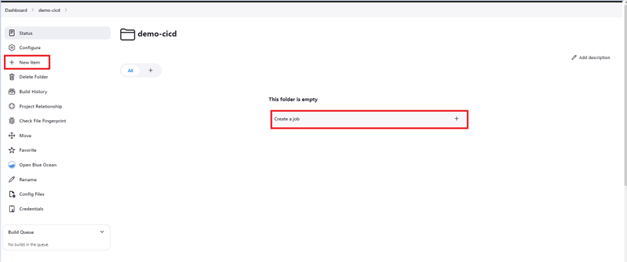
Create a Pipeline job to set up the CI/CD flow. Click New Item or Create a job:
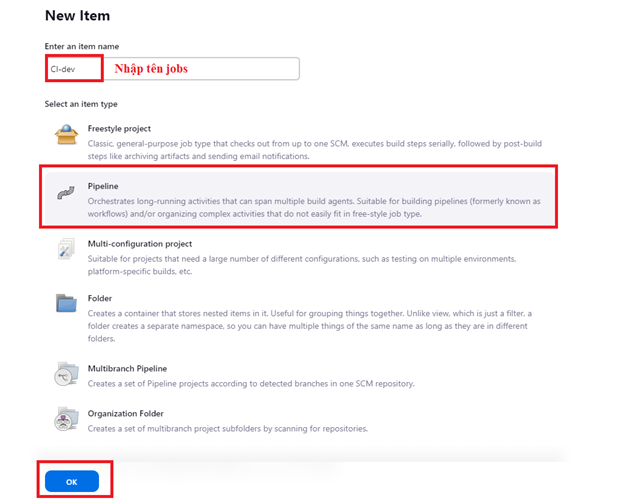
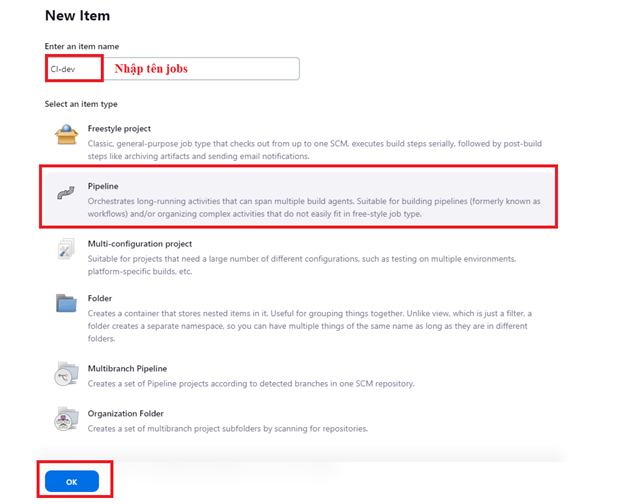
Enter the job details:
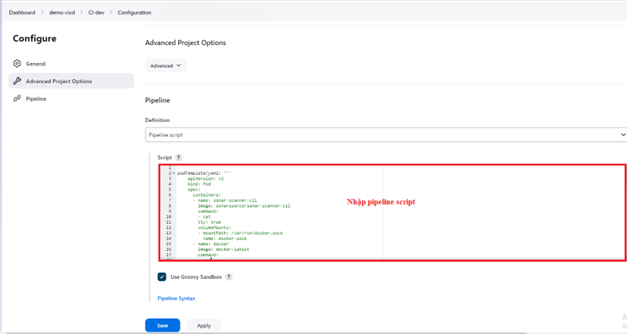
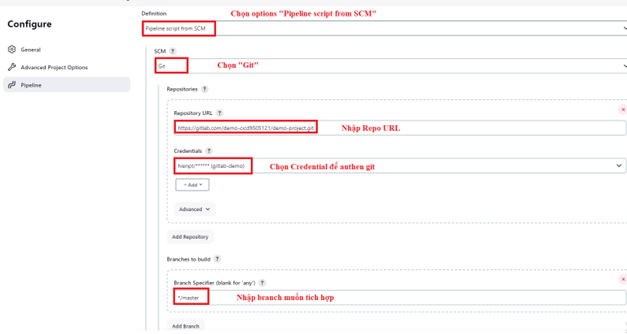
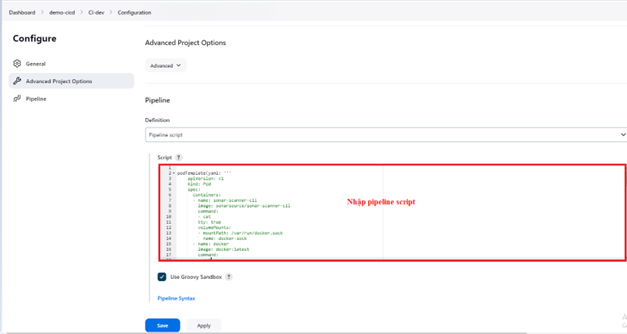
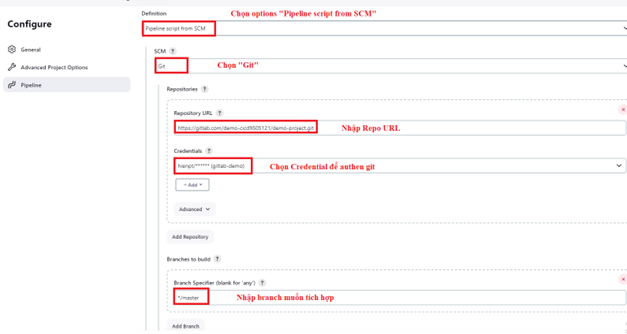
Configure the pipeline job with a pipeline script. There are two options:
Option 1: Enter the pipeline script directly in the Jenkins interface:
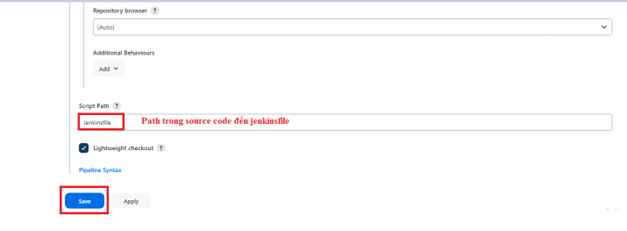
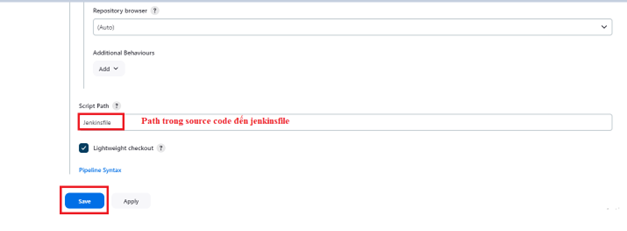
Option 2: Use a Jenkinsfile from the source code repository:
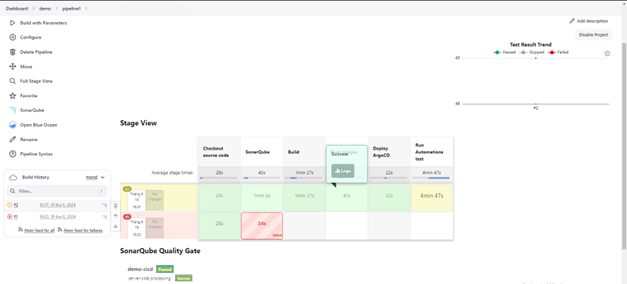
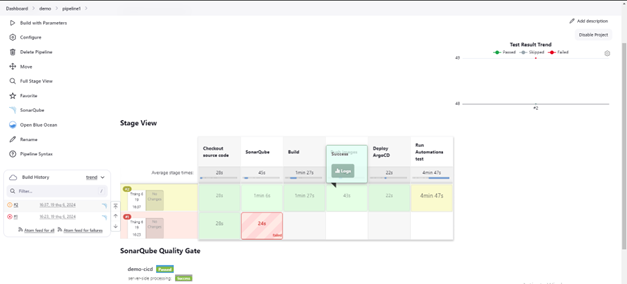
Pipeline running the job: