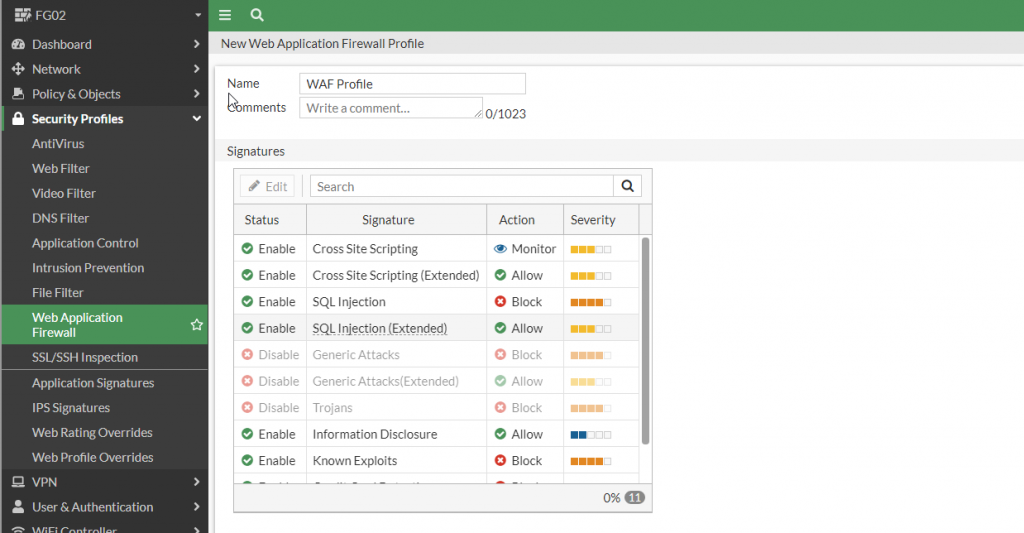
Tạo Security Profile
AntiVirus
Bước 1: Security Profiles > AntiVirus.
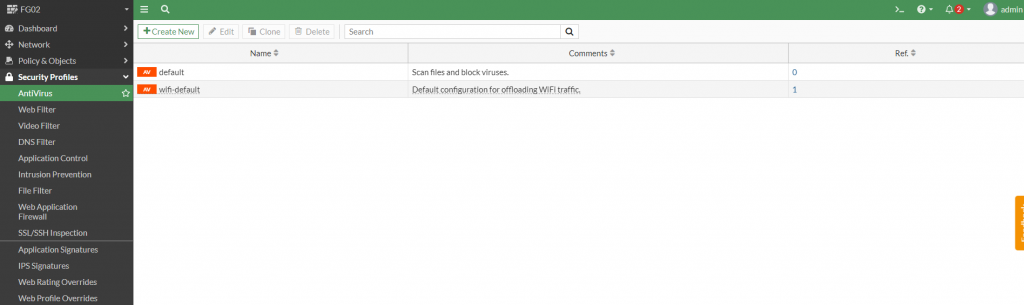
Bước 2: Tạo mới một Profile hoặc có thể dùng Profile có sẵn của Fortigate.
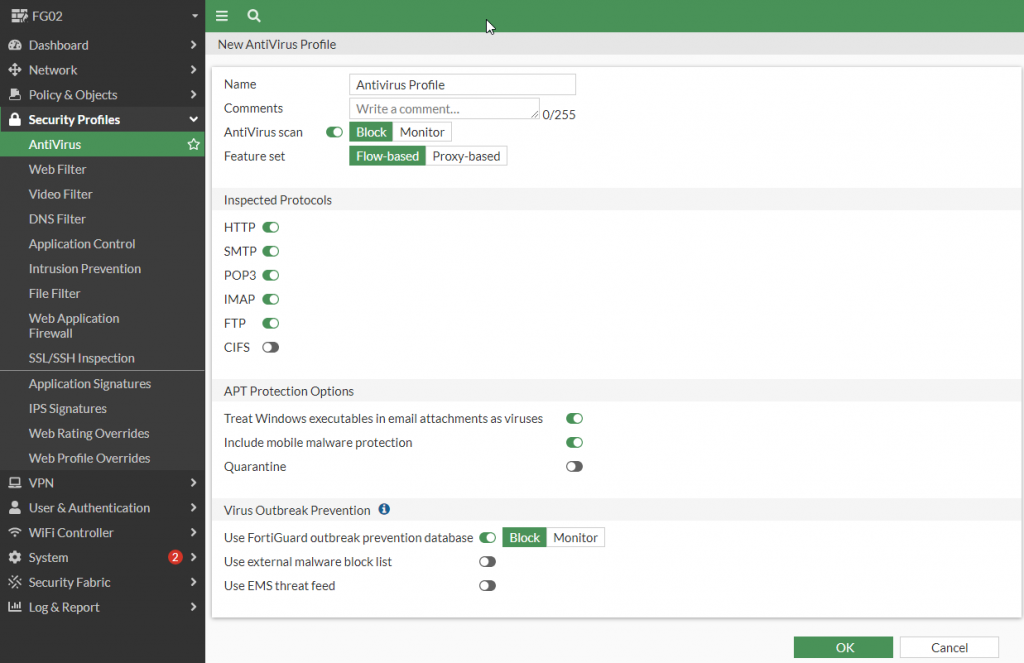
Tùy chọn các Giao Thức Inspected , Feature và Action.
Web Filter
Bước 1: Security Profiles > Web Filter.
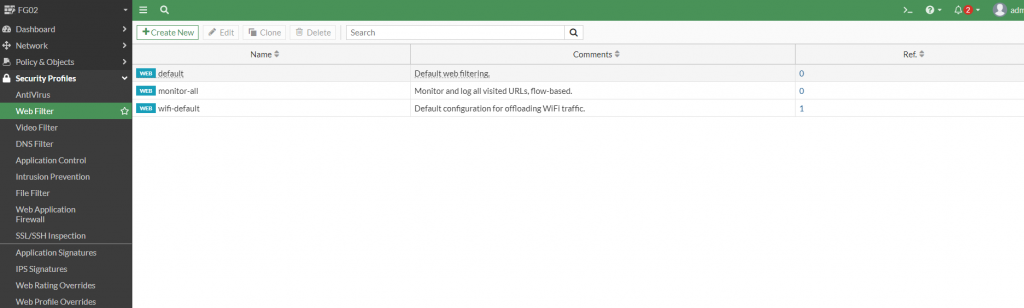
Bước 2: Tạo mới một Profile hoặc có thể dùng Profile có sẵn của Fortigate.
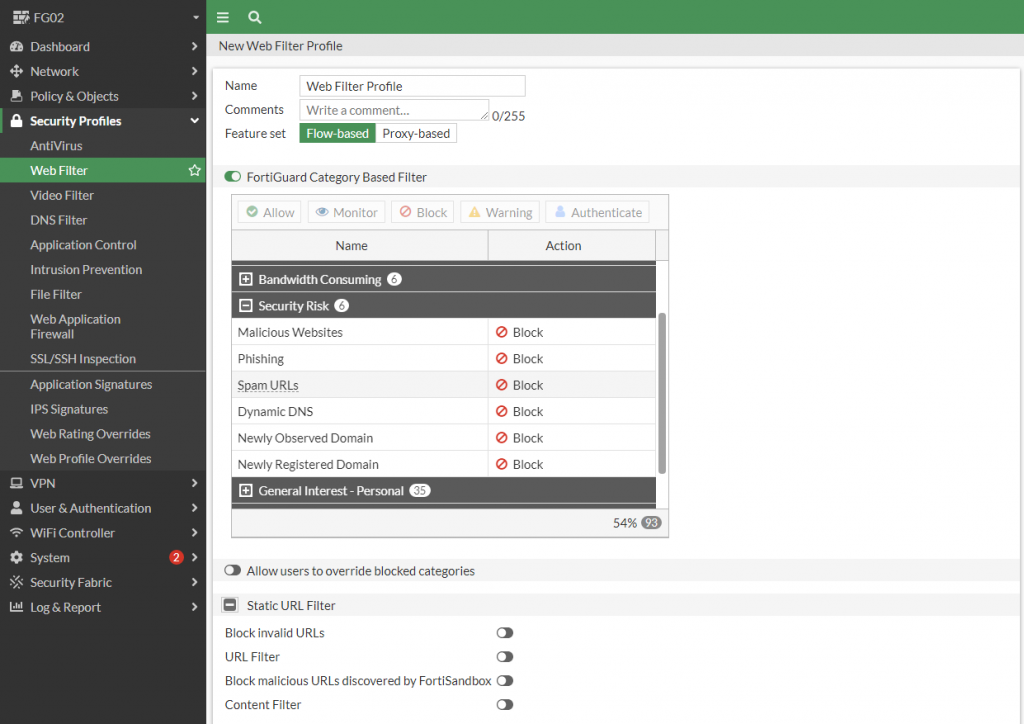
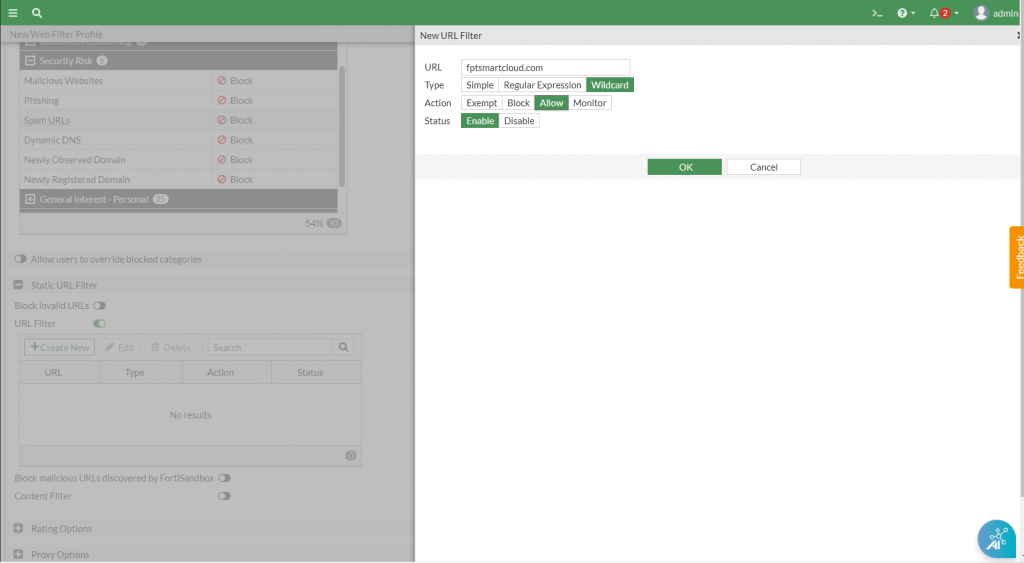
Bước 3: Bật URL Filter > Create New.
-
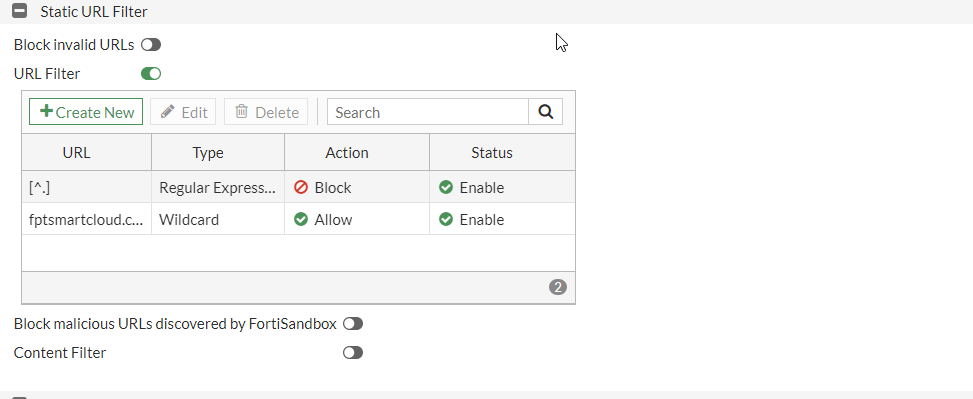
Tạo profile chỉ cho phép truy cập đến trang web cụ thể, ví dụ fptsmartcloud.com.
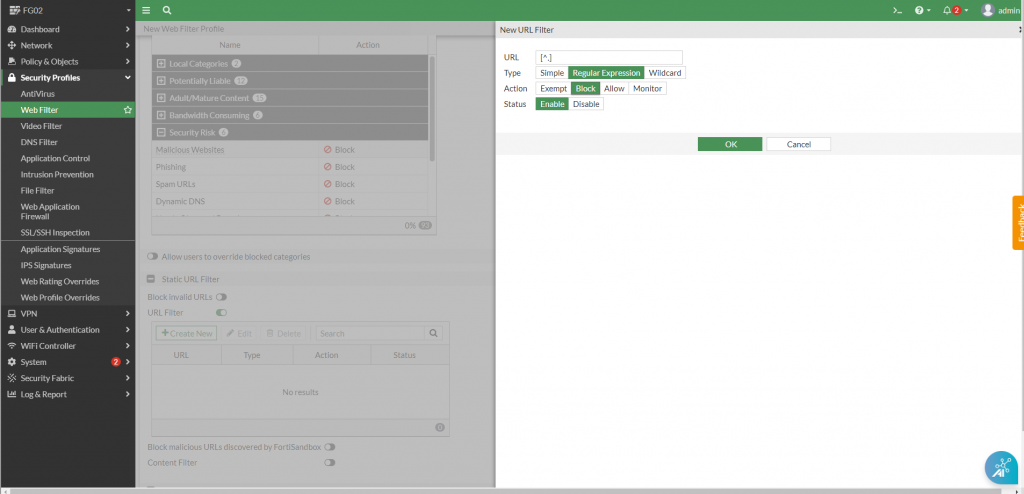
Tạo profile chặn tất cả các truy cập còn lại: Sử dụng dạng Regex: [^.] để chặn các trang còn lại.
Application Control
Bước 1: Security Profiles > Application Control.
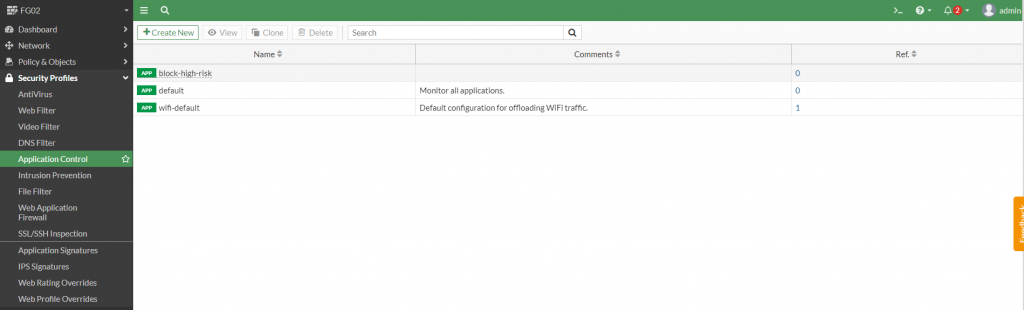
Bước 2: Tạo mới một Profile hoặc có thể dùng Profile có sẵn của Fortigate để chặn truy cập các trang mạng xã hội.
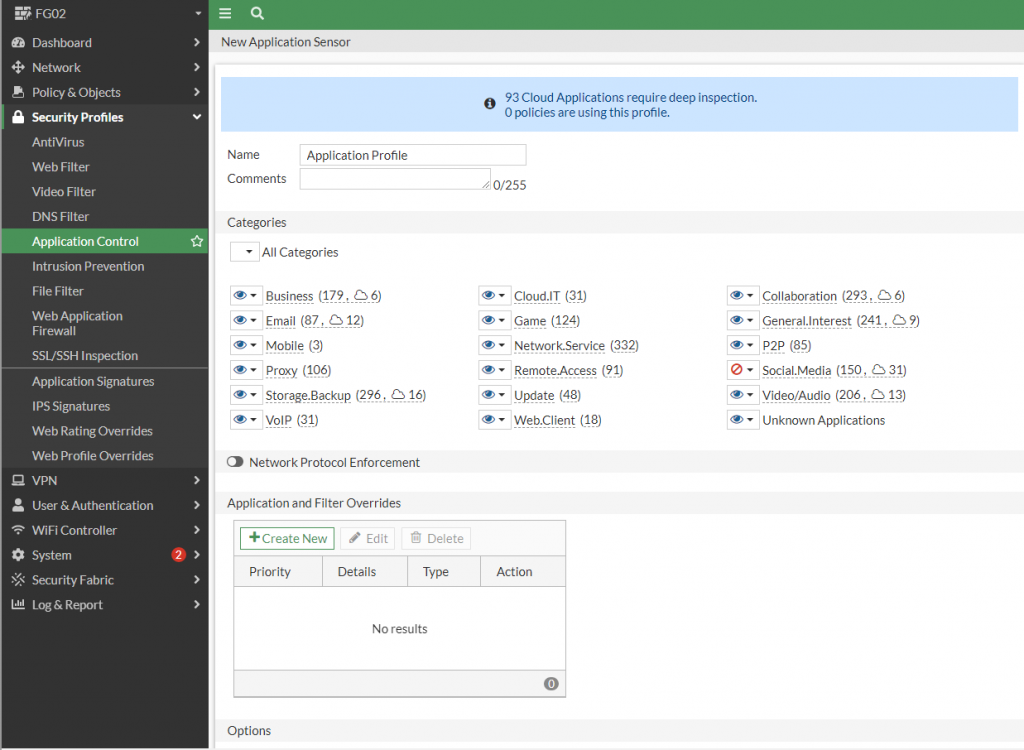
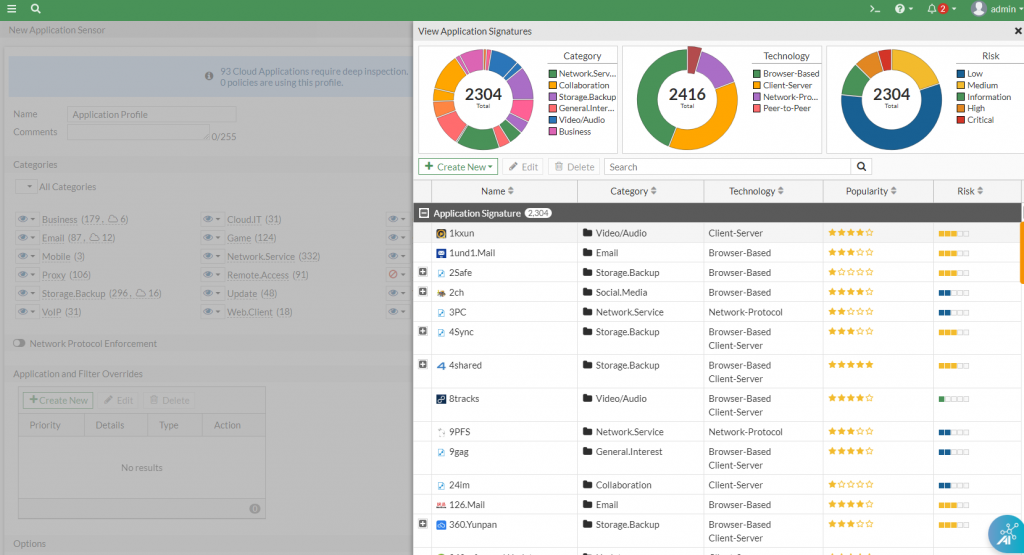
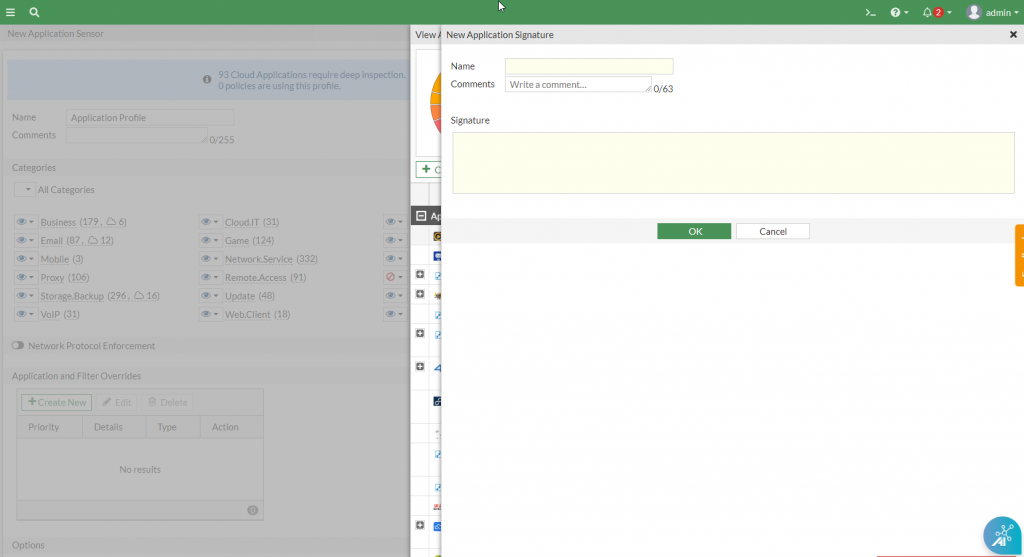
Bước 3: Sử dụng các signature có sẵn hoặc tạo mới Create New > Custom Application Signature.
Intrusion Prevention – IPS
Bước 1: Security Profiles > Intrusion Prevention.
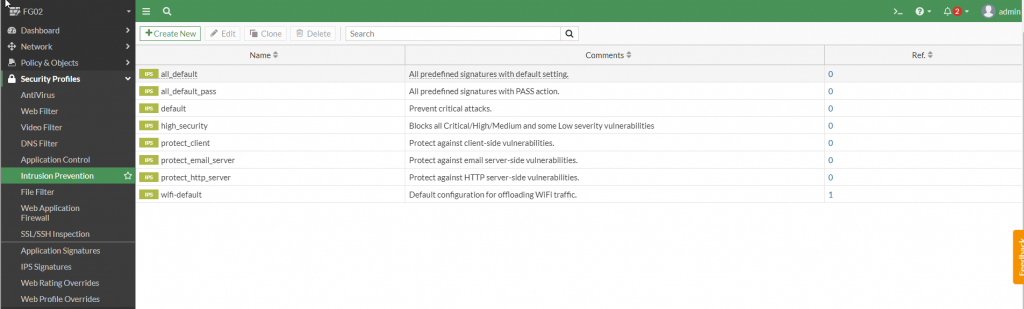
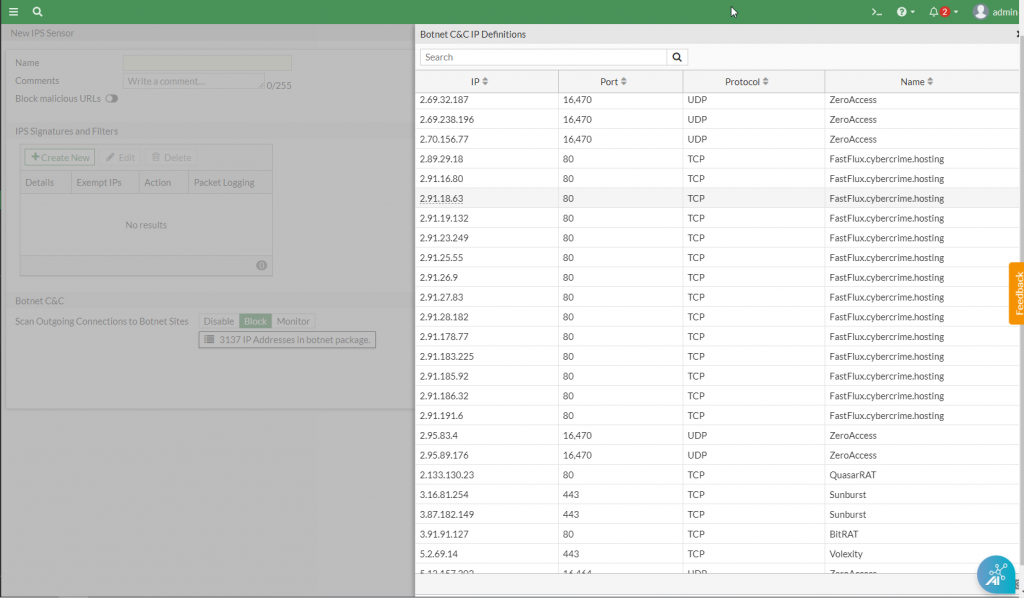
Bước 2: Tạo mới một Profile hoặc có thể dùng Profile có sẵn của Fortigate để chặn truy cập đến các C&C server (Botnet).
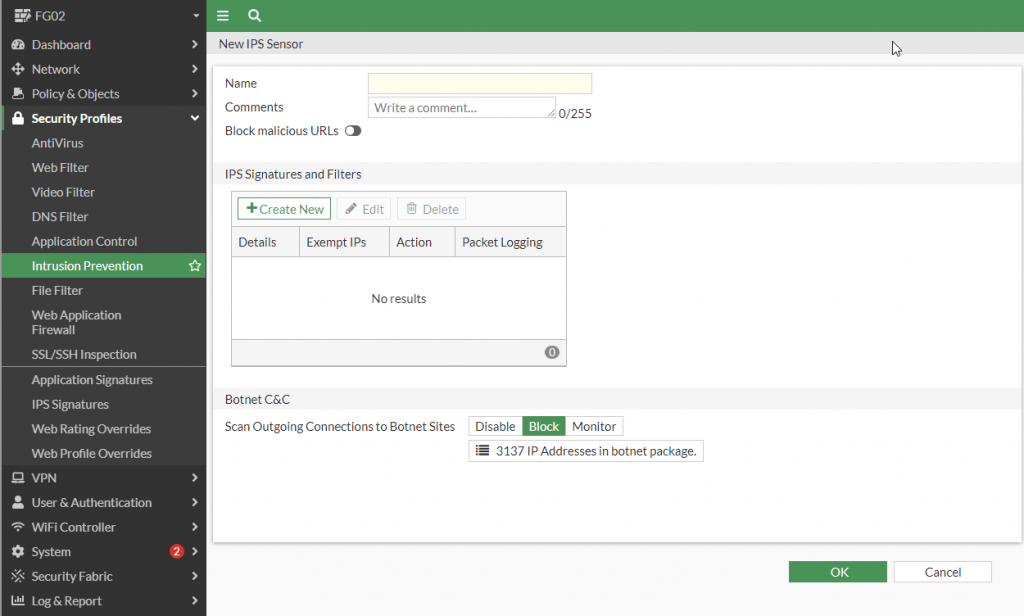
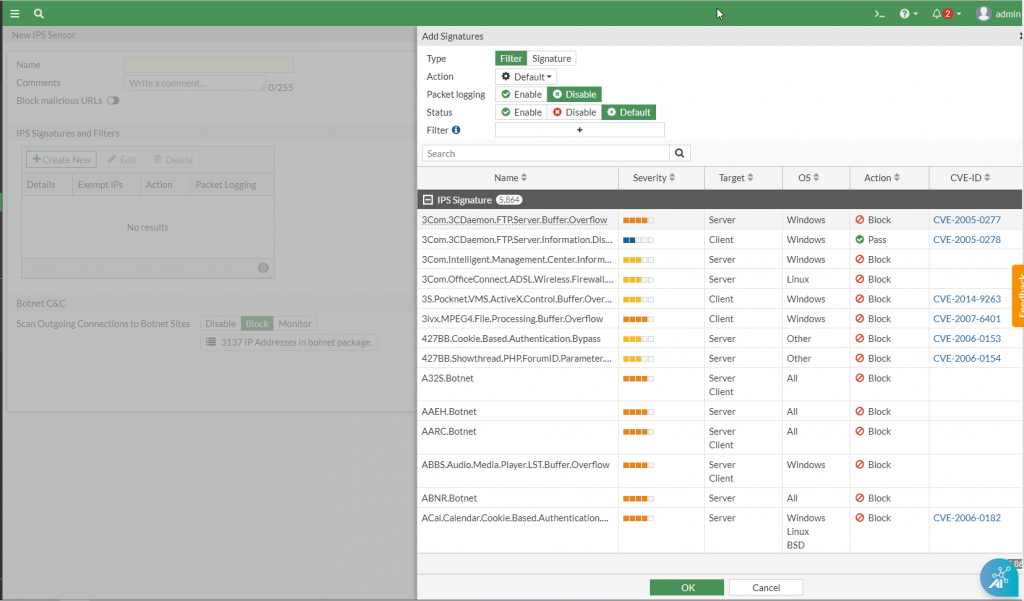
Bước 3: Sử dụng các IPS signature có sẵn hoặc tạo mới IPS Signature and Filter > Create New.
WebApplication FireWall – WAF
Bước 1: Security Profiles > Web Application FireWall
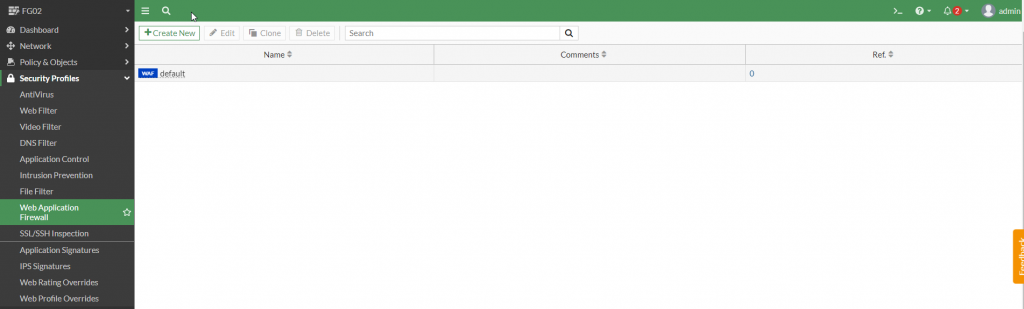
Bước 2: Tạo mới một Profile hoặc có thể dùng Profile có sẵn của Fortigate để chặn các cuộc tấn công đến webserver (Sql Injection, Cross Site Scripting)
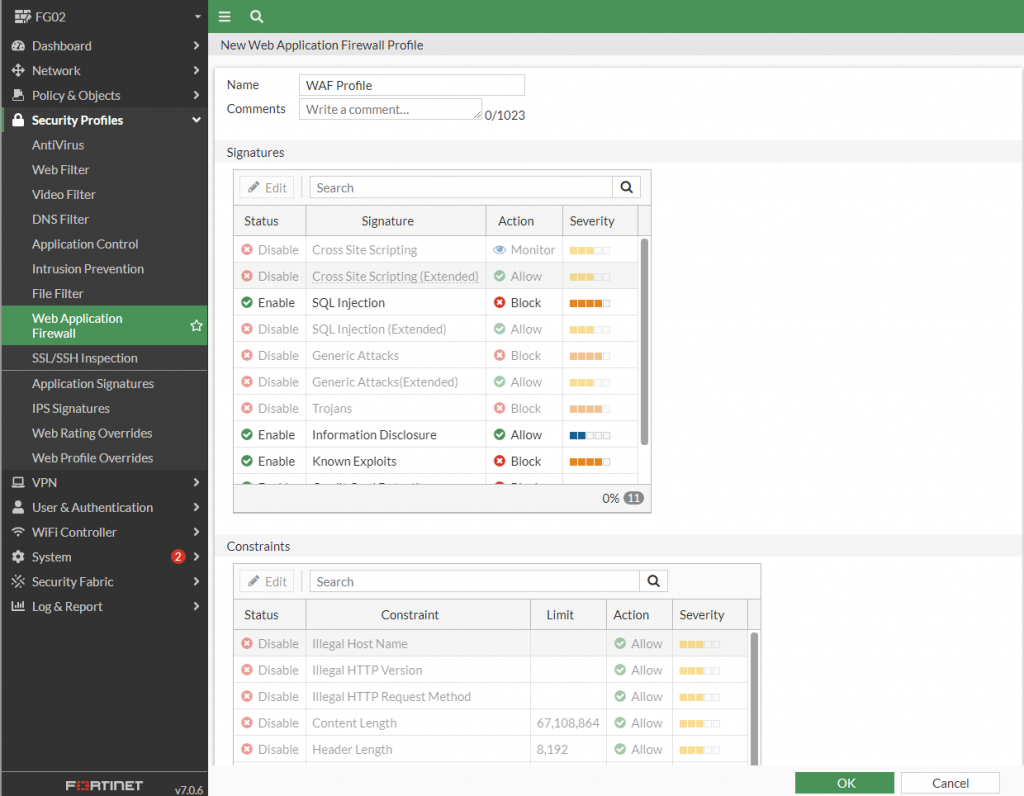
Bước 3: Bật các signatures Edit > Sql Injection (Extended), Cross Site (Extended)