Create security profiles
AntiVirus
-
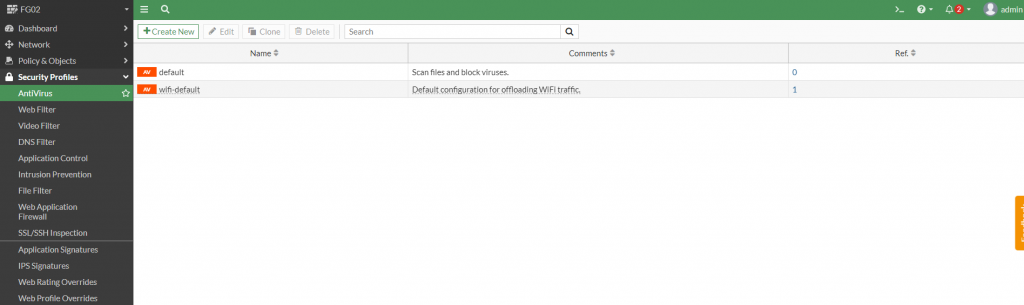
Go to Security Profiles > AntiVirus.
-
Create a new profile or use an existing Fortigate default profile.
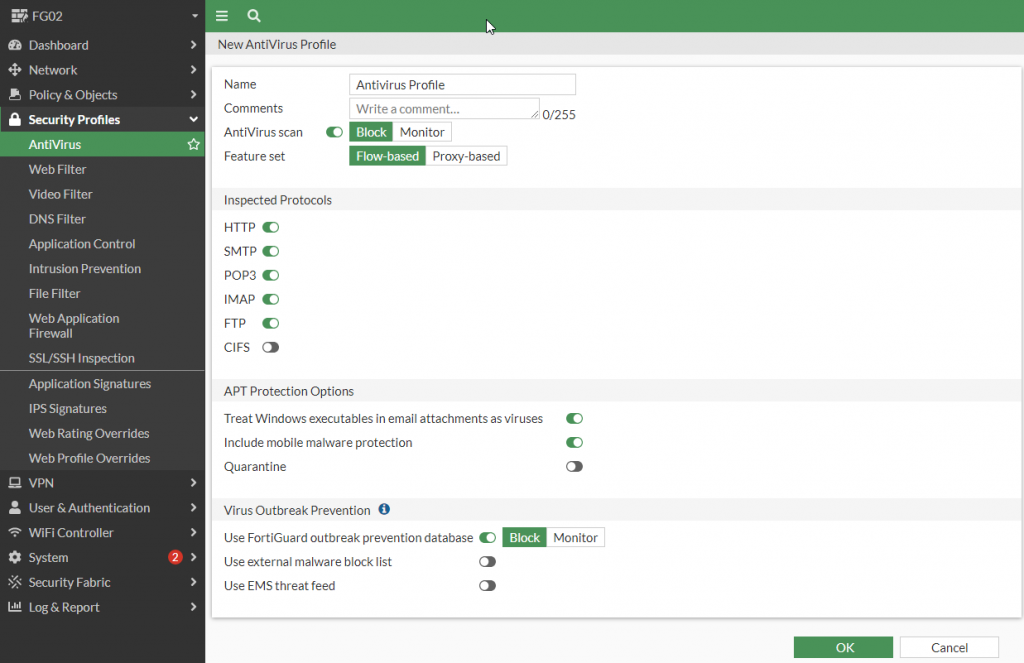
Select the Inspected Protocols, Features, and Action options as needed.
Web filter
-
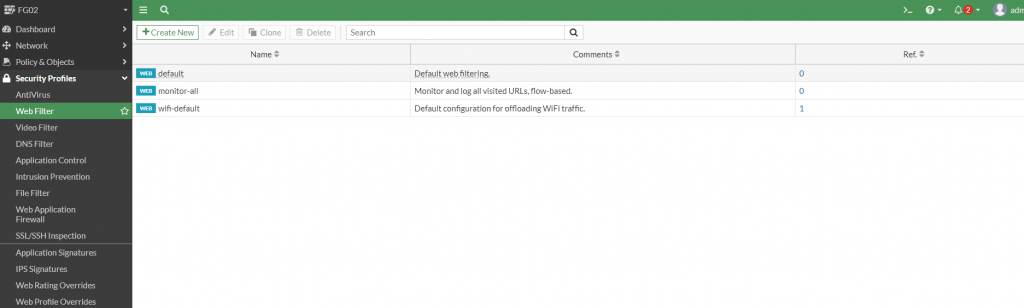
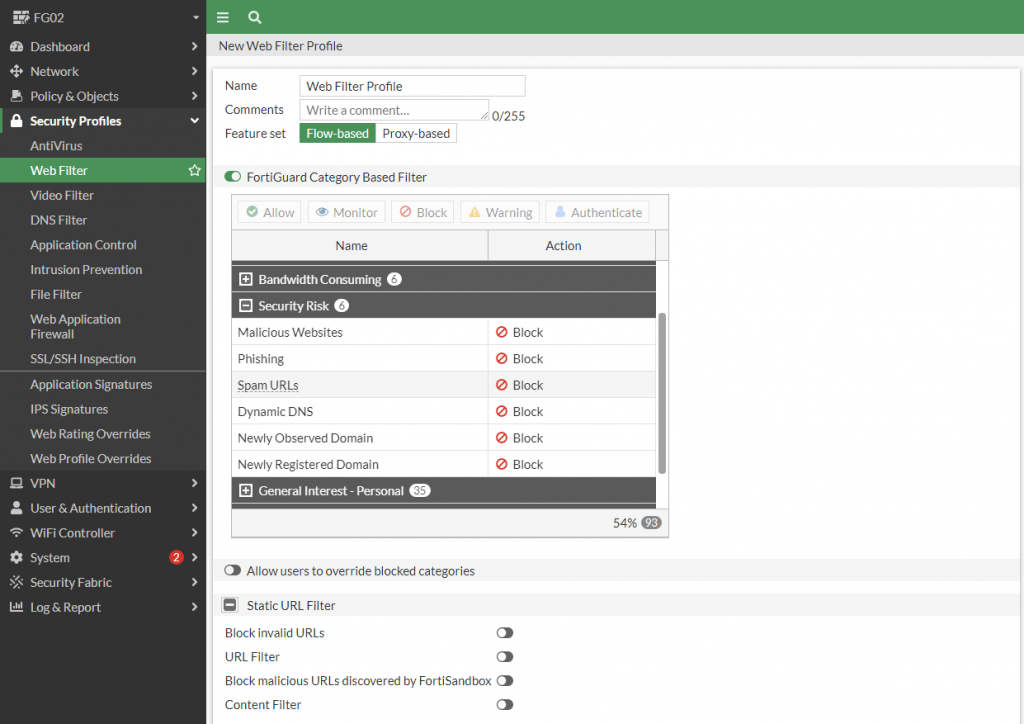
Go to Security Profiles > Web Filter.
-
Create a new profile or use an existing Fortigate default profile.
-
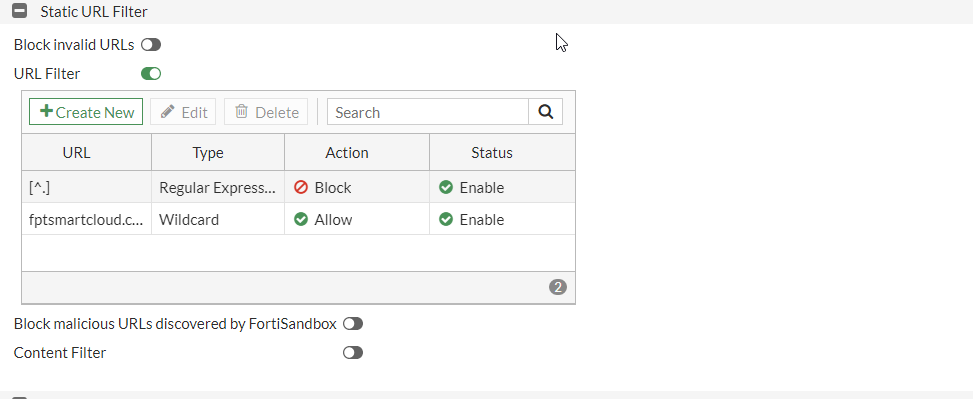
Enable URL Filter > Create New to define rules:
-
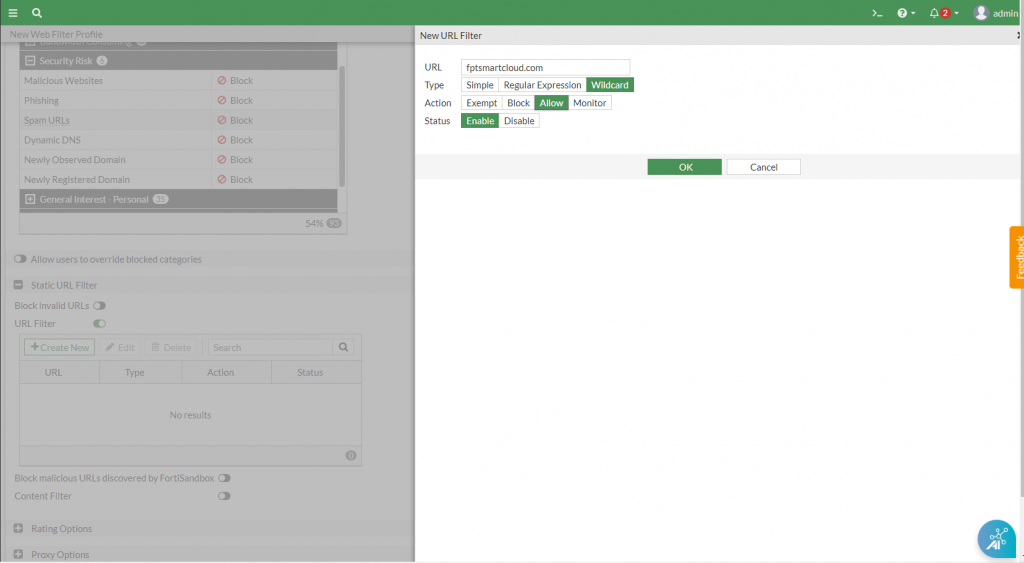
To allow access only to a specific website (e.g., fptsmartcloud.com), create an allow rule for that URL.
-
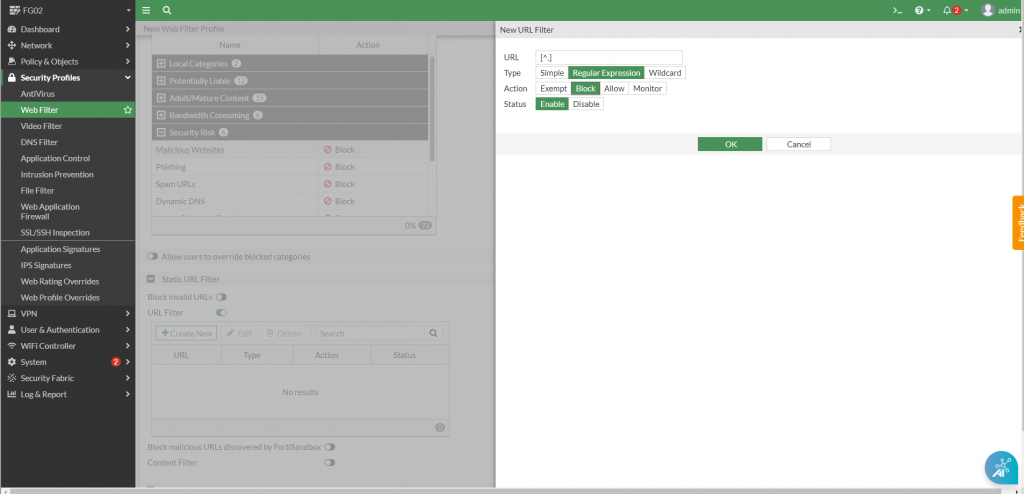
To block all other access, use a Regex pattern
[^.]to block remaining sites.
-
Application control
-
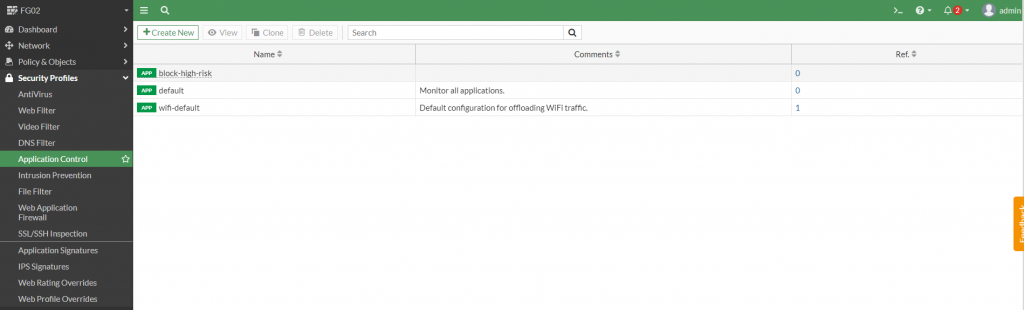
Go to Security Profiles > Application Control.
-
Create a new profile or use an existing Fortigate default profile to block access to social media platforms.
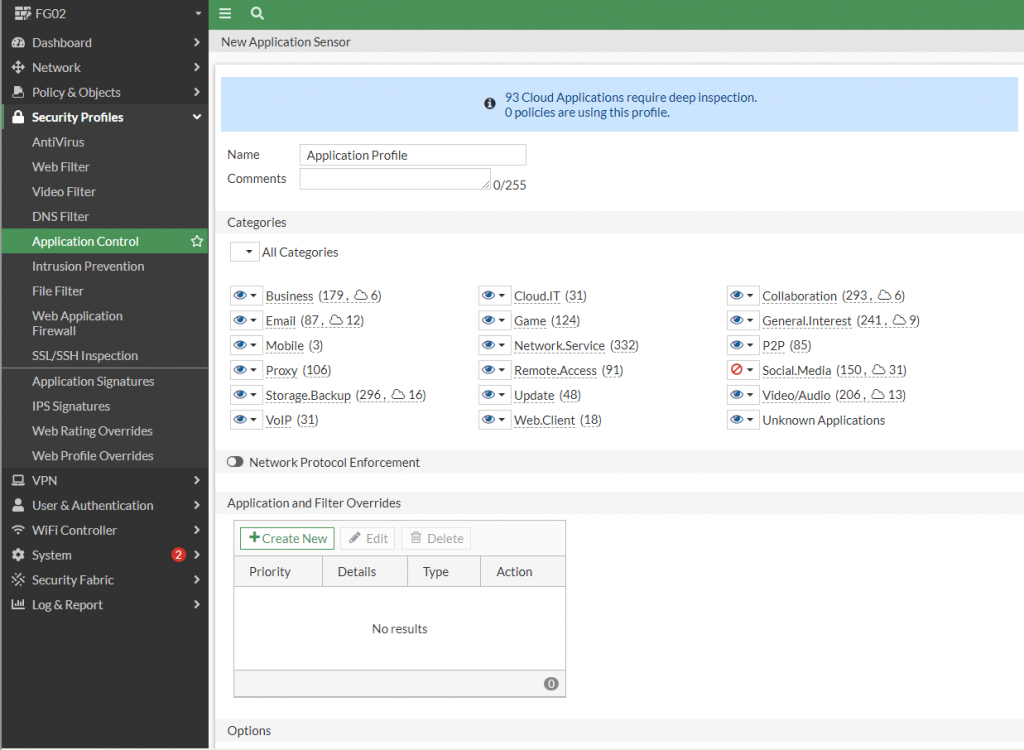
-
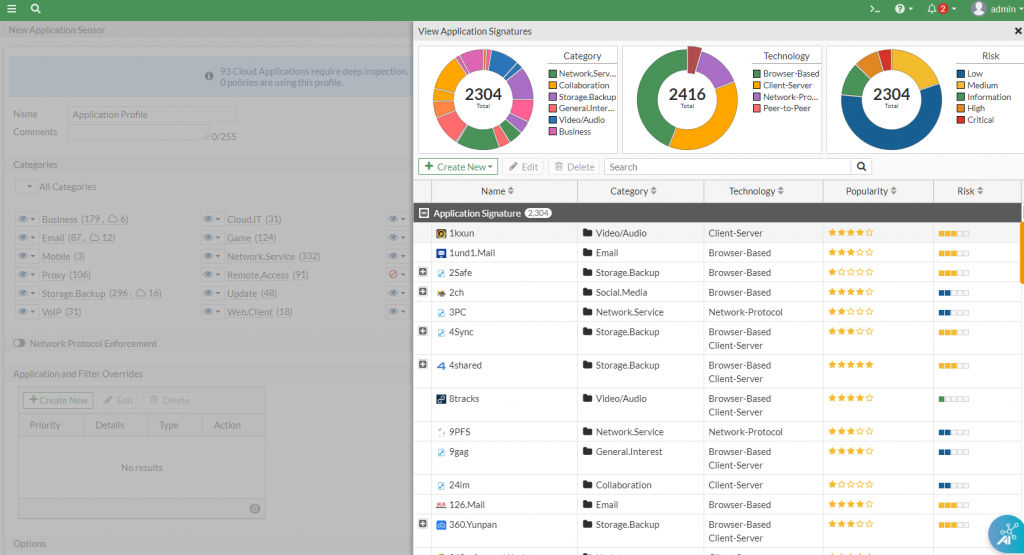
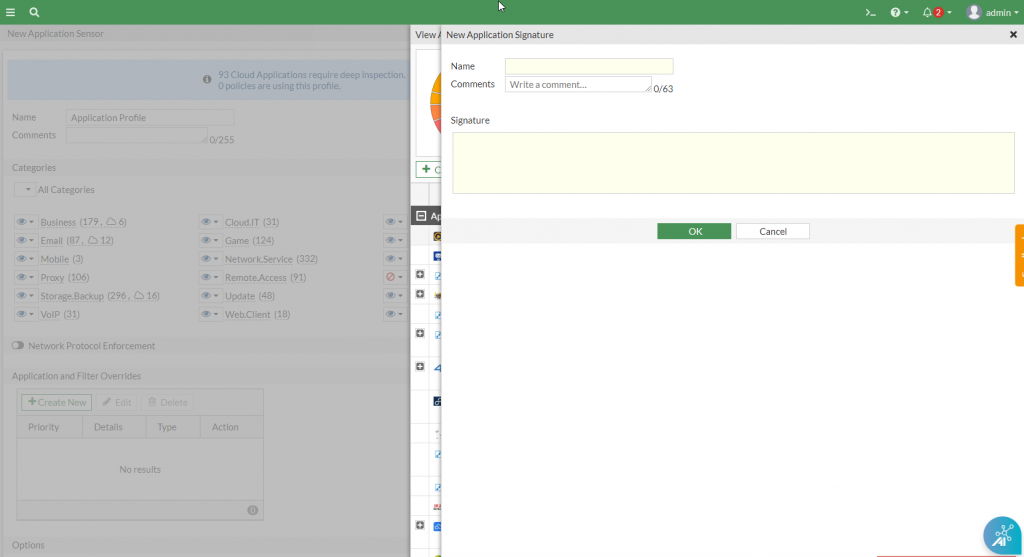
Use existing signatures or create a new one via Create New > Custom Application Signature.
Intrusion prevention (IPS)
-
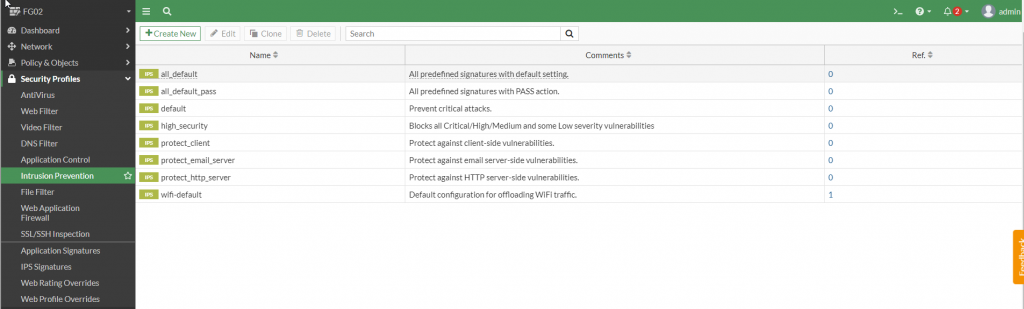
Go to Security Profiles > Intrusion Prevention.
-
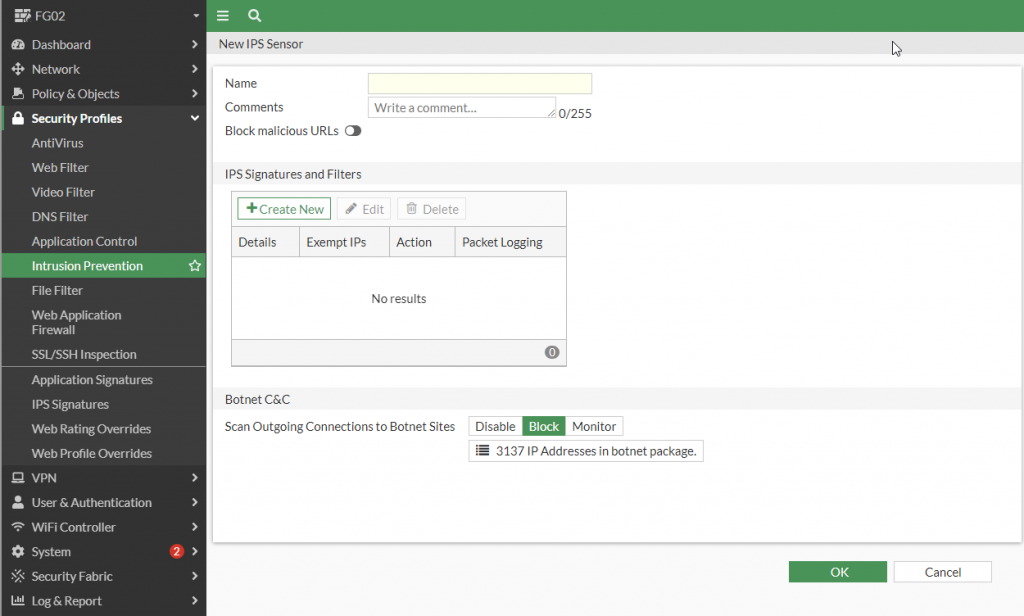
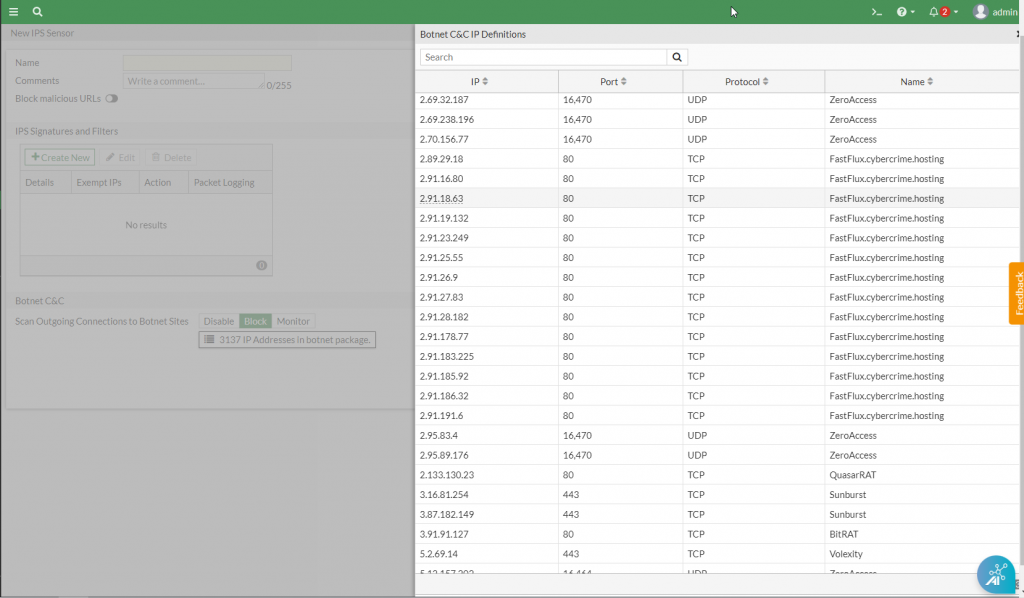
Create a new profile or use an existing Fortigate default profile to block access to C&C servers (Botnet).
-
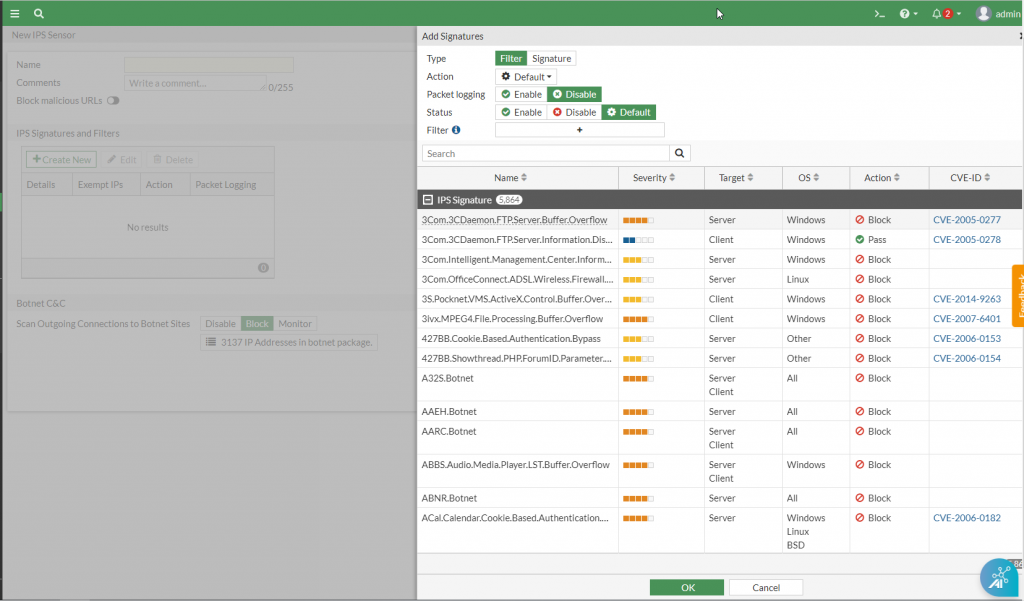
Use existing IPS signatures or create a new one via IPS Signature and Filter > Create New.
Web Application Firewall (WAF)
-
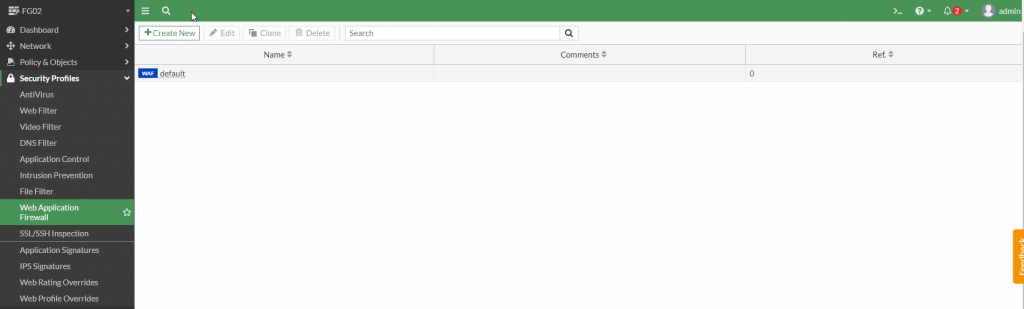
Go to Security Profiles > Web Application Firewall.
-
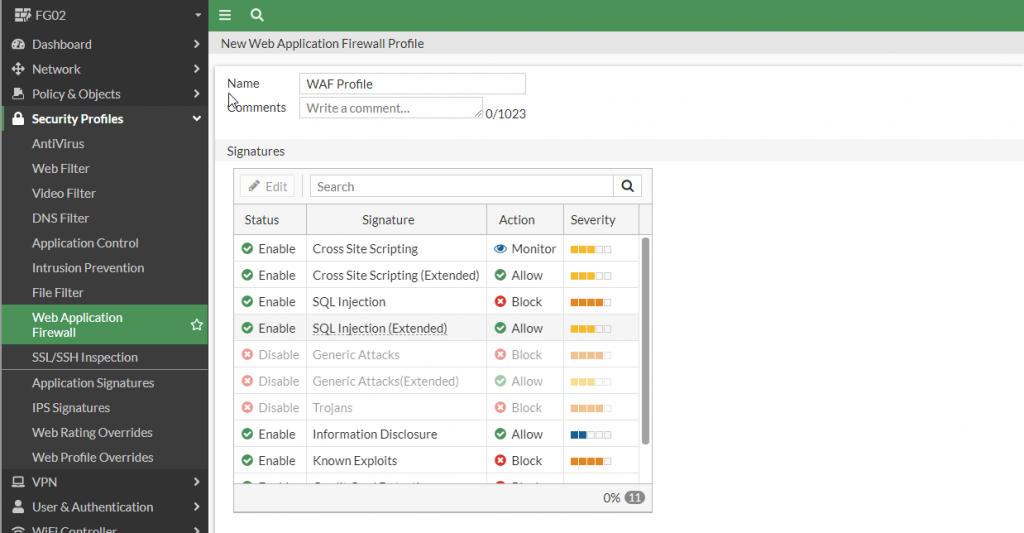
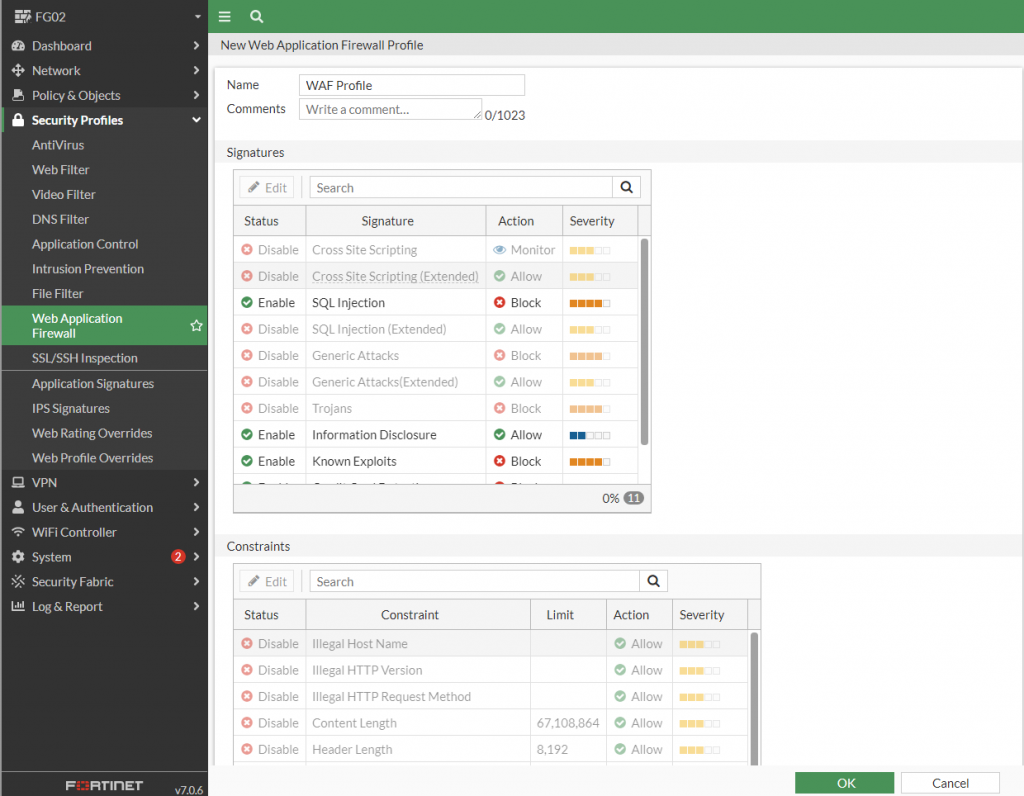
Create a new profile or use an existing Fortigate default profile to block web server attacks (SQL Injection, Cross Site Scripting).
-
Enable the relevant signatures via Edit > SQL Injection (Extended) and Cross Site (Extended).