View the list of created Managed GPU Clusters
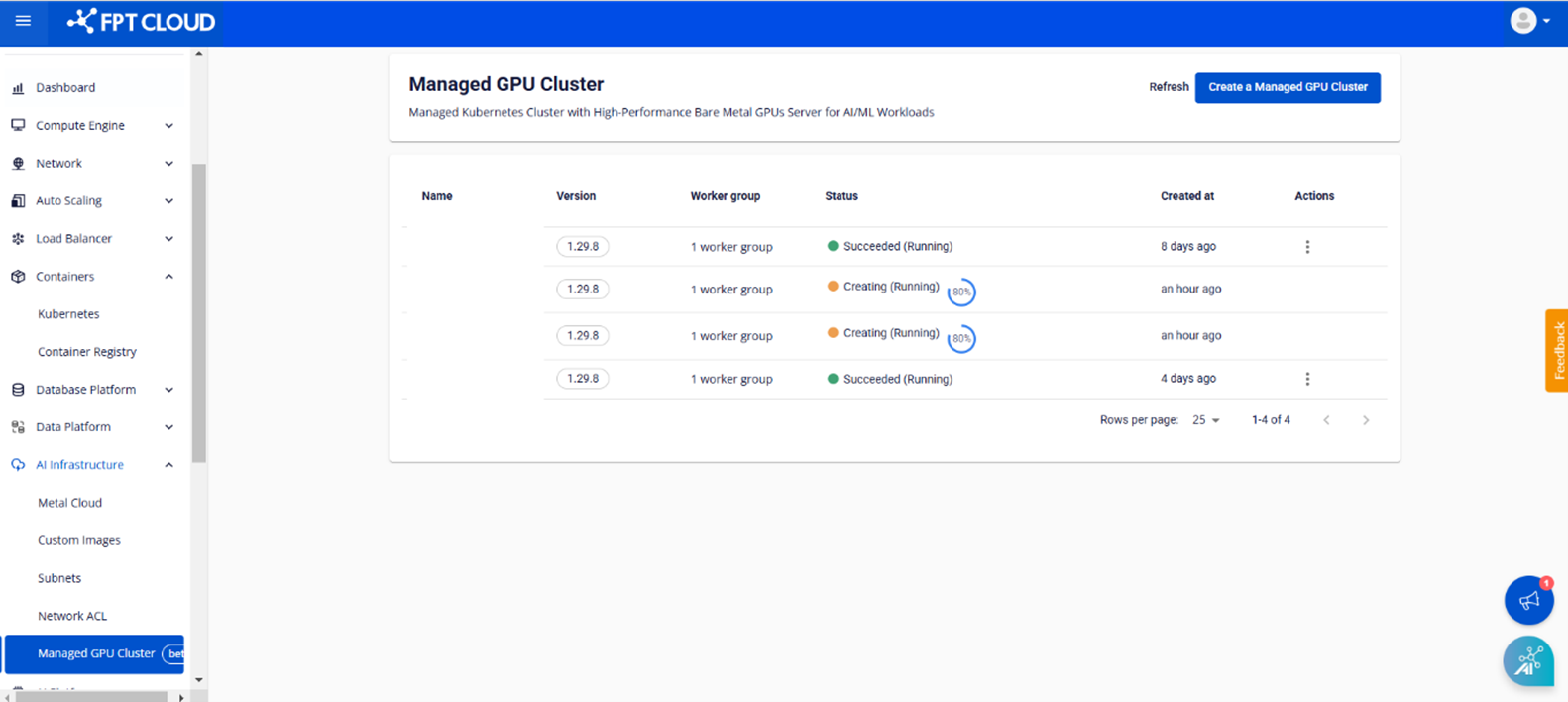
The [Managed GPU Cluster] page lets you view and manage the list of created GPU clusters. To open the management page:
On the FPT Portal, select [AI Infrastructure] > [Managed GPU Cluster]. The list of created clusters is displayed along with important information such as Name, Version, Worker Group, Status, Created At, and Actions.
Access cluster details
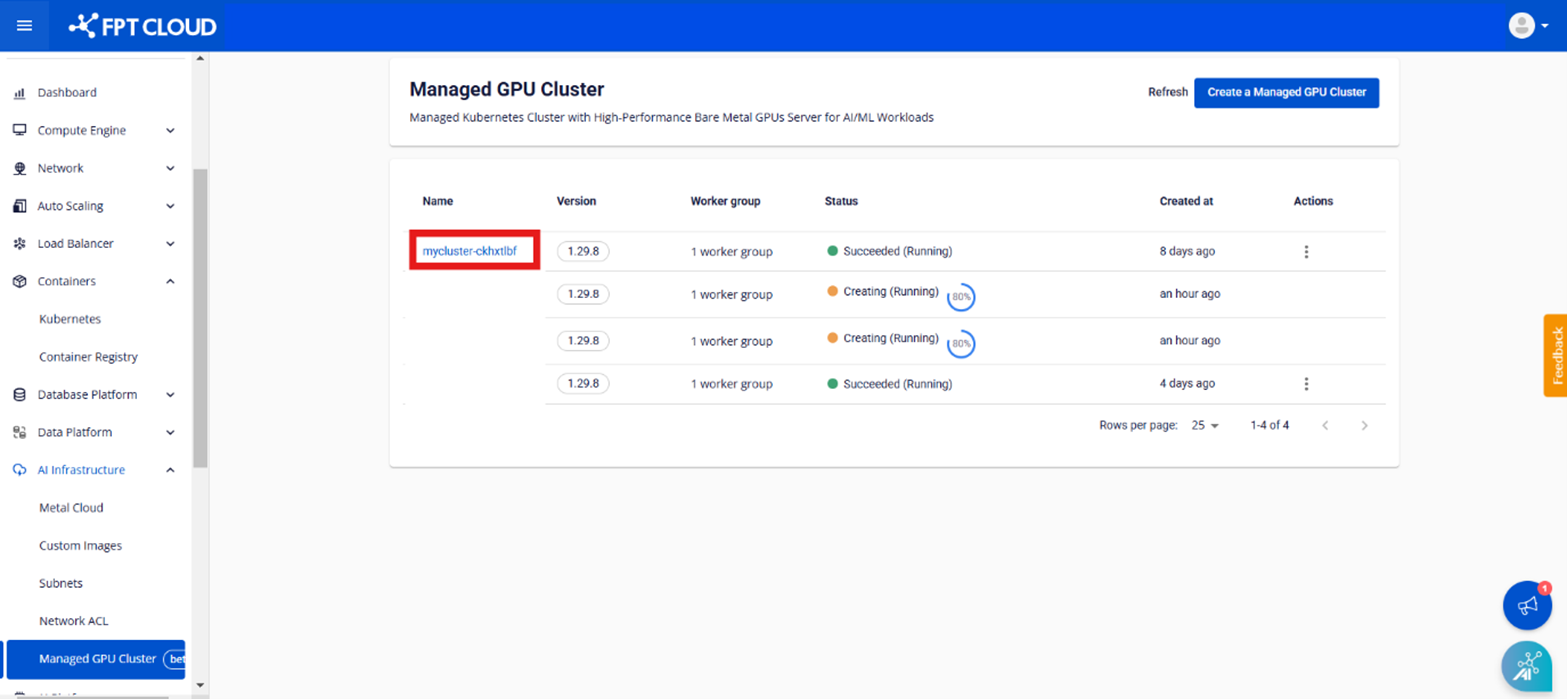
Step 1: The [Managed GPU Management] page appears in the [Managed GPU Cluster] menu. Select the cluster whose details you want to view.
Step 2: The [Essential Properties] tab displays the cluster's information.
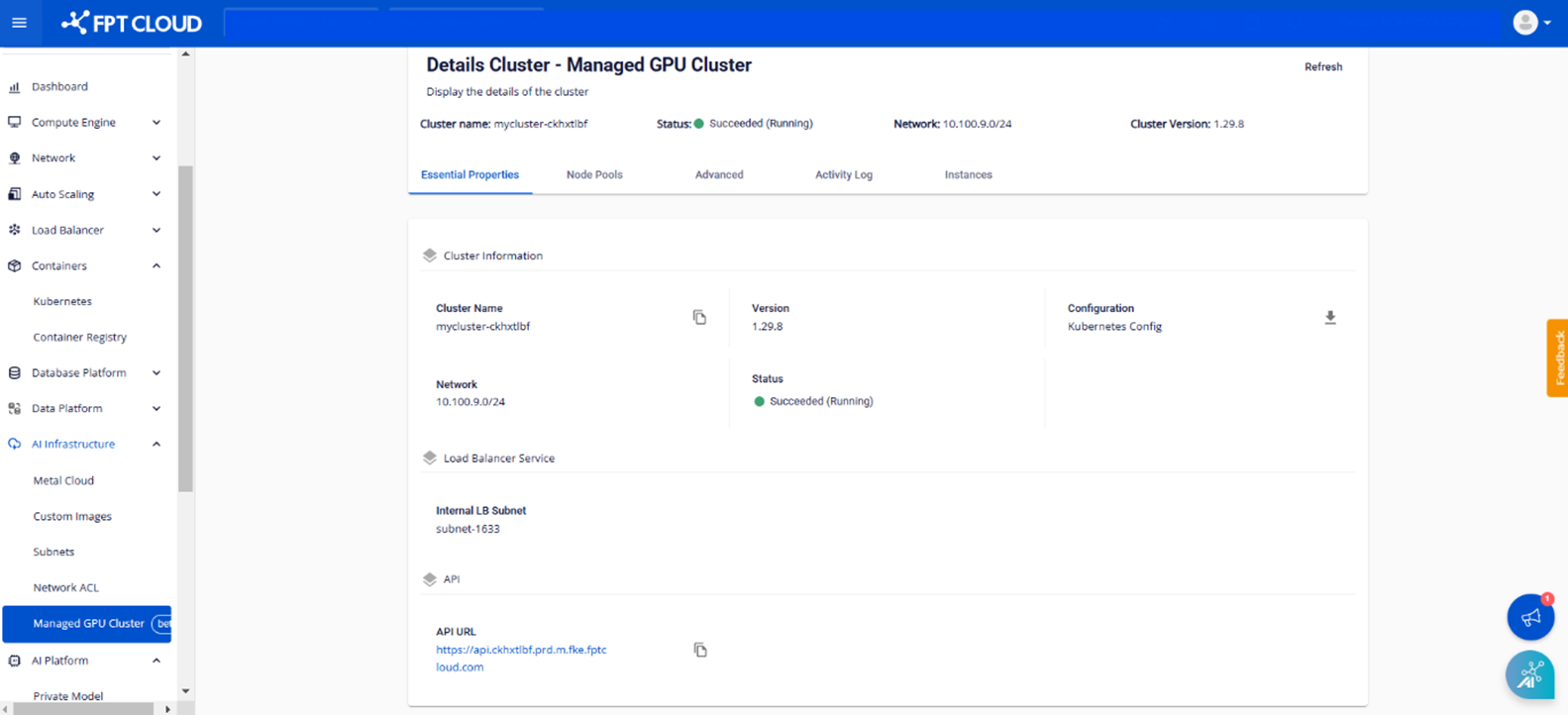
- Cluster information: Cluster name, version, configuration, network, status
- Load Balancer service: Imported internal LB subnet information
- API: The API URL that connects to the cluster
Step 3: The [Node Pool] tab displays all worker groups in the cluster and the configuration information for each worker group.
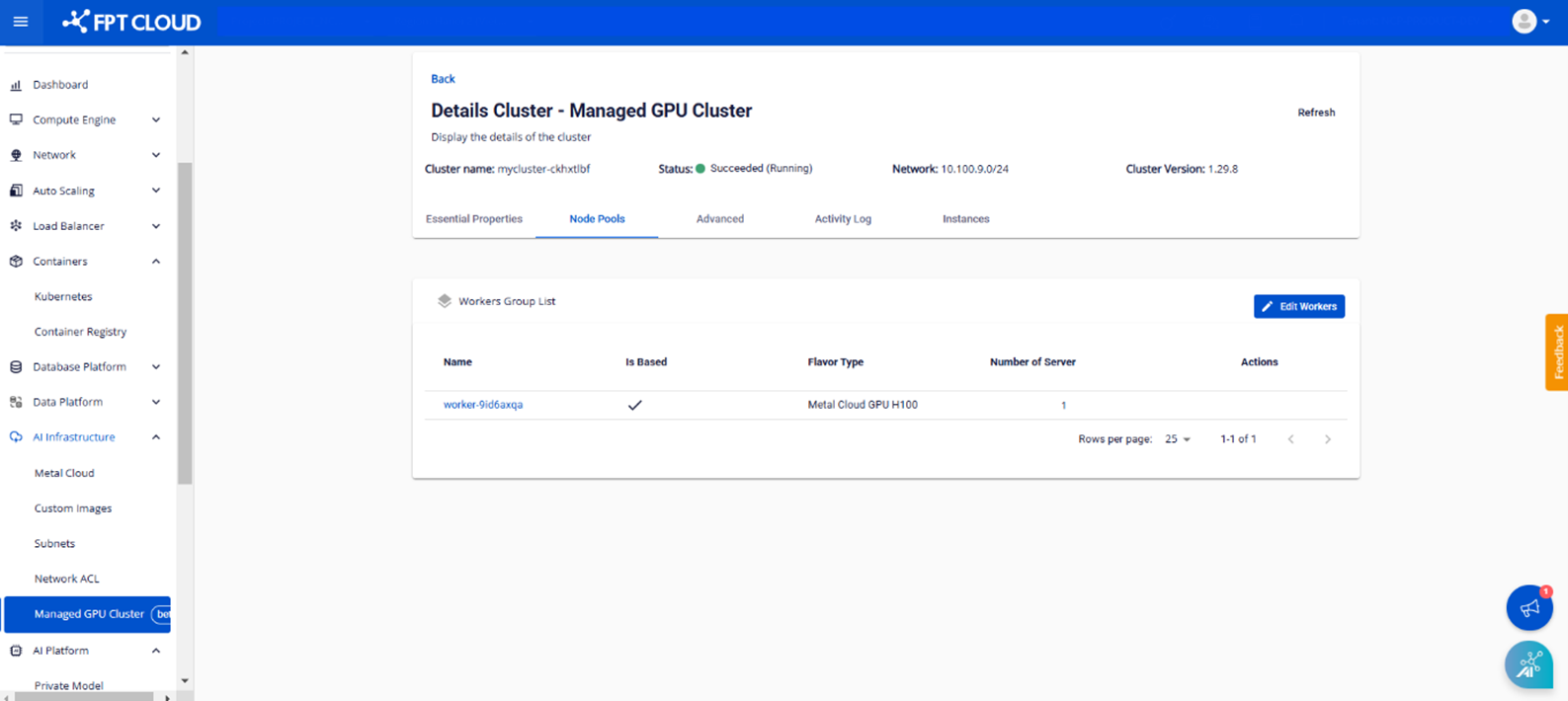
- Name: Worker group name
- Is Based: Shows () if it is the base worker, shows (✘) if it is not the base worker.
- Flavor Type: Displays the selected flavor resources.
- Number of servers: The number of MetalCloud servers for the worker