Add a worker group
In Managed GPU Cluster, you can add worker groups to the cluster as needed. To add a worker, follow these steps on the portal.
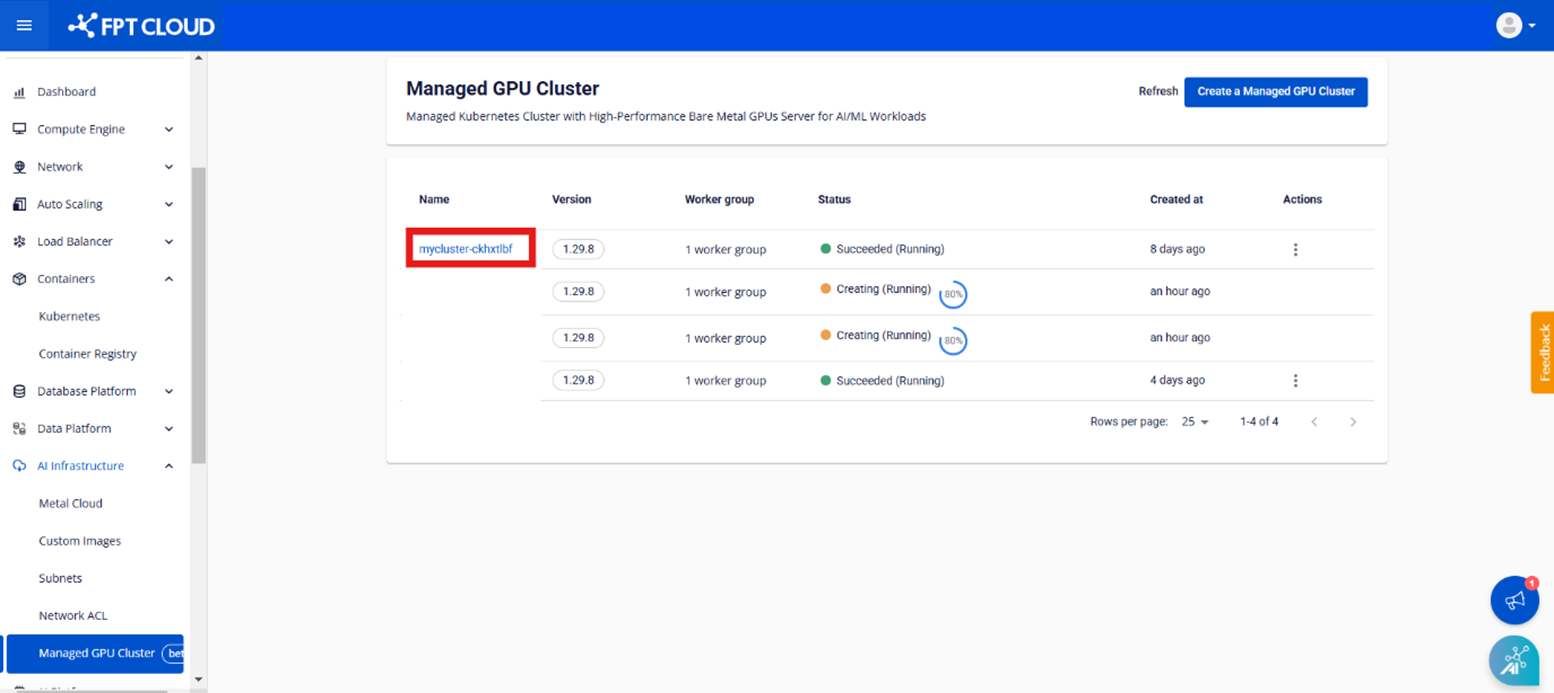
Step 1: In the menu, select [AI Infrastructure] > [Managed GPU Cluster] to display the "Managed GPU Management" page. Select the cluster you want to add a worker group to.
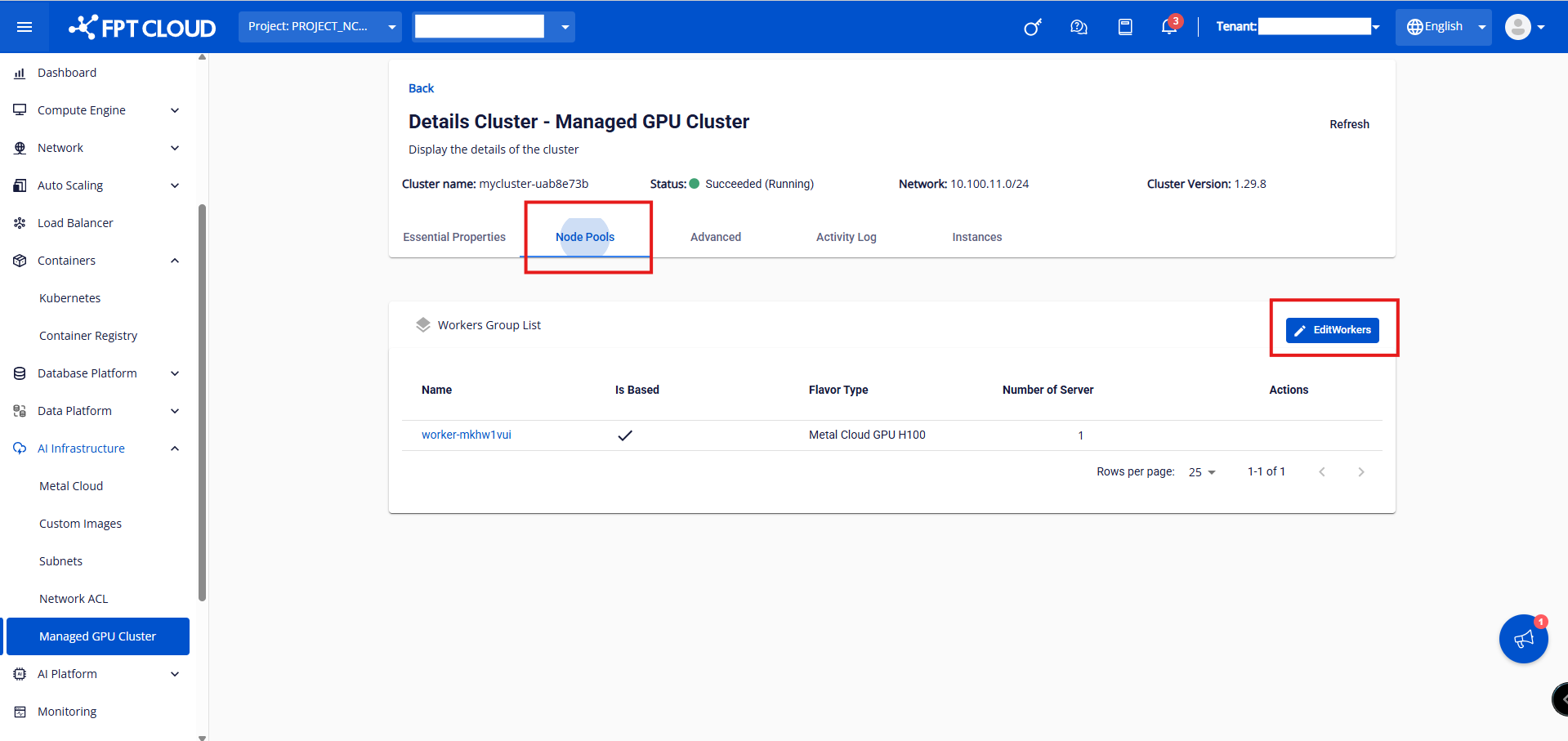
Step 2: Select [Node Pool] > [Edit Worker].
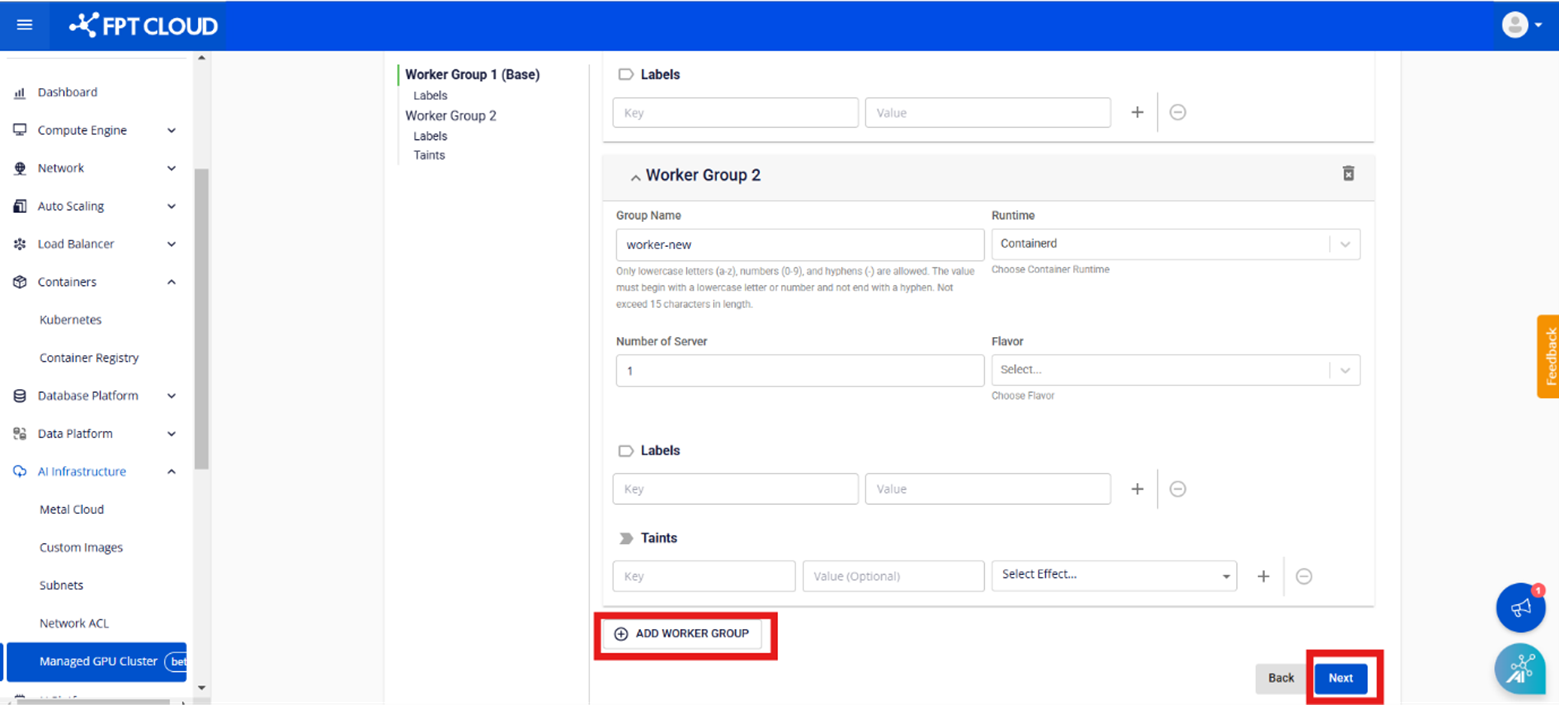
Step 3: Select "Add Worker Group".
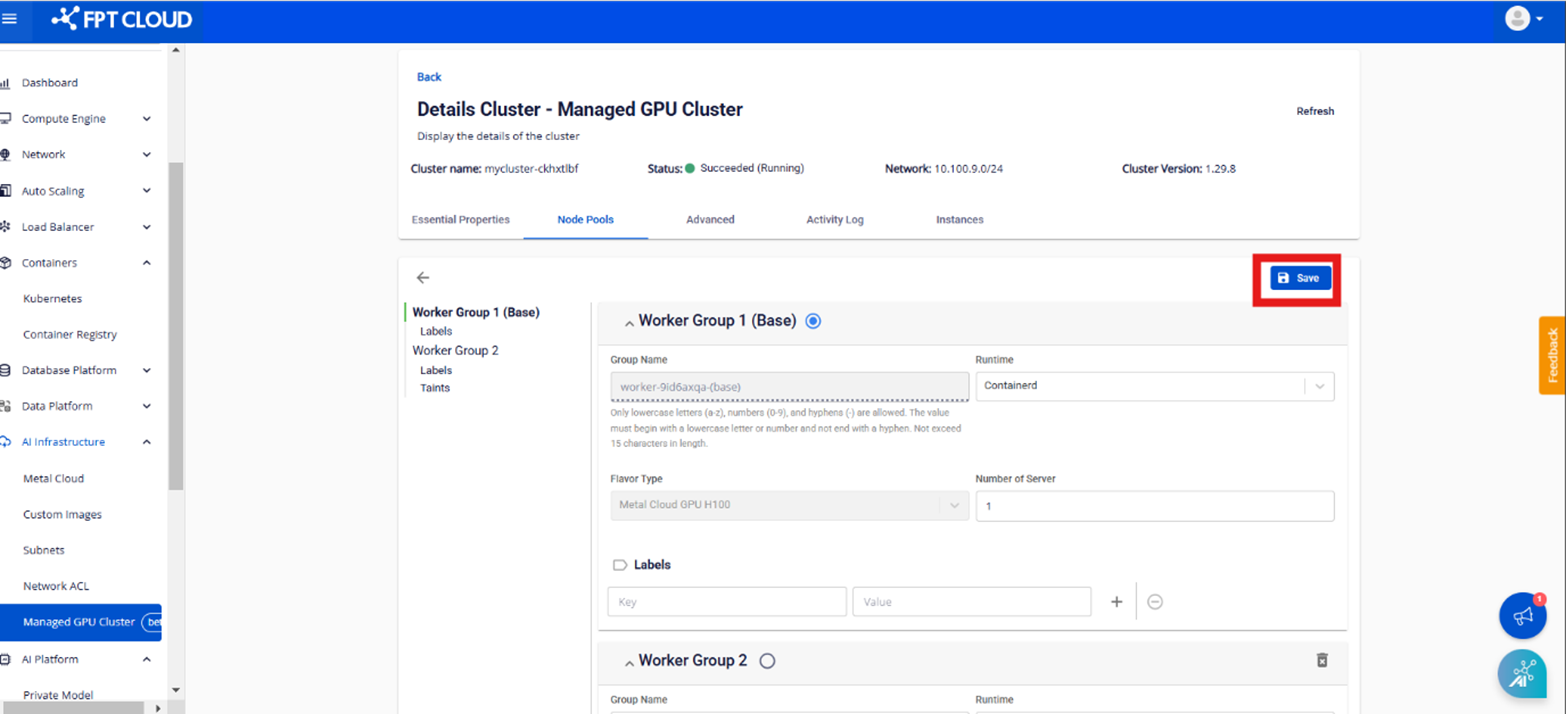
Step 4: Fill in the required fields and click [Save].
- Group Name: Name the worker group to distinguish it from others
- Container Runtime: Select the container runtime. Currently, the new system only supports the Containerd container runtime
- Flavor: The flavor resources for the worker GPU
- Number of servers: The number of MetalCloud servers created to run workers in the cluster
- Labels: Labels for the worker group
- Taint: Taint for the worker group
Note: The process of adding a new cluster takes a few minutes and the cluster status will change to Processing. Adding a new worker group does not interrupt normal cluster operation.