Manual scale feature
Manual Scale lets you scale system resources according to your needs. You can increase or decrease the number of MetalCloud servers per day on the portal following these steps.
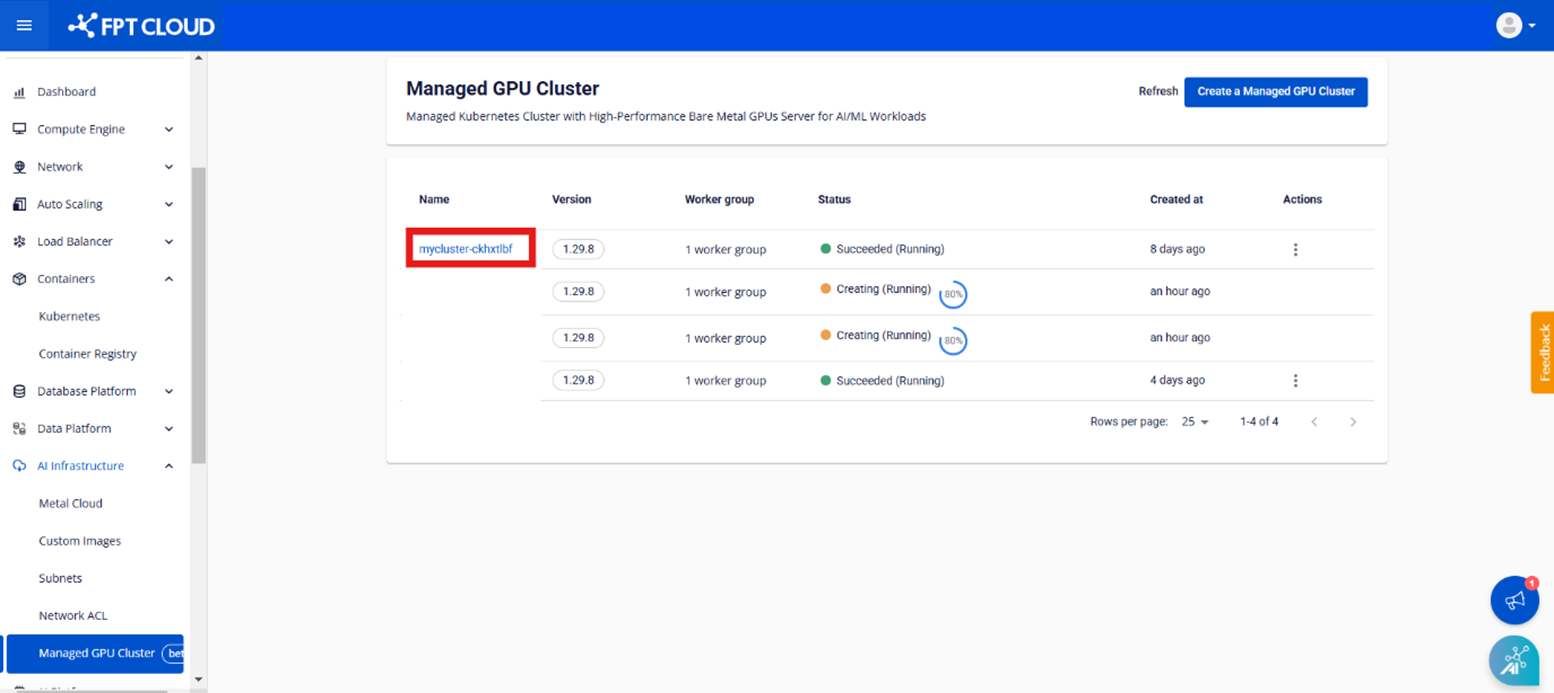
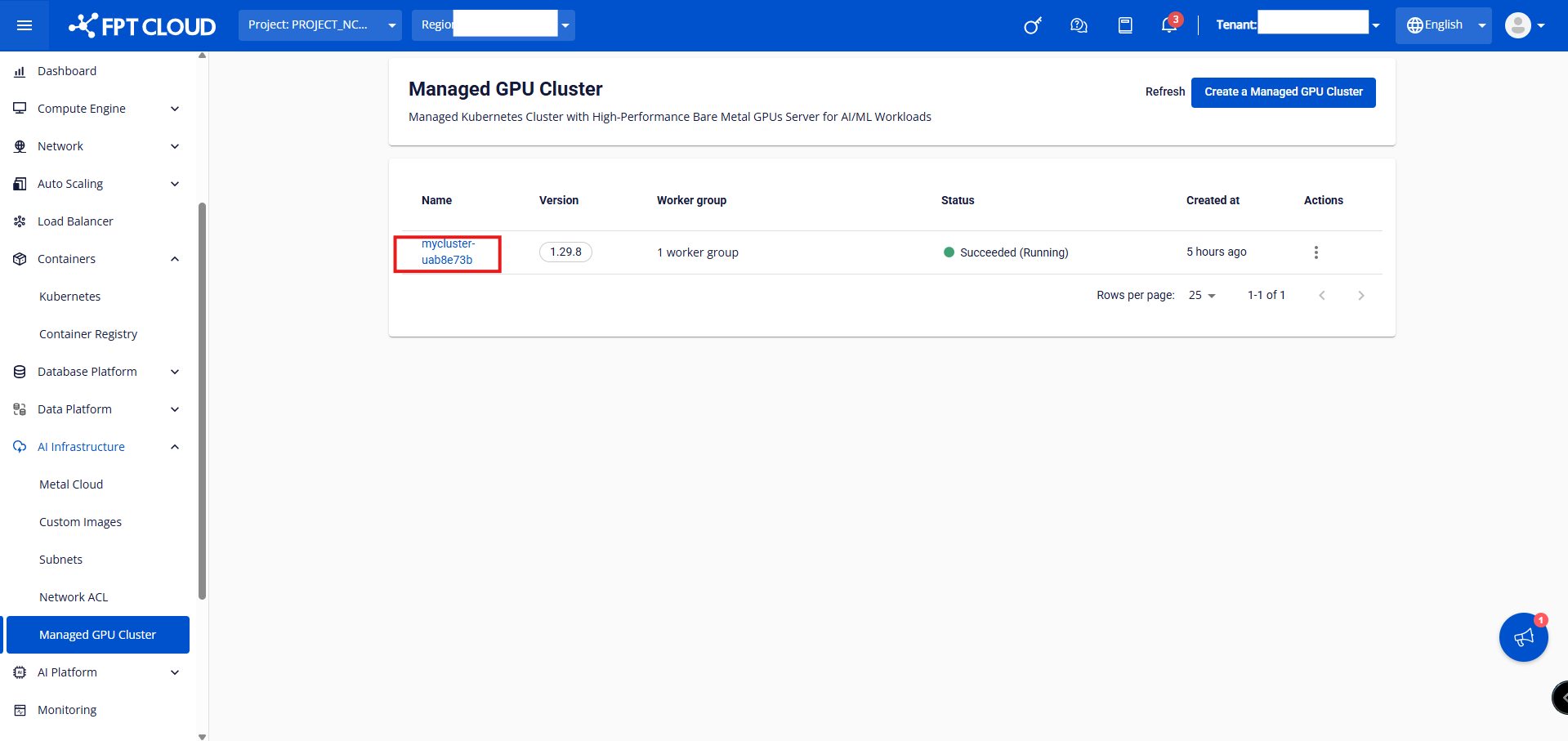
Step 1: In the menu, select [AI Infrastructure] > [Managed GPU Cluster] to display the "Managed GPU Management" page. Select the cluster you want to add a worker group to.
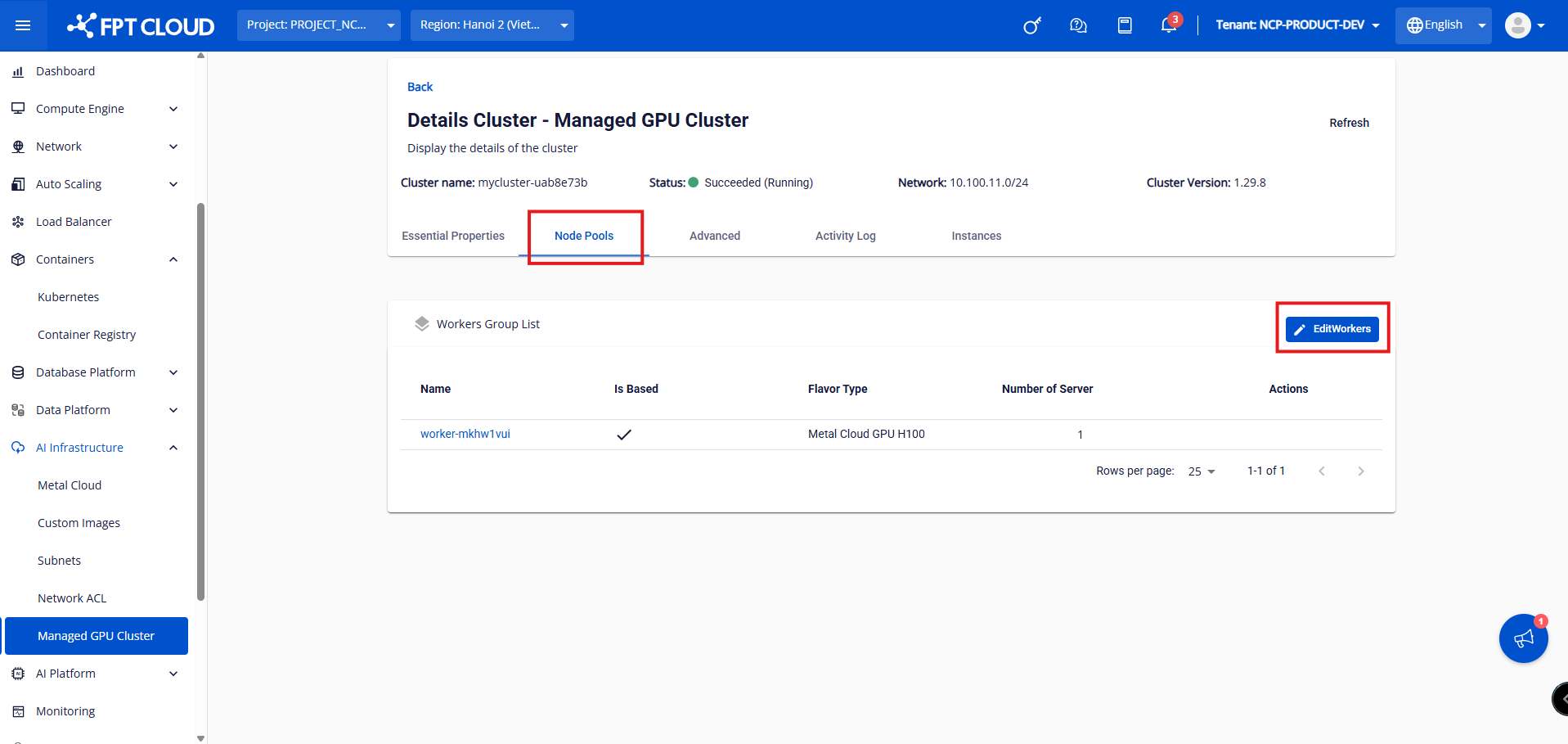
Step 2: Click the cluster you want to scale and select [Node Pool] > [Edit Worker].
Step 3: Increase the Number of servers as needed and click the [Save] button.
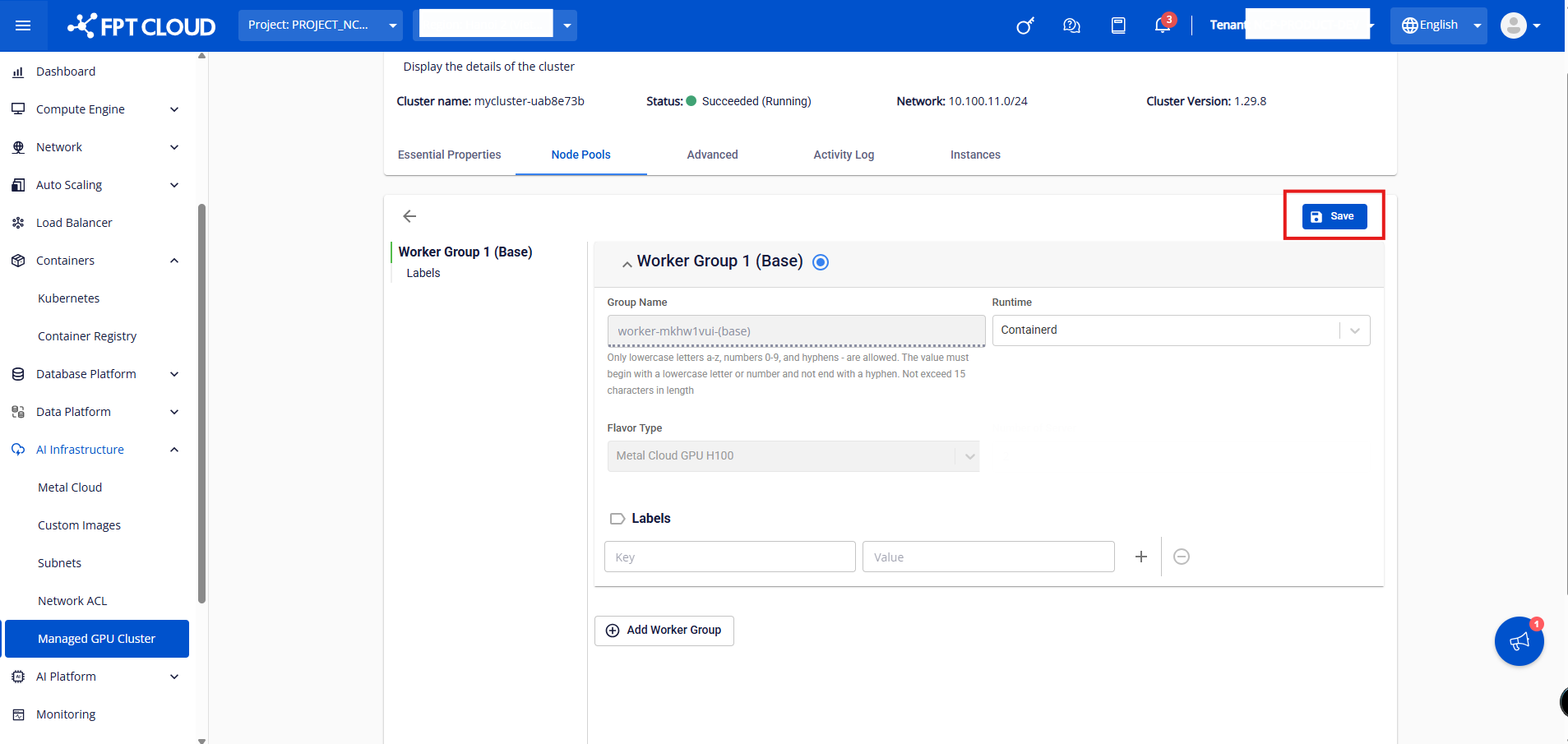
Note: The server scaling process takes a few minutes and the cluster status will change to Processing until the new worker has successfully joined the cluster. The cluster operates normally while scaling new servers.