How To Create Session
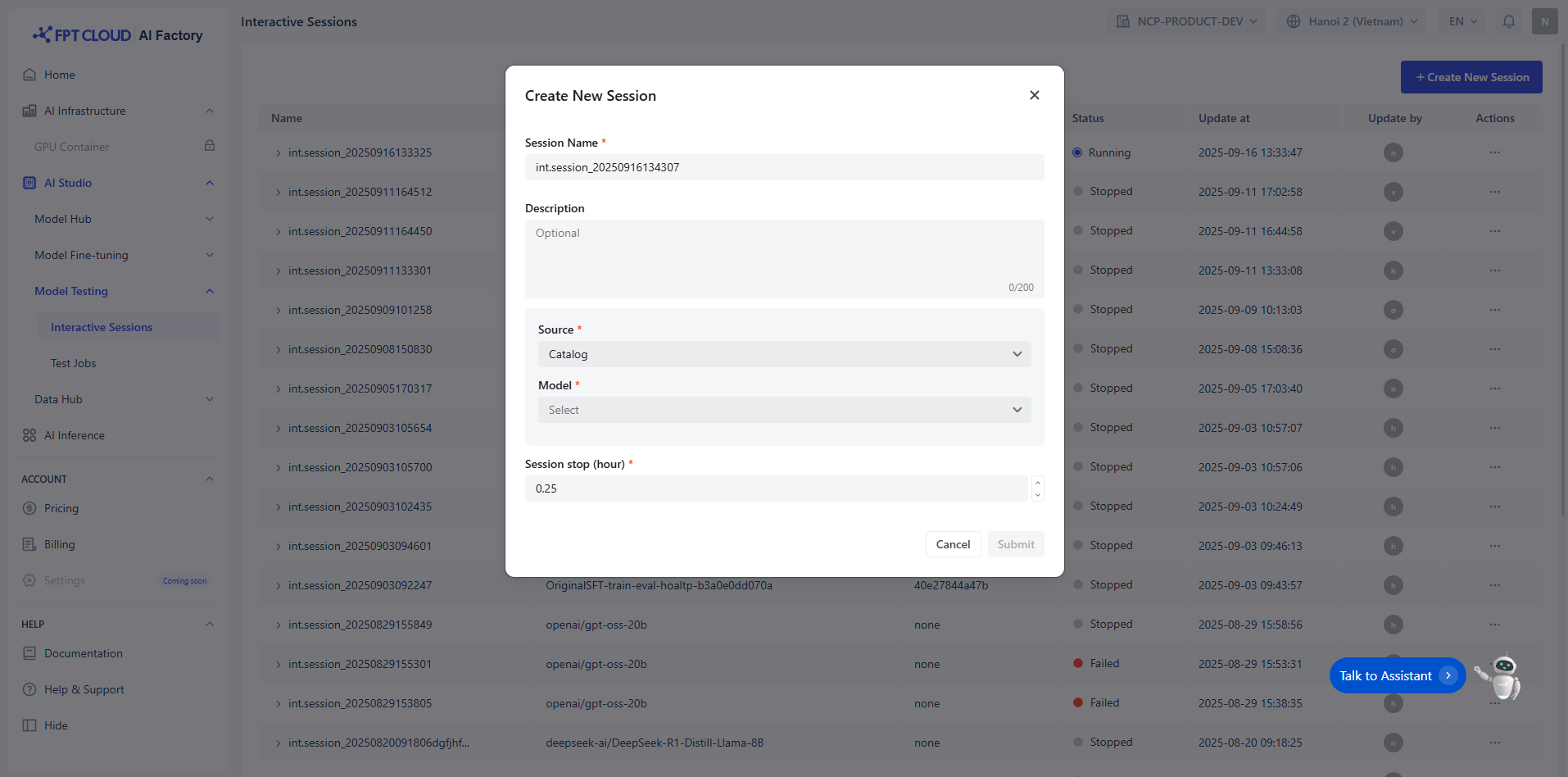
Step 1: Enter Session Name and Description
You must enter a unique name session (e.g., int.session_20250915155915) that satisfies the following conditions:
- Maximum 100 characters
Optional note session description with maximum 200 characters.
Step 2: Select Model
You select model from the Model Hub in two ways:
- Model Catalog: A repository of model sources from various providers such as DeepSeek, Gemma, Llama, and Qwen.
- Private Model: A repository for user-owned models and fine-tuned models. These models must already have all necessary files uploaded. Must include specific tags to indicate compatibility and readiness.
Notice: To be used in Interactive Sessions, models must meet the following criteria:
- Model type:
- LLM: Accepts only text input
- VLM: Accepts both text and image input
- Model size > 0
- Learning stage: Must be Instruction-tuned
Example:
| Model name | Model version | Model family | Model type | Model size | Learning stage |
|---|---|---|---|---|---|
| ft_Llama-3.1-8B_20250508124054_samples-15d5e2f6fe7 | 15d5e2f6fe7 | Llama | LLM |
(→ available) | 8B
(→ available) | Instruction-tuned
(→ available) |
Step 3: Select Session Stop
You can enter and adjust the icon up-down to select appreciated time for the session. We recommend you define how the session should automatically terminate based on one or more of the following condition:
- Maximum number of interactions
- Time duration
- Model-specific limits
This ensures efficient resource usage and prevents unintended long-running sessions.
Step 4: Submit
You review and submit a session Notice: For the PAYG user To run a pipeline successfully, ensure:
- Balance has sufficient funds. Reference page: https://ai.fptcloud.com/pricing
- Create up to 20 pipelines in total
- Only 2 pipelines can be started concurrently at any given time
- Each pipeline can be configured with a maximum of 2 nodes
Notice: For the user to sign a contract To run a pipeline successfully, ensure:
- Balance has sufficient funds. Reference page: https://ai.fptcloud.com/pricing