Edit a policy
To use the Edit policy feature, you must log in to the system with Tenant owner permissions.
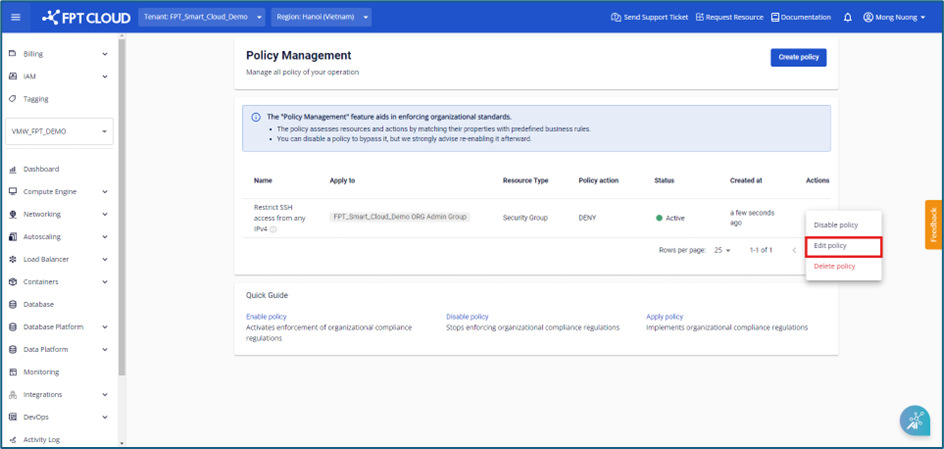
Step 1: In the menu, select Policy Management. For the policy you want to edit, select Actions > Edit policy.
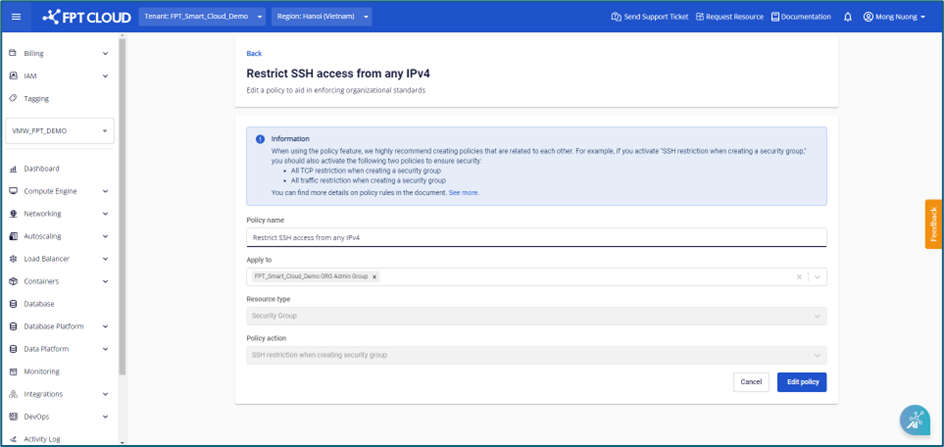
Step 2: Edit the policy information. Click Edit policy to save your changes.
- Policy name: Change the name of the policy.
- Apply to: Change to a different user group.
note
Users cannot change the Resource type or Policy action.