DFKE Advanced Firewall
Overview of the Firewall-integrated Kubernetes product
Unlike the standard FPT Cloud Kubernetes product, the Firewall-integrated Kubernetes product places one Advanced Firewall in front of the Tenant's Gateway. The Advanced Firewall handles protection and configuration of security rules (Allow, Drop) and NAT rules (DNAT, SNAT) for the Kubernetes cluster.
Key components:
- Advanced Firewall (e.g., Checkpoint)
- Gateway (Internet Gateway, Firewall L4)
- Load balancer
- Kubernetes cluster: Master node (API, ETCD), Worker node (App and Service)
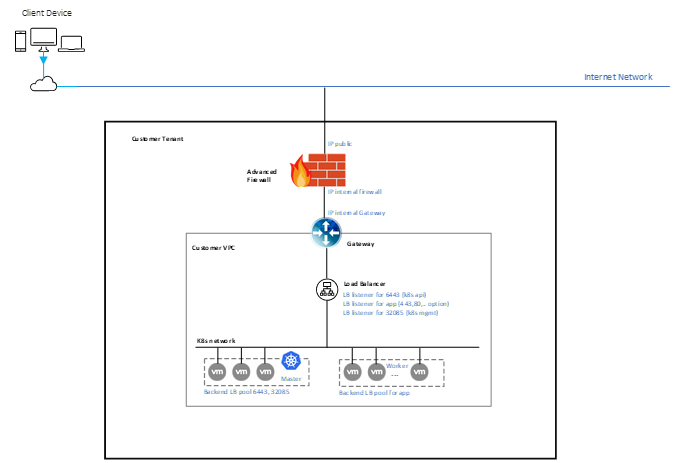
Required rules for a Kubernetes cluster behind Advanced Firewall
Traffic flow to Kubernetes nodes:
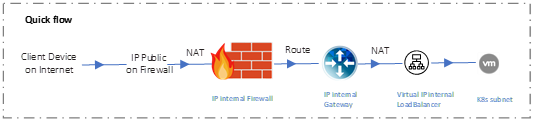
note
- All inbound and outbound rules for the Kubernetes cluster are configured on the Advanced Firewall.
- All NAT rules for the Kubernetes cluster are configured on the Advanced Firewall.
- Public IPs are placed on the Advanced Firewall.
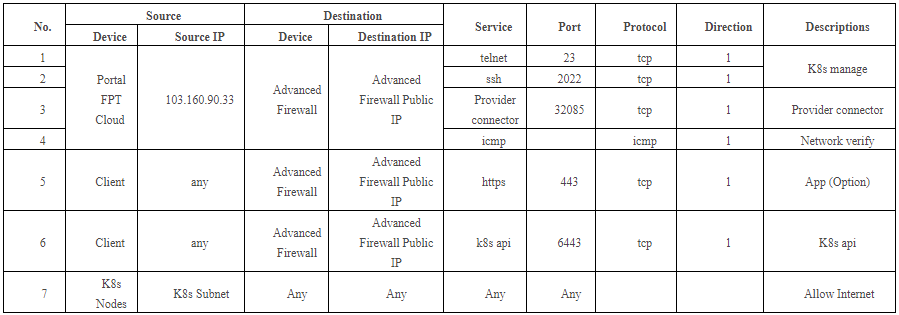
Firewall rule planning table for Kubernetes cluster on Advanced Firewall:
NAT rule planning table for Kubernetes cluster on Advanced Firewall:
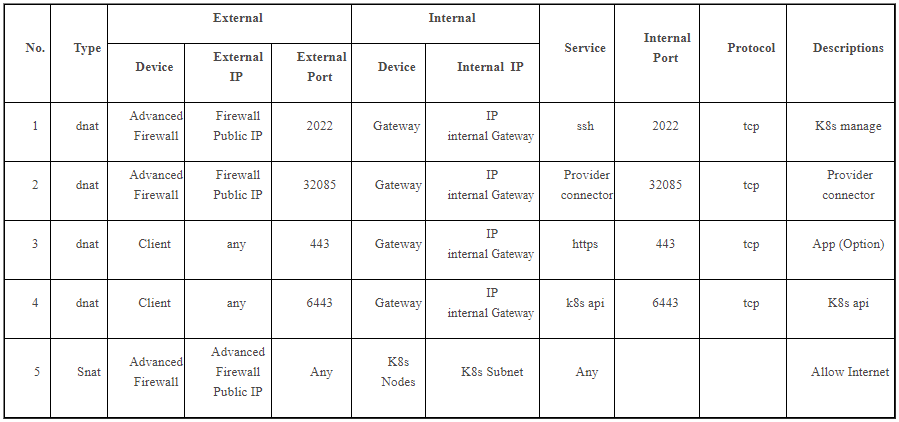
The Gateway also has Firewall and NAT rules to ensure traffic connectivity from Gateway to Firewall. These default rules are created automatically. Create additional rules for your application as needed (optional).
Create a Firewall-integrated Kubernetes cluster
Requirements:
- CPU, RAM, Storage, and Instance quotas sufficient for the desired Kubernetes cluster configuration.
- One network subnet for Kubernetes Nodes (subnet with Static IP Pool required). This subnet must be carefully planned and designed to allow routing from external sources through the Firewall and Gateway to the Kubernetes Nodes.
- Firewall IP information: one Public IP and one Private IP for the Firewall.
- Gateway IP information: one Private IP used to configure the route from Firewall to Gateway.
Creation steps:
- From the FPT Cloud Portal, select Kubernetes. Choose the Dedicated tab and click Create. Enter the desired Kubernetes cluster information.
- In the Firewall settings, check Enable Firewall.
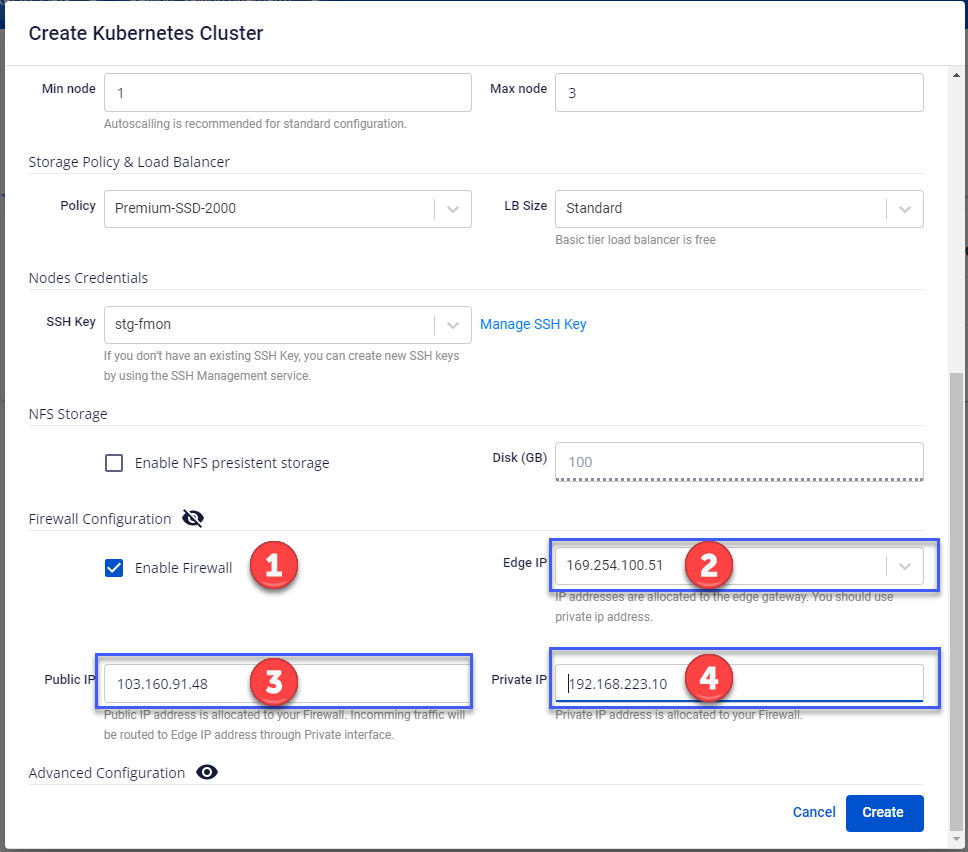
- Enter the Firewall information (Gateway IP, Checkpoint Public IP and Private IP).
- Click Create, review the information, then click Agree to start creation.
- Monitor the Kubernetes cluster creation status. Once the status is Succeeded (Running), you can begin deploying applications.