Manual scale
D-FKE supports manual scale-in and scale-out of worker nodes, allowing you to increase or decrease the number of workers on demand without waiting for the autoscaler. This is well-suited to situations that require rapid adjustment of worker node count based on actual workload.
To configure manual scale:
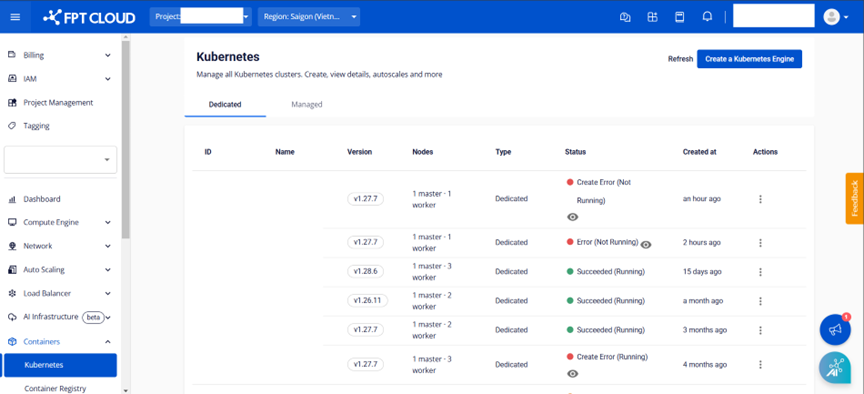
- From the menu select Kubernetes. The Kubernetes Management page appears. Select the desired cluster, then select the node pool section.
- Under Worker Config > Auto Scale, select the Enable Auto Scale Node icon.
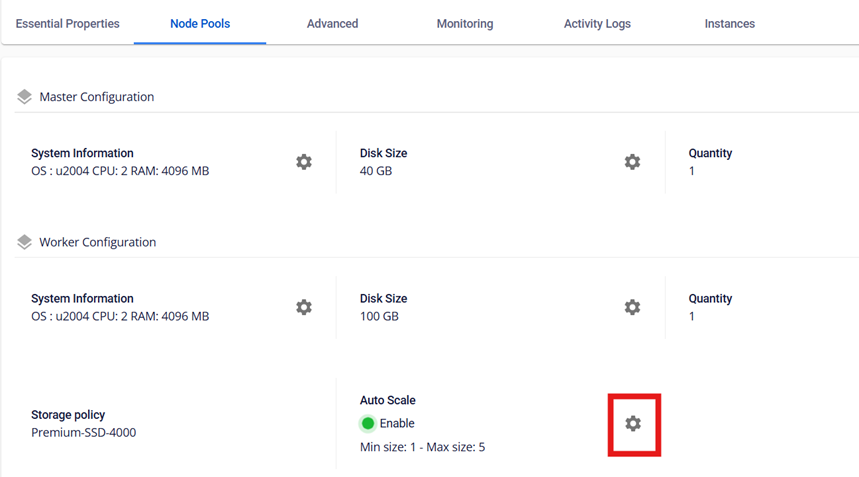
-
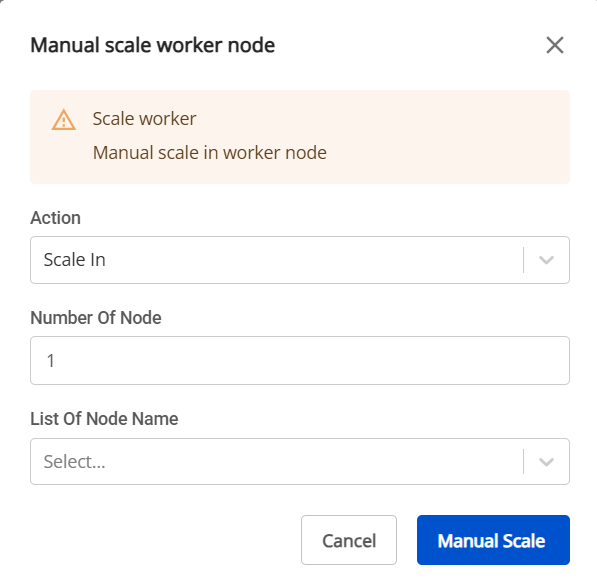
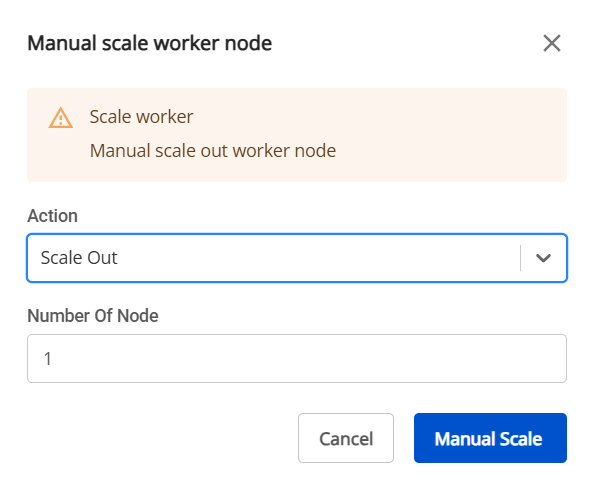
The Scale Worker Nodes screen appears. Enter the required fields.
- Scale Type: Select Scale Out (increase) or Scale In (decrease).
- Scale In:
- List of node name: Select nodes to remove. If none are selected, the system removes nodes at random.
- Quantity: Enter the number of worker nodes to add or remove.
- Scale Out:
- Quantity: Enter the number of worker nodes to add.
After entering the values, the resulting worker node count is shown on the "Quantity worker after scale-up/scale-down equals" line.
-
Review the information, then select Scale Cluster to execute the worker scale operation.
The cluster scaling process will run. While in progress, you cannot edit the cluster until the process completes.