Refresh a robot account secret
A robot account token is only shown once at creation. When a token is lost or needs to be replaced for security reasons, FPT Cloud lets you regenerate the secret without deleting and recreating the robot account.
-
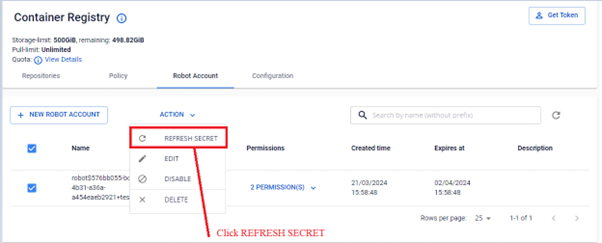
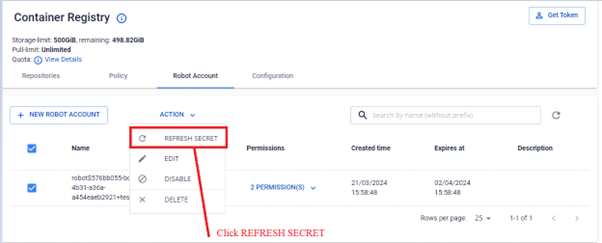
In the Robot Account list, select the robot account to refresh, then select ACTION REFRESH SECRET.
-
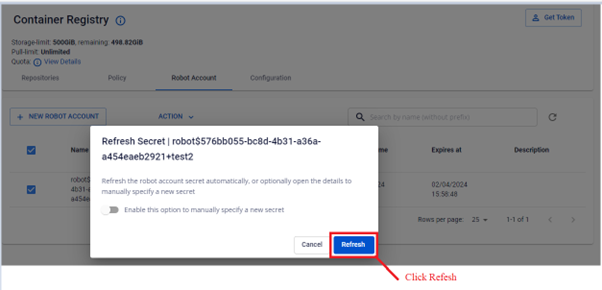
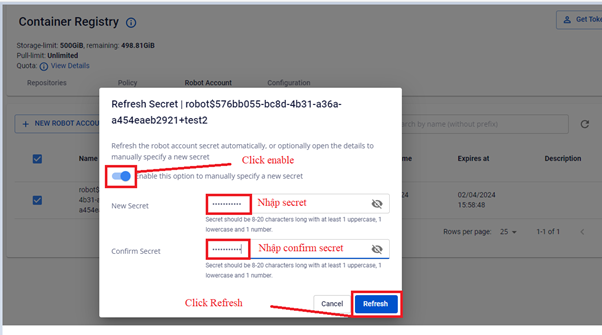
Choose one of two methods to refresh the secret:
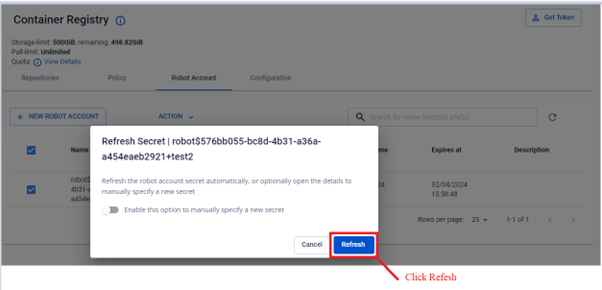
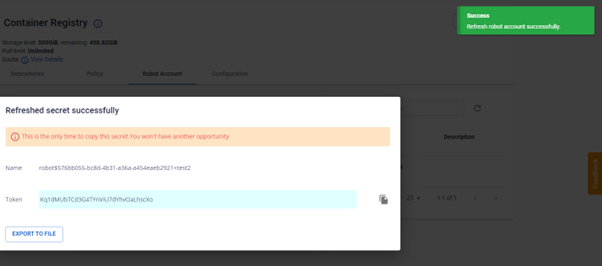
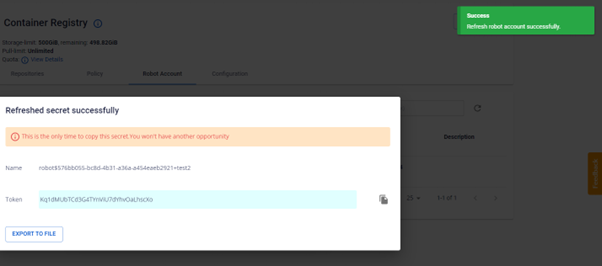
Method 1 - Automatic: The system generates a new secret. Copy it or click Export to File to save.
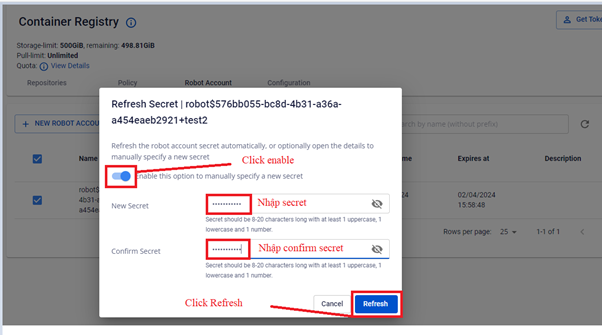
Method 2 - Manual: Enter a custom secret yourself.
warning
After refreshing, update the new secret in all pipelines and systems that use this robot account.