Create a robot account
Robot accounts provide separate credentials for automated systems, keeping access isolated between users and CI/CD pipelines.
-
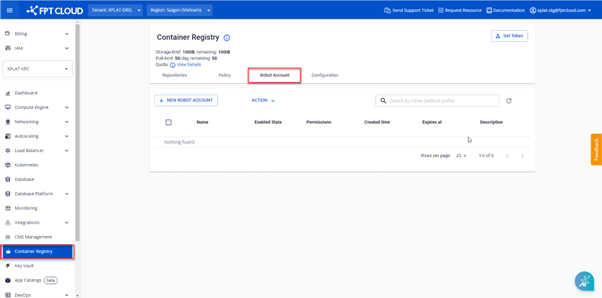
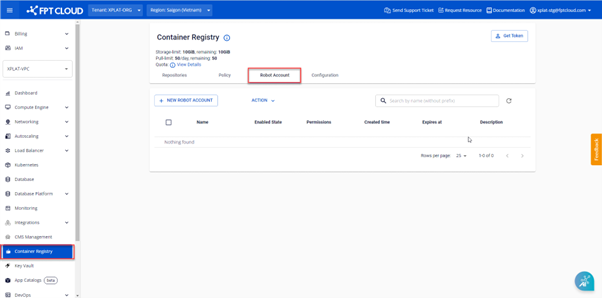
On the FPT Portal menu, select Container Registry > Robot Account tab.
-
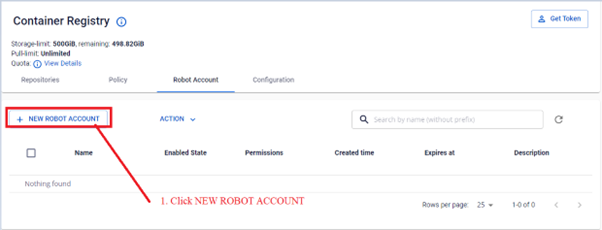
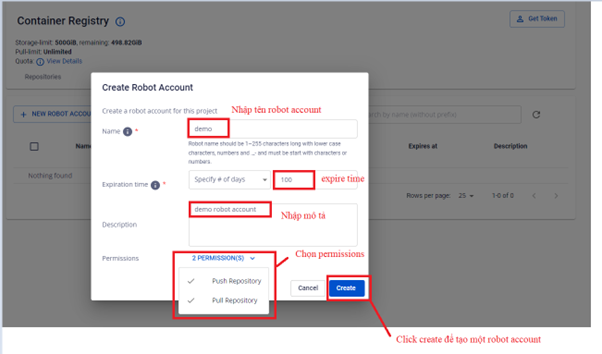
Click NEW ROBOT ACCOUNT and enter the initialization information.
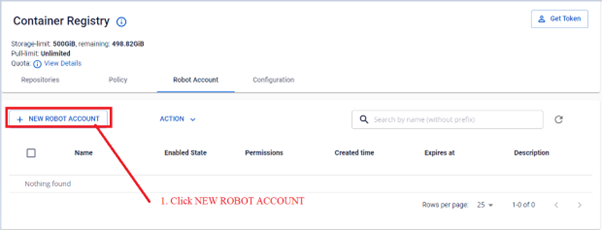
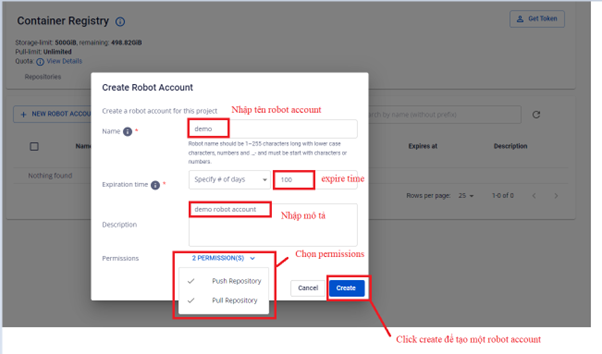
Field Description Name Robot account name Expiration time Token expiration: by number of days or never expire Description Description of the intended use Permissions pull and/or push repository permissions -
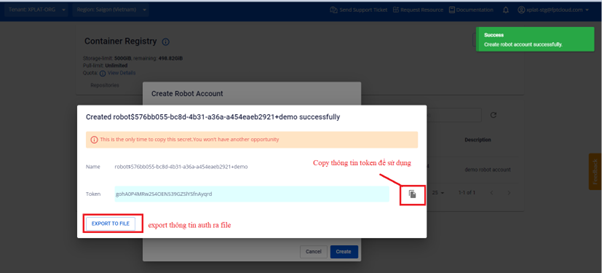
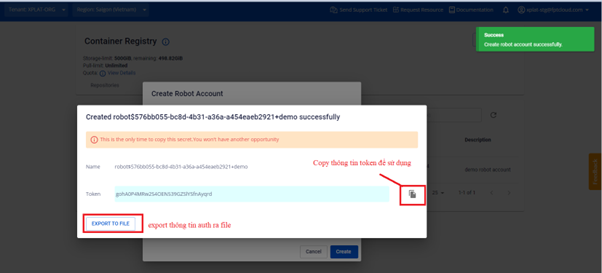
After successful creation, the dialog displays the Username and Token. Copy or click Export to File to save the credentials.
 warning
The Username and Token are displayed only once. Save them in a secure location immediately after creation.
-
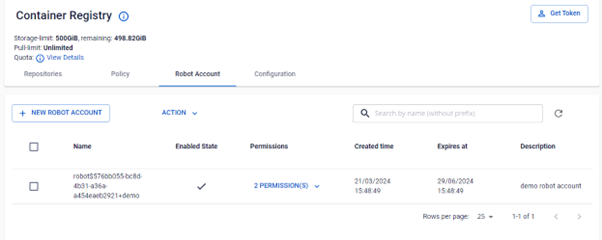
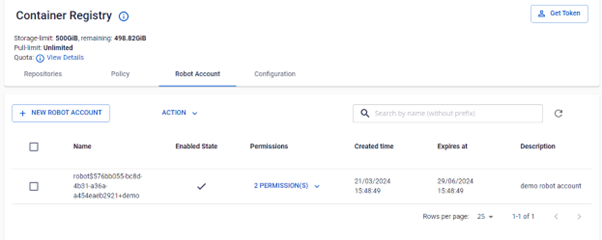
Verify the newly created robot account in the list.