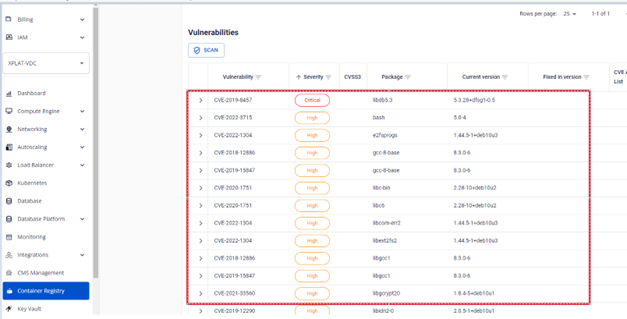
Manage image scan results
After a scan completes, FPT Container Registry provides a detailed report of detected security vulnerabilities, helping you assess risk levels and take appropriate remediation actions.
-
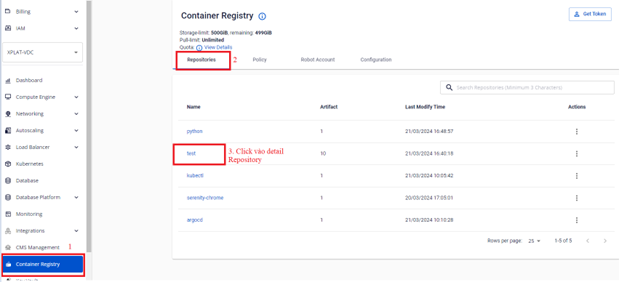
On the FPT Portal menu, select Container Registry > Repository > Detail Repository.
-
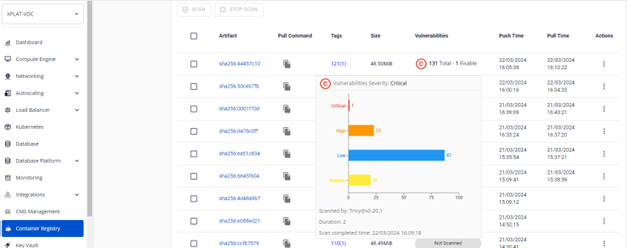
Click the Vulnerabilities table to view the total number of detected vulnerabilities.
-
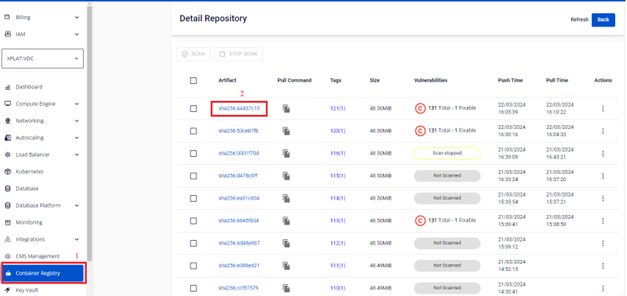
Click Detail Artifact to view details of each vulnerability.
-
Review the complete list of vulnerabilities detected by FPT Container Registry.