Scan image
FPT Container Registry integrates a vulnerability scanning feature for container images directly on the Portal. Regular scanning helps you detect CVEs early and ensures images are deployed securely.
Run a scan
-
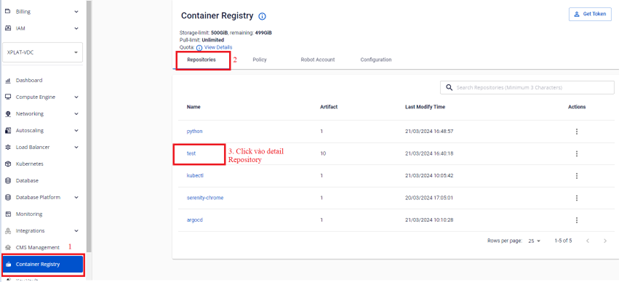
In the sidebar menu, select Container Registry > Repository > Detail Repository.
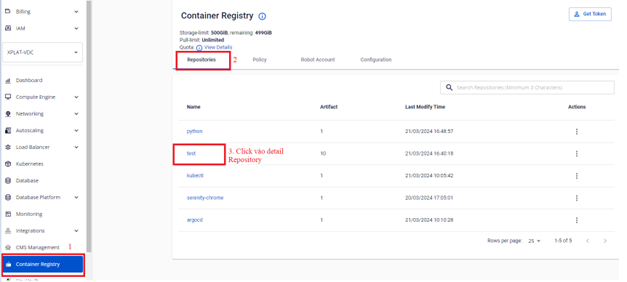
-
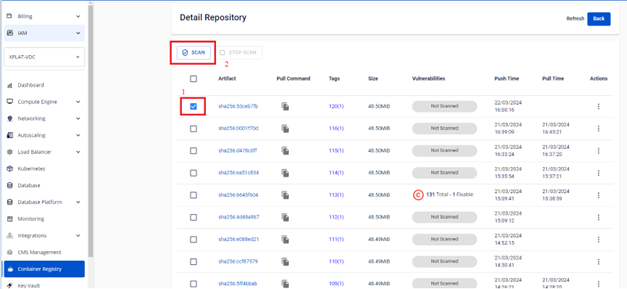
Select the artifact you want to scan to display the SCAN button.
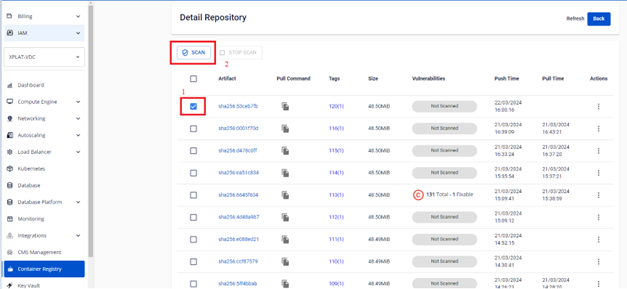
-
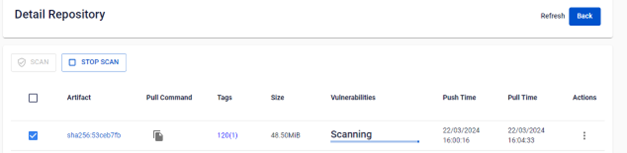
Click SCAN to start the scan.
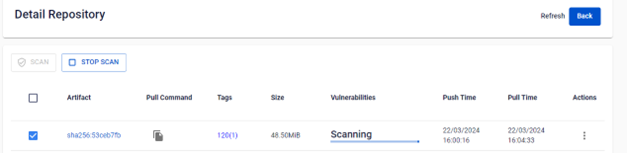
-
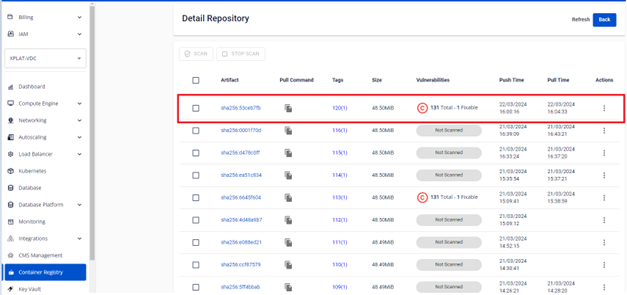
After the scan completes, review the results.
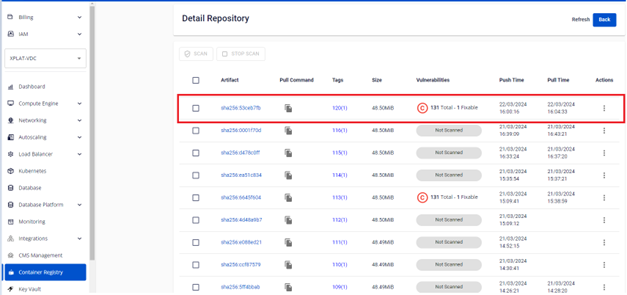
Review scan results
-
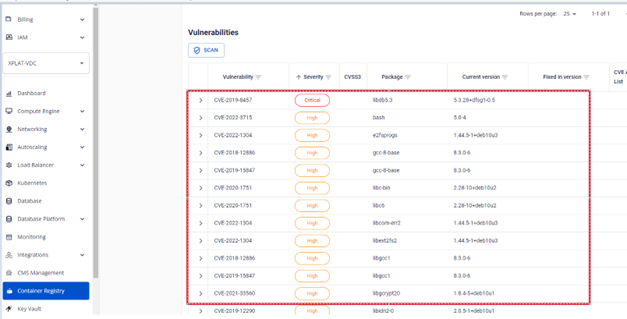
In Detail Repository, click the Vulnerabilities table to see the number of detected vulnerabilities.
-
Click Detail Artifact to view the details of each vulnerability.
Stop a scan
To cancel a scan in progress:
- In Detail Repository, select the artifact being scanned to display the STOP SCAN button.
- Click STOP SCAN to stop the scan.