Stop a scan
If you need to cancel an in-progress scan, you can stop it directly from the Portal.
-
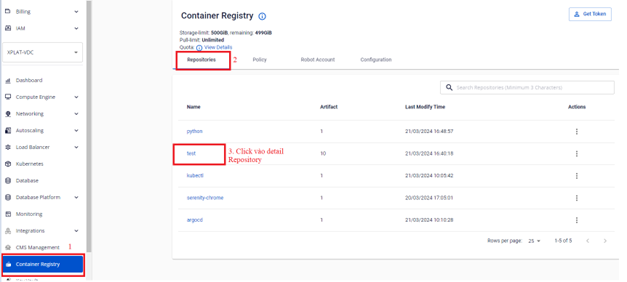
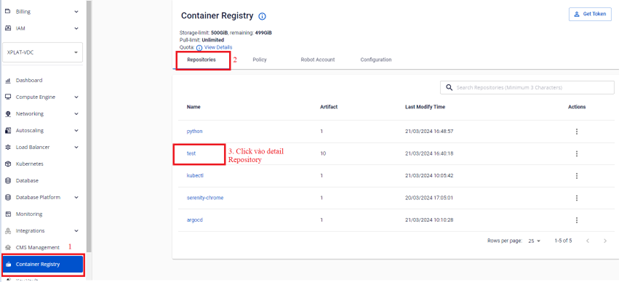
On the FPT Portal menu, select Container Registry > Repository > Detail Repository.
-
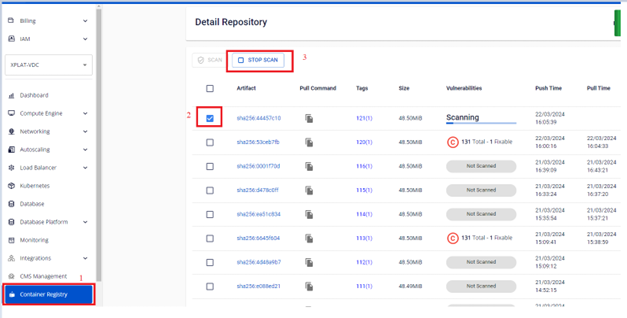
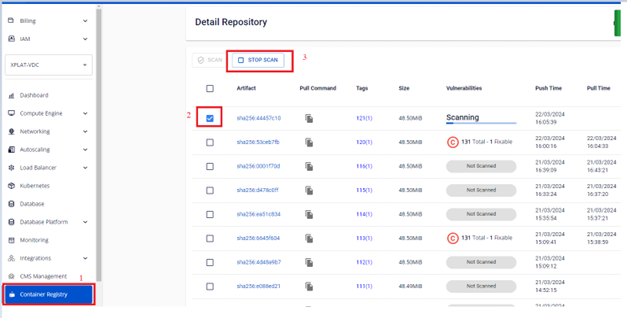
Select the artifact in Scanning state to display the STOP SCAN button.
-
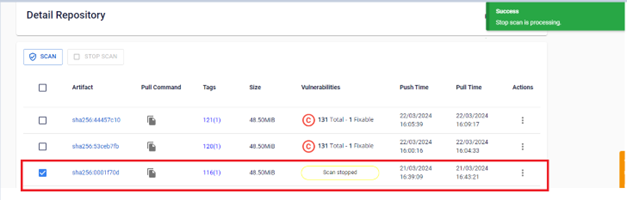
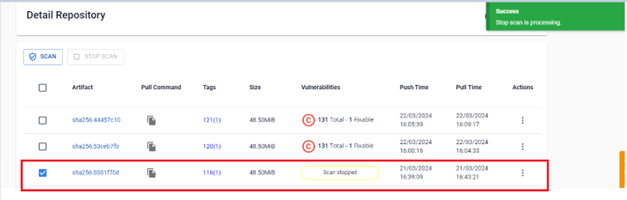
Verify the status after stopping the scan.