Update Open Metadata
To edit Open Metadata service information, follow these steps:
Step 1: In the menu bar, select Data Platform > Workspace Management > Workspace name
Note: Users can access the Open Metadata service directly by selecting Data Platform > Open Metadata service from the menu bar.
Step 2: In the My Service section, select Open Metadata Service. On the Detail Open Metadata Service screen, click the Edit icon for the section you want to update.
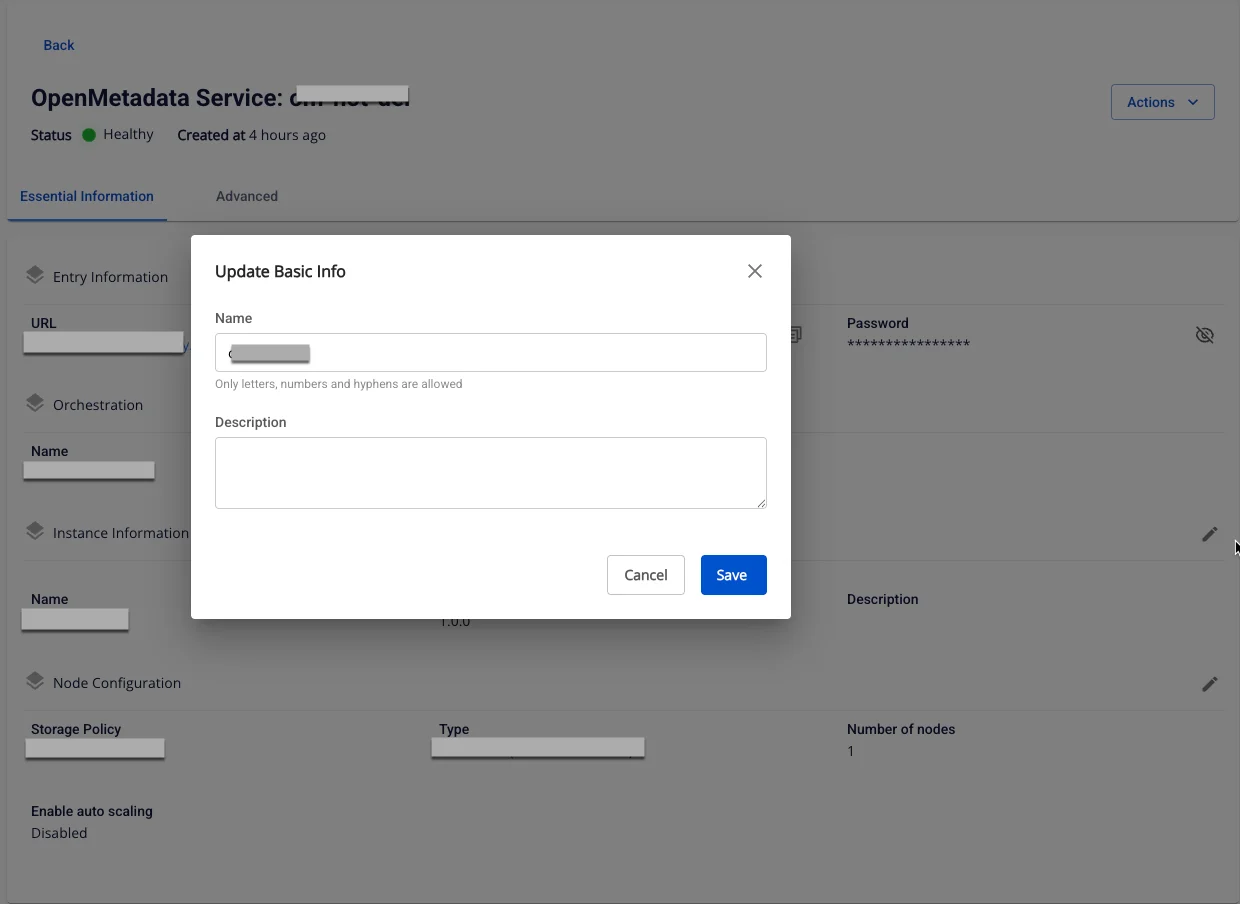
- Update Instance Information
The Instance Information edit screen is displayed, allowing you to modify:
* **Name** (Required): Service name
Note: The service name must be 1 to 30 characters. It may contain lowercase letters a-z, uppercase letters A-Z, or digits 0-9.
* **Description** (optional): Service description
- Update Node Configuration
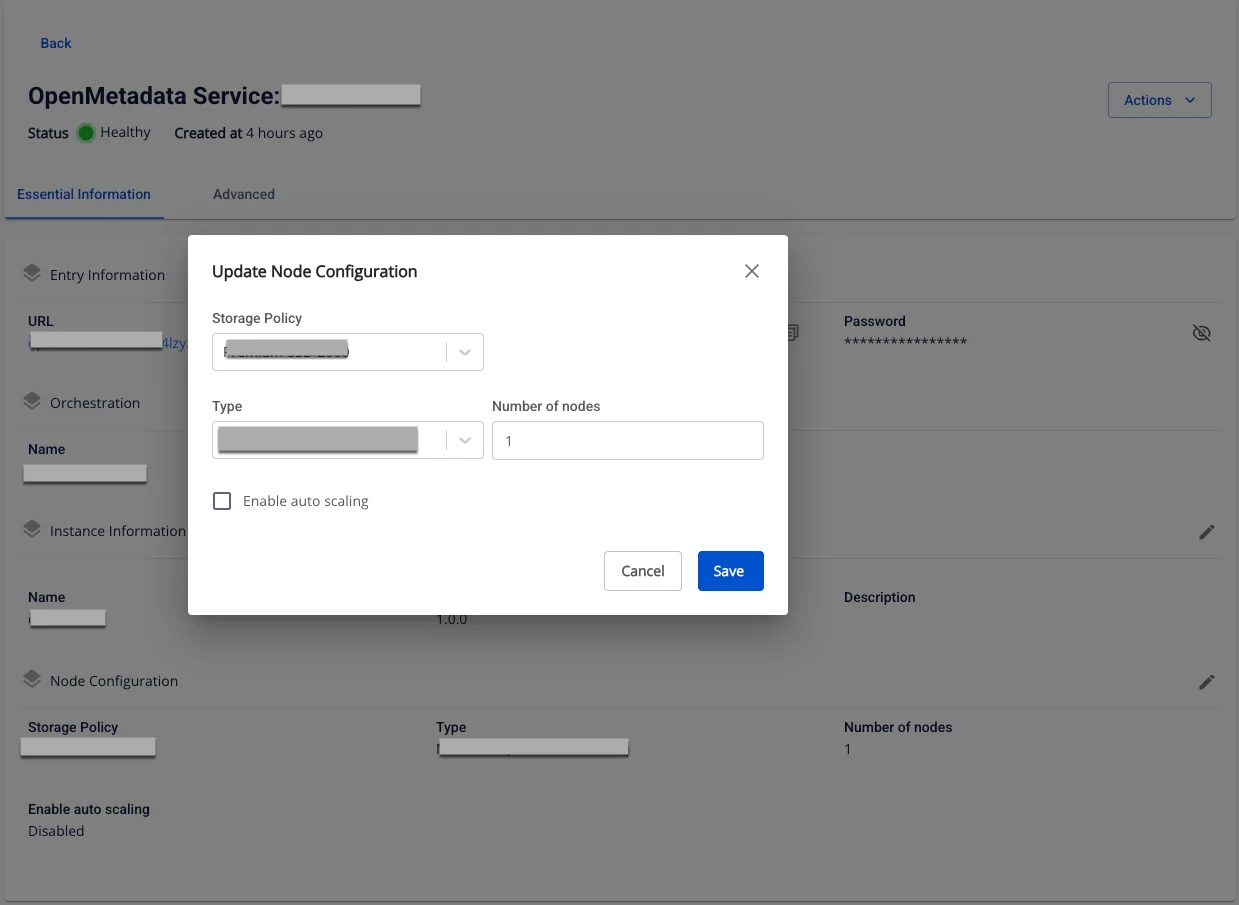
The Node Configuration edit screen is displayed, allowing you to modify:
* **Type**: Select the configuration type for the service

* **Number of node:** Select the appropriate number of nodes
The number of nodes must be greater than or equal to 1 and less than or equal to 10.
* **Storage policy**: Select a storage policy
Step 3: Click Save to complete.