Activating the FPT Database Engine service
When the FPT Database Engine service has not been activated, users will not be able to create or manage databases. Activating the service initializes the necessary backend components, making FPT Database Engine ready to use. This operation only needs to be performed once per VPC, following the instructions below:
Step 1: Access the database management page
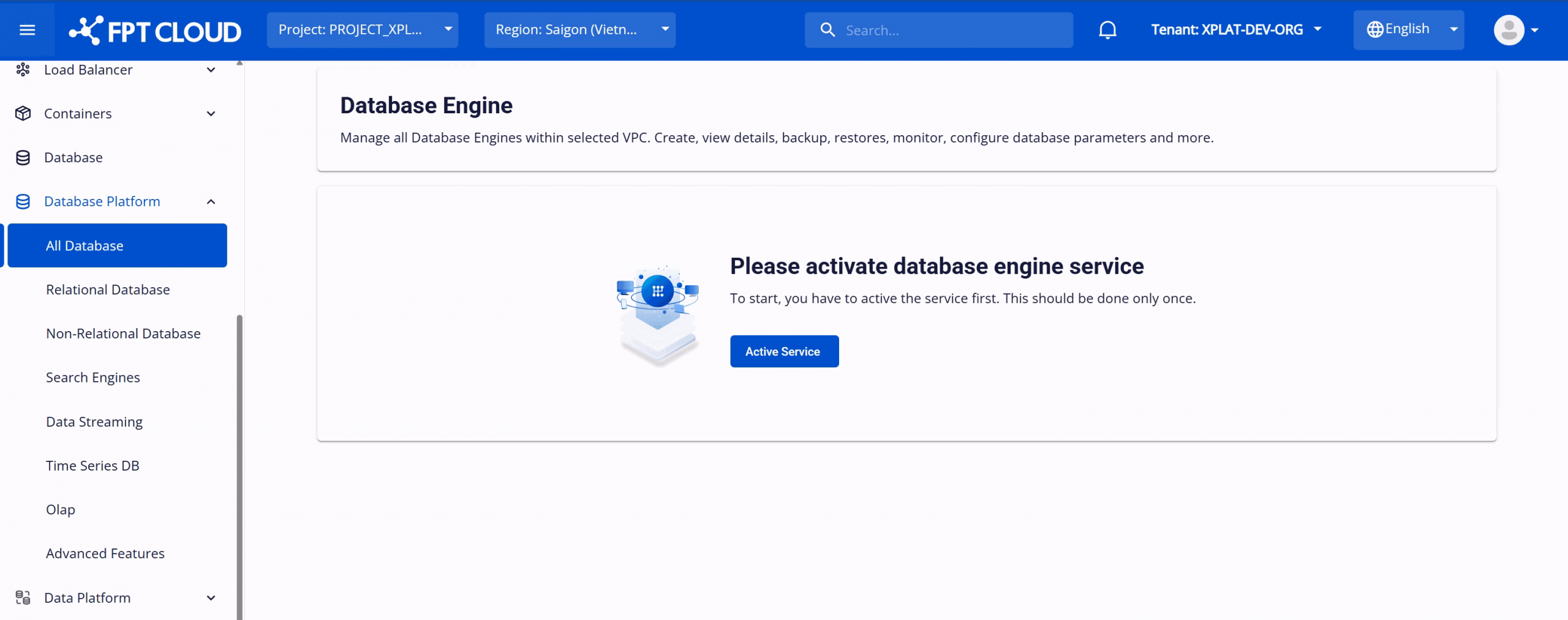
Log in to FPT Cloud Portal. After logging in successfully, from the main menu, select Database Platform > All Databases. The Database Engine Management interface will appear as follows:
Step 2: Activate the FPT Database Engine service
On the Database Engine Management page, click Activate Service to activate the service. The system will switch to the activation processing screen. This process may take approximately 8–10 minutes to complete.
After successful activation, the service status will display as Active, and database creation functions will be available.